Secured Access
Restricted Location
Secured Access
Restricted Location
Method Description
Each entrance to a Restricted Location will be assigned with a unique MSL Code. The MSL Code will be displayed conspicuously at each entrance. In addition to the code being printed in the text format, it can also be displayed in a QR Code format.
Example:       
      MSL Code: 5-8248711
If an interactive screen is attached to the Restricted Location, then the MSL Code can also include a unique number for each transaction.
Wallet Based:


Step 1 of 3
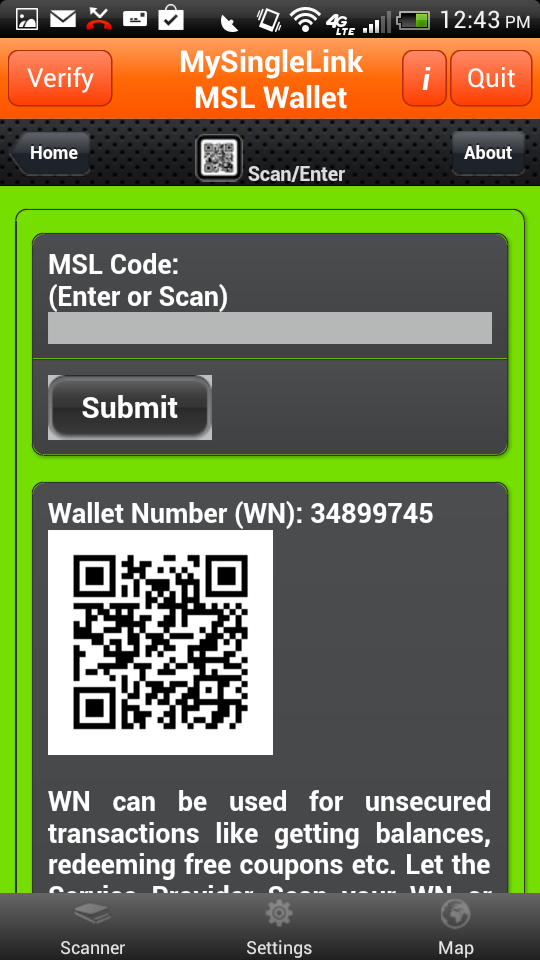
MSL Wallet:
Following are the steps in executing the transaction:
  • Step 1 of 3
    Visitor scans/entrs MSL Code into 'MSL Wallet'.
Step 2 of 3 Mobile Device with a Finger Print Reader:
  • Consumer places finger on the finger print reader.
    Upon finger print verification, Consumer would receive a random number.
Mobile Device without a Finger Print Reader:
  • Step 2 of 3
    Visitor receives a random number with '*' in MSL Wallet App and converts it into SUDS by replacing '*' with their own PIN.
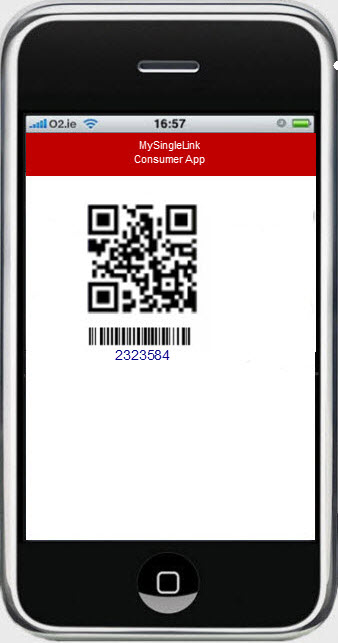
    The App can also convert the SUDS into QR Code format.
    Example:
    • Random Number: 2*69*9
      PIN: 19
      SUDS: 216999
Step 3 of 3
  • Step 3 of 3
    Entrance control system (Manual or automated) receives the random number or SUDS code thru manual entry or thru a scan from Visitor's cell phone.
    Entrance control system Submits the Transaction using any one of the devices listed at the bottom.
    Entrance control system would verify the Visitor Identification based on random number or the SUDS and also would able to view Visitor's image on certain devices.
    An electronic receipt will be created with the date, time, Entrance number and Visitor information.
    The electronic reciept will be available to view for 18 months.
Devices:
Smart Phone:
Devices:
Entrance Automated Systems:
  • Visitor Places the Cell Phone with the SUDS QR Code on the Entrace Automated System's scanner.
  • Entrance Automated System submits the Transaction
  • Entrance Automated System receives an Authorization code or a deniad message and act accordingly.
Smart Phone or Tablet:
Smart Phone or Tablet using 'MSL POS' App:
  • Entrance Attendant Scans the SUDS from Visitor's Mobile Phone or enters the SUDS received from the Visitor
  • Entrance attendent receives an Authorization code or a deniad message
  • Optionally Entrance Attendant could also receive an image of the Consumer
PC or Tablet
with Internet:
MySingleLiunk Virtual Terminal using Tablet or PC with Internet Connection:
  • Entrance Attendant enters the SUDS received from the Visitor or scans the SUDS from Visitor's Cell Phone.
  • Entrance Attendant receives an Authorization code or a deniad message
  • Optionally Entrance Attendant could also receive an image of the Visitor
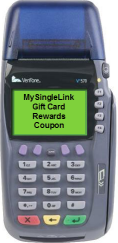
Credit Card Terminal:
Credit Card Terminal
  • Entrance Attendant enters the random number or the SUDS received from the Visitor
  • Entrance Attendant receives an Authorization code or a deniad message
 
Secured Access
General Description

Secured Access Transaction is one that involves accessing a Secured Resource like Web Site, Financial Information, Medical Records, Office, Home, Lockers, Airports, Personal Verification etc.

MySingLink, based on their propreitory technology, has developed 2 broadly categorized Paperless Transaction Processing methods namely Wallet based and Card based. Wallet based method uses 'MSL Wallet' which is a free App available for iPhone, iPad, iPod, Anroid Phones and Tablets. Wallet based method is card less and uses SUDS (Single use Digital Signature) for Secured Transacntions whereas Card based method uses a card with a magnetic stripe (MySingleLink Card or Consumer Custom Card or Merchant Custom Card). To know more about these methods, please click on How It Works from the Main Page.

Since Wallet Method provides highest security and Secured Access Transactions require higest security, only Wallet Method can be used for Secured Access Transactions. Also Wallet Method does not require a physical card. Wallet Method consists of the following 2 steps and usually takes less than a couple of seconds to complete the processing:

  • Visitors scan or receive a number from each entrance of Secured Locations and convert to SUDS using their PIN
  • Each entrace of Secured Locations scan or receive SUDS from Visitors and does the processing
Wallet Method can also be used for Applications that require Secured ($) Payment and following are some examples:
  • Payment Processing at the Counter
  • Payment Processing at the Table
  • Payment Processing at the Pump
  • Payment Processing at Mobile Location
  • Payment Processing Online
  • Payment Processing at ATM
  • Payment Processing on Display
  • Payment Processing on Advertisement