Merchants & Consumers
Products & Services
SmartBrief Foodservice Innovation Award Winner

Secure, Faster & Error Free Service.
Smart Commerce.

Sprint-Thru pickup & delivery, secure self-checkout, grab & go retail, password-less & OTP Less logins and secure payments smart solutions for modern merchants and consumers.

Explore Smart Solutions
Sprint-Thru Smart Solutions
Sprint-Thru is a patented and patent pending Disruptive & Friction Less Technology that disrupts many existing products and services and can also be used to introduce new products and services for merchants and consumers to substantially improve security, reduce service times, reduce product theft, reduce cost and protect the environment.

  • Bring Your Own Device (BYOD) concept will let the customers use their own devices instead of installing computer kiosks and check-out counters.
  • Propreitary Layout for secured and faster package pickup.
  • Latest internet, mobile, QR Code, IoT smart locks and AI technologies reduce package pickup, package check-out and package delivery thefts.
  • Implemented independently without any API interface with any third party systems such as POS or online ordering or delivery service provider or secured access systems, but supported.
  • Seamless integration with AI, live operators and websites using telephone numbers and/or QR Codes.
  • QR Code based password less and one-time pass code less technologies for websites, call centers, entrance access and document access.
  • The minimum rate of return (ROI) for any Sprint-Thru Solution would be in three digits.

We do not just tell you what we do, but we tell you how we do it.
We believe better informed merchants and consumers will make smarter choices.

Supported Businesses & Solutions
Following are some of Businesses and Solutions supported by Sprint-Thru:
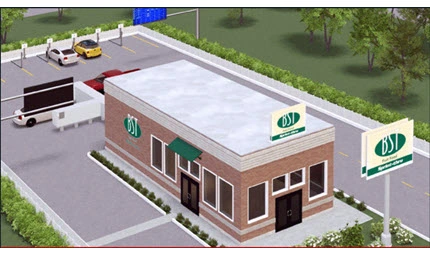
Building
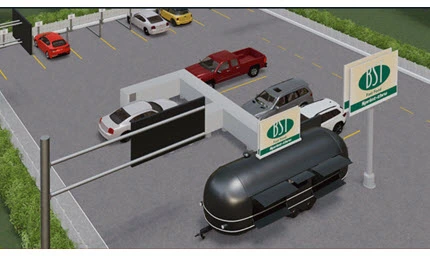
FoodTruck
Ambiance Locker
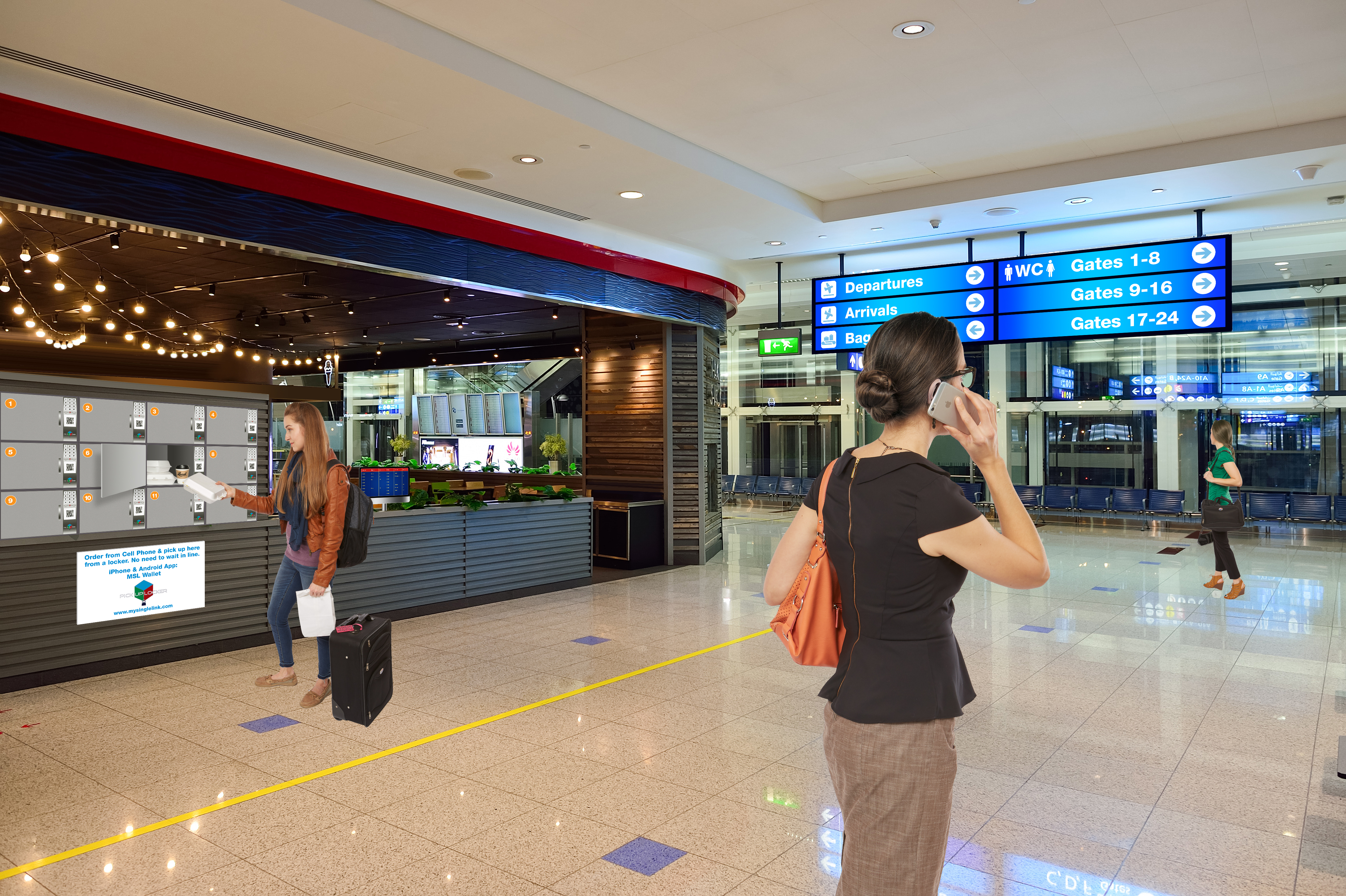
Airport

Order Pickup Solutions
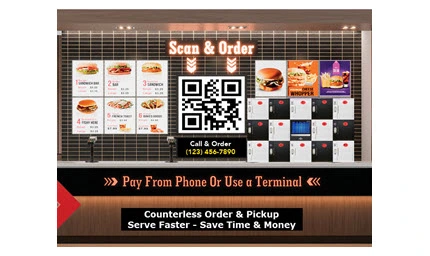
  • Order Pickup for QSR or FSR Locations
  • In-Store and/or Curbside and/or Parking Lot

Order Pickup Solutions
  • Order Pickup for Food Truck Locations
  • Walk-in and/or Parking Lot

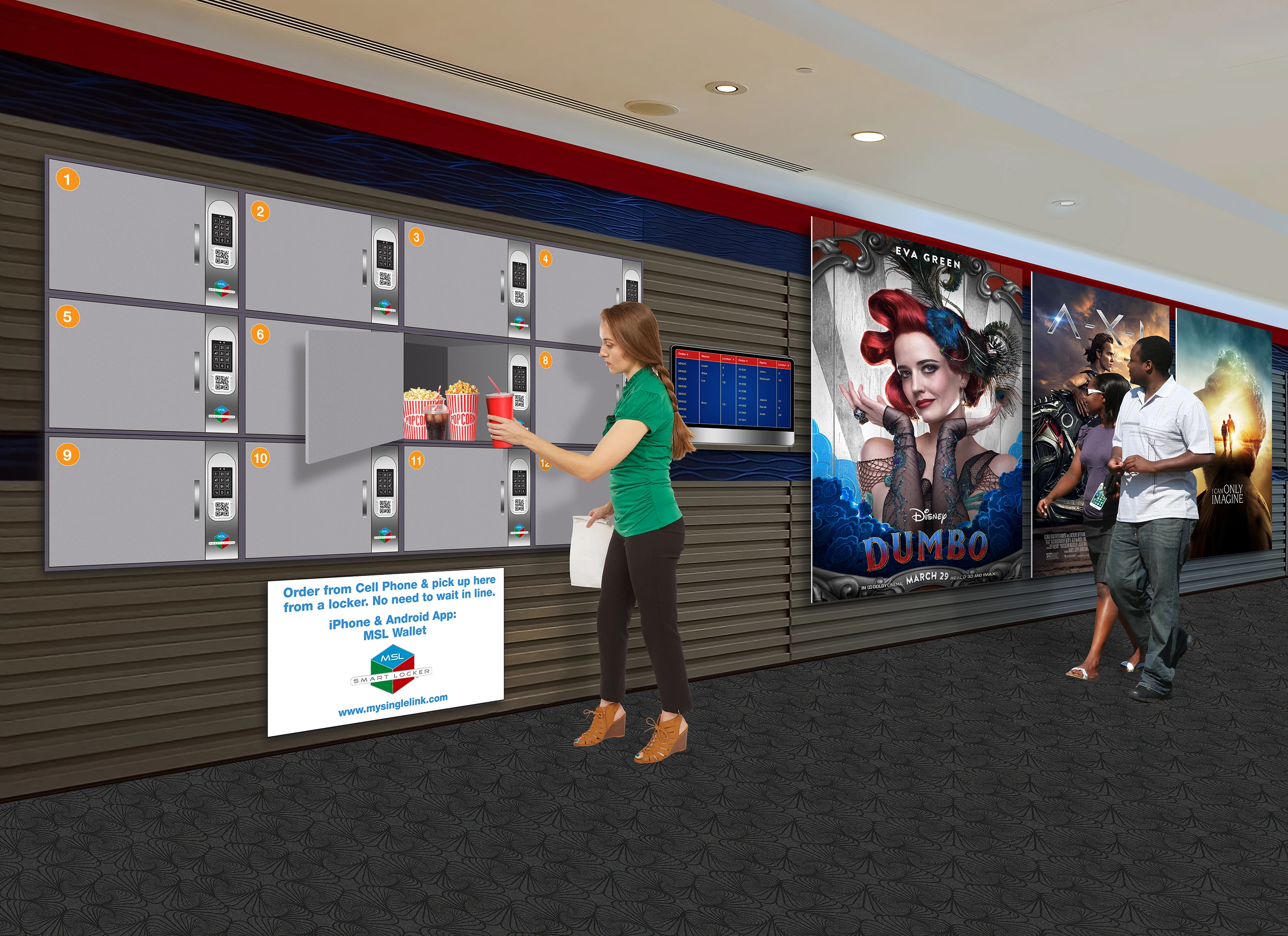
Order Pickup In-Store Lockers

  • Order Pickup Solutions
  • In-Store. Counter or Floor Mounted

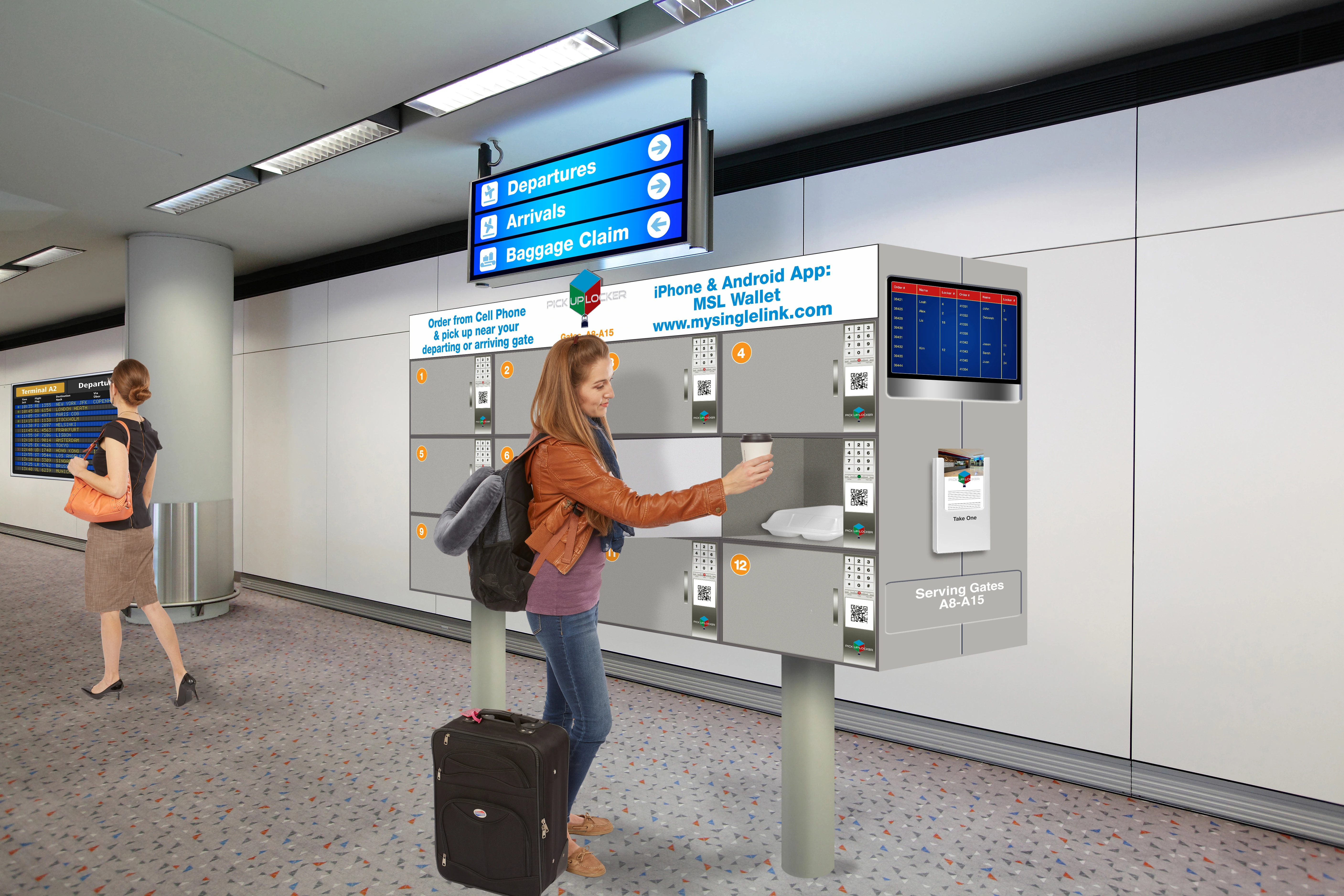
Order Pickup Shared Hub

  • Order Pickup Solutions
  • Airport Gates, Food Courts & Stadium Entrances

WaitList
Pour
Check-Out
 

Waitlist, Reservation & Sign-In

  • Full Service Locations
Self-Pour Solution

  • Self-Pour for QSR and/or bars

  • Alcohol and/or Non-Alcohol Dispensers

Self Check-Out Solution

  • Self Check-Out for Grocery and/or Convenient Stores
  • Scanner and/or Computer Vision and/or RFID

Fake Merchandise Solution

  • Branded Merchandise
  • Non-Transparent Identifiers

Supported Consumers & Soltuions
Following are some of Consumers and Solutions supported by Sprint-Thru:
Single-Unit
Multi-Unit
QR Bell
Pantry
Package Delivery
Single-Unit Dweller
Homes
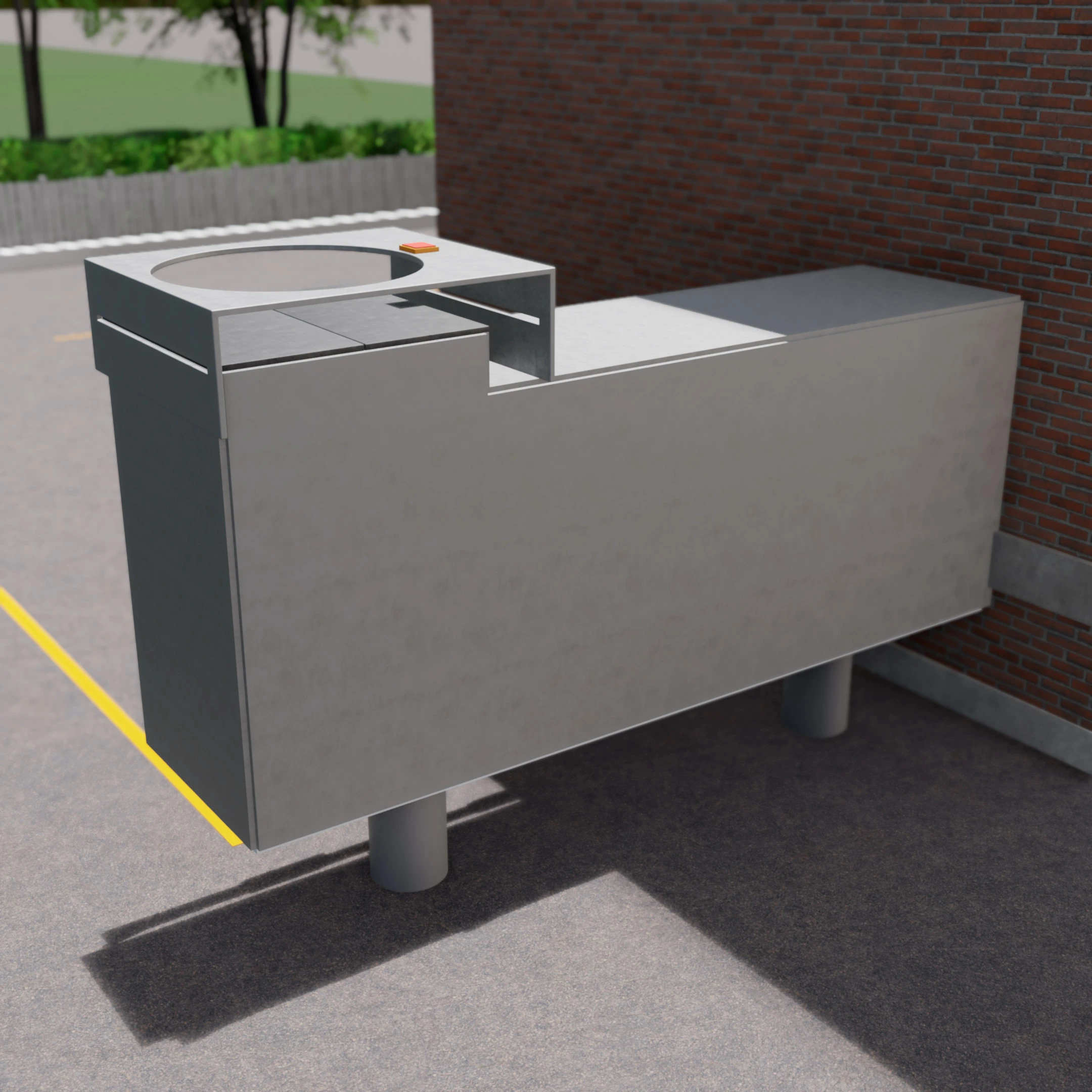
Package Delivery
Multi-Unit Dweller
Apartments & Offices
Package Delivery
QR Code Door Bell
Single or Multi Unit
Pantry Management
Homes & Apartments
 

Order Pickup Locker Solutions

Sprint-Thru disrupts order pickup processes for merchants, consumers and delivery persons to substantially improve security, reduce wait times, reduce product theft, reduce cost and protect environment.

100% Digital for Off and On Premises Ordering
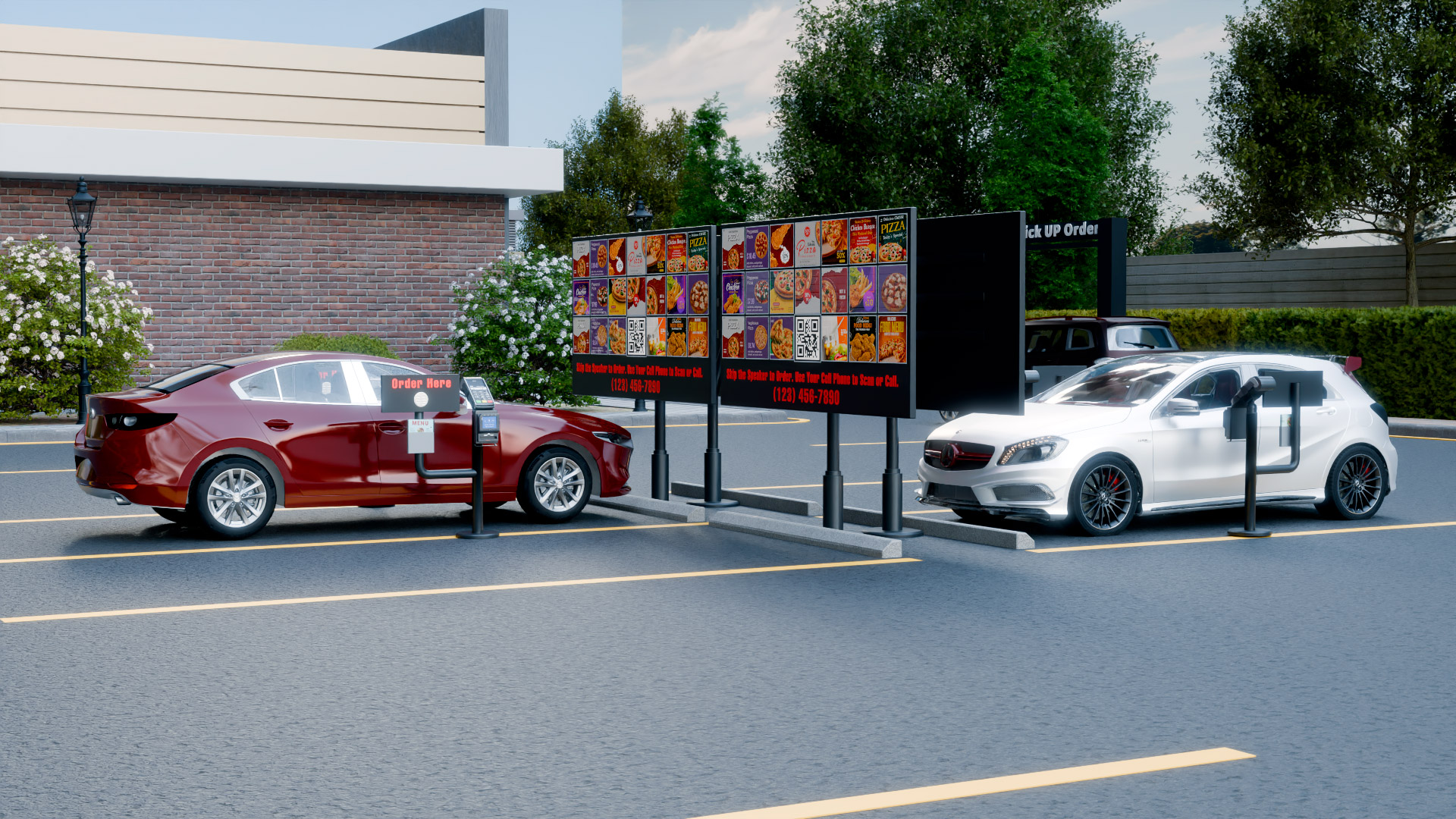
Sprint-Thru signage can replace Drive-Thru signage

  • Order ahead customers are supported
  • Delivery persons are supported
  • Order now customers are supported

  • No POS Interface
  • No Delivery Service Provider Interface

  • No App
  • No Texting
  • No Emailing

  • No Counters
  • No Lines
  • No Touching of orders by unauthorized persons
  • No Cold Food that is made hot
  • No Hot Food that is made cold

Here are the Friction Points that can be remoed by Sprint-Trhu:

Integrations

 
  • Because Sprint-Thru ia s stand alone system, it can be used with any current or future POS or online ordering or delivery service provider systems with or without any software (API) integration. Merchants can let customers and delivery persons to sign-in or place or pickup orders securely without face to face verification.
  • Iposters and lockers replace counters, computer kiosks, drive-thrus, curbside and parking lot pickups.
    Iposters can direct the customers and delivery persons to websites or locations or data centers or AI machines.
    iPosters are digital or paper posters with QR Codes, telephone numbers and instructions.
 

In-Door & Curbside Pickups

 
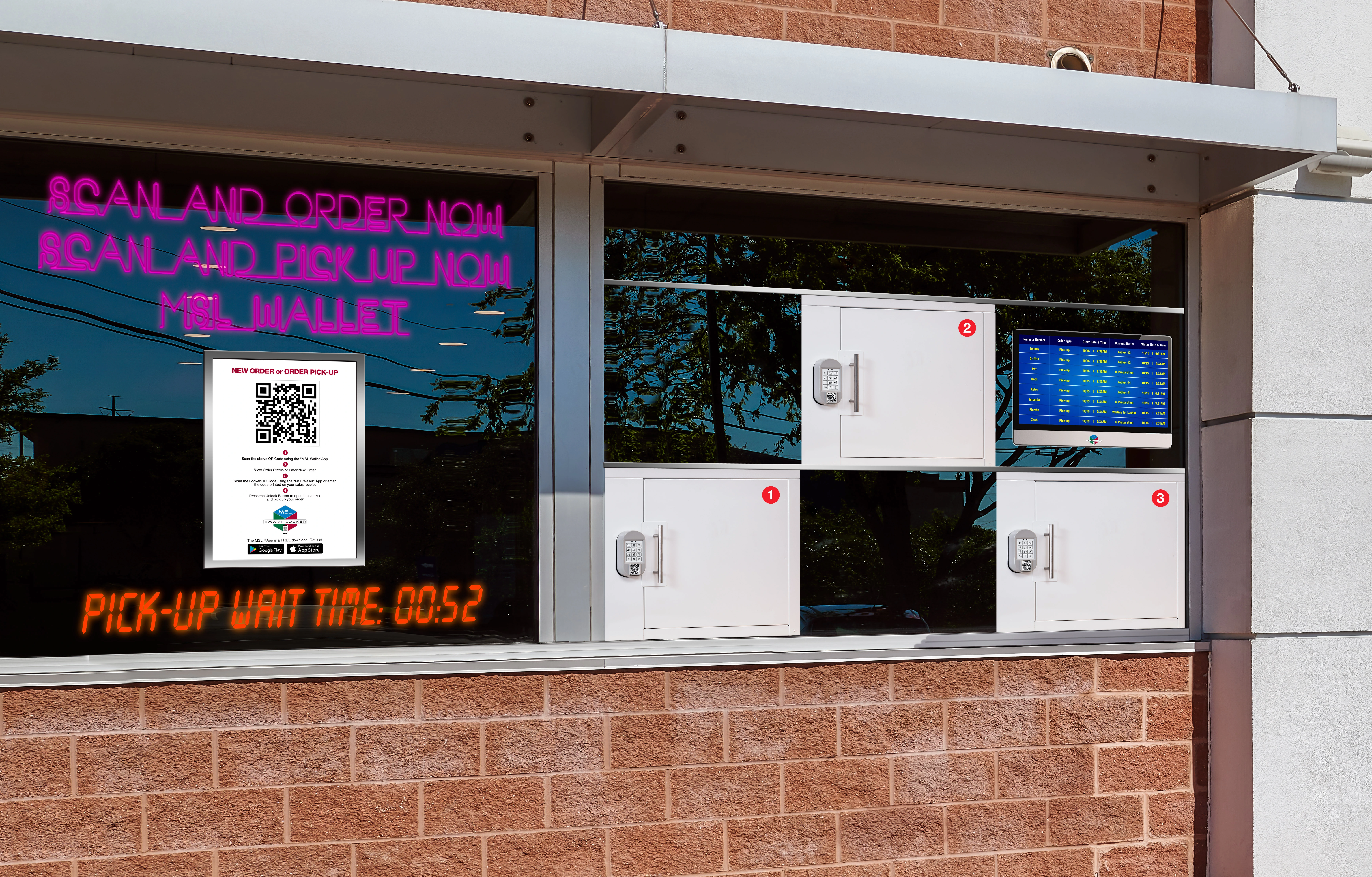
  • Locations with In-Store pickup can be converted into Sprint-Thru In-Store pickup in a matter of hours. Lockers can be added or removed as needed.
 
 
  • No In-Door Counters:
    In-Door Counters are not required, but supportd
  • No Curbside Manual Deliveries:
    Curbside manual deliveries are not required, but supportd
 

Parking Lot Pickups

 
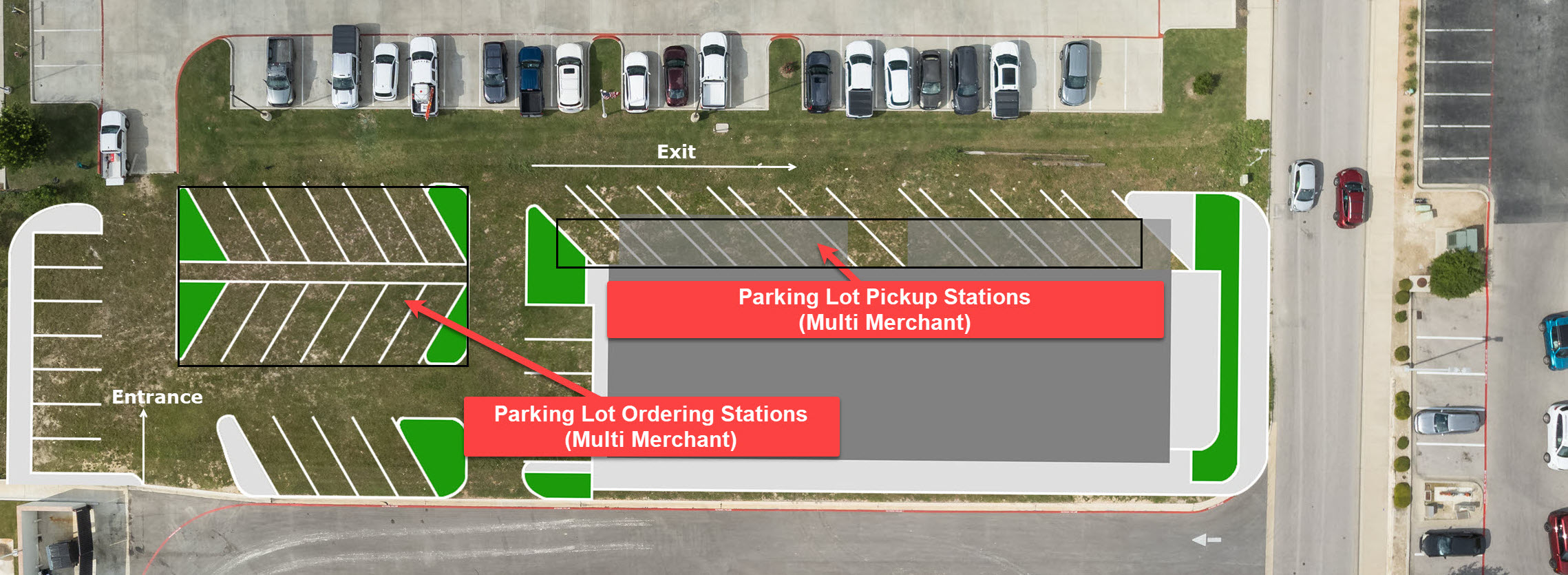
  • Locations with Drive-Thru can be converted into Sprint-Thru parking lot pickup in a matter of days. Parking Lot Pickup Stations can be added or removed as needed in a matter of days. Sprint-Thru locations can be constructed where drive-thrus are not allowed, because Sprint-Thru eliminates use of speakers and traffic jams.
 
 
  • No Drive-Thru Speakers:
    Drive-Thru Speakers and Menu Boards are not required, but supported.
  • No Drive-Thru Payment Window:
    Drive-Thru Payment Windows are not required, but supported.
 
 
  • No Floating Order Takers:
    Floating Order Takers are not required, but supported.
  • No Floating Order Deliverers:
    Floating Order Deliverers are not required, but supported.
 
 
  • No Drive-Thru Window:
    Drive-Thru Window are not required, but supported.
  • No Drive-Thru Lane Assignment:
    Drive-Thru Lane Assignments based on pickup type are not required, but supported.
 
 
  • Never Drive-Thru Traffic Jam:
    Never a Drive-Thru Traffic Jam, because drive-ways with multiple pickup stations are used.
  • No Drive-Thru Holding Areas:
    Never a Drive-Thru Holding Area needed, because drive-ways with multiple pickup stations are used.
 
 
  • No Higher Labor Costs:
    Sprint-Thru front and back automation can reduce labor cost as much as 50%.
  • No Longer Wait Times:
    Sprint-Thru traffic manager can reduce pickup wait times as much as 80%.
 
 
  • No Higher Construction Costs:
    Sprint-Thru construction costs can be as much as 80% less compared to Drive-Thru construction costs. Sprint-Thru requires less real estate.
  • No Longer Construction Time:
    Existing Drive-Thrus can be converted into Sprint-Thru Pickup Stations in a matter of days.
 

Friction Less #1
Integrations

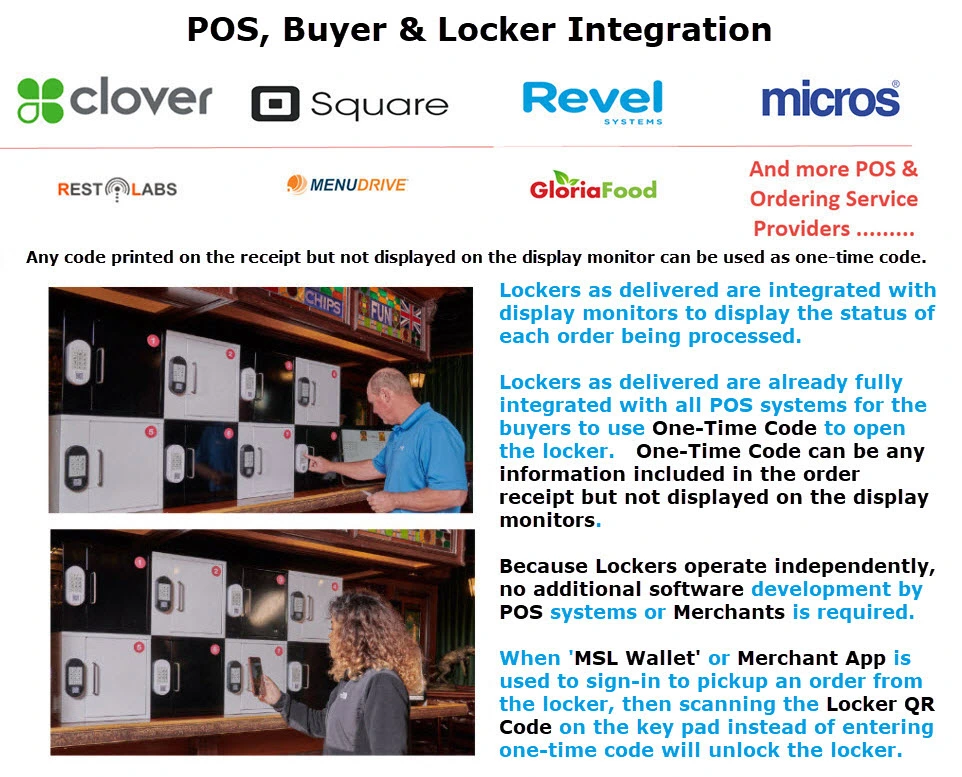
  • Sprint-Thru can be used with any current or future POS or online ordering or delivery service provider systems with or without any software integration.
  • Merchants can let unlimited number of customers and delivery persons to pickup orders simultaneously and securely without face to face verification.
POS (Non-Counter) Integration
Customers use last few characters of order identifier or any code or text displayed on the physical or electronic receipts and not displayed on order status monitors to pickup orders.
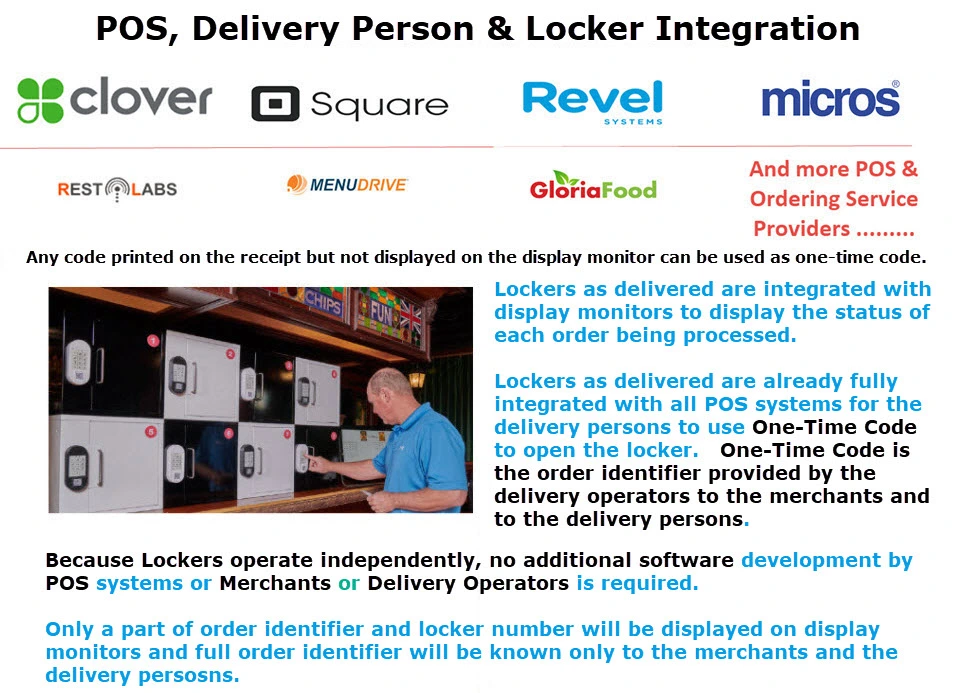
Delivery Service Provider Integration
Delivery persons use last few characters or full order identifier displayed on their mobile app and not displayed on order status monitors to pickup orders.
Pos Integration
Delivery Pickup Integration
POS (Counter) Integration
All the POS systems accept counter orders with customer name (First and Last Name).
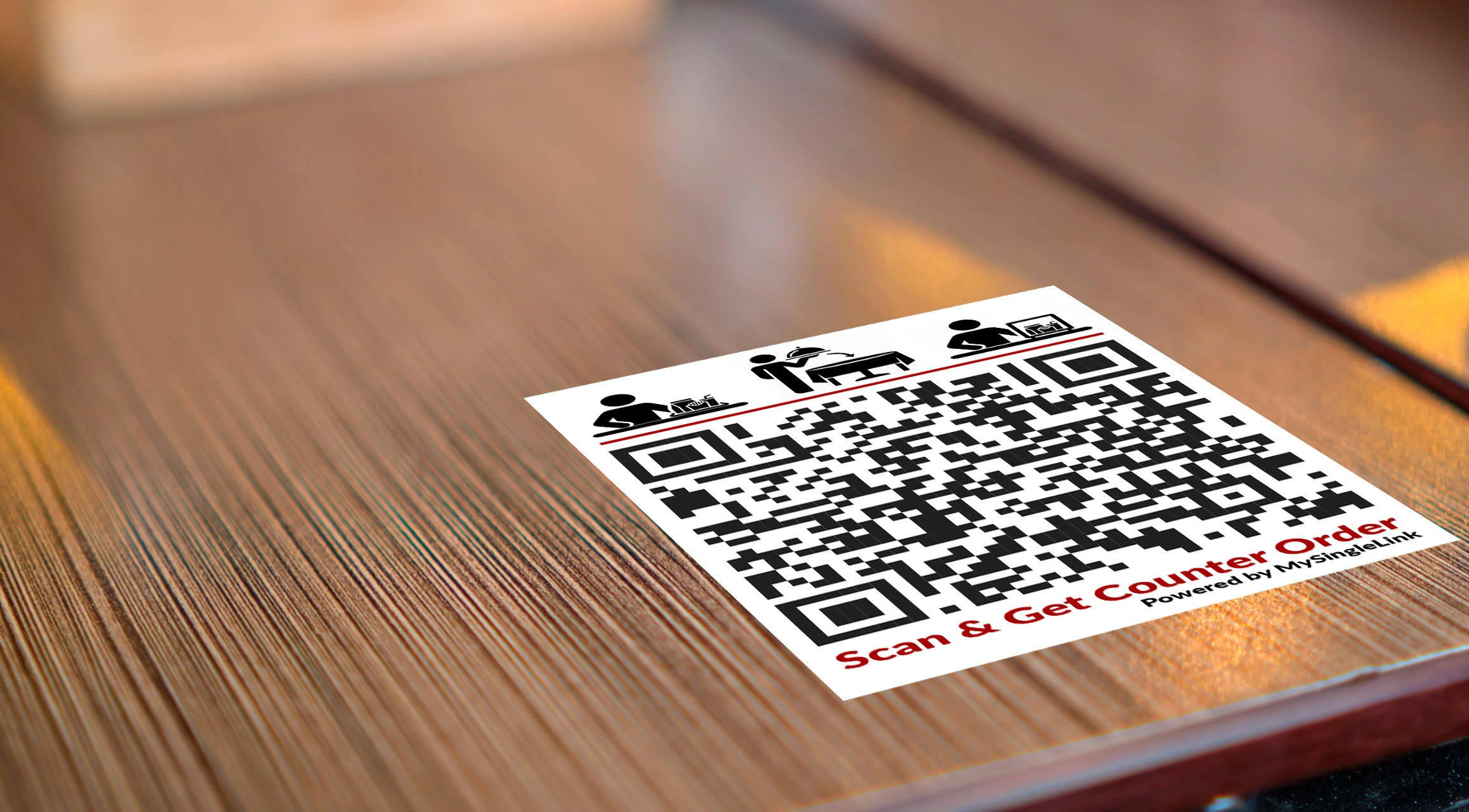
  • Merchants display a QR Code on each table and at each waiting area.
  • Customers scan the QR Code and enter the name given for the order.
  • If the entered name is not valid or the order name has already been displayed on the display monitors then the request will be rejected.
  • If the entered name is valid then the customer can select an option:
    • Table Delivery (Valid only when a QR Code displayed on a table is scanned)
    • Locker Pickup (Valid only when a locker is provided)
      Use first 4 letters of your last name or enter a code
    • Counter Pickup (Valid only when a counter pickup is allowed)
  • Follow the order status as they are displayed on display monitors.
Counter Integration

Merchant would handle the order as requested by the customer. If a request is not made by the customer, then the order will be left on the pickup counter.

Friction Less #2
User Order/Sign-in Interface

  • Sprint-Thru can let merchants to post a QR Code that would redirect order ahead customers and delivery persons to sign-in or redirect order now customers to any online ordering systems to place orders with location employees, data center employees or AI systems as order takers.
Parking Lot
Order/Sign-in

Parking Lot Order for order now customers and Parking Lot Sign-in for order ahead customers and delivery persons.

Curbside
Order/Sign-In

Curbside Order for walk-in customers and Curbside Sign-in for order ahead customers and delivery persons.

In-Store
Order/Sign-in

In-Store Order for walk-in customers and In-Store Sign-in for order ahead customers and delivery persons.

Order Ahead and
Delivery Orders

Third Party Website for Order Ahead and Delivery Orders.

Parking Lot Order
Curbside Order
In-Store Order
Ahead Order

Parking Lot Order/Sign-In
Highlights

  • All order now customers, order ahead customers and delivery persons will use the same entrance, same exit and same order pickup stations.
  • A single no-stop entrance drive-way can have unlimited number of order/sign-in stations. No vehicle can block the traffic in the no-stop entrance drive-way.
  • A single no-stop exit drive-way can have unlimited number of sprint-in and sprint-out pickup stations (Lockers). No vehicle can block the traffic in the no-stop exit drive-way.
  • Order ahead customers and delivery persons whose orders are ready can go directly to a pickup station displayed on the monitoring stations and pickup the order within 30 seconds.
  • Order ahead customers and delivery persons whose orders are not ready can drive to any ordering station and sign-in immediately without wait.
  • Order now customers can go to any ordering station and place an order immediately without wait.
  • All the customers and delivery persons waiting in the ordering stations can pickup their orders from pickup stations when their order is ready.
  • Order ready customers and delivery persons can bypass order not ready customers and delivery persons which would eliminate traffic jams.
  • All the orders displayed on the display monitor would also include the wait time
  • Customers before placing orders will always know the wait time
  • Order queueing can be customized by merchants to provide faster service based on loyalty level

Video
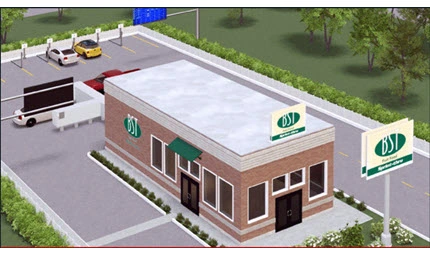
Building with Multiple Pickup Stations
Building Order
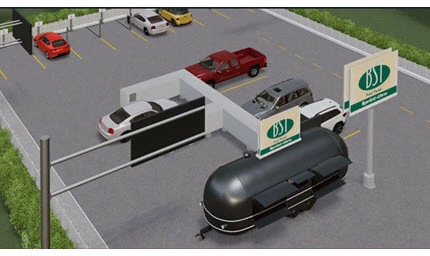
Food Truck with Multiple Pickup Stations
Food Truck Order

Curbside Order/Sign-In
Highlights
Curbside Order

  • All order ahead customers, delivery persons and walk-in customers will use the same locker hub placed at the curbside.
  • A single locker hub can have unlimited number of pickup lockers without any waiting line.
  • Upon arrival, order ahead customers and delivery persons whose orders order are ready can pickup orders without wait.
  • Upon arrival, order ahead customers and delivery persons whose orders order are not ready can sign-in without wait.
  • Walk-in order customers can scan a QR Code displayed on one or more iPosters and place orders without wait.
  • Customers waiting at the curbside can pickup their orders from a locker in the curbside locker hub, when their orders are ready.
  • All the orders displayed on the display monitors would also include the wait time
  • Customers before signing-in or placing orders will always know the wait time
  • Order queueing can be customized by merchants to provide faster service based on loyalty level

In-Store Order/Sign-In
Highlights

  • Kiosks and counters can be replaced with iPosters and lockers.
  • Immedicately unpon entering the location, unlimited number of order ahead customers and delivery persons whose orders are ready can pickup their orders from lockers simultaneously.
  • Unlimited number of order ahead customers and delivery persons whose orders are not ready can sign-in simultaneously.
  • Unlimited number of walk-in order customers can place orders simultaneously using iPosters. Customers can scan the QR code or call the number displayed on iPosters to place orders.
  • If counters are still supported, counter order customers can have the option to pick the orders from a locker or from the counter or get it delivered to their table by scanning a QR code placed on tables and in common areas.
  • Order queueing can be customized by merchants to provide faster service based on loyalty level

Order Ahead & Delivery Sign-In
Highlights

  • Upon arrival, order ahead customers and delivery persons whose orders are ready can pickup their orders without wait.
    • If the order that is ready is in parking lot pick up station, then the order ahead customers and delivery persons would drive to the designated pick up station, pick the order and leave
    • If the order that is ready is in curbside locker hub, then the order ahead customers and delivery persons would walk to the curbside locker hub, pick the order from the designated locker and leave
    • If the order that is ready is in in-store locker hub, then the order ahead customers and delivery persons would walk to the in-store locker hub, pick the order from the designated locker and leave
  • Upon arrival, order ahead customers and delivery persons whose orders are not ready can sign-in by scanning a QR Code displayed on an iPoster placed at the parking lot or at the curbside or inside the store.
    • Customers waiting in the parking lot can pickup their orders from a parking lot pickup station, when their orders are ready.
    • Customers waiting at the curbside can pickup their orders from a locker in the curbside locker hub, when their orders are ready.
    • Customers waiting inside the store can pickup their orders from a locker in the in-store locker hub, when their orders are ready.
  • All the orders displayed on the display monitors would also include the wait time
  • Customers before signing-in or placing orders will always know the wait time
  • Order queueing can be customized by merchants to provide faster service based on loyalty level

Friction Less #3
Order Taker Interface

  • Sprint-Thru Order Pickup Solutions can let merchants to accept orders from order now customers through a QR Code and/or use remote order takers and/or use AI order takers over the phone.
QR Code Self Order Takers

Secure redirection to online ordering web site
Online ordering web site can be hosted by Sprint-Thru server or by any third party server

Human Order Takers

Secure Voice Communication with Order Takers over the phone.
Order Takers may be at the merchant location or in a data center.
Order takers will never get the customer phone number.

AI Order Takers

Secure Voice Communication with AI Machines over the internet.

Drink & Food Advisors

Secure Voice Communication with Human or AI order takers.

QR
Human
AI
Human

QR Code Order Takers curbside or parkinglot order using a QR Code, customers can scan a QR Code displayed on any iposter using a Sprint-Thru app in a mobile device or using using a camera or any
Highlights

  • To place an in-store orgeneric QR Code reader in a mobile device
  • For in-store orders the iposters may be mounted on wall or placed on the floor
  • For curbside orders the iposters may be mounted on the entrance walls or placed on the floor
  • For parking lot orders the iposters may be displayed on monitor screens or placed at parking stations
  • When the QR Code is scanned, the customer with an already placed order or the delivery person can sign-in to pickup an order
  • When the QR Code is scanned, the customer without any already placed order can place an order in an online order website
  • Upon placing the order, the customer make the payment in the web site or use a payment terminal, if a payment terminal is available

Human Order Taker

Human Order Takers
Highlights

  • To place an in-store or curbside or parkinglot order with a human order taker, customers can call a telephone number provided on any iposter
  • For in-store orders the iposters may be mounted on wall or placed on the floor
  • For curbside orders the iposters may be mounted on the entrance walls or placed on the floor
  • For parking lot orders the iposters may be displayed on monitor screens or placed at parking stations
  • When the telephone numer is called a live order taker will take the order
  • The live order taker may be a person at the merchant location or may be a person in a data center or may be a person working from home
  • The live order person will never receive the customer phone number
  • Upon placing the order the customer will be redirected to an unattened secured payment terminal where the payment can be made to complete the transaction

Human Order Taker

AI Order Takers
Highlights

  • To place an in-store or curbside or parkinglot order with a AI machine, customers can call a telephone number provided on any iposter
  • For in-store orders the iposters may be mounted on wall or placed on the floor
  • For curbside orders the iposters may be mounted on the entrance walls or placed on the floor
  • For parking lot orders the iposters may be displayed on monitor screens or placed at parking stations
  • When the telephone numer is called an AI machine will take the orders
  • Upon placing the order the AI machine can also take the payment to complete the transaction

In-Store Order Taker

Drink & Food Advisors
Highlights

  • To contact Drink & Food Advisors customers can call a telephone number provided on any iposter inside the store
  • The in-store iposters may be mounted on wall or placed on the floor
  • When the telephone numer is called a live or AI connoisseur will provide the advice
  • The live or AI connoisseur will have the menu information of the merchant who provided the phone number to the caller
  • The live or AI connoisseur will also have the drink inventory information of the merchant who provided the phone number to the caller
  • The live connoisseur will never receive the customer phone number
  • The customer upon getting the advice can place the order

Drink Advisors

Friction Less #4
User Pickup Interface
No texting, No Emailing, No Calling, No Number Holders & No Beepers

  • Sprint-Thru displays order statuses on one or more Order Status Monitors and/or on Customer Mobile Devices.
  • Order ready customers can bypass order not ready customers to proceed to a specific locker number in an in-store locker hub or in a curbside locker hub or to a order pickup station in a praking lot.
  • Merchants will be instructed not to expose printed receipts attached to the package, if the package is to be left inside the locker. It can be covered with a stickable piece of paper.
  • The same procedure will be used to pick up orders in parking lot, at curbside and in-store.
  • For in-store order table delivery, merchants would scan a QR Code displayed on customer mobile devices.
  • Orders will be processed based on First Ready First Out (FRFO) basis and not based on First In First Out (FIFO) basis.
  • Orders may be processed based on customer loyalty.
Advance Status View
Order Status Monitor
Order Status Mobile Device
Pickup Instructions
Pickup Display
Pickup Display
Mobile Device Pickup Display
Pickup Instructions

  • Order Status Monitors may display customer name and/or order identifier based on merchant setup.

  • Customer Mobile Device will display order identifier, locker code and status based on setup.
  • If order has already been loaded in the locker, the locker number will also be displayed.

  • Order pickup instructions may vary based merchant setup.

Parking Lot Pickup

Parking Lot Pickup for delivery persons, order ahead and order now customers.

Curbside Pickup

Curbside Pickup for delivery persons, order ahead and walk-in customers.

In-Store Pickup

In-Store Pickup for delivery persons, order ahead and walk-in customers.

Parking Lot Pickup
Curbside Pickup
In-Store Pickup

Parking Lot Pickup
Highlights

  • All mobile order customers, delivery persons and parking lot order customers will use the same entrance, same no-stop drive-way and order pickup stations.
  • A single no-stop drive-way can have unlimited number of pickup stations (Lockers). No vehicle can block the traffic in the no-stop drive-way.
  • Order ready mobile order customers and delivery persons can go directly to a pickup station displayed on the monitoring stations and pickup the order within 30 seconds.
  • Order not ready mobile order customers and delivery persons can go to any ordering station and sign-in within 30 seconds.
  • Parking lot order customers can go to any ordering station and place an order within 30 seconds.
  • All the customers waiting in the ordering station can pickup the order from a pickup station when the order is ready,
  • All the orders displayed on the display monitor would also include the wait time
  • Customers before signing-in or placing order will always know the wait time

Video
Food Truck with Multiple Pickup Stations
Curbside Pickup
Generic Sprint-Thru Parking Lot
Parking Lot View

Curbside Pickup
Highlights
Curbside Pickup

  • All mobile order customers, delivery persons and curbside order customers will use the same locker hub placed at the curbside.
  • A single locker hub can have unlimited number of pickup lockers.
  • Order ready mobile order customers and delivery persons can pickup orders without wait.
  • Order not ready mobile order customers and delivery persons can sign-in without wait.
  • Curbside lot order customers can sign a QR Code displayed on one or more iPosters and place orders without wait.
  • Customers waiting at the curbside can pickup the order from a locker in the curbside locker hub with no line to skip.
  • All the orders displayed on the display monitors would also include the wait time
  • Customers before signing-in or placing order will always know the wait time

In-Store Pickup
Highlights

  • Kiosks and counters can be replaced with iPosters and lockers.
  • Unlimited number of mobile order customers and delivery persons can sign-in and pickup the orders from lockers simultaneously.
  • Unlimited in-store order customers can place orders simultaneously using iPosters. Customers can scan the QR code or call the number displayed on iPosters to place orders.
  • Each order number will be associated with an order identifier which will be known to the merchant and the customers including delivery persons.
  • Only the first part of the order identifier will be displayed on the display monitors and the remaining part will be used as one-time code.
  • In-store customers can have the option to pick the orders from a locker or from the counter or get it delivered to their table by scanning a QR code placed on tables and in common areas.

Parking Lot

No POS Interface
No Delivery Service Provider Interface

No App
No Texting
No Emailing

No Counters
No Lines

No Touching of your orders by others
No Cold hot food and No Hot cold food

Friction Less #5
No Temparature Controlled Lockers

  • Sprint-Thru uses Ambient Lockers and not Temparature Controlled Lockers, because Sprint-Thru technology will never let freshly prepared food stay in a locker for more than 2 minutes.
  • They are not Storage Lockers.
Ambiance Locker
  • No need for merchants to use storage lockers fitted with temparature controllers as order pickup lockers.
  • The products left inside order pickup lockers will never stay longer than a minute or two.
  • No need to fit temparature controllers inside any order pickup lockers.
  • No restrictions for merchants to use lockers only for in-store pickup.
  • No restrictions for merchants to use lockers only with a sharing keypad.
Hanger Locker
Order Pickup & Under The Table
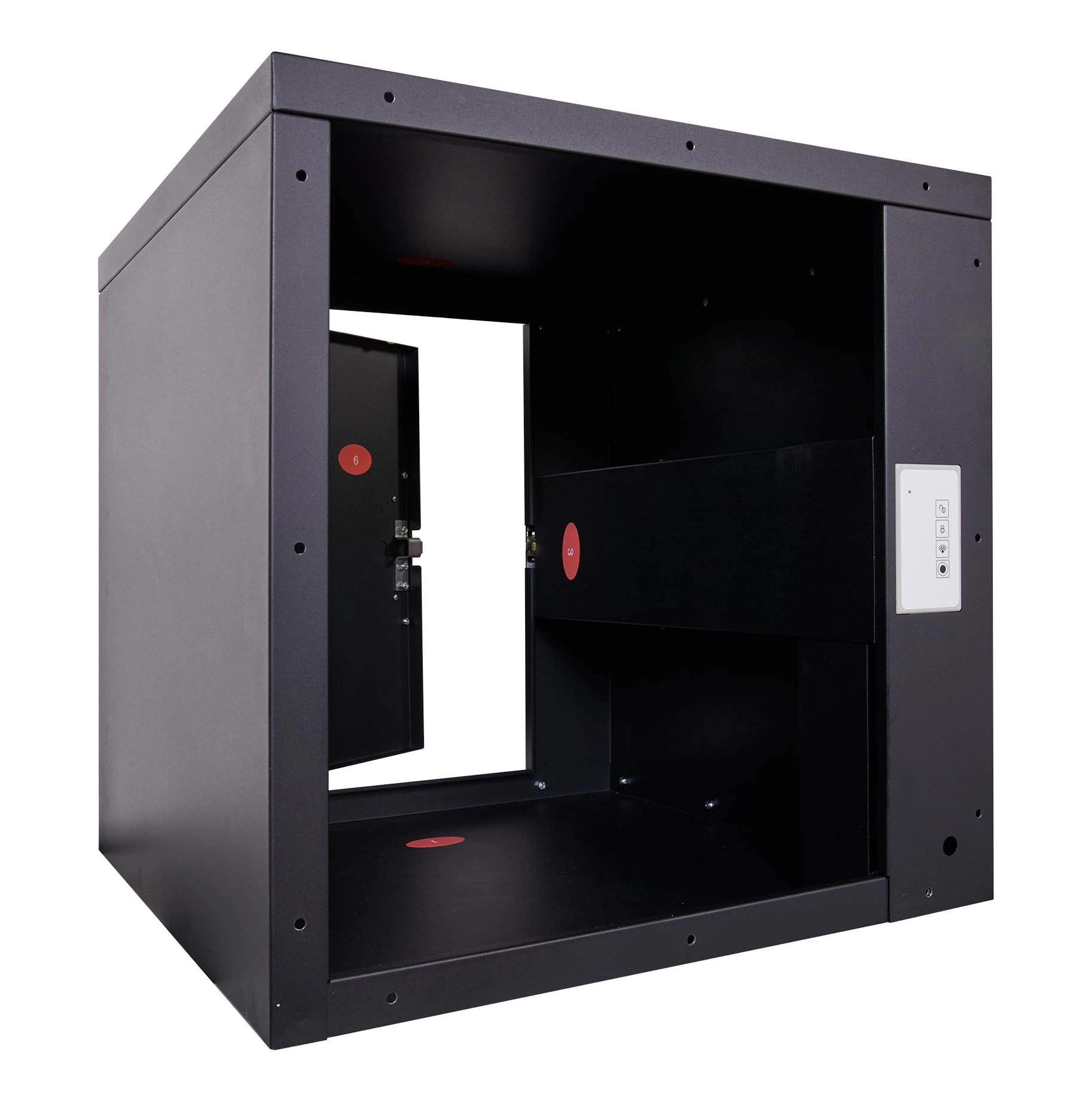
Box Locker
Single Door Back Open

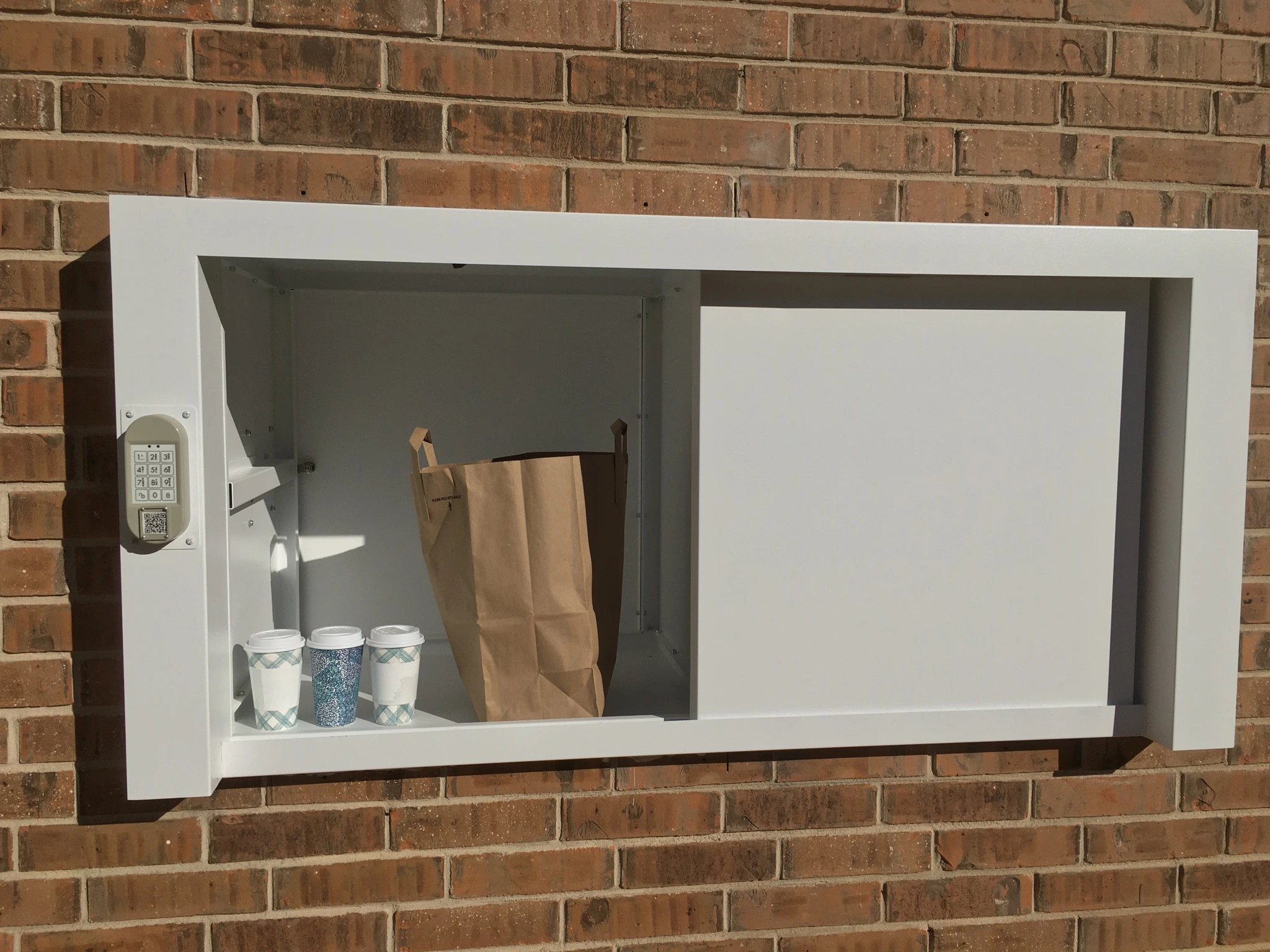
Wall Mounted Locker
Parking Lot

Pre-Fabricated Locker
Parking Lot

Hamger Locker
Box Locker
Parking Lot Locker
Parking Lot Locker
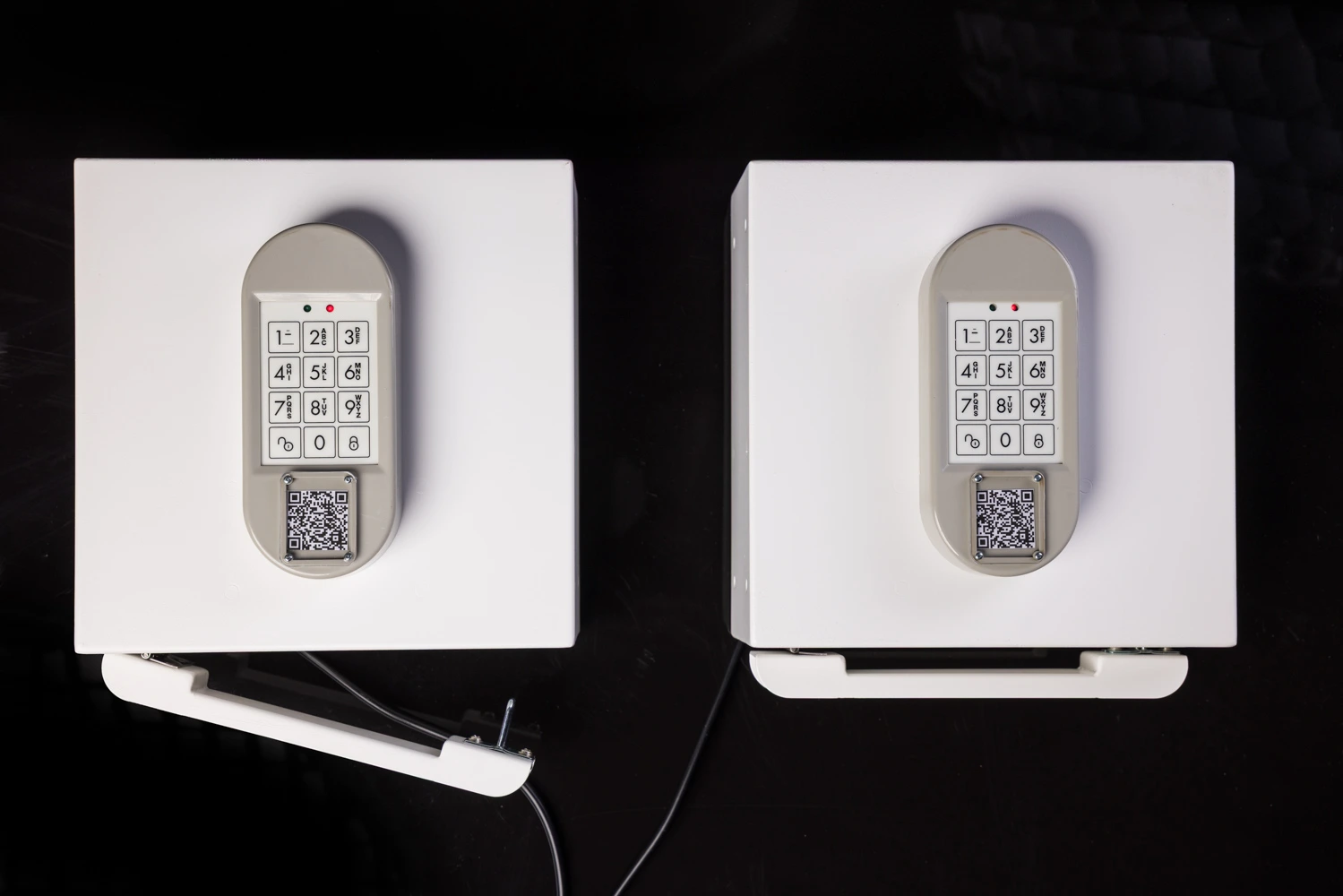
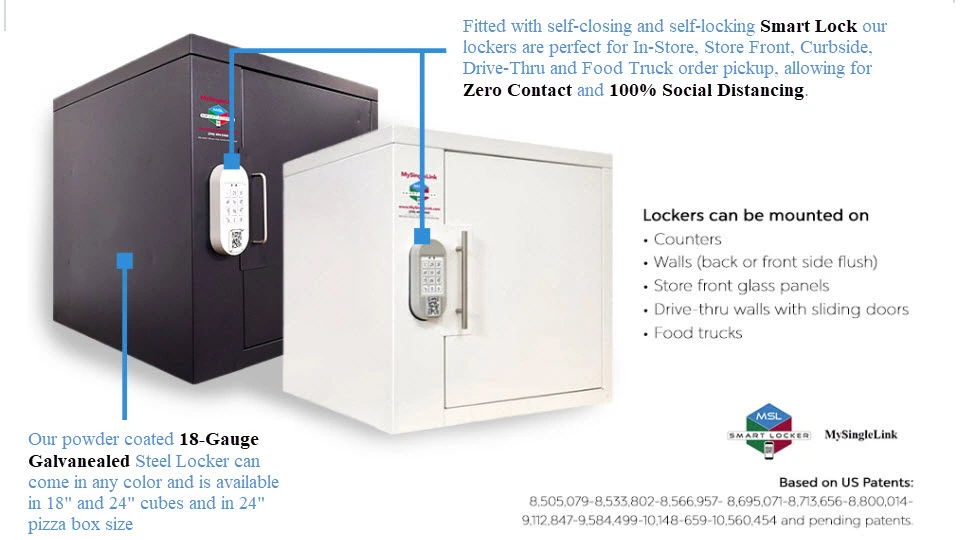
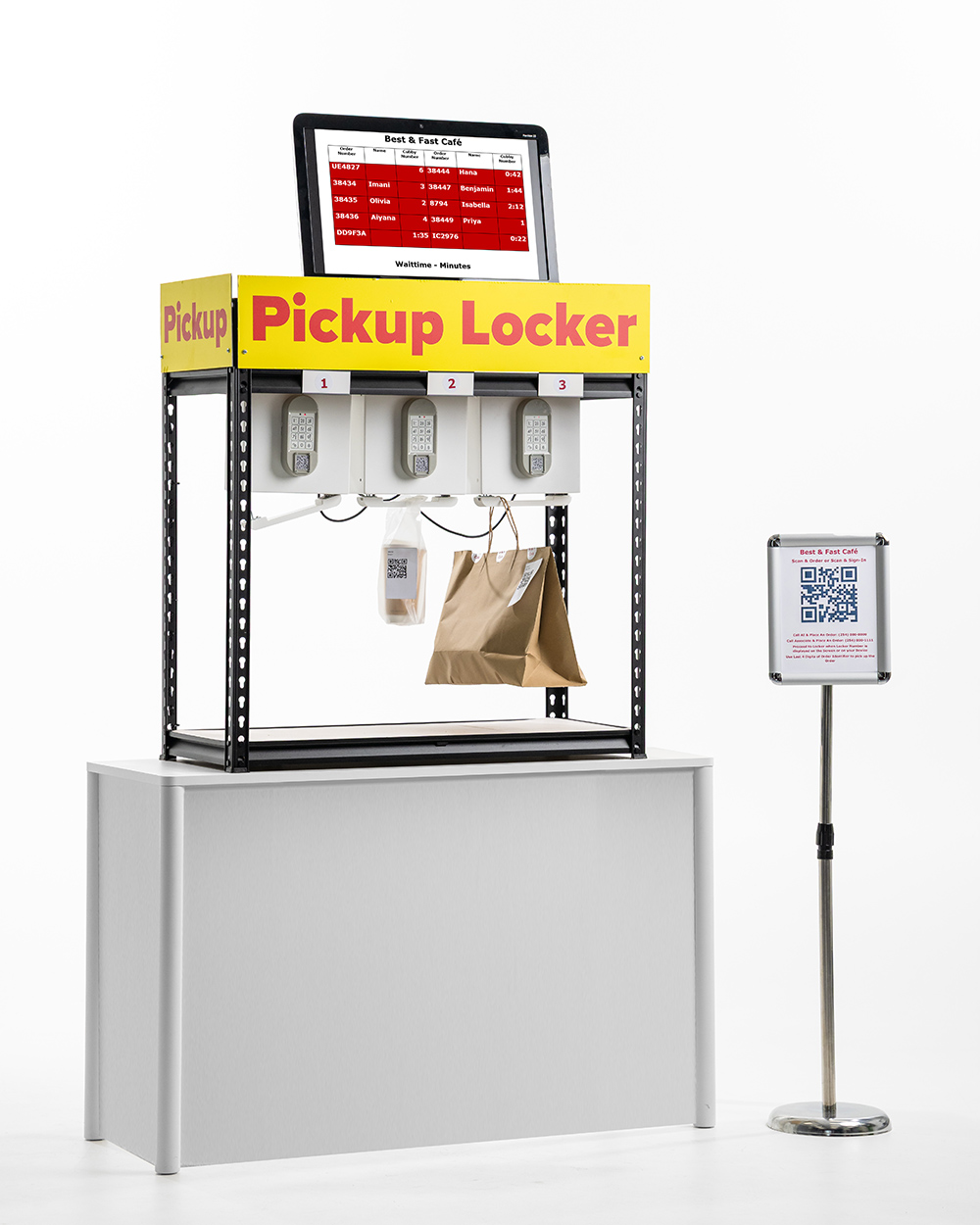
  • Hanger Lockers will have a hanger rod controlled by a smart lock attacked to a key pad to hold bags.
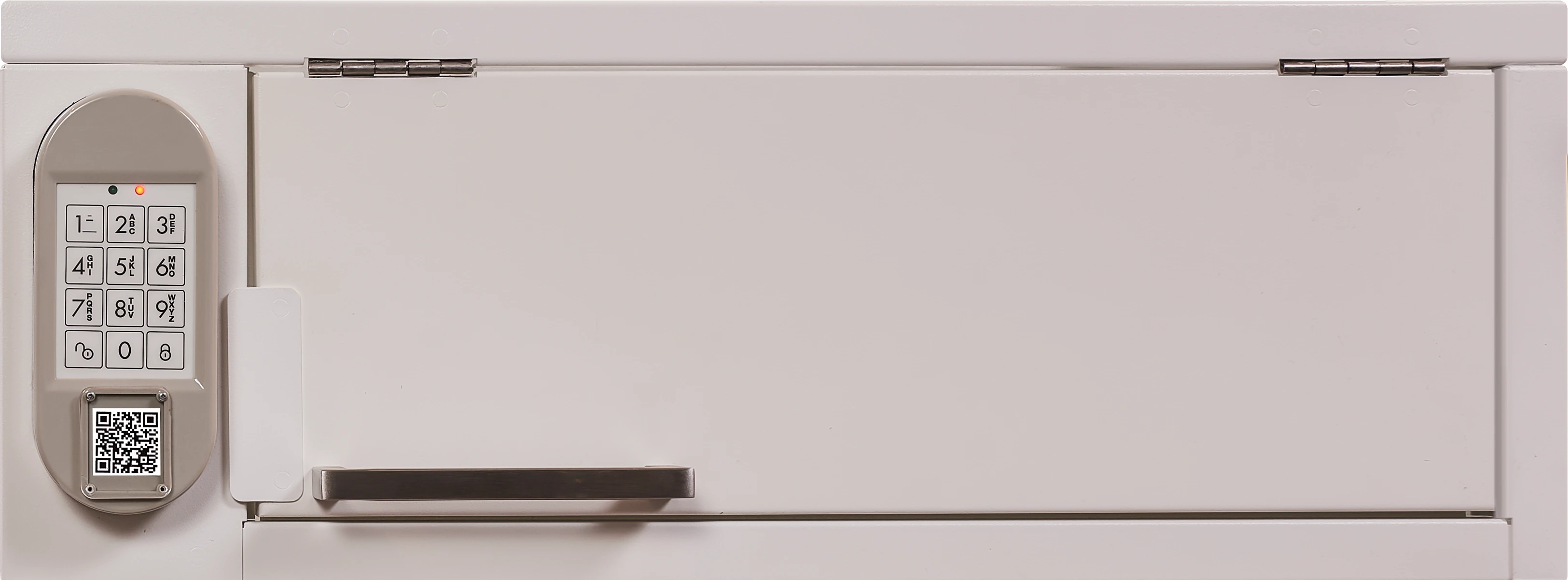
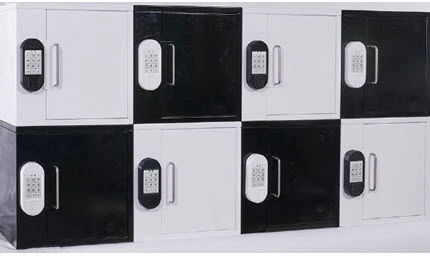
  • The front side of Box Lockers will have a door controlled by an electronic smart lock attached to a key pad.
  • The front side of Wall Mounted Lockers will have a sliding door controlled by an electronic smart lock attached to a key pad.
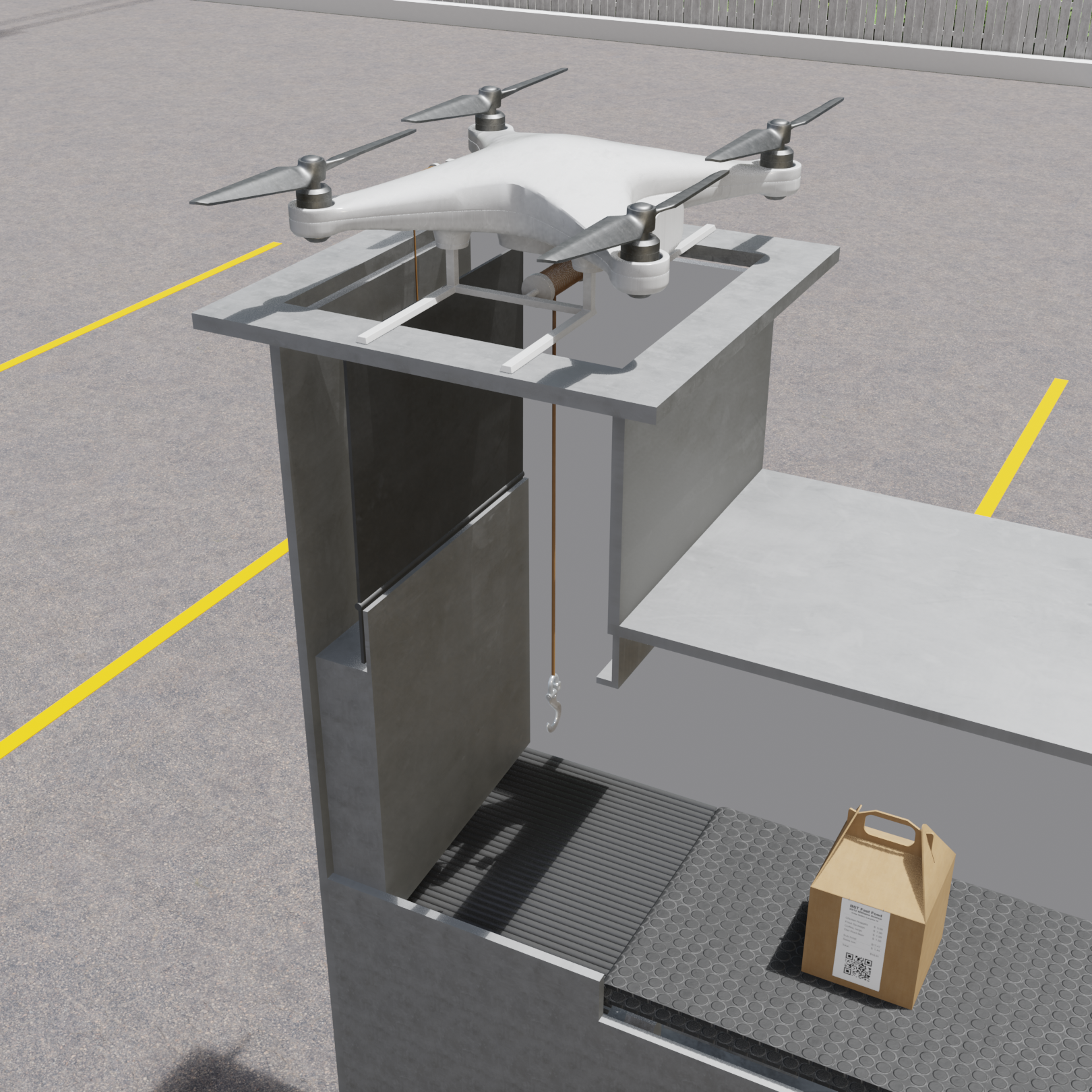
  • The Pre-Fabricated Lockers will be in the form of an enclosed structure with origin and destination sides and a transporter to transport packages from origin to destination side.
  • Hanger Lockers can be used by merchants for order pickup and also can be used for customers to store their valuables.
  • The back side of Box Lockers can be open or closed or with a door. The back door can also have a mechanical or an electronic smart lock.
  • The back side of Wall Mounted Lockers can be open or closed or with a door. The back door can also have a mechanical or an electronic smart lock.
  • The transporters may also be used to transport unclaimed packages from destination to origin.
  • When used for order pickup, Hanger Lockers can be mounted to cabinets or racks or on counters to form a locker hub.
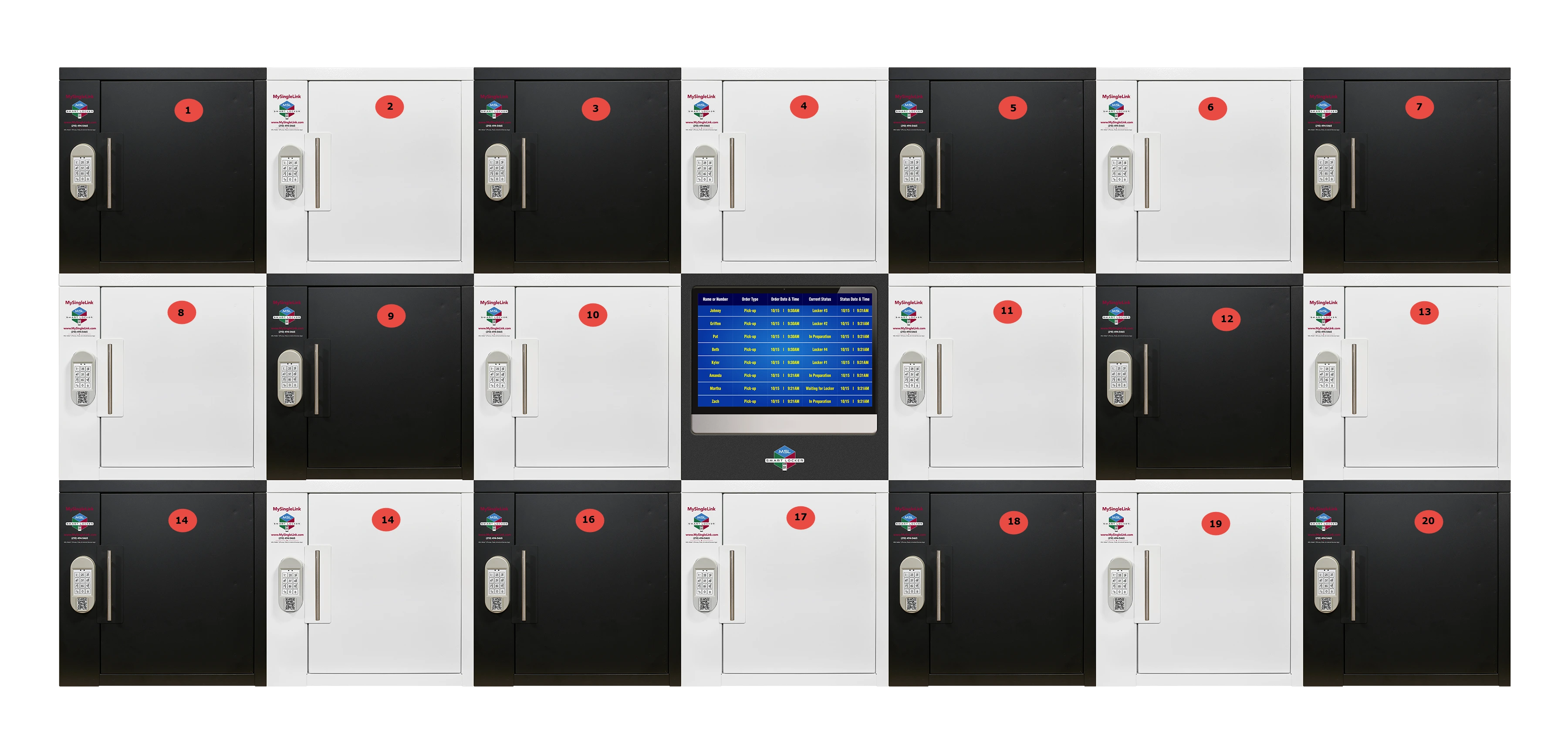
  • The Box Lockers can be attached with each other in rows and columns to form a locker hub.
  • The Wall Mounted Lockers are stand alone lockers and can not be attached with each other in rows and columns to form a locker hub.
  • The destination side of Pre-Fabricated Lockers will have a sliding door controlled by an electronic smart lock attached to a key pad.
  • When used to store valuables by customers, Hanger Lockers can be mounted under a table reachable to customers.
 
 
  • The origin side of Pre-Fabricated Lockers will be an opening or a door accessible from order prepation area.


  • The Pre-Fabricated Lockers are stand alone lockers and can not be attached with each other in rows and columns to form a locker hub.


  • Extended transporters can be used to connect a single origin to multiple destinations.

Friction Less #6
Installation

  • Because Sprint-Thru does not use lockers hubs with single key pad, installation of Sprint-Thru lockers are easier and simpler.
  • Sprint-Thru In-Door lockers does not need professional installation.
  • Hanger Lockers can be easily attached to racks or cabinets and Box Lockers can be easily stacked in rows and columns.
  • Installation of Parking Lot Lockers require professional handy man service.
  • The parking lot ordering and pickup stations can be dedicated for a single merchant or can be shared by multiple merchants.
In-Store Pickup
Curbside Pickup
Parking Lot Pickup
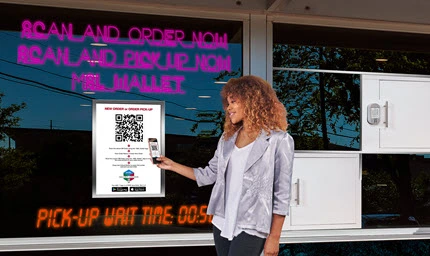
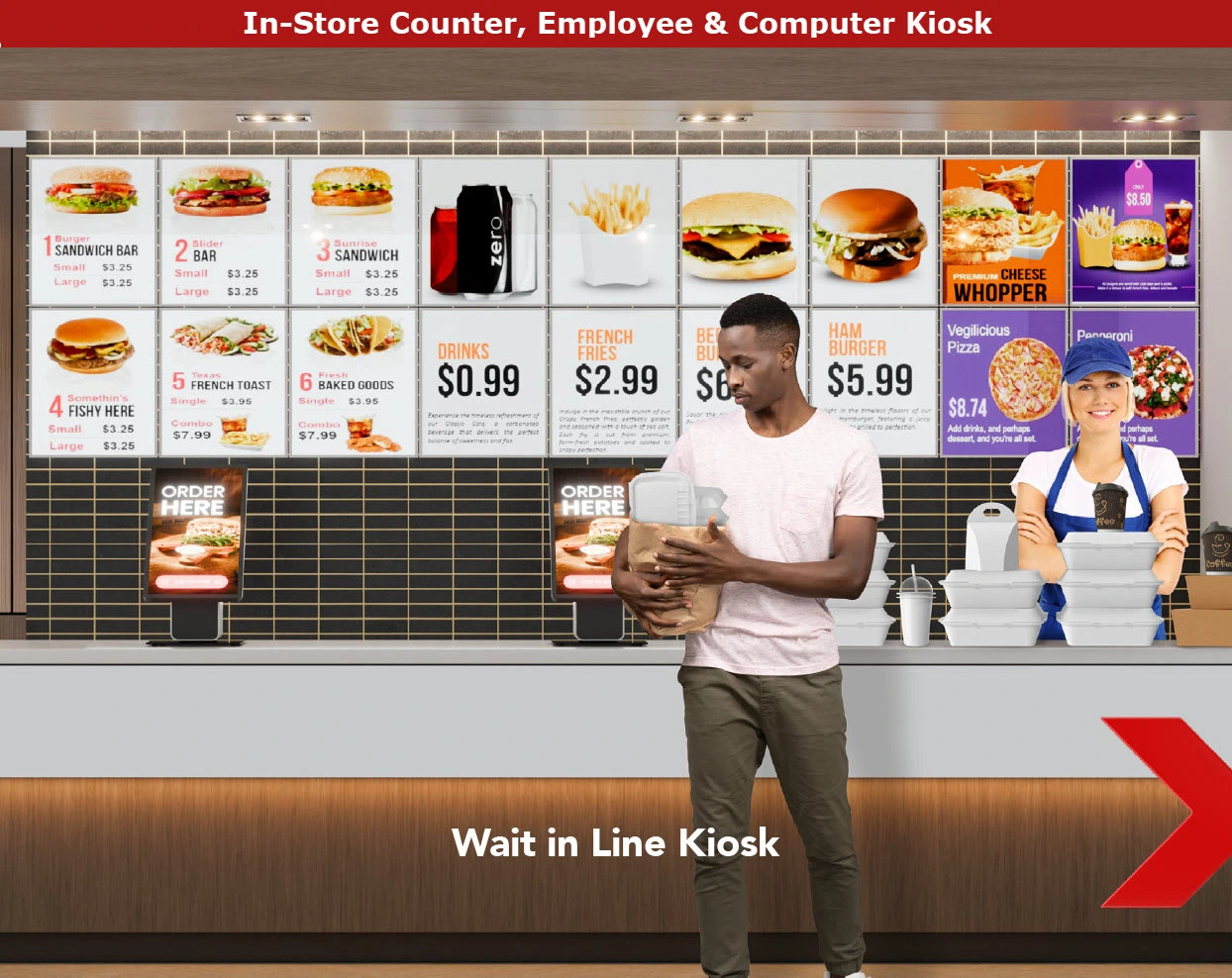
Sprint-Thru In-Store Pickup iPosters and lockers can replace computer kiosks, ordering and pickup counters.
Sprint-Thru Curbside Pickup iPosters and lockers can replace manual curbside pickups.
Sprint-Thru Parking Lot Ordering and Pickup stations can replace drive-thru lane and drive-thru window.
Unlimited number of iPosters can be displayed to accept unlimited nuber of orders and sign-ins simultaneously
Unlimited number of iPosters can be displayed to accept unlimited nuber of curbside orders and sign-ins simultaneously
Unlimited number of order ahead customers and unlimited number of delivery persons can sign-in simultaneously to pickup orders.
Unlimited number of lockers can be mounted to counters and/or walls for unlimited number of customers and delivery persons to pickup orders simultaneously.
Unlimited number of lockers can be mounted at entrance brick or glass walls for unlimited number of customers and delivery persons to pickup orders simultaneously.
Unlimited number of order now customers can place orders simultaneously.
 
 
Unlimited number of order ahead customers, unlimited number of delivery persons and unlimited number of order now customers can pickup of orders simultaneously.
Installation In-Store
Installation Curbside
Installation Parking Lot

Installation In-Store
Highlights
Counter QSR
Installation In-Store Before
Counter Less QSR
Installation In-Store After
Installation Instructions

  • This is an easy installation can can be 'Do It Yourself (DIY)' installation.
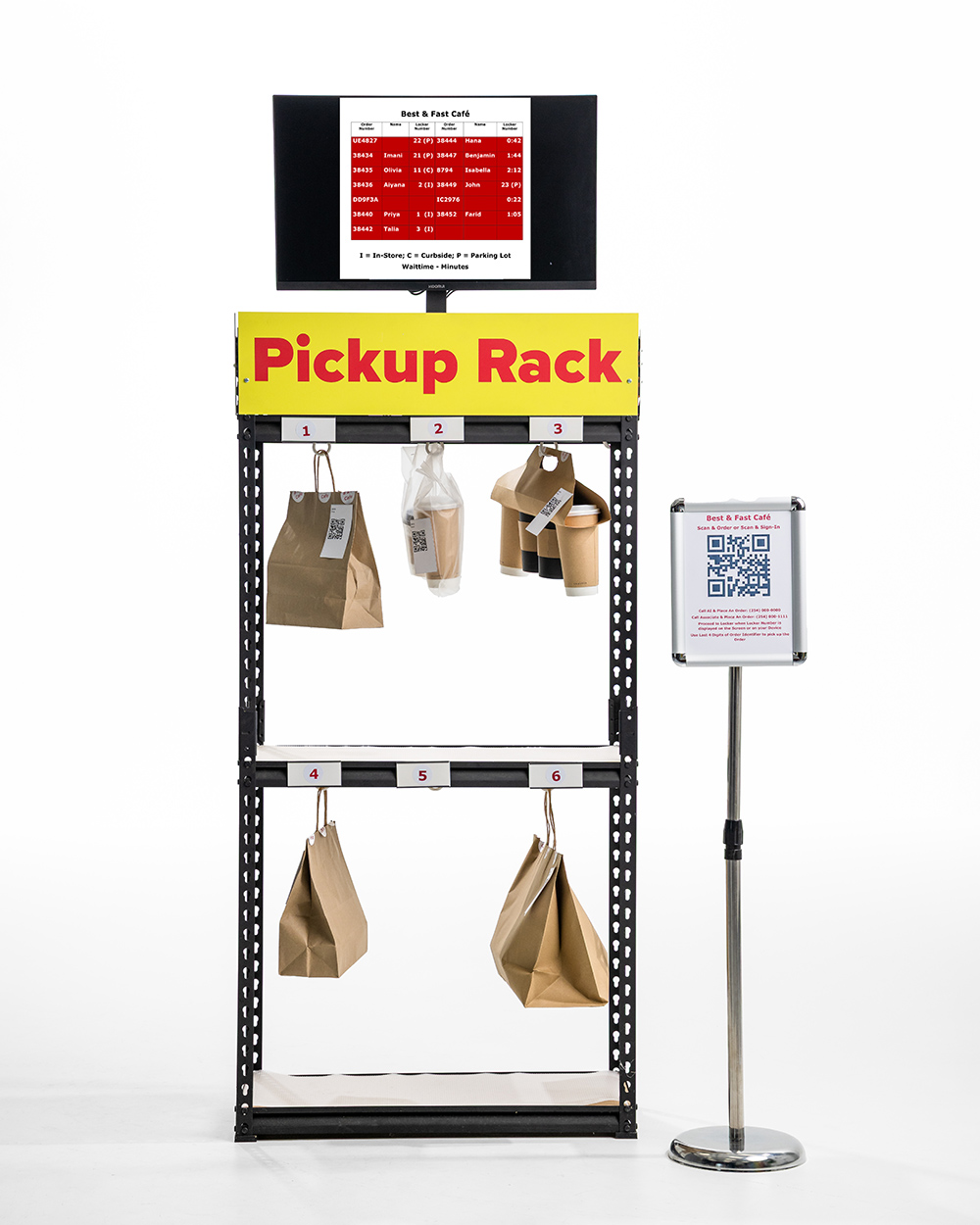
  • Lockers and order status display monitor can be mounted in rows & columns on the counter or placed inside racks.
  • Posters with locker instructions can be placed near the lockers.
  • In some cases order status display monitor can be removed and a QR Code can be added to locker instructions poster and can be scanned to choose and unlock a locker.

Installation Curbside
Highlights
Before
Installation Curbside Before
After
Installation Curbside After
Installation Instructions

  • This would require professional installer help.
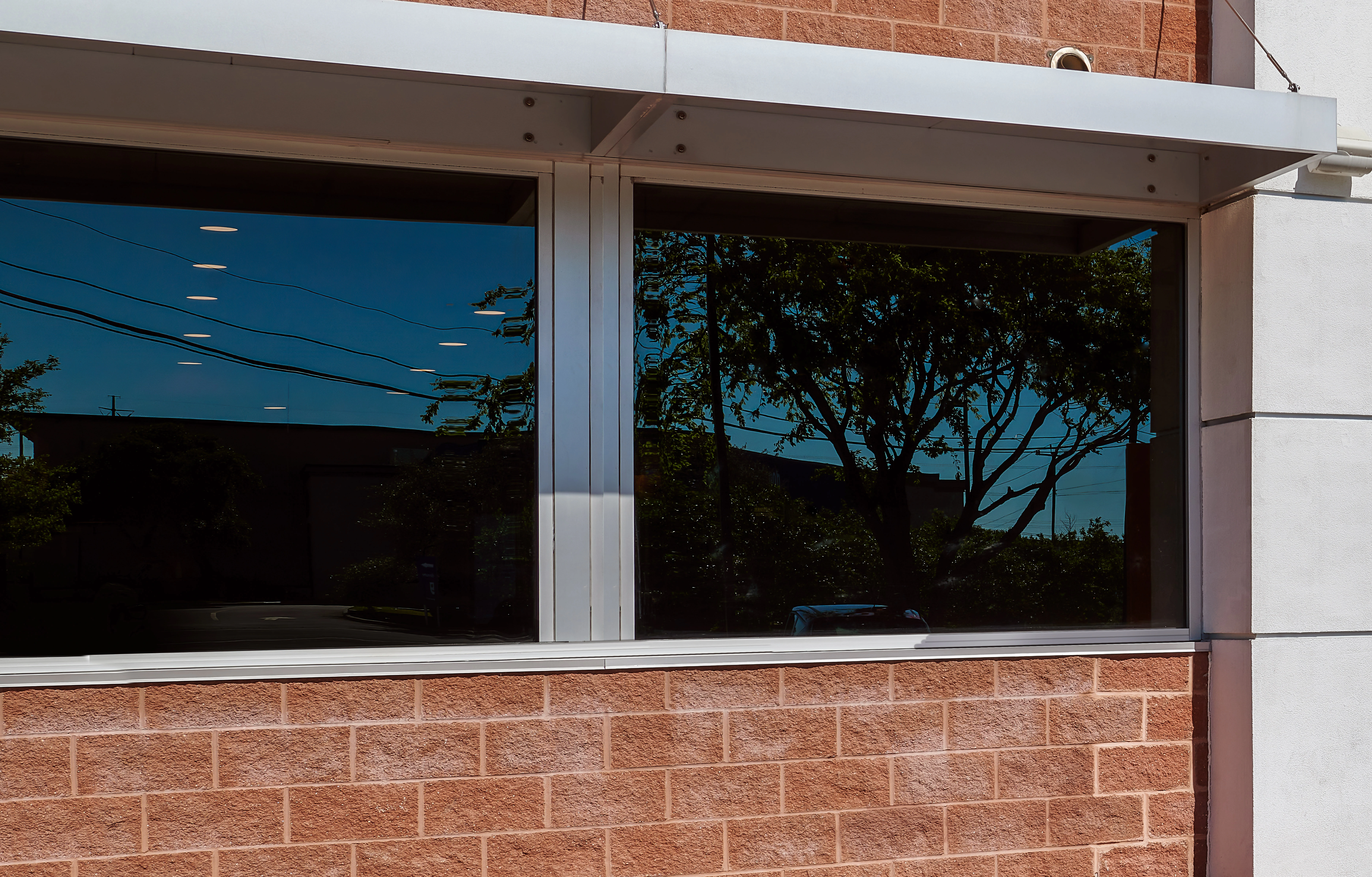
  • The front side of the lockers and order status display monitor will be mounted through the openings in the front wall or glass panels.
  • Locker instructions poster can be flush mounted with the front wall or glass panels.
  • In some cases order status display monitor can be removed and a QR Code can be added to locker instructions poster and can be scanned to choose and unlock a locker.

Installation Parking Lot
Highlights
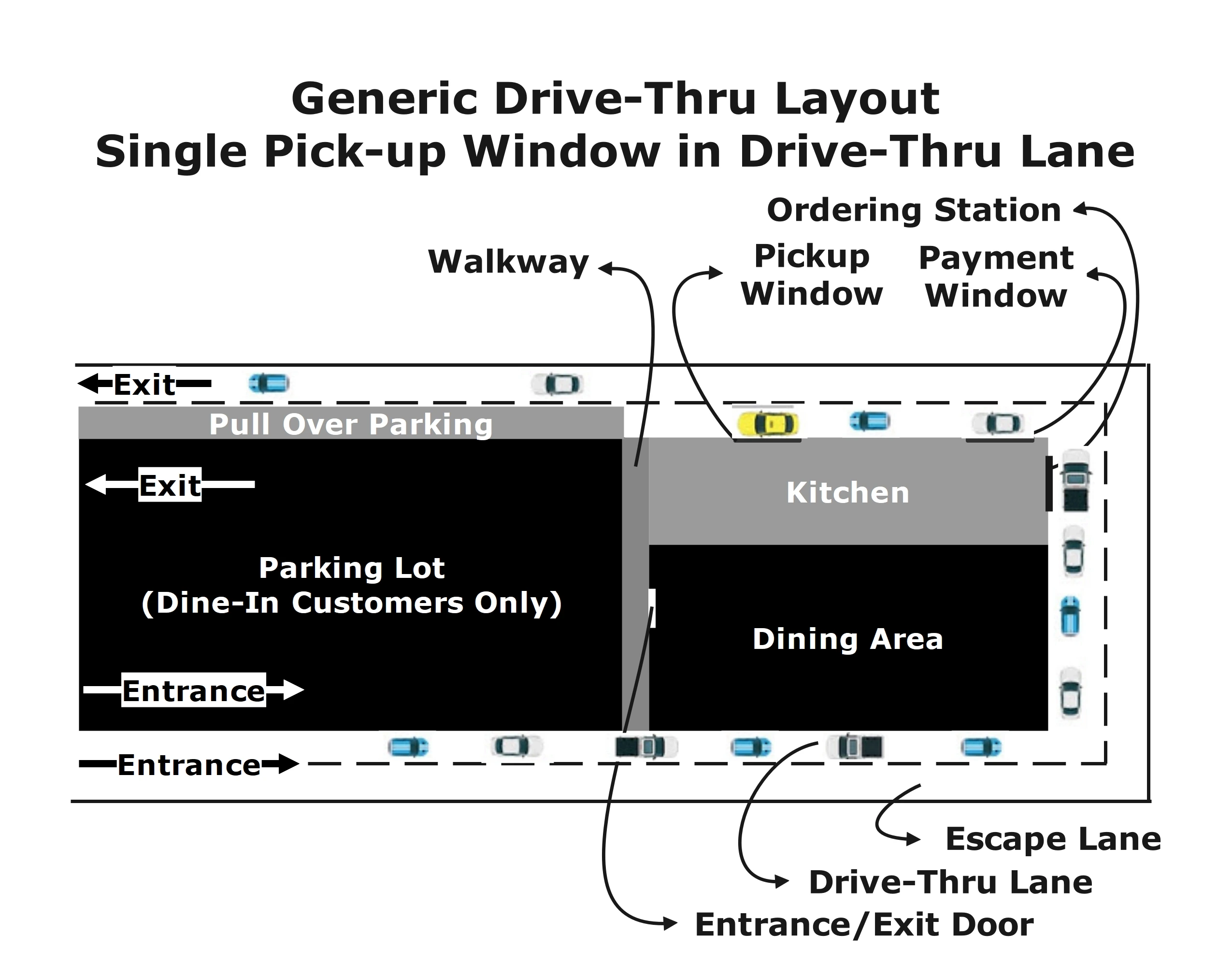
Drive-Thru Layout
Installation Parking Lot Before
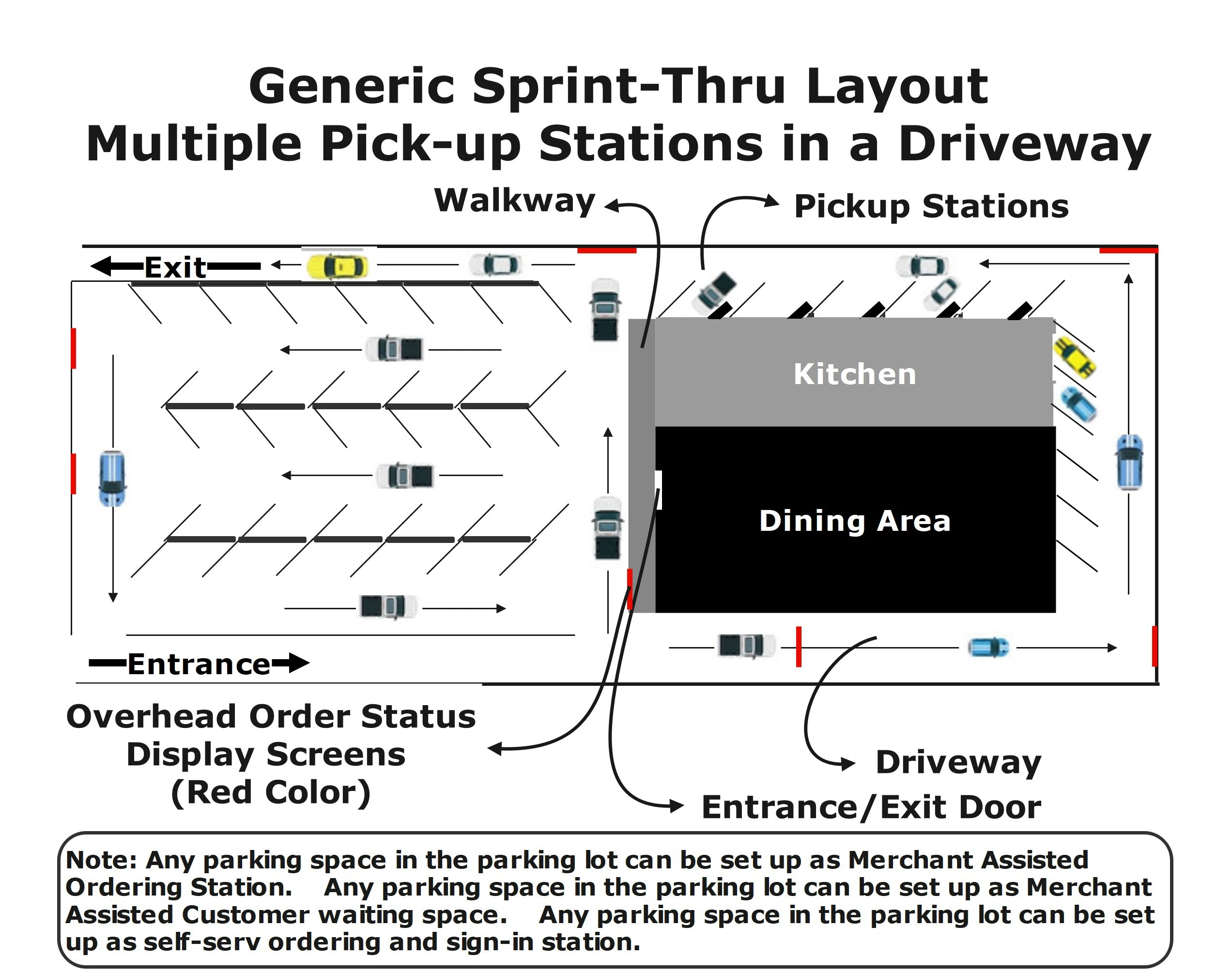
Sprint-Thru Layout
Installation Parking Lot After
Drive-Thru Ordering Station
Installation Parking Lot Before
Sprint-Thru Ordering Stations
Sprint-Thru Parking Lot Ordering Stations
Drive-Thru Pickup Window
Installation Parking Lot Before
Sprint-Thru Pickup Station
Sprint-Thru Parking Lot Pickup Station
Installation Instructions

  • This would require professional installer help.
  • There will not be any alterations or additions to the building or food trucks or the parking lot. The installation requires only changing the parking spot markers and attaching a pre-fabricated module to the drive-thru window. The number of parking stations in the pre-fabricated module would depend on the available space in the parking lot.
  • The current drive-thru lane and the escape lane can be renamed as waiting lane and pickup lane respectively. The pickup lane may also be called as exit lane.
  • The end of the waiting lane before reaching the drive-thru window will be closed and vehichle cannot pass through the waiting lane beyond the closed point.
  • The waiting lane will be converted into a diagonal parking lane with diagonal parking markers. So, vehiles coming through the pickup lane can get in and get out of the diagonal parking lane.
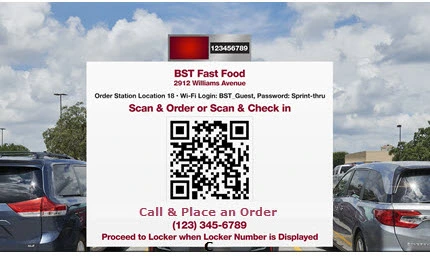
  • An iPoster with a QR Code, a phone number to call an employee and a phone number to connect with an AI machine will be installed at each parking space.
  • Order status display monitors can be mounted at various places visible to every parking space in the parking lot. Customer will also be able to view the order status in their mobile devices.
  • A pre-fabricated module fitted with order pickup lockers can be attached to the existing drive-thru window.
  • Order ready customers can drive from any waiting parking spot to any designated order pickup station through the exit lane. The order pickup stations will also have diagonal markers from the pickup lane past the closed point in the waiting lane.
  • If only a drive-thru lane is available, then any parking space in the parking lot can be used as a waiting space. Only order ready customer can enter the pickup lane.

Order Pickup No Locker Solutions
(Traffic Manager Only)

Sprint-Thru order pickup can also be used without lockers.

In-Store Cubby Pickup

Curbside Delivery

Parking Lot Delivery

Sprint-Thru In-Store Pickup iPosters and cubbies can replace computer kiosks, ordering and pickup counters.
Sprint-Thru Curbside Pickup iPosters can replace manual orders and manual sign-in.
Sprint-Thru Parking Lot Ordering and Delivery stations can replace drive-thru lane and drive-thru window.
Unlimited number of iPosters can be displayed to accept unlimited nuber of orders and sign-ins simultaneously.
Unlimited number of iPosters can be displayed to accept unlimited nuber of curbside orders and sign-ins simultaneously
Unlimited number of new order customers can place orders simultaneously.
 
 
Unlimited number of order ahead customers and unlimited number of delivery persons can sign-in simultaneously.
 
 
Order and/or sign-in stations and order delivery stations are distinctly 2 different parking spaces.

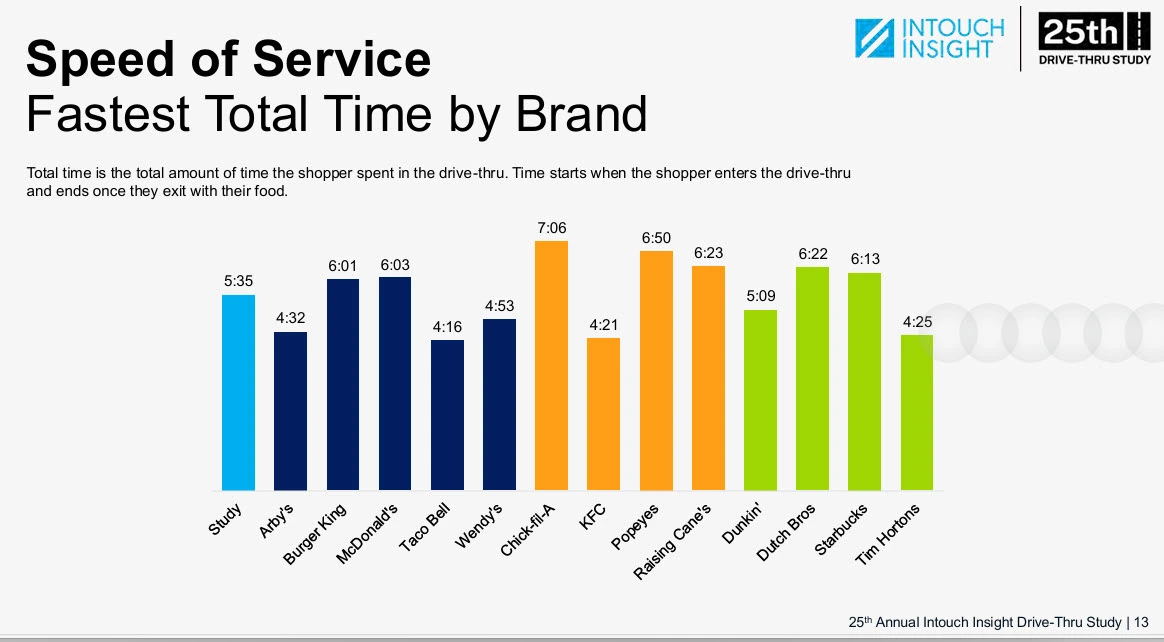
Drive-Thru Order Pickup - QSR Study

The annual QSR Drive-Thru Study released for the last 20 years is well recognized in the industry. The QSR Drive-Thru Study 2025 conducted by QSR Magazine in partnership with Intouch Insight using mystery shoppers and sample locations primarily focused on the following touch points which are used in comparing drive-thru and sprint-thru for this time study:
  • Speed of Service which is also referred to as Total Time that is further divided into the following touch points:
    • Wait Times which is 'Amount of time from when the shopper enters the drive-thru lane to when they start to place their order'.
    • Service Times which is 'Amount of time it took the shopper to order and receive their food'.
    All the times are expressed in whole seconds.
  • Order Accuracy
  • Suggestive Selling
  • Food Quality
Total Time 2025

Description
QSR Study (2025)
Sprint-Thru
 
Best
Worst
Projected
Wait Times
Taco Bell: 61.00
Chick-Fila: 99.00
30.00
Service Times
Taco Bell: 195.00
Chick-Fila: 327.00
0.00 - Prep Time + 30.00
Total Times
Taco Bell: 256.00
Chick-Fila: 426.00
30.00 - Prep Time + 60
Order Accuracy
Dutch Bros: 96%
Taco Bell: 85%
100%
Suggestive Selling
KFC: 84%
Taco Bell: 37%
100%
Food Quality
Raising Canes: 100%
Starbucks: 83%
100%

Sprint-Thru Projected Details:
Total Time:
Fastest:
Order Ahead Customers and Delivery Persons whose orders are ready when they arrive can pick up in 30.00. The total time will be 30.00.
Slowest:
Order Now Customers can place orders within 30.00, wait for Order Preparaton and pick up in 30.00. The total time will be Order Preparation Time plus 60.00
 
Order Accuracy:
Always will be 100%.
Customers take the responsibility for entering the orders.
 
Suggestive Selling:
Always will be 100%.
Customers are directed to online ordering systems through a QR Code.

Online ordering systems can access customer profile, past orders and current orders to provide meaningful suggestions.
 
Food Quality:
Always will be 100%.
Vehicle ordering and waiting areas are far away from order pickup stations.

When order pickup stations with transporters are used the order drop-off points (accessibe from preparation area) and order pick-up points (accessible from parking lot)are far away from each order.

Vehicle pollutants will not enter into order preparation areas.

Prepared food will always be fresh, because orders will never stay inside the lockers for more than one or two minutes.
 

Order Pickup - ROI

QSR 2024 Study.
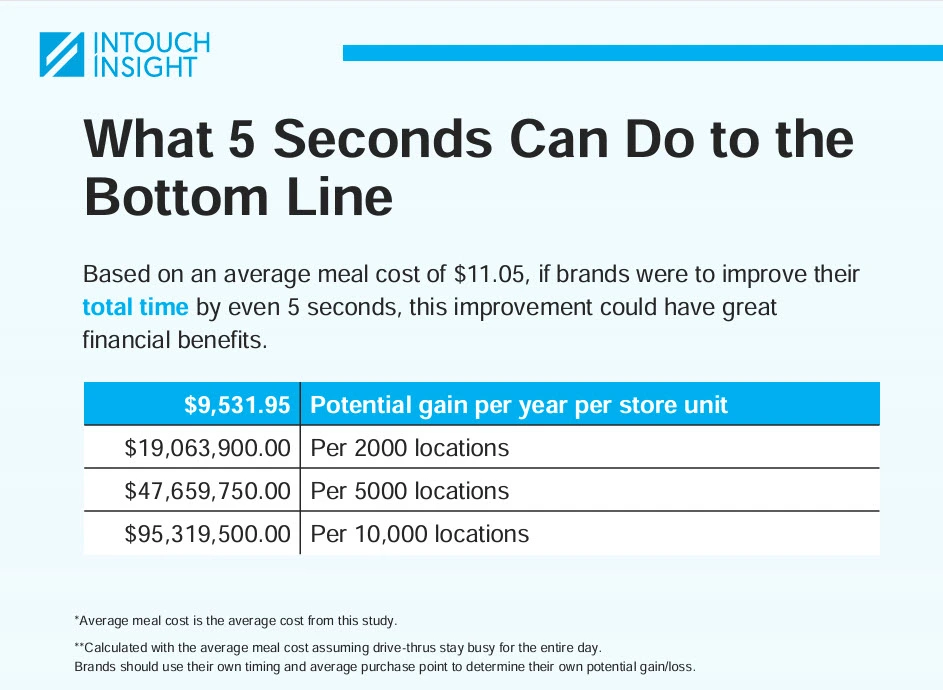
Total Time Impact on Lost Revenue:

Per Year Per Store for every 5 seconds: $9,531.95

The Return On Investment can vary and depend on the following factors:

  • Oreder Prepation Time
  • Number of Pickup Areas
  • Number of Pickup Stations or Lockers in each Area
  • Reduction in Head Count in each Area
  • Increasded revenue because of reduction in total pickup times.

The minimum Return On Investment calculated as a percentage per year would be in 3 figures.

Total Time Impact on ROI
Following are the 3 options available for setting up Sprint-Thru System and available signage for display under each option. The Return On Investment (ROI) would depend on the selected option, the required initial investment based on the setup, recurring cost and recurring savings:
Parking Lot & In-Store Pick Up
Approved Signage:

Your Business Name

Sprint-Thru™
 

Parking Lot Pick Up
Approved Signage:

Your Business Name

Sprint-Thru™
Parking Lot

In-Store & Cubside Pick Up
Approved Signage:

Your Business Name

Sprint-Thru™
In-Store

The above signage would indicate that the location is licensed to use Sprint-Thru™ for parking lot and for in-store pick up
The above signage would indicate that the location is licensed to use Sprint-Thru™ for parking lot pick up only.
The above signage would indicate that the location is licensed to use Sprint-Thru™ for in-store and/or curbside pick up only.
  • The Reduction in Employee Count and the Reduction in pick up time used in the ROI are based on the benefits of the methodologies installed in the sprint-thru system. Additional potential savings per location per year as noted in 2024 QSR Study for 100% order accuracy (84,312,61), profile based on suggestive selling (35,780.09), enhanced communication quality and improved food quality are also availbe, but not included in the ROI.
  • The savings in employee cost is based on total cost of $15.00 per hour, but it could be much more than that.
  • Additional savings due to after hour pick up and after hour sales not included in the ROI.
  • Click on expand buttons to view details of a hypothetical Return on Investment for each sprint-thru option:

ROI - Parking Lot, In-Store & Curbside Pick Up
Hypothetical Setup
 
Number of In-store and/or Curbside Smart Lockers installed in any combination:
 
6
 
 
Number of Parking Lot Pick Up Stations installed:
3 times faster than a drive-thru lane & Cost is less:
 
3
 
Summary
 
Initial Investment:
 
65,566.91
 
 
Total Yearly Cost:
 
3,357.71
 
 
Expected Yearly Savings:
 
120,000.00
 
 
Expected Yearly ROI in amount:
Expected Yearly Savings (120,000.00) - Total Yearly Cost (3,357.71)
 
116,642.29
 
 
Expected Yearly ROI in percentage:
(Cost Basis 116,642.29 / Initial Investment 65,566.91 as percentage)
 
177.89%
 

ROI Details - Parking Lot & In-Store Pick Up
 
Initial Investment (Sprint-Thru):


In-store & Curbside Smart Lockers (6):
(In any combination)
 
2,994.00
 
 
Computer (Not Sold by Sprint-Thru):
 
799.00
 
 
2 Display Monitors
(Not sold by Sprint-Thru)
 
398.00
 
 
In-store Payment Terminals (3):
 
1,500.00
 
 
Parking Lot Pick Up Stations with Transporters (3):
 
45,000.00
 
 
Additional Outdoor Screens:
(Not sold by Sprint-Thru)
 
3,000.00
 
 
Parking Lot Payment Terminals (3):
 
1,500.00
 
 
Installation Cost 10% of Total Equipment Cost:
(Third party installer is required)
 
5,519.10
 
 
Sales Tax (Assumed at 8.00%):
 
4,856.81
 
 
Total Cost including Installation and Sales Tax:
 
65,566.91
 
 
Initial Investment (Drive-Thru):
It may not be even possible to build a 3 drive-thru lanes with drive-thru windows to a single building without using Sprint-Thru technology.


Recurring Cost (Sprint-Thru):


Signage Licensing Fee:
 
0.00
 
 
Sprint-Thru software as a service subscription fee:
 
0.00
 
 
iPoster QR Code download Fee:
 
0.00
 
 
Traffic Manager for In-Store: (Yearly Discounted Fee)
 
431.89
 
 
First In-Store Locker: (Yearly Discounted Fee)
 
215.89
 
 
Traffic Manager for Curbside: (Yearly Discounted Fee)
 
431.89
 
 
First Curbside Locker: (Yearly Discounted Fee)
 
215.89
 
 
Additional 4 In-Store or Curbside Lockers:
(21.49 X 4)
(Yearly Discounted Fee)
 
85.96
 
 
Traffic Manager for Parking Lot: (Yearly Discounted Fee)
 
431.89
 
 
3 Parking Lot Lockers:
(431.89 X 3)
(Discounted Yearly Subscription)
 
1,295.67
 
 
Total Yearly subscription cost:
 
3,108.99
 
 
Yearly Tax (Based on 8.00%):
 
248.72
 
 
Total yearly cost:
 
3,357.71
 
 
Expected Recurring Savings (Sprint-Thru):


Minimum Reduction in Employee Count:
(For parking lot, in-store & curbside automation)
 
4
 
 
Reduction in Employee Cost for reduction in Employee Count (4):
(30,000.00 per employee including tax and benefits)
 
120,000.00
 
 
Cost Basis:
(Yearly savings 120,000.00 - yearly cost 3,357.71)
 
116,642.29
 
 
Percent Basis:
(Cost Basis 116,642.29 / Initial Investment 65,566.91 as percentage)
 
177.89
 

ROI - Parking Lot Pick Up
Hypothetical Setup
 
Number of Parking Lot Pick Up Stations installed:
3 times faster than a drive-thru lane & Cost is less:
 
3
 
Summary
 
Initial Investment:
 
58,806.00
 
 
Total Yearly Cost:
 
1,865.78
 
 
Expected Yearly ROI in amount:
Expected Yearly Savings (90,000.00) - Total Yearly Cost (1,865.78)
 
88,134,22
 
 
Expected Yearly ROI in percentage:
(Cost Basis 88,134.22 / Initial Investment 58,806.00 as percentage)
 
149.87
 

ROI Details - Parking Lot Pick Up
 
Parking Lot Pick Up Stations with Transporters (3):
 
45,000.00
 
 
Additional Outdoor Screens:
(Not sold by Sprint-Thru)
 
3,000.00
 
 
Parking Lot Payment Terminals (3):
 
1,500.00
 
 
Installation Cost 10% of Total Equipment Cost:
(Third party installer is required)
 
4,950.00
 
 
Sales Tax (Assumed at 8.00%):
 
4,356.00
 
 
Total Cost including Installation and Sales Tax:
 
58,806.00
 
 
Initial Investment (Drive-Thru):
It may not be even possible to build a 3 drive-thru lanes with drive-thru windows to a single building without using Sprint-Thru technology.


Recurring Cost (Sprint-Thru):


Signage Licensing Fee:
 
0.00
 
 
Sprint-Thru software as a service subscription fee:
 
0.00
 
 
iPoster QR Code download Fee:
 
0.00
 
 
Traffic Manager for Parking Lot: (Yearly Discounted Fee)
 
431.89
 
 
First Parking Lot Locker:
(Discounted Yearly Subscription)
 
431.89
 
 
Additional 2 Parking Lot Lockers:
(431.89 X 2)
(Discounted Yearly Subscription)
 
863.78
 
 
Total Yearly subscription cost:
 
1,727.57
 
 
Yearly Tax (Based on 8.00%):
 
138.21
 
 
Total yearly cost:
 
1,865.78
 
 
Expected Recurring Savings (Sprint-Thru):


Minimum Reduction in Employee Count:
(Combined for parking lot)
 
3
 
 
Reduction in Employee Cost for reduction in Employee Count (3):
(30,000.00 per employee including tax and benefits
 
90,000.00
 
 
Cost Basis:
(Yearly savings 90,000.00 - yearly cost 1,865.78)
 
88,134.22
 
 
Percent Basis:
(Cost Basis 88,134,22 / Initial Investment 58,806.00 as percentage)
 
149.87
 

ROI - In-Store and/or Curbside Pickup
Hypothetical Setup
 
Number of In-store and/or Curbside Smart Lockers installed:
 
6
 
Summary
 
Initial Investment:
 
6,750.22
 
 
Total Yearly Cost:
 
1,492.04
 
 
Expected Yearly Savings:
 
30,000.00
 
 
Expected Yearly ROI in amount:
Expected Yearly Savings (30,000) - Total Yearly Cost (1,492.04)
 
28,507.96
 
 
Expected Yearly ROI in percentage:
(Amount Basis 28,507.96 / Initial Investment 6,750.22 as percentage)
 
422.33%
 

ROI Details - InStore and/or Curbside Pick Up
 
Initial Investment (Sprint-Thru):


In-store & Curbside Smart Lockers (6):
(In any combination)
 
2,994.00
 
 
Computer (Not Sold by Sprint-Thru):
 
799.00
 
 
2 Display Monitors
(Not sold by Sprint-Thru)
 
398.00
 
 
In-store Payment Terminals (3):
 
1,500.00
 
 
Installation Cost 10% of Total Equipment Cost:
(Third party installer is required)
 
568.20
 
 
Sales Tax (Assumed at 8.00%):
 
500.02
 
 
Total Cost including Installation and Sales Tax:
 
6,750.22
 
 
Recurring Cost (Sprint-Thru):


Signage Licensing Fee:
 
0.00
 
 
Sprint-Thru software as a service subscription fee:
 
0.00
 
 
iPoster QR Code download Fee:
 
0.00
 
 
Traffic Manager for In-Store: (Yearly Discounted Fee)
 
431.89
 
 
First In-Store Locker: (Yearly Discounted Fee)
 
215.89
 
 
Traffic Manager for Curbside: (Yearly Discounted Fee)
 
431.89
 
 
First Curbside Locker: (Yearly Discounted Fee)
 
215.89
 
 
Additional 4 In-Store or Curbside Lockers:
(21.49 X 4)
(Yearly Discounted Fee)
 
85.96
 
 
Total Yearly subscription cost:
 
1,381.52
 
 
Yearly Tax (Based on 8.00%):
 
110.52
 
 
Total yearly cost:
 
1492.04
 
 
Expected Recurring Savings (Sprint-Thru):


Minimum Reduction in Employee Count:
(For in-store & curbside automation)
 
2
 
 
Reduction in Employee Cost for reduction in Employee Count (1):
(30,000.00 per employee including tax and benefits)
 
30,000.00
 
 
Cost Basis:
(Yearly savings 30,000.00 - yearly cost 1492.04)
 
28,507.96
 
 
Percent Basis:
(Cost Savings 28,507.96 / Initial Investment 6,750.22 as percentage)
 
422.33
 

Secured Self-Pour Solutions

Sprint-Thru is a patented & patnet pending Disruptive & Friction Less Technology that can replace existing unsecured self-pours using wrist bands or pour cards into secured self-pours with mobile devices.

With Sprint-Thru secured self-pour every drop of drink leaving sprint-thru taps will be delivered only to authorized users and inventory will be maintained automatically.

The inventory of all drinks will be automatically maintained and physical inventory of drinks will not be required.

Self-Pour Glass Authentication

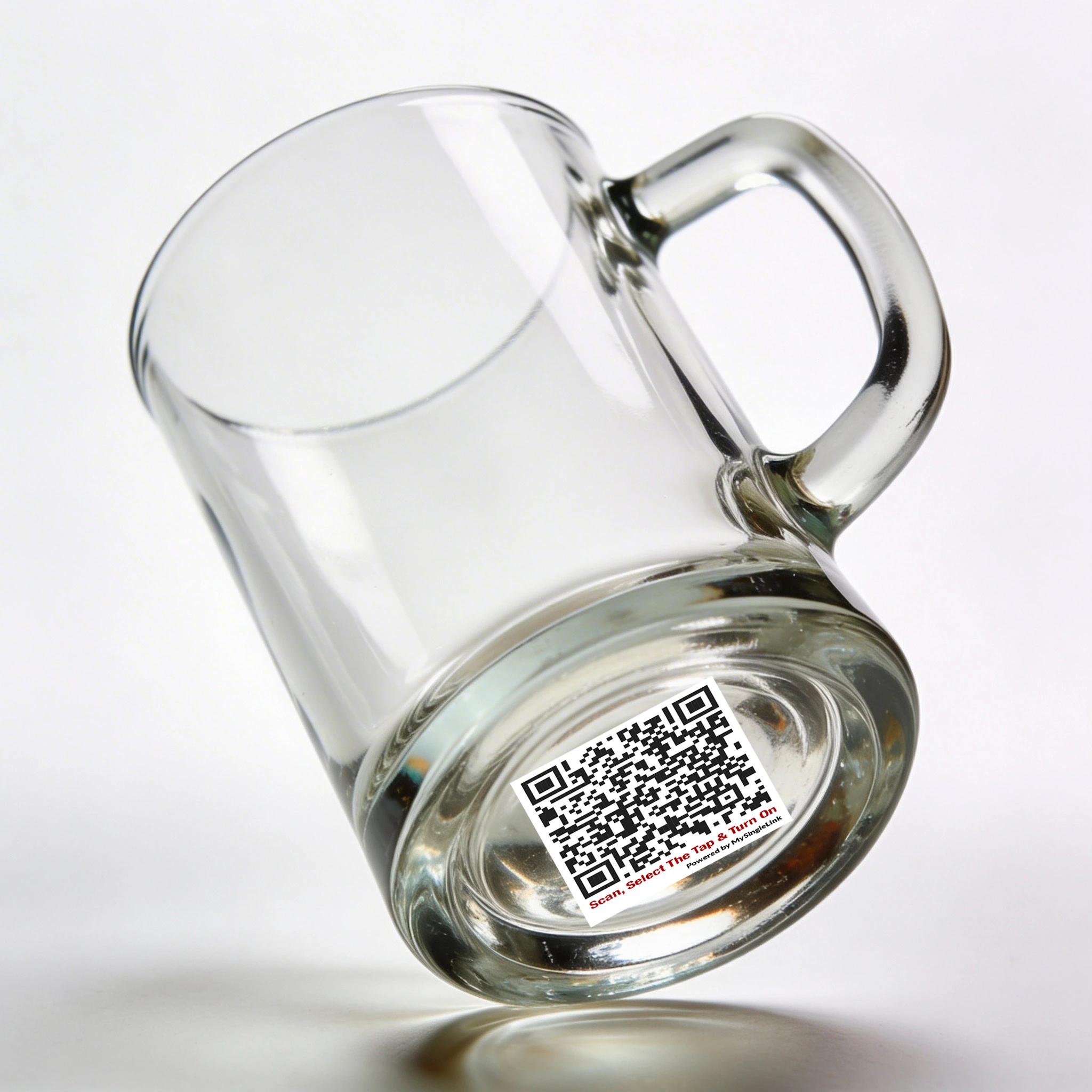
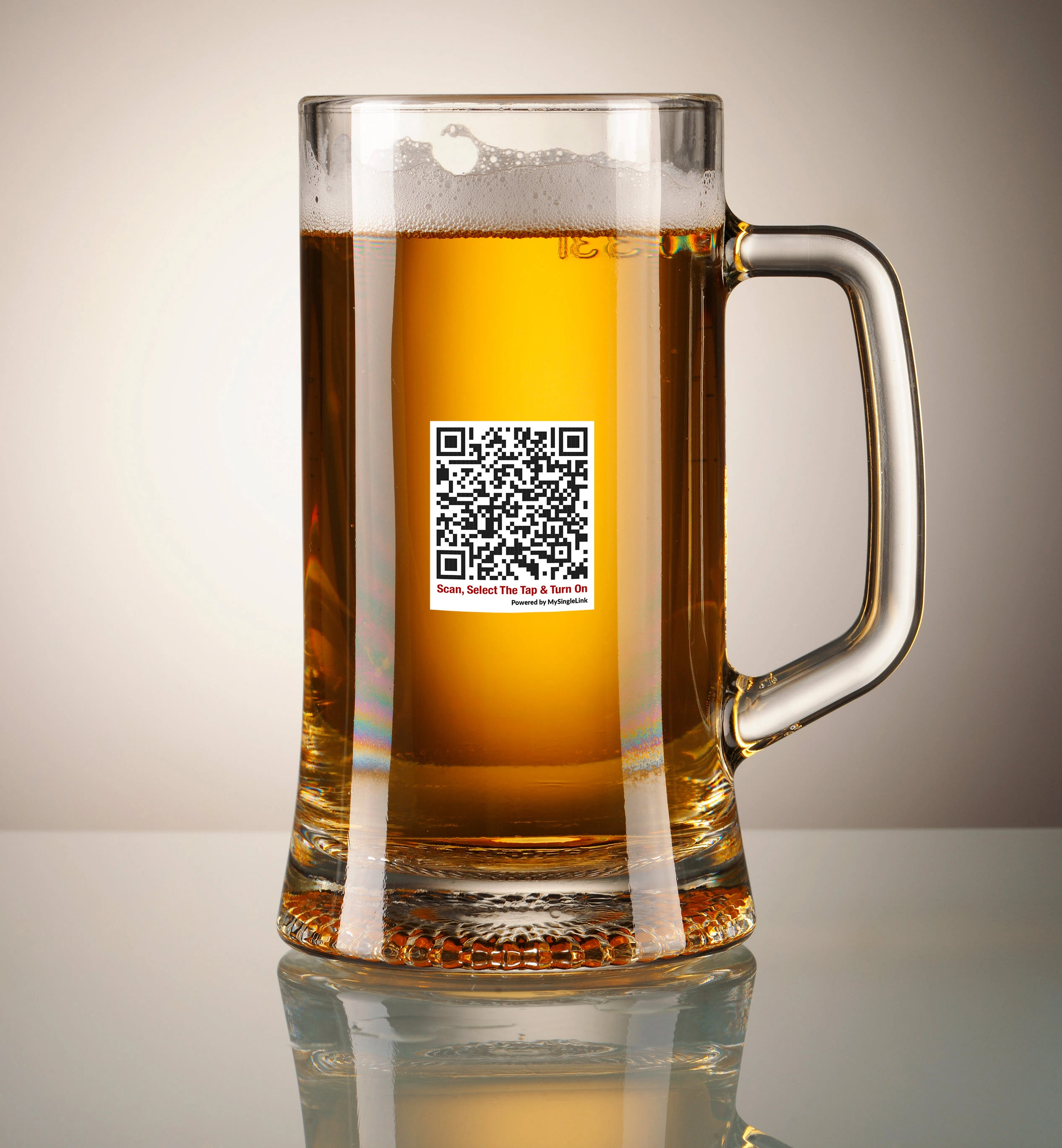
QR Codes printed on glassed can be scanned using authorized mobile device and placed under a selected tap to receive drinks.
Only authorized mobile devices to receive alcohol drinks can be used to pour drinks from taps delivering alcohol drinks.

Self-Pour Tap Authentication

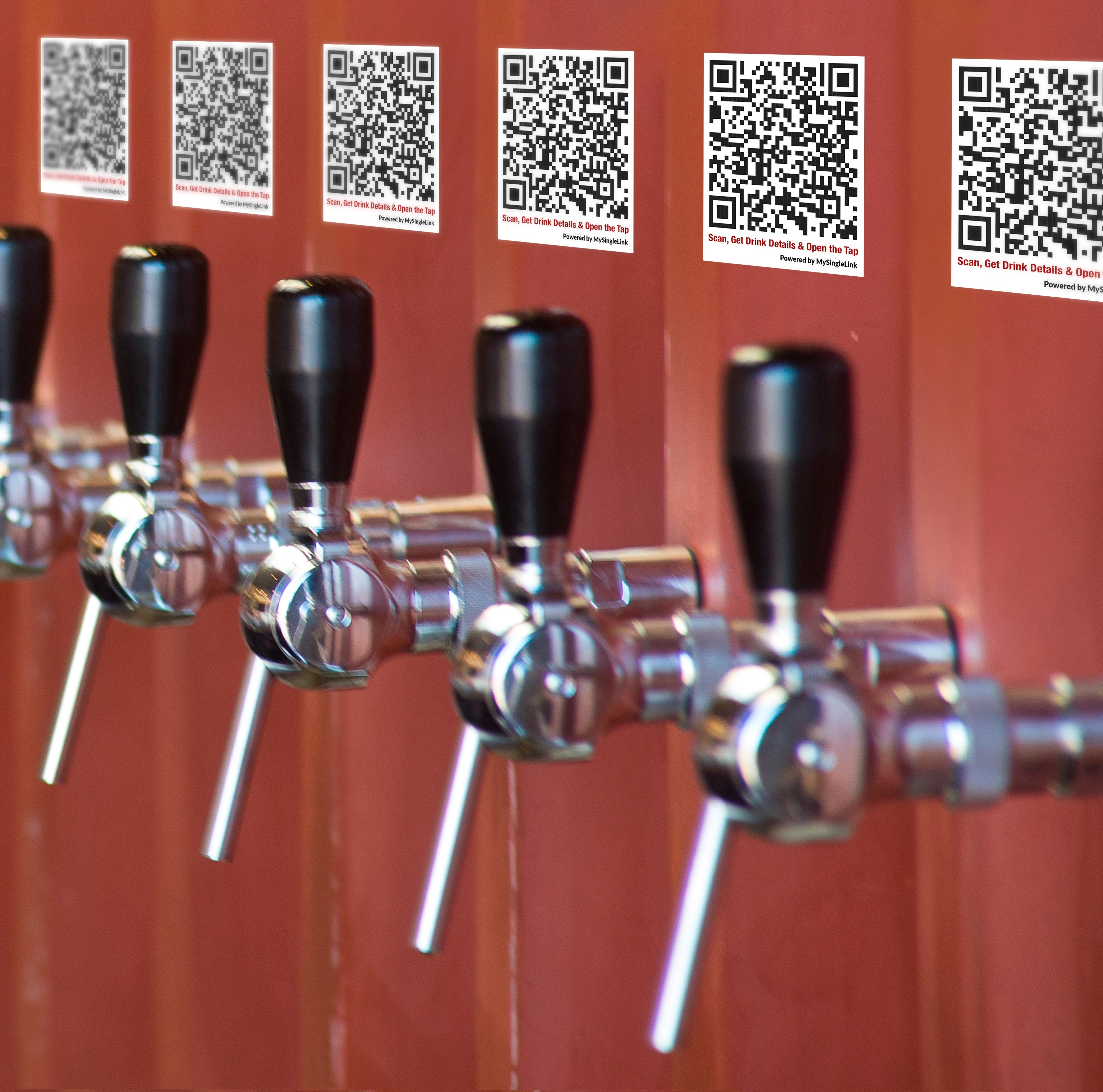
QR Codes displayed near the taps can be scanned using an authorized mobile device and placed under the selected tap to receive drinks.
Only authorized mobile devices to receive alcohol drinks can be used to pour drinks from taps delivering alcohol drinks.

Glass QR
Faucet QR

Self-Pour with Glass QR Code
How does it work?

  • Only customers opting to get alcohol drink would get personal identification verification such as driver licence verification
  • All customers would get a payment authorization
  • Customers can use a locker or face to face contact to get personal identification verification, if needed, and payment authorization.
  • Customers can scan a QR Code printed on any drink glass using any mobile device with or without Sprint-Thru app to view available drinks and the respective tap numbers.
  • Customers opted for alcoholic drniks can view all available drinks and their respective tap numbers.
  • Customers opted only for non-alcoholic drniks can view all available drinks that are non-alcoholic and their respective tap numbers.
  • Customers can also view more information such as description of each drink, calorie contect, price and more. Customers can also view up to date consumption, spent amount and more.
  • Then customers can select a tap from the list to activate the tap.
  • Then customers can open the selected tap and receive the drink.

Scanner Vision Checkout

Self-Pour with Tap QR Code
How does it work?

  • Only customers opting to get alcohol drink would get personal identification verification such as driver licence verification
  • All customers would get a payment authorization
  • Customers can use a locker or face to face contact to get personal identification verification, if needed, and payment authorization.
  • Customers can scan a QR Code printed near any tap using any mobile device with or without Sprint-Thru app to view more information such as description of drink, calorie contect, price and more. Customers can also view up to date consumption, spent amount and more.
  • Customers opted for alcoholic drniks can scan QR Code printed near any tap.
  • Customers opted only for non-alcoholic drniks can QR Code printed near any tap that only dispenses non-alcoholic drink.
  • Then customers can acviate the tap from their mobile device to dispense the drink.
  • Then customers can open the selected tap and receive the drink.

Computer Vision Checkout

Secured Self Check-Out

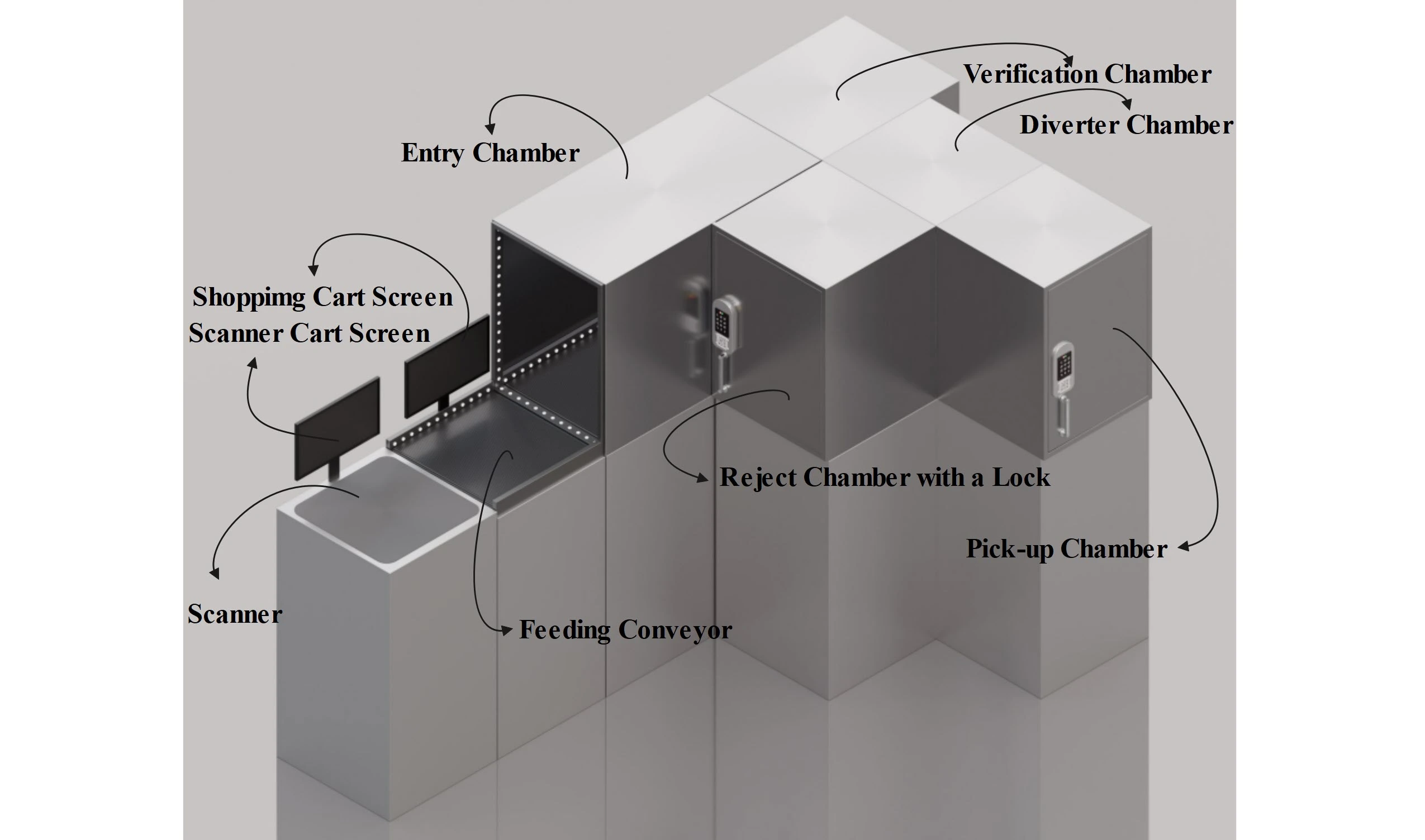
  • Sprint-Thru is a patented Disruptive & Friction Less Technology that can replace existing unsecured employee managed and self checkouts into secured self-checkouts.
  • With Sprint-Thru secured checkout every product leaving sprint-thru secured checkout store can only go through a smart verification chamber and a locker.
  • The smart verification chamber can be based on scanner or RFID or computer vision technology or based on one more more of those technologies plus a weighing scale.
  • The inventory of all products will be automatically maintained and physical inventory of products will never be required.
Self Check-Out Auto Load

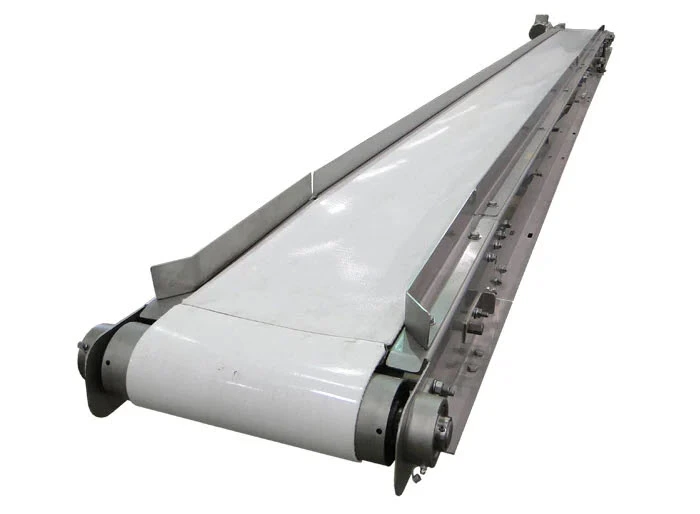
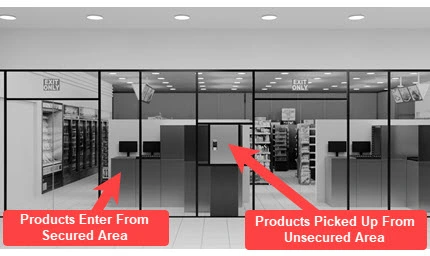
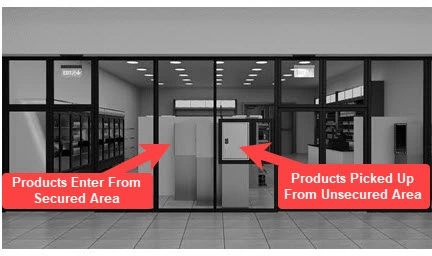
Scanned items can be placed on a conveyor feeding into self check-out machine from a secured area and placed items can be retrieved from an un-secured area.

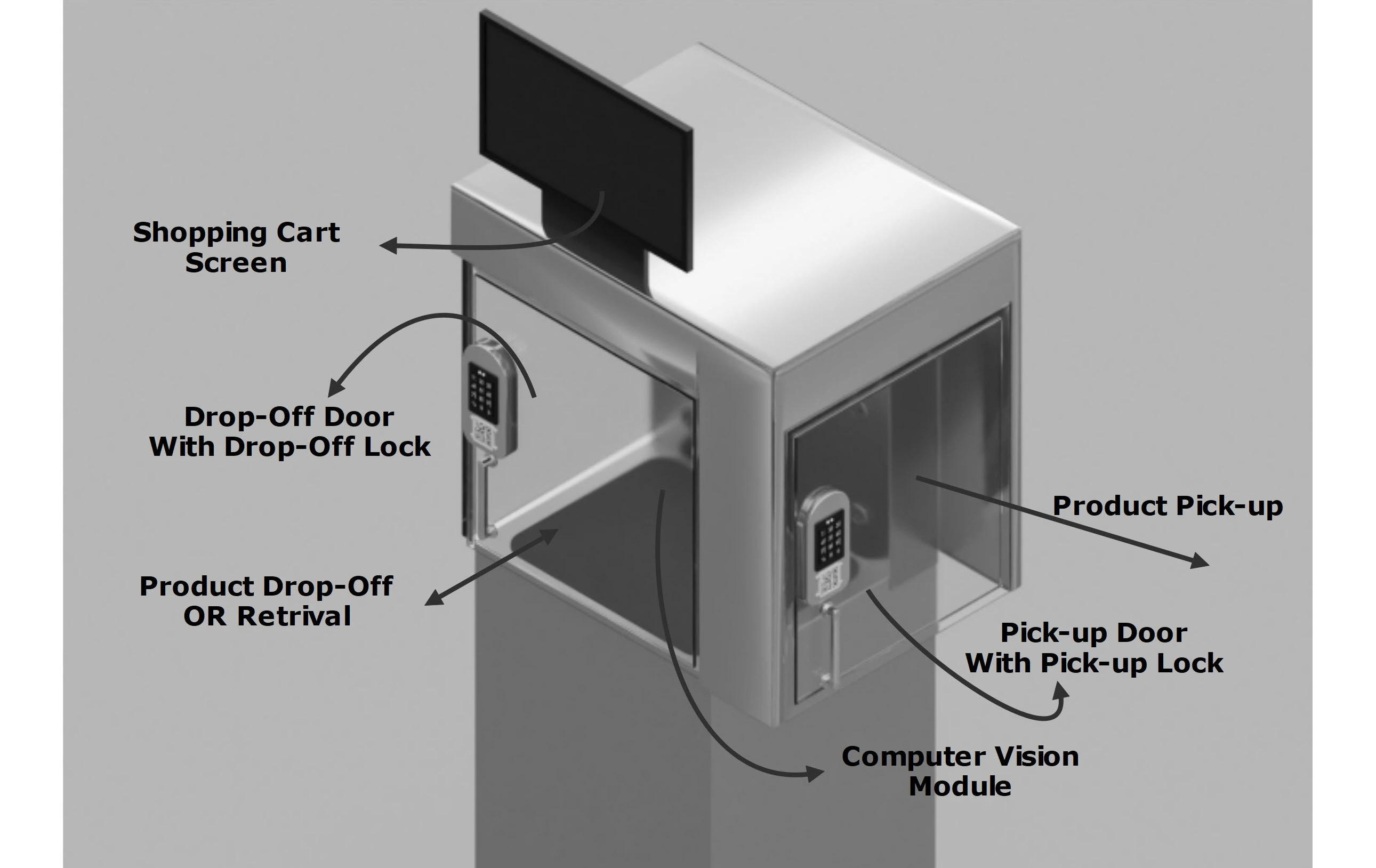
Self check-out machines are fitted with lockers and scales.

Self Check-Out Manual Load

Items can be placed manually inside a self check-out machine from a secured area and placed items can be retrieved from an un-secured area.

Self check-out machines are fitted with lockers and scales.

Scan & Go Cart Verification Check-Out

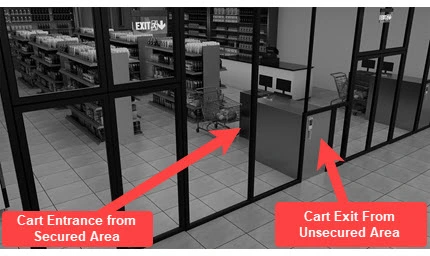
Carts with scanned items can be pushed into a self check-out machine from a secured area and carts from the self check-out machine can be pulled from an un-secured area.
Self check-out machines are fitted with lockers and scales.

Scanner Vision Checkout
Computer Vision Checkout
Scan and Go Checkout

Self Check-Out with Auto Load
How does it work?

  • From a secured area, each product wil be scanned and placed on a conveyor
  • As the products are scanned, each product description, and price will be displayed on a Scanner Cart Screen
  • Products placed on the conveyor will be fed one item at a time to a verification chamber.
  • If the products are protected with RFID tags, then the verification chamber will be fitted with RFID tag readers, otherwise the verification chamber will be fitted with cameras to scan the barcodes.
  • The verification chamber will also be fitted with an electronic weighing scale to verify the weight of the product.
  • If a product in the verification chamber is valid then then product will be moved to a locker, otherwise the product will be moved to a rejection chamber.
  • As the products are moved inot the locker, each product description, price and up to date total amount will be displayed on a Shopping Cart Screen
  • After scanning all the items, customers can select the pay button on a payment terminal
  • When a pay button in the payment terminal is selected, the conveyor feeding the items to the verification chamber will stop and wait until the payment is made and items are retrieved
  • After scanning all the items, customers can make a payment as shown on shopping cart screen and exit to an unsecured area without carrying any item and retrieve the items from the locker
  • A specific number of digits of credit/debit card number or a specific number of digits of cell phone number or a specific number of digits of authorization number or a specific number of digits of order identifier or any information printed on the receipt can be used to unlock the locker from unsecured area
  • Once the items are retrieved from the locker from the unsecured area, the locker door facing the unsecured area will automatically lock and the conveyor will start feeding the items into verification chamber

Scanner Vision Checkout

Self Check-Out with Manual Load
How does it work?

  • The door facing the unsecured area of any available locker will be in locked position
  • From a secured area, the door of an available locker can be opened and items can be manually placed inside the locker
  • Since the lockers are fitted with Computer Vision module which can identify only a few items at a time, the Self Check-Out with Manual Load machines may be suitable only for stores like convenient stores and not for stores like grocery or department stores
  • Upon pressing 'Pay' button, the locker door facing the secured area will be locked
  • Upon pressing 'Cancel' button, the locker door facing the secured area will be unlocked
  • Upon pressing 'Pay' button, the description and the price of the items placed inside the locker will be displayed on a Shopping Cart Screen
  • Upon makding the payment as shown on Shopping Cart Screen the customers can exit to an unsecured area without carrying any item and retrieve the items from the locker
  • A specific number of digits of credit/debit card number or a specific number of digits of cell phone number or a specific number of digits of authorization number or a specific number of digits of order identifier or any information printed on the receipt can be used to unlock the locker from unsecured area
  • Once the items are retrieved from the locker from the unsecured area, the locker door facing the unsecured area will automatically lock and the locker door facing the secured area will automatically unlock

Computer Vision Checkout

Scan & Go Cart Verification Check-Out
How does it work?

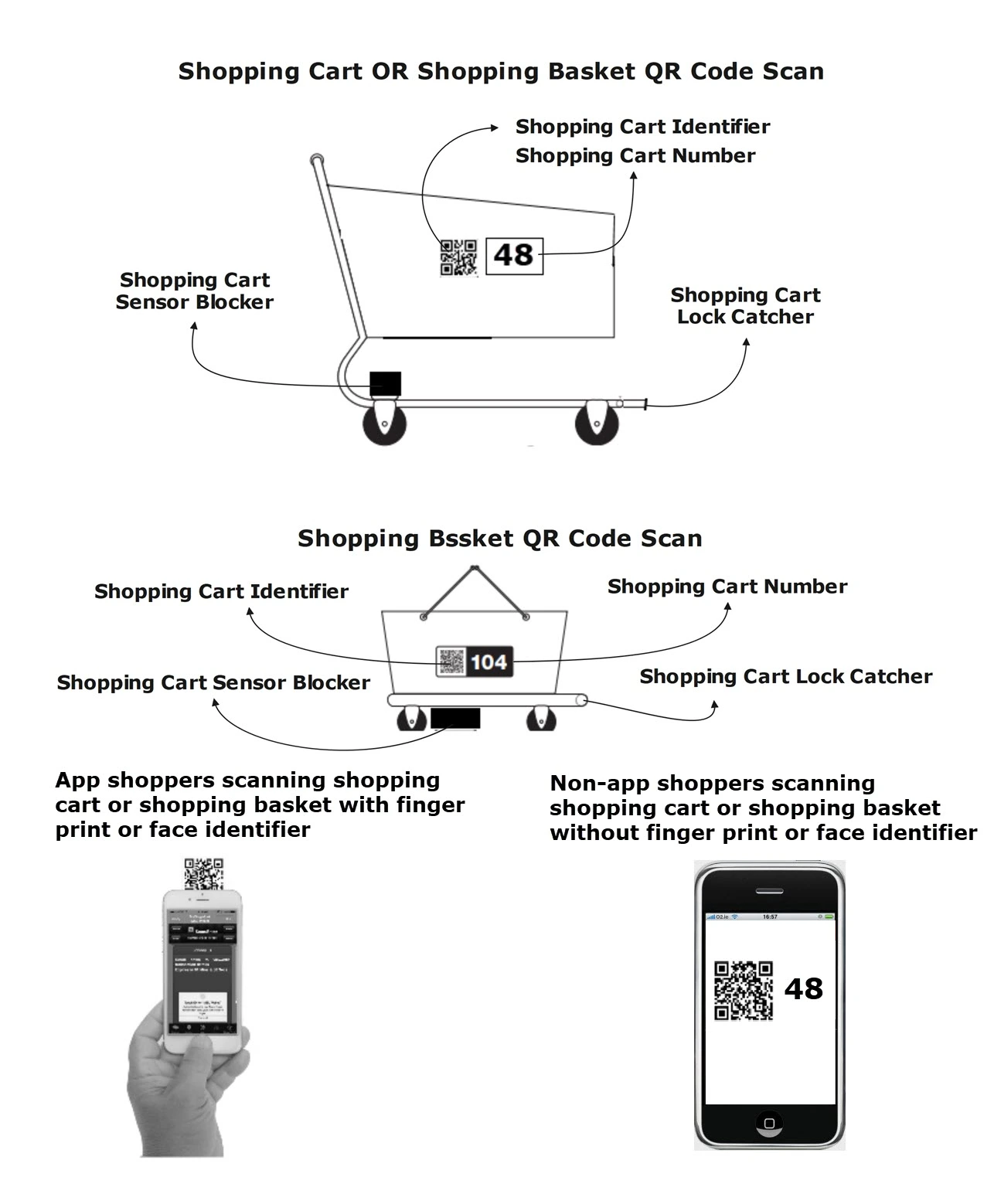
  • Shopping carts and shopping baskets with qr code will be available for shoppers to use
  • If sprint-thru app or any app interfaced with sprint-thru app is used, face id or finger identifier will be used to scan the qr code
  • If sprint-thru app or an app interfaced with sprint-thru app is not used, then the camera or any other generic qr code reader app can be used to scan the qr code
  • Any item displayed in the secured area can be scanned and placed inside the shopping cart or shopping basket
  • At the end of shopping the shopping cart or shopping basket can be pushed inside a verification chamber
  • If the items placed inside the shopping cart or basket matches the items scanned in the mobile device, the shopping cart or shopping basket will be locked inside the verication chamber, the description and the price of the items placed inside the shopping cart or basket will be displayed on a Shopping Cart Screen and pay option will be displayed on the creidt/debit card terminal
  • For verification an electronic scale will also be used to weigh the shopping cart or shoppint basket
  • If the items placed inside the shopping cart or basket does not matche the items scanned in the mobile device, the customer will be asked to rescan the missing items
  • Upon making the payment as shown on Shopping Cart Screen the customers can exit to an unsecured area without carrying any item and pull the shopping cart or shopping basket from the locker
  • A specific number of digits of credit/debit card number or a specific number of digits of cell phone number or a specific number of digits of authorization number or a specific number of digits of order identifier or any information printed on the receipt can be used to unlock the locker from unsecured area
  • Once the shopping cart or shopping basket is pulled from the locker from the unsecured area, the locker door facing the unsecured area will automatically lock and the locker door facing the secured area will automatically unlock

Scan and Go Checkout

Cashier Less Solutions

  • Sprint-Thru Cashier Less Stores can replace existing cashierless store technology such as amazon go store technology and also can be used to create new cashierless stores.
  • Cashier Less Stores are modern type of retail stores where shoppers can shop and leave without stopping at a checkout counter. No scanning items, no cash register, no lines.
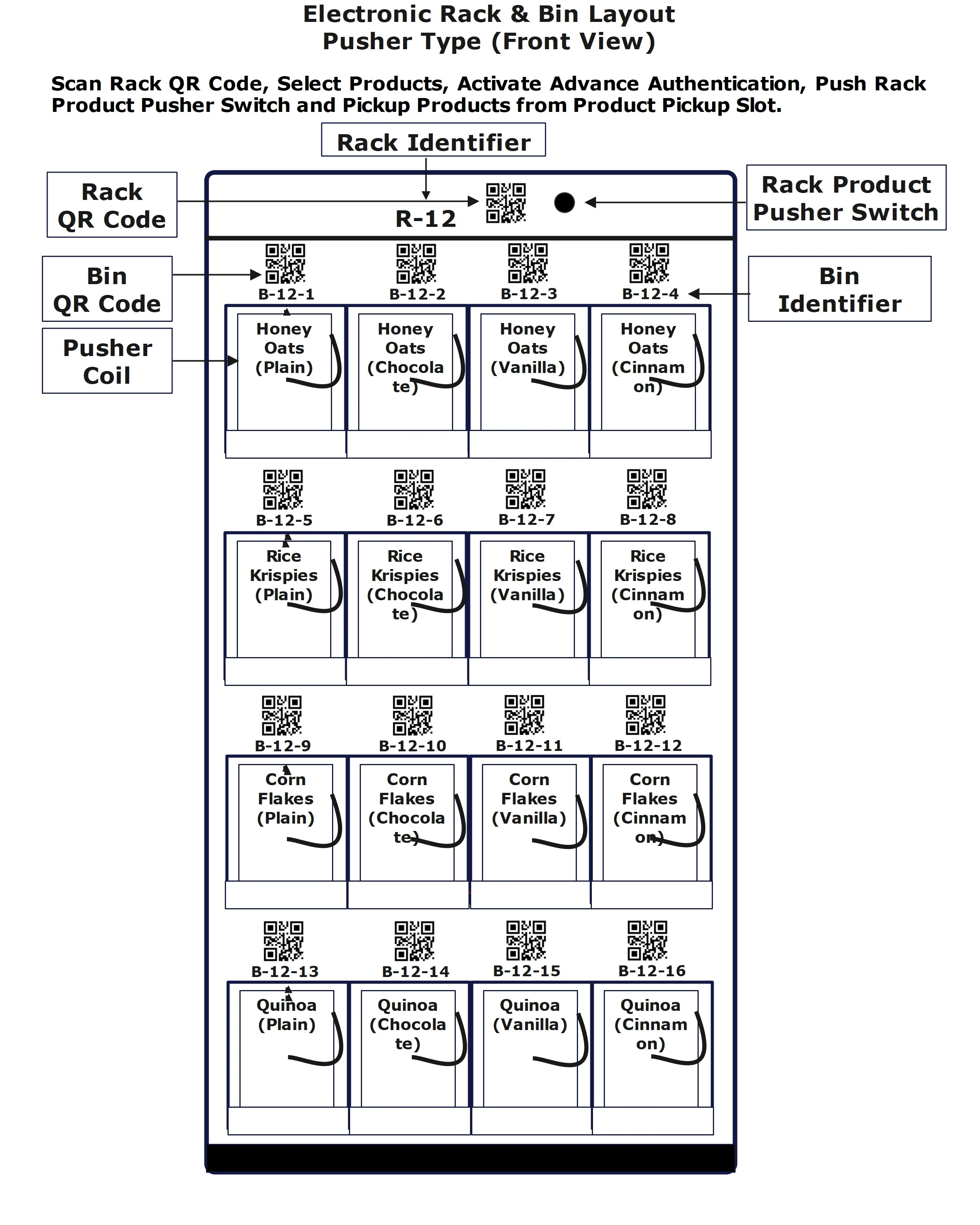
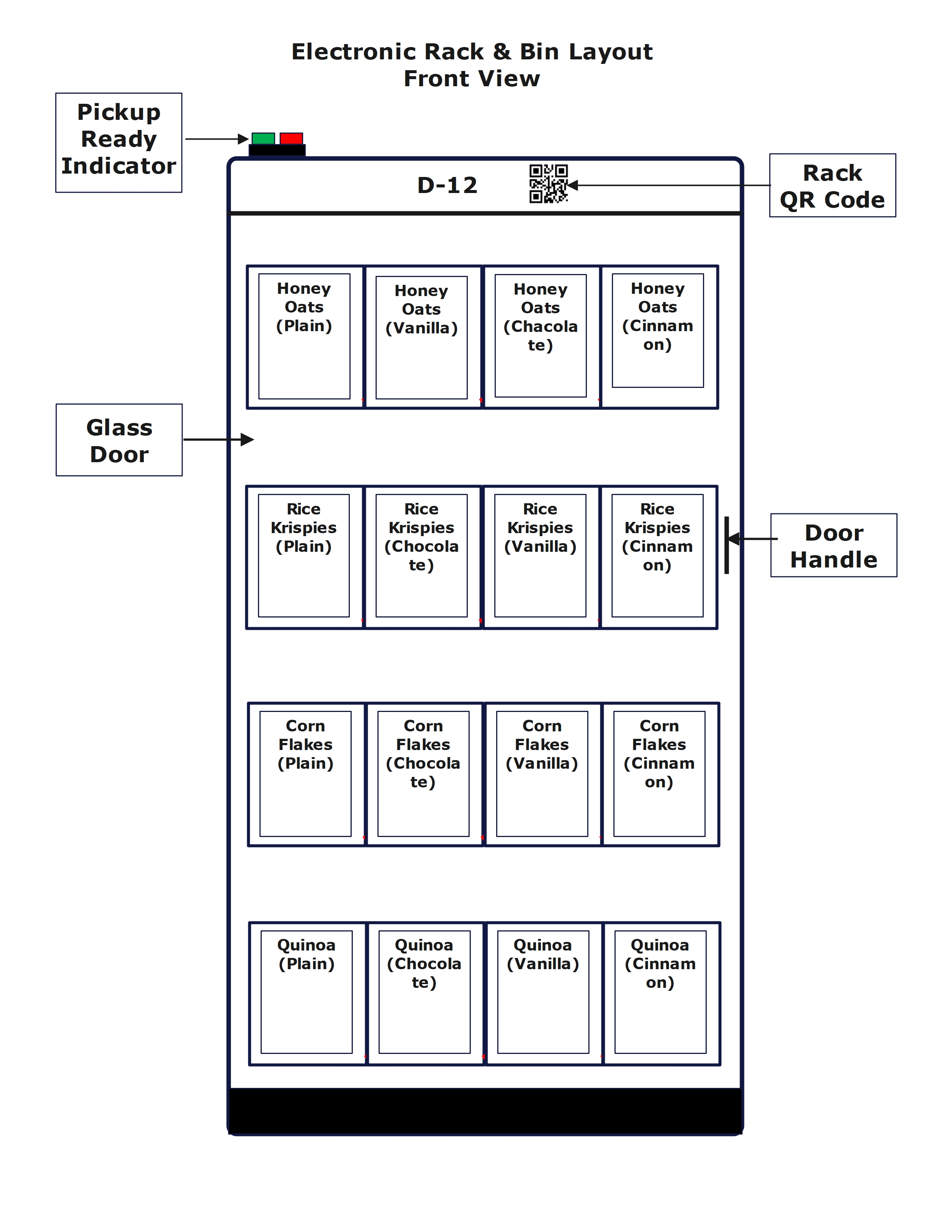
  • Instead of using computer vision and AI to track shoppers, Sprint-Thru cashier less technology uses product pusher racks and/or product sensor racks and/or tag reader racks without tracking shoppers.
Cashier Less Product Pusher

Any number of items can be selected within a rack and pushed out of the rack with rack authentication using any mobile device.
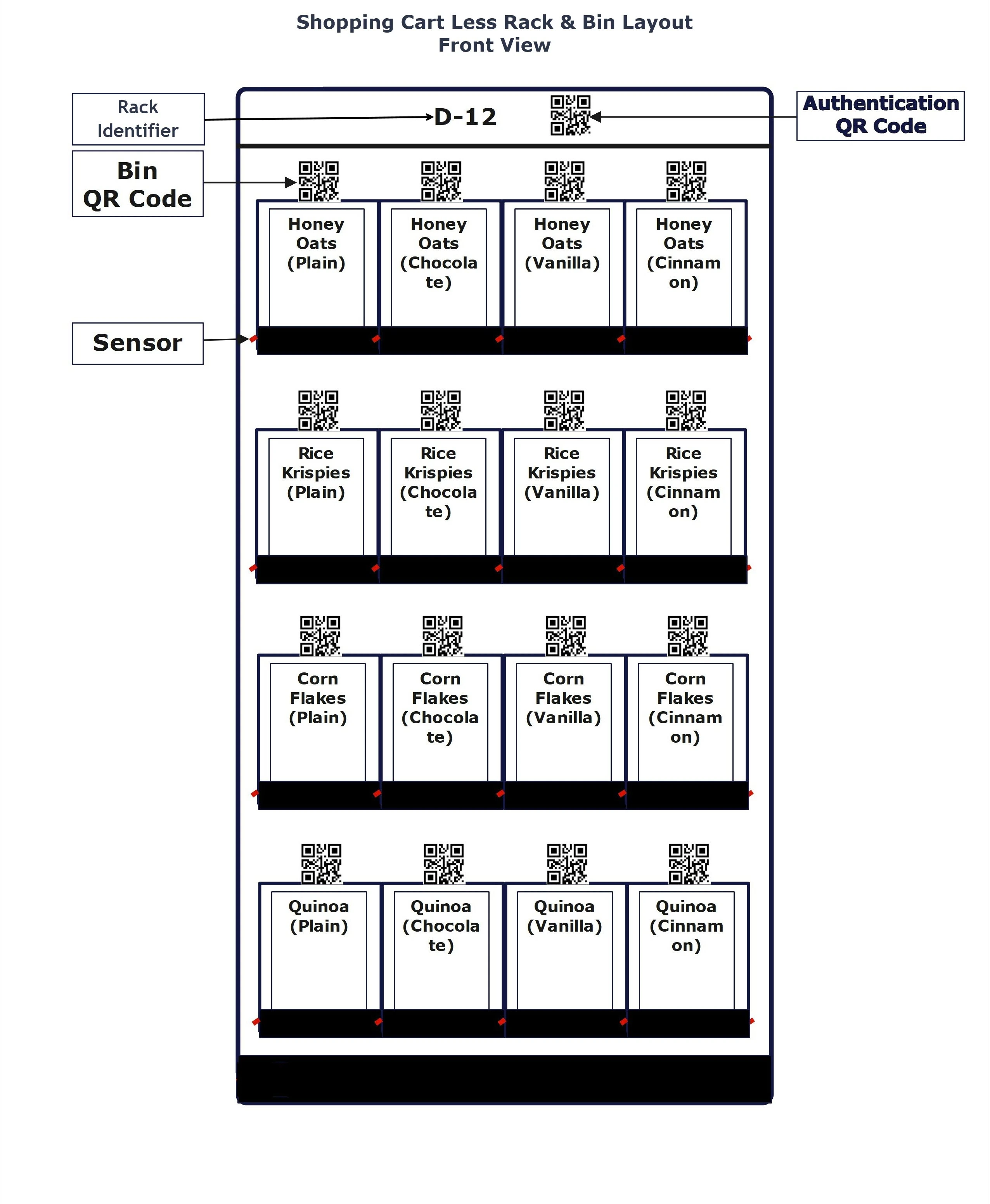
All the bins and racks are fitted with sensors.

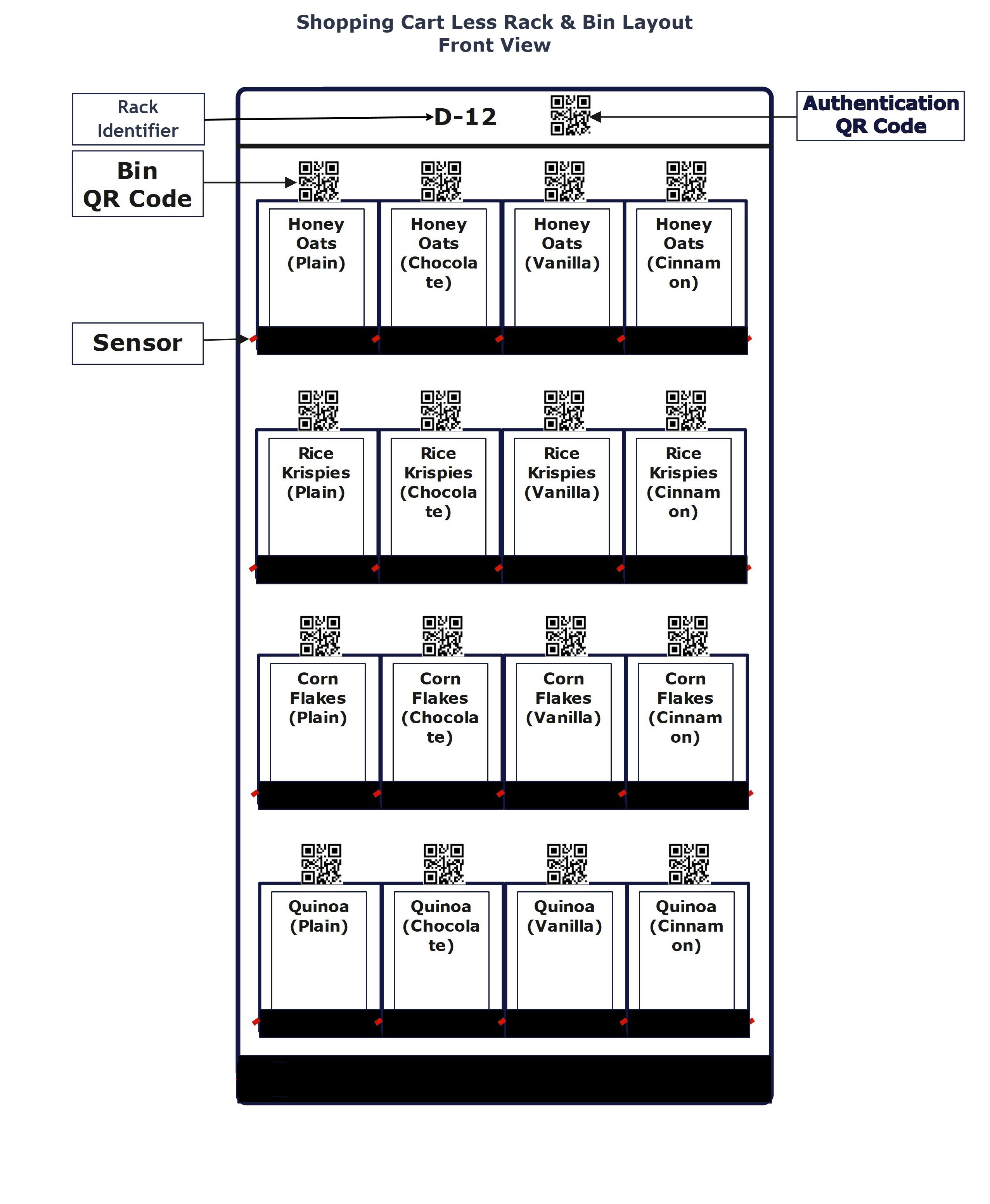
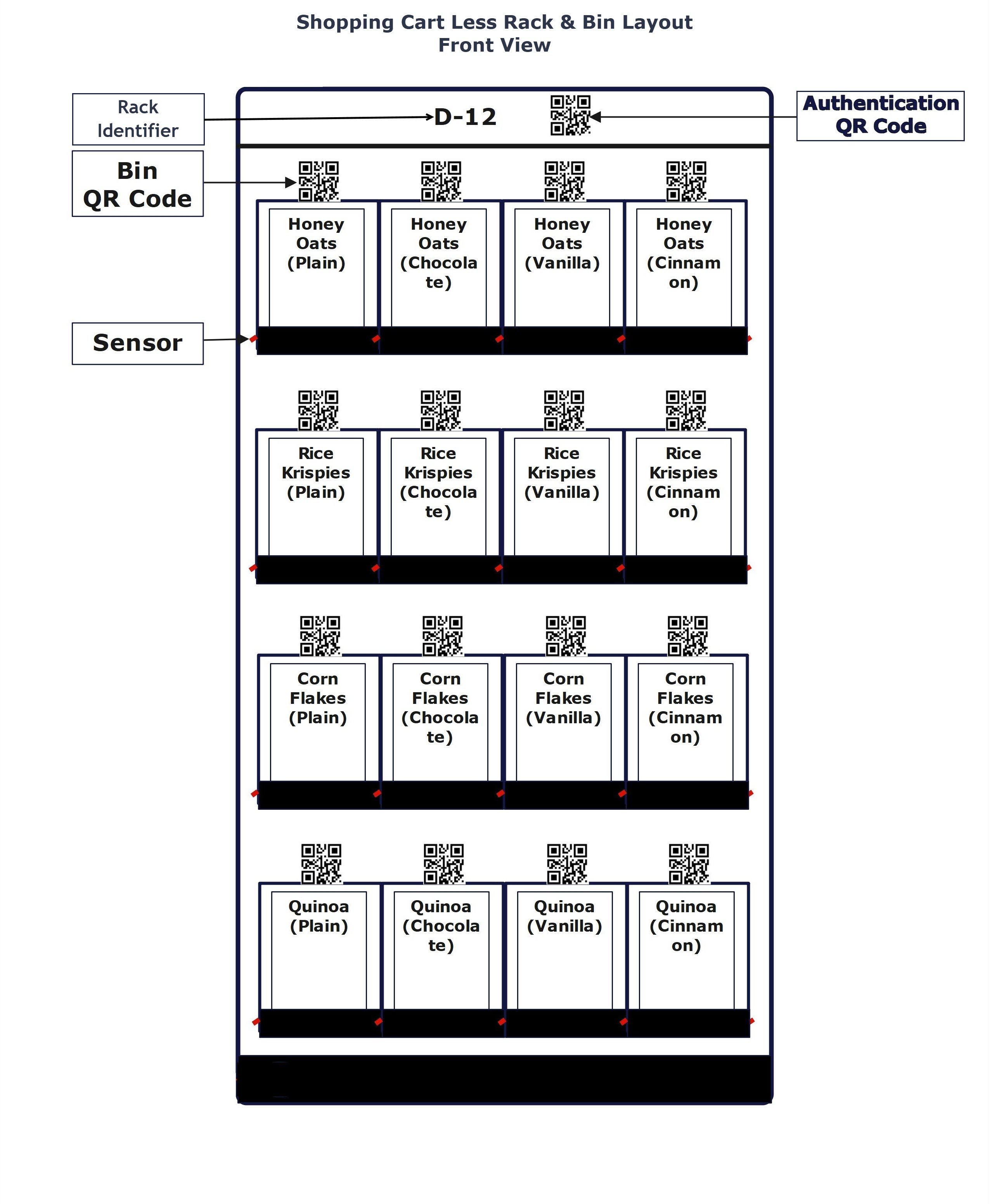
Cashier Less Product Sensor

Any item within any rack can be picked up with bin authentication using any mobile device.

All the bins and racks are fitted with sensors.

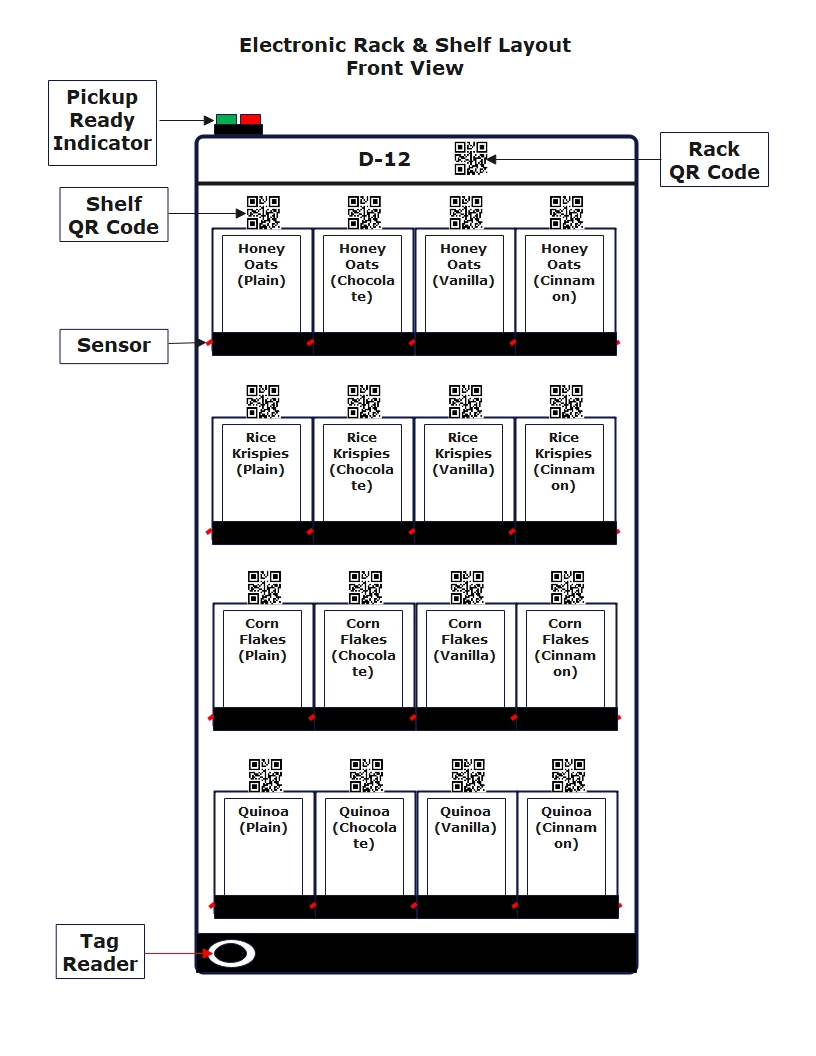
Cashier Less Tag Reader

Any number of items can be picked up within a rack with rack authentication using any shopping card or basket.

All the bins and racks are fitted with sensors.

Computer Vision Checkout

Cashier Less Product Pusher
How does it work?

  • Shoppers make an advance payment authorization.
  • Shoppers scan 'Rack QR Code' and select products using their mobile phones.
  • Shoppers press 'Rack Product Pusher Switch' to get the products.
  • Upon completing shopping, shoppers leave the location.

Cashier Less Rack
Cashier Less Sensor
How does it work?

  • Shoppers make an advance payment authorization.
  • Shoppers scan 'Bin QR Code' and pickup the product from the bin.
  • Upon completing shopping, shoppers leave the location.

Cashier Less Bin
Cashier Less Tag Reader
How does it work?

  • Shoppers make an advance payment authorization.
  • Each shooping cart and each shopping basket will display unique QR Code and will have a unique tag.
  • Shoppers scan a QR Code displayed on a shooping cart or shopping basket.
  • Shoppers park the shooping cart or place the shopping basket to cover the tag reader of any rack. The green light on the rack will turn on to indicate that the tag reader had read the tag.
  • Shoppers can pick up products from any bins within the rack as long as the green light is on.
  • When the shopping cart or shopping basket is removed from the tag reader the red light on the rack will turn on and the shopper cannot pickup product from any bin within the rack.
  • Upon completing shopping, shoppers scan the QR Code printed on the shopping cart or shopping basket to inactivate the shopping cart or shopping basket.
  • Upon inactivating the shopping cart or shopping basket, shoppers can leave the location.

Cashier Less Tag

Package Delivery Solutions

Package Delivery Single Unit

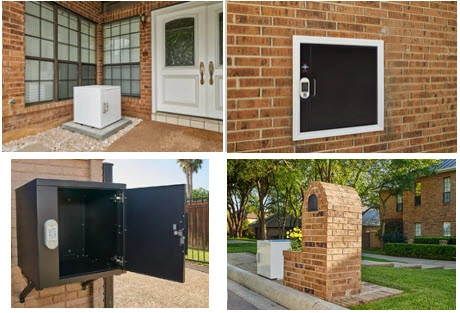
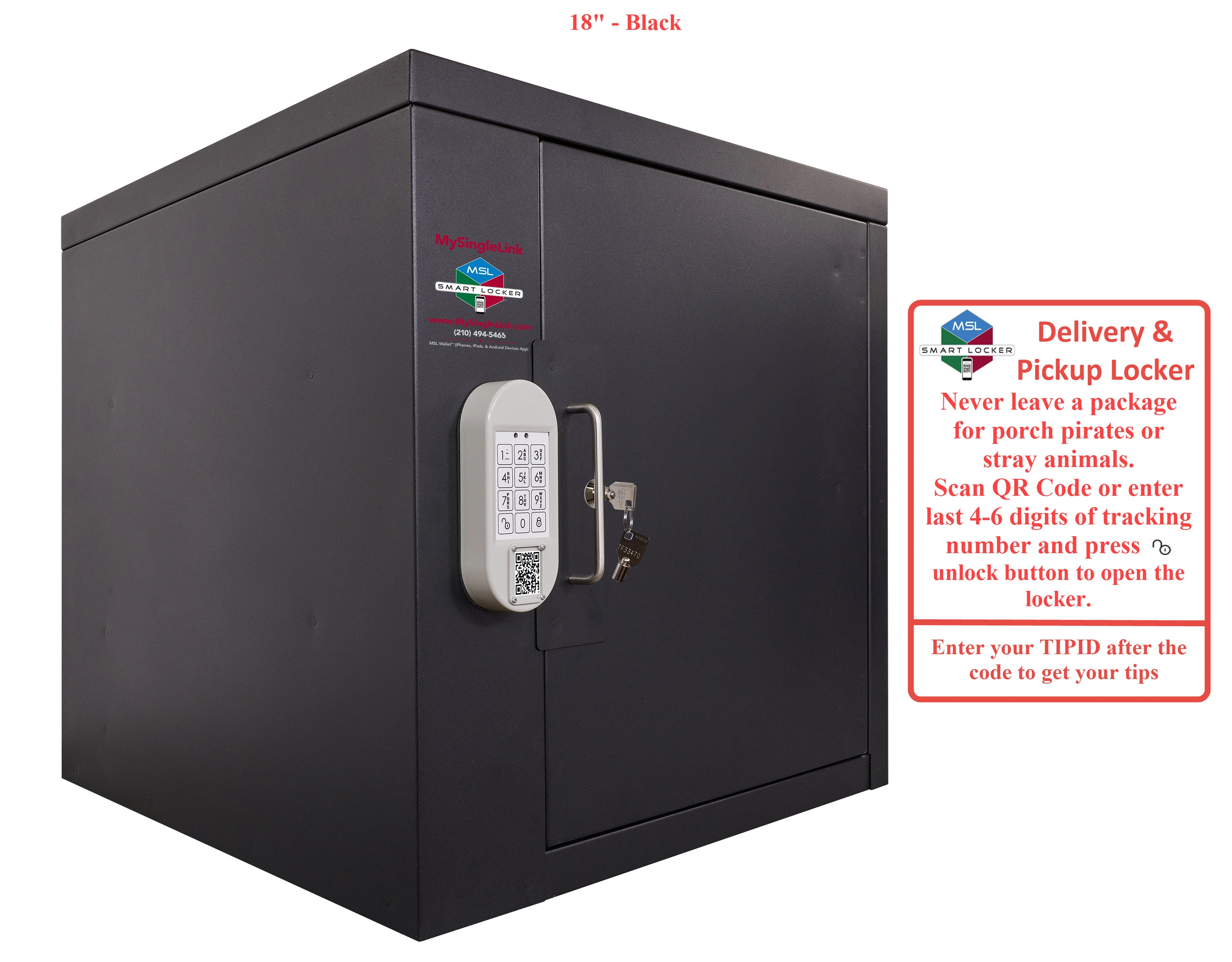
Deliveries can be made at the curbside, front door or accessible from inside whereever the locker is placed.

Package Delivery Multi Unit

Deliveries can be made to a locker hub shared by multi-unit occupants.

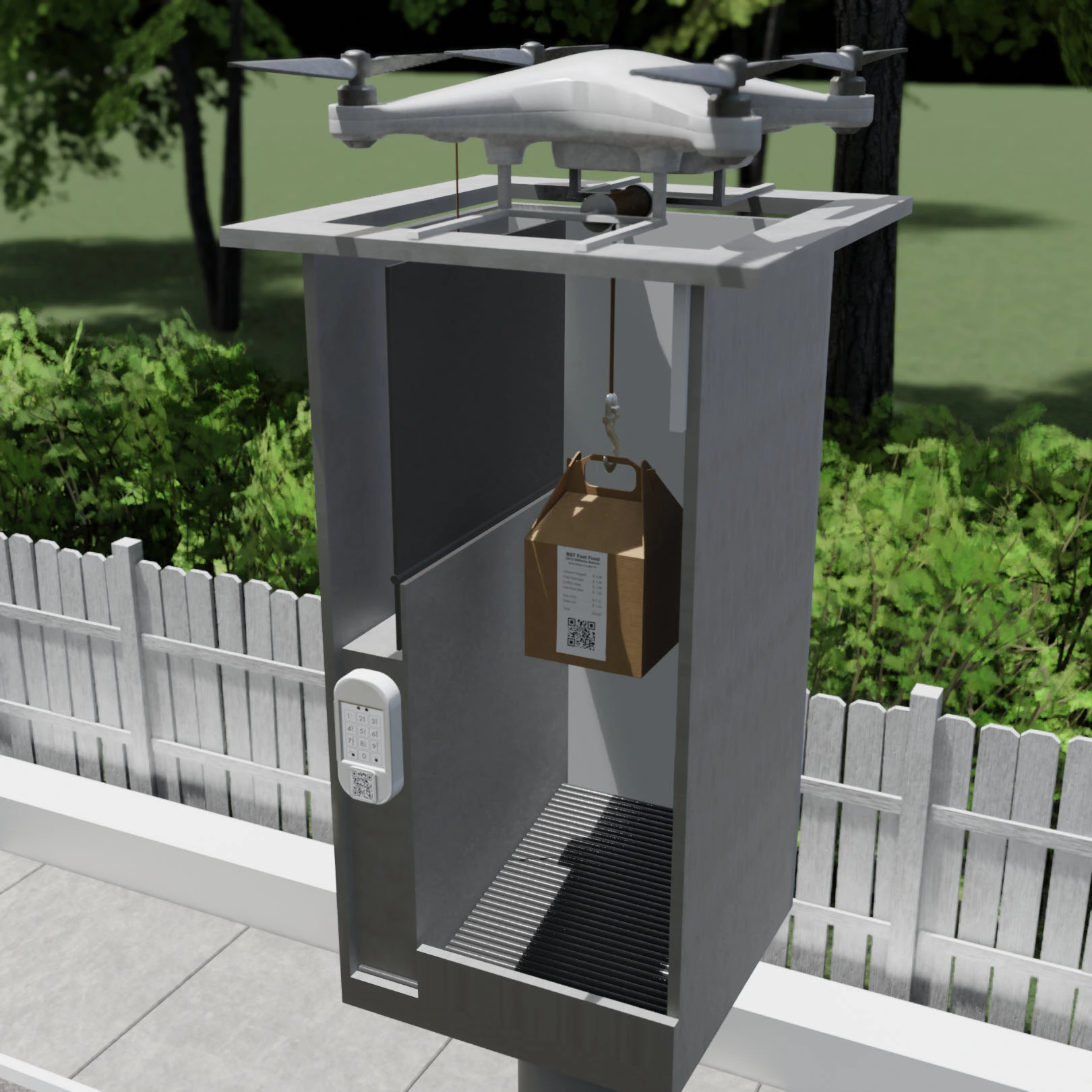
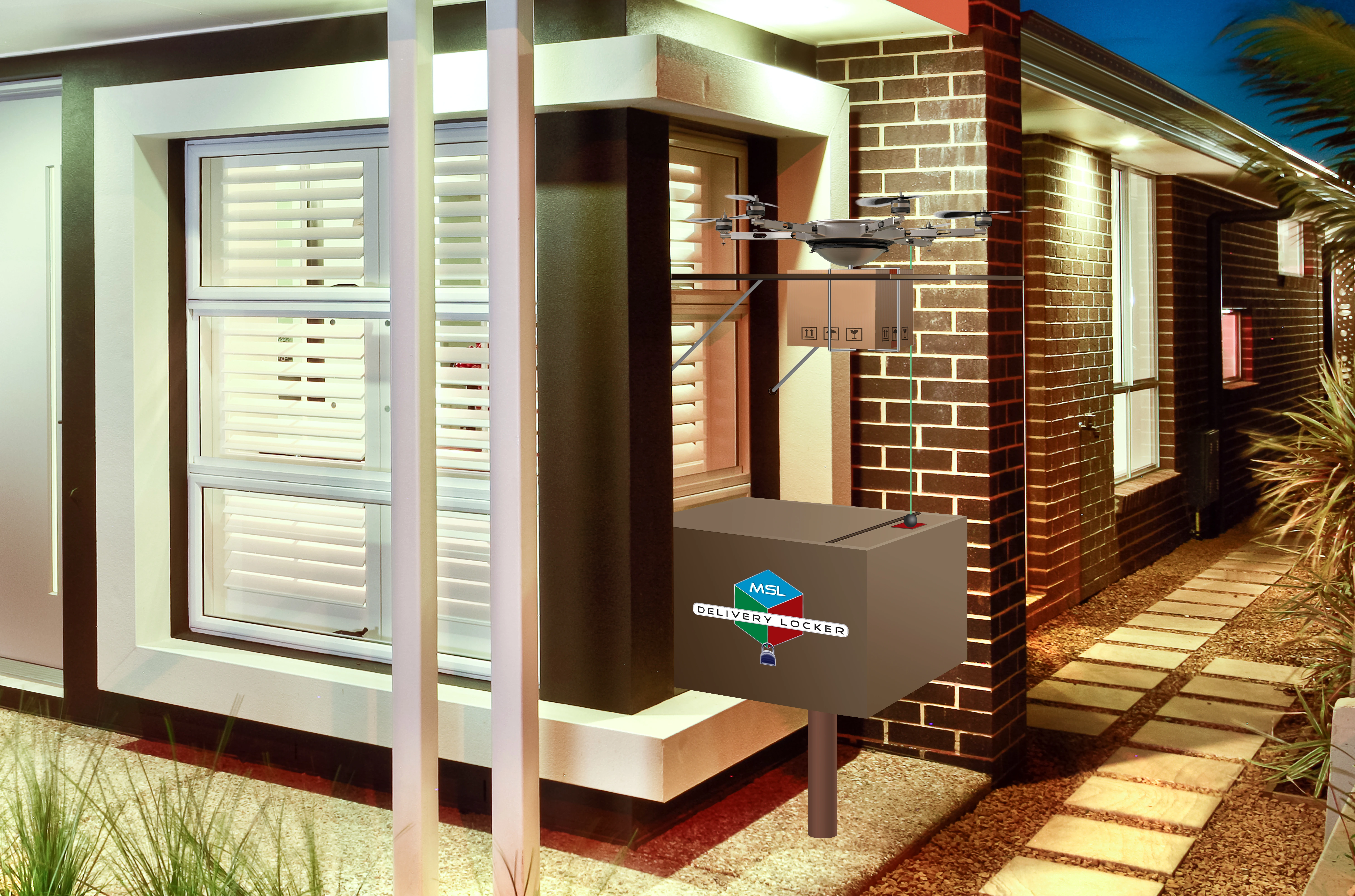
Package Drone Delivery

In future Drones can directly drop package into Drone Lockers which will be accessible from indoor or from outdoor.

Single Unit Locker
Multi Unit Locker
Drone Locker

Package Delivery to Single-Unit Lockers
Sprint-Thru is a patented Disruptive & Friction Less Technology that disrupts existing package delivery technologies.
Sprint-Thru ground delivery can replace unsecured package deliveries for single-unit locations using single smart lockers.
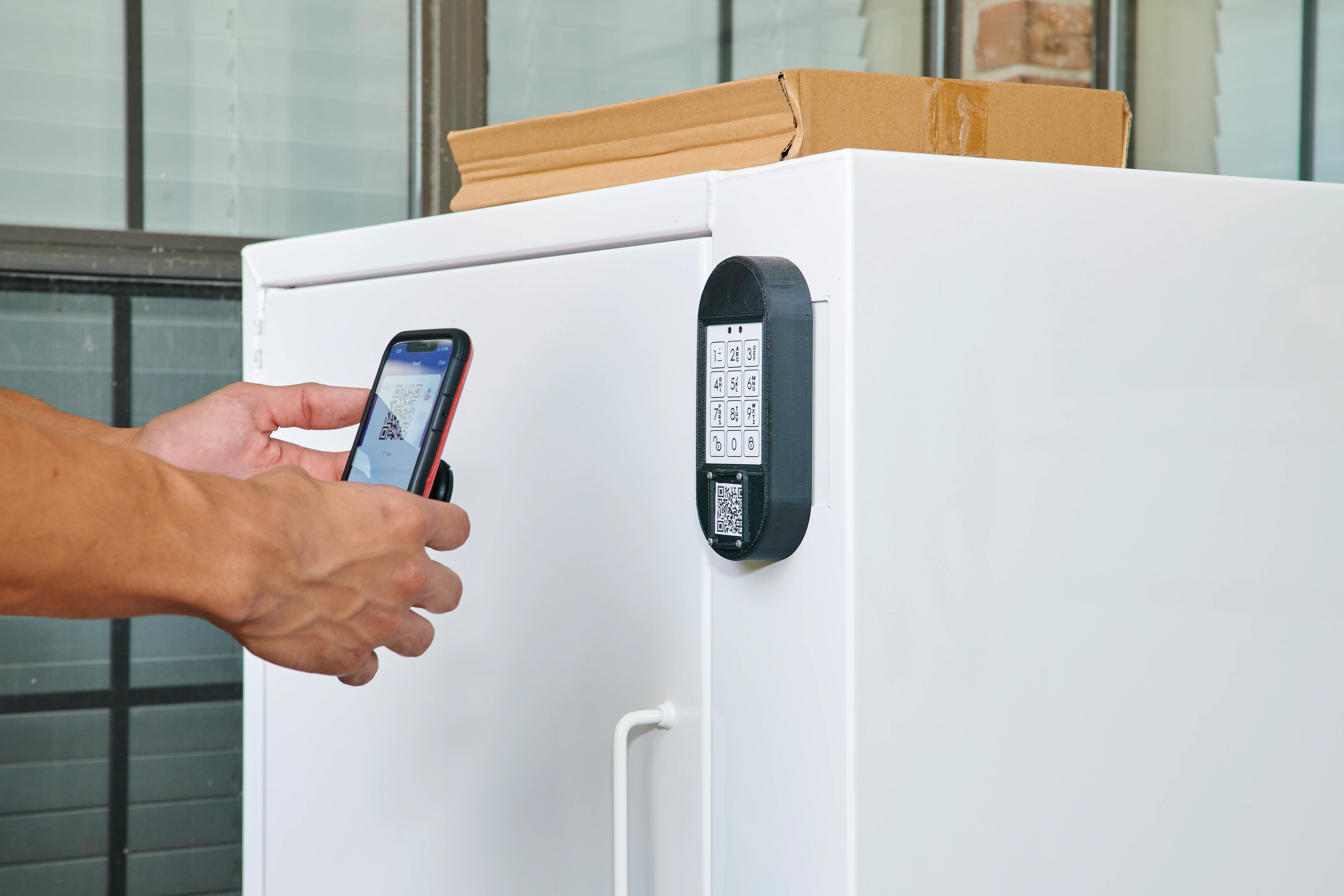
  • Sprint-Thru uses iPosters and lockers.
  • App is not required (but supported)
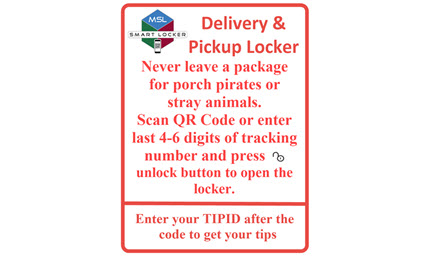
  • Porch piracy can be reduced to zero
  1. Buyers place delivery orders
  2. Buyers use the locker app or website to update the one-time code
  3. Buyers can use auto-pilot option in the locker app, wherever available, to automatically update the one-time code
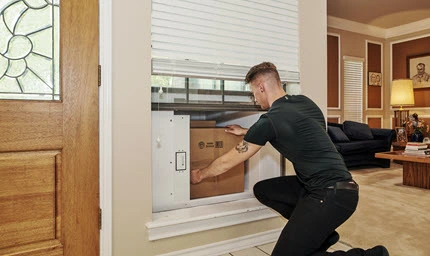
  1. Delivery persons follow the instructions and leave or pickup the packages
  2. Delivery persons can also enter tip-id to receive tips

Single Unit Delivery & Pickup Instructions

Single Unit Outdoor Delivery & Pickup

Single Unit Porch Pickup
Single Unit Outdoor Pickup

Single Unit Outdoor Delivery

Single Unit Indoor Pickup

Single Unit Outdoor Pickup

Package Delivery to Multi-Unit Lockers
Sprint-Thru is a patented Disruptive & Friction Less Technology that disrupts existing multi-unit package delivery technologies.
Sprint-Thru ground delivery can replace unsecured package deliveries for multi-unit locations using hubs holding single smart lockers.
Multi-unit administrators will install and administer multi-unit location locker hubs
Multi-unit administrators will maintain authorized users for the multi-unit location locker hubs
No need for multi-unit administrators to provide access passwords to delivery companies.
  • Sprint-Thru uses locker hubs with display monitors.
  • App is not required (but supported)
  • Porch piracy can be reduced to zero
Multi Unit Ground Delivery
  1. Authorized persons for multi-unit location locker hubs can place delivery orders and/or receive packages.
  2. When placing orders, the authorized persons would receive a unique tracking identifier
  3. Authorized users can use an app or website to reserve a locker with last few digits of tracking number
  4. Authorized users can use auto-pilot option in the locker app, wherever available, to automatically reserve a locker when a package is expected to arrive.
  5. Upon receiving a notification with the locker number and one-time code, the authorized users can retrieve the package.
  1. Delivery persons would leave the package in any available locker and enter last few digits of trackng number to lock the locker. If the locker does not lock, then the delivery person can enter the unit number from the package to lock the locker. The list of availale lockers will be listed in one or more order status display monitors.

Package Delivery by Drones
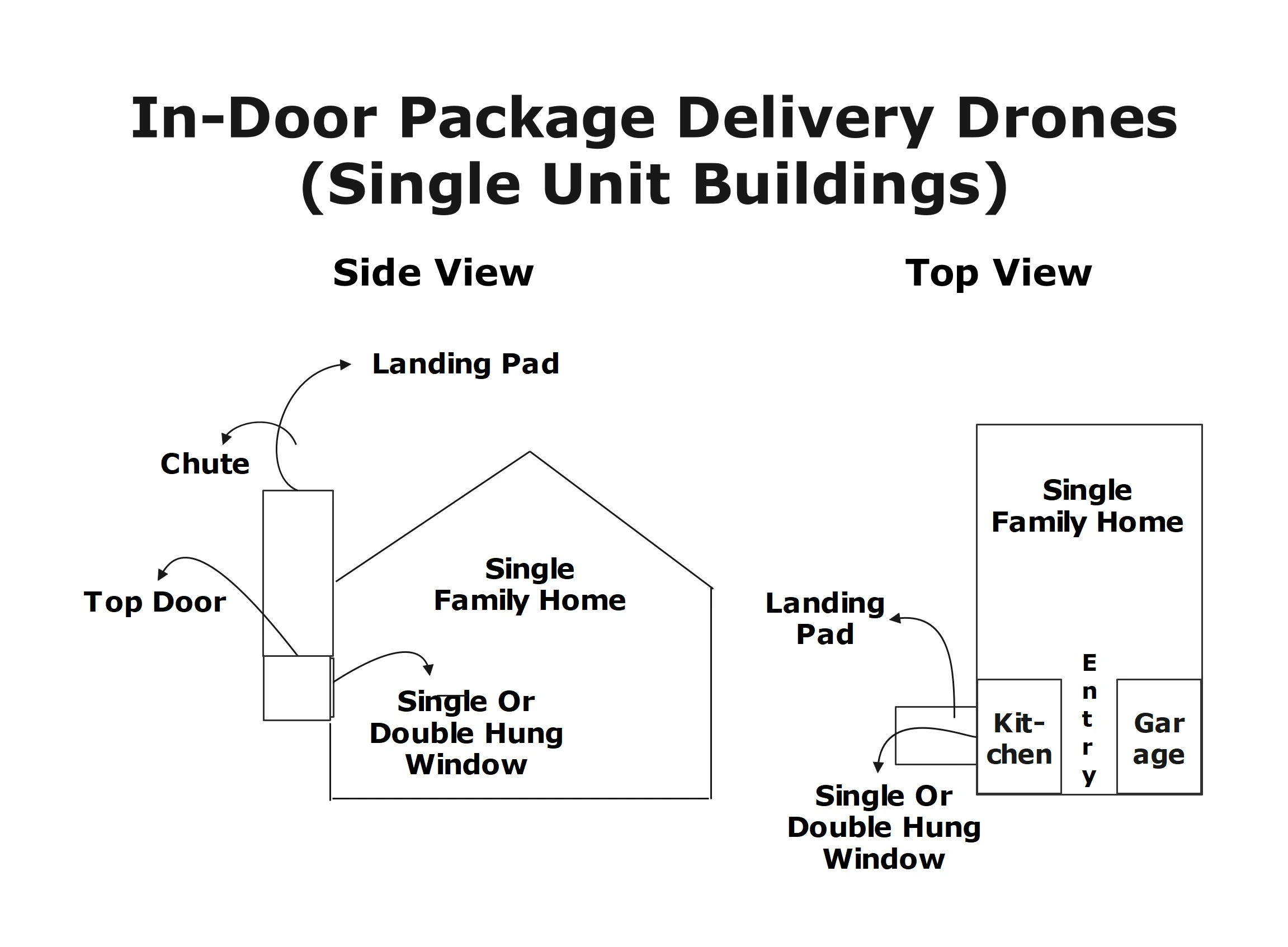
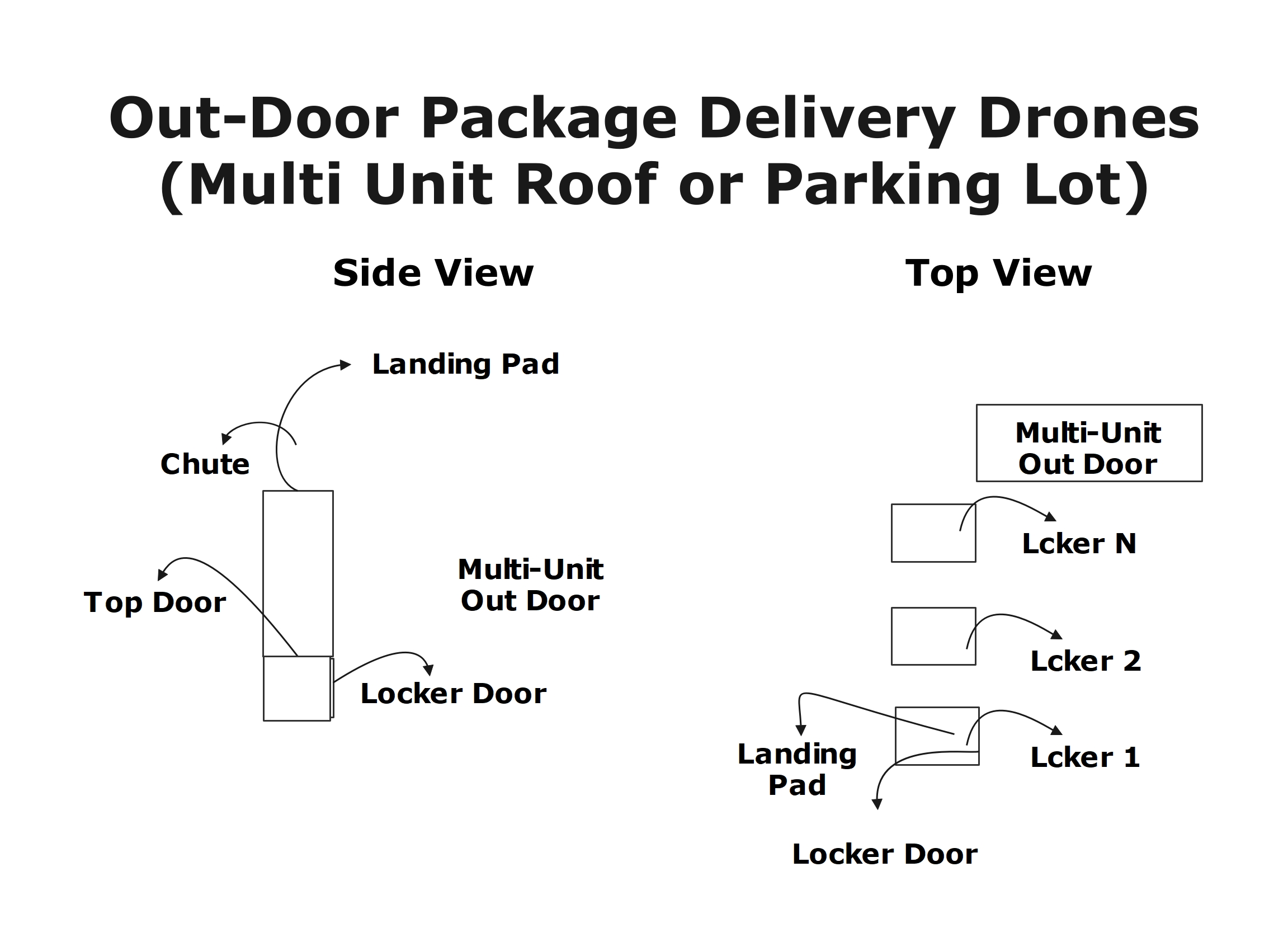
Sprint-Thru drone delivery disrupts existing package delivery technologies by providing drones to deliver packages to single and multi-unit buildings.
  • No texting or emailing required
  • App not required (but supported)
  • Porch piracy reduced to zero
Single Unit Delivery
Multi-Unit Delivery
Drone Locker
Single Unit Drone Delivery
Drone Locker
Multi Unit Outdoor Drone Delivery

Authenticator Solutions

Password Less Log-ins
One-Time Passcode Less Call Centers
2 Factor Authentication Plus (2FA+)
Multi Device Captcha

Merchants can provide a log-in page in desktop and mobile devices that do not require password.

Customers can access call centers from desktop or mobile devices without giving Personal Identification Number (PIN).

Sprint-Theu is introducing 2 Factor Authentication Plus to replace 2 Factor Authentication or to add.

Sprint-Theu is introducing Multi Device Captcha which is more secured and easy to replace Single Device Captcha.

Consumers can use their mobile devices to log-in desktop and mobile devices.


Password Less Log-ins
Desktop Browser Version
Multi-Factor Authentication

  • Merchant Requests MySingleLink for a unqiue log-in identifier for one-time use in text and QR Code format to display on a password less log-in page.
  • Consumers scan the QR Code using a mobile device with or without 'MysingleLink'app or 'Merchant' app and receive the information about the merchant.
  • Consumers would verify the merchant information.
  • Consumers using the app will authenticate using a biometric identifier and click on 'Log-in' button displayed on the log-in page to log-in.
  • Consumers not using the app will receive a one-time code with blanks to . replace the blanks with their master code to create a one-time code. Customers enter the code in the text box and click on 'Log-in' button displayed on the log-in page.
  • When the consumer clicks on the 'Log-in' Button, merchant would send the one-time log-in identifier. Merchant would also send the one-time code, if a one-time code is captured from the consumer.
  • Based on the information received from the merchant and based on the communication with the consumer, MySingleLink would authenticate the consumer or reject the request.
  • If the customer is authenticated, merchant would receive the unique customer identifier and the basic information of the the authenticated consumer.
  • Each consumer will be assigned a unique customer identifier with each participaing merchant.
  • When a merchant server is hacked, other merchants will still be protected, because customer identifiers of consumers with each merchant is unique and no password is used.
  • Customers maintain their basic information with MySignleLink and merchants would always receive upto date customer information.

The number of factors used in the autnentication depends on whether the consumer used an app or not

 
Single Step
Multiple Steps

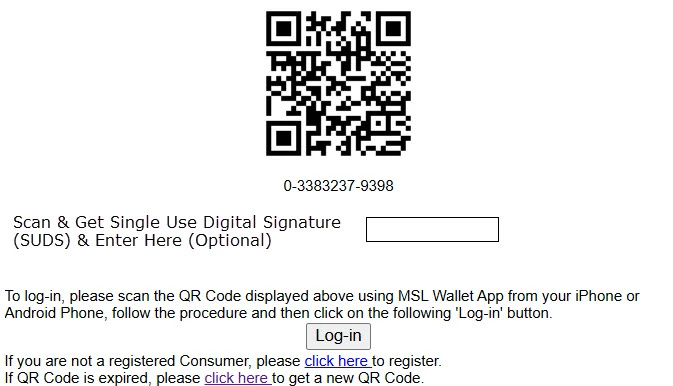
Merchant displays a QR Code and provides an option for the customer to enter a code in the log-in page

Finger Print or Face Identification Authentication

All Mobile Phones are supported

Merchant would also provide a 'Log-in' button for the customer to click

Apple and Android Phones are supported

No App is required

Following is an example of a Log-in page:

'MSL Wallet' or Merchant App is required


Merchant Side Login
Single Step Authentication

Password Less Log-ins
Mobile Browser Version
Multi-Factor Authentication

Merchant Requests MySingleLink for a unqiue log-in identifier for one-time use in text and in link formats to display on a password less log-in page. The link format would include the url to direct the consumers to MySingleLink page to get authentication.
Consumers using 'MysingleLink'app or 'Merchant' would follow the procedure given below:
  • Consumers copy the text formatted log-in identifier and open the 'MysingleLink'app or 'Merchant' app and receive the information about the merchant.
  • Consumers would verify the merchant information.
  • Consumers will authenticate using a biometric identifier and return to merchant log-in page.
  • Consumers will click on 'Log-in' button displayed on the log-in page to log-in.
Consumers not using 'MysingleLink'app or 'Merchant' would follow the procedure given below:
  • Consumers will click on the link to open a MySingleLink website in a new page.
  • Consumers would verify the merchant information.
  • The web page would also display a one-time code with blanks for consumers to replace the blanks with their master code to create a one-time code.
  • Customers will enter the one-time code in the text box and click on 'Log-in' button displayed on the merchant's password less log-in page.
  • When the consumer clicks on the 'Log-in' Button, merchant would send the one-time code and the one-time log-in identifier.
  • Based on the information received from the merchant and based on the communication with the consumer, MySingleLink would authenticate the consumer or reject the request.
  • If the customer is authenticated, merchant would receive the unique customer identifier and the basic information of the the authenticated consumer.
  • Each consumer will be assigned a unique customer identifier with each participaing merchant.
  • When a merchant server is hacked, other merchants will still be protected, because customer identifiers of consumers with each merchant is unique and no password is used.
  • Customers maintain their basic information with MySignleLink and merchants would always receive upto date customer information.

One-Time Passcode Less Verification

  • Merchant Requests MySingleLink for a unqiue Code for OTP less verification and gives it to the caller.
  • The caller can log into www.mysinglelink.com with or without using an app and enter the code received from the operator.
  • If the code is valid then the caller would get the details of the merchant and the details of the operator.
  • The caller would also get a response code with or without '*' in the code. If the caller received a response code with '*' in the code, then caller would replace '*' with master pin.
  • Then the caller wuold give the response code to the operator.
  • Then the operator would verify the response code with MySingleLink.
  • If the response code is valid, then the operator would receive the details about the caller and the caller will be considered as verified.

2 Factor Authentication Plus

2FA Page
Following are the steps in 2FA model:
  1. Web site presents a page to process 2FA transactions
  2. Web site accepts user's mobile number
  3. Web site or a third party interfaced with the web site send a one-time code to the mobile number
  4. Web site accepts a one-time code
  5. Web site or a third party interfaced with the web site verifies the one-time code
  6. If the one-time code is valid then the 2FA is considered successful, otherwise it will be condidered failure
Sprint-Thru 2FA+ Page
Following are the steps in 2FA+ model:
  1. Web site presents a page to process 2FA+ transactions
  2. Web site accepts user's mobile number from the user and the ip address from the browser, known as mobile number ip address
  3. Web site or a third party interfaced with the web site sends a link to the mobile number for the mobile device holder to use the link and get a one-time code
  4. A Web site or a third party interfaced with the web site receives a mobile number, request for a one-time code and the ip address of the requestor, known as requestor ip address
  5. The Web site or the third party interfaced with the web site provides a one-time code based on the mobile number received in the request and requestor ip address
  6. The same Web site that accesed the mobile numbser will also accept the one -time code and verifies the one-time code
  7. If the mobile number ip address and the requestor ip address are same and the one-time code provided to the requestor and the one-time code accpeted by the web side that also acceptd the mobile number are same, then the one-time code will be considered as valid, otherwise it will be
Security
  • 2FA+ process is more secured then 2FA and cannot be hacked, because it verifies the ip addresses in addition to one-time code.
  • The web sites that process the transaction using 2FA provides a warning and a request message to protect the one-time code and not to share with anyone else.
  • The web sites that process the transaction using 2FA+ may not provide a warning and a request message to protect the one-time code.
  • There will be more trust for the website that do not display warning messages.


Multi Device Captcha

Current Captcha Page
Check the box to show you are not a robot
I am not a robot
Sprint-Thru Captcha Page
Scan the QR Code and view an image
QR Code
Select an Image that is same as the image viewed
Image 1
Image 2
Image 3
Image 4
Image 5
Image 6
If selected image is correct then the following check box and the text will be visible
I am not a robot
 

Consumer Add-on

Consumer Add-On Applications

QR Door Bell
Guest Sign-in Registry
Pantry Management
  • Door bells with cameras such as Ring do not identify the visitors and intruders positively. A picture cannot positively identify a person.
  • Paper based guest sign-in registry does not lost for ever, whereas digital guest sign-in registry will lost for ever.
  • Pantry Management is essential in any well organized commercial or domestic kitchen.
  • Sprint-Thru QR Door Bell is set to remove that friction.
  • Guests cannot add pictures to paper based guest sign-in registry.
  • With a well implemented Pantry Management all the ingredients will always be available for cooking.
  • QR Code door bells can help residents to positively identify intruders.
 
  • With the introduction of pantry management for domestic kitchens by Sprint-Thru consumers can effecitvely manage their cooking ingredients.
  • The intruders can be delivery persons, service providers, solicitors, neighbors and so on.


QR Door Bell
Building

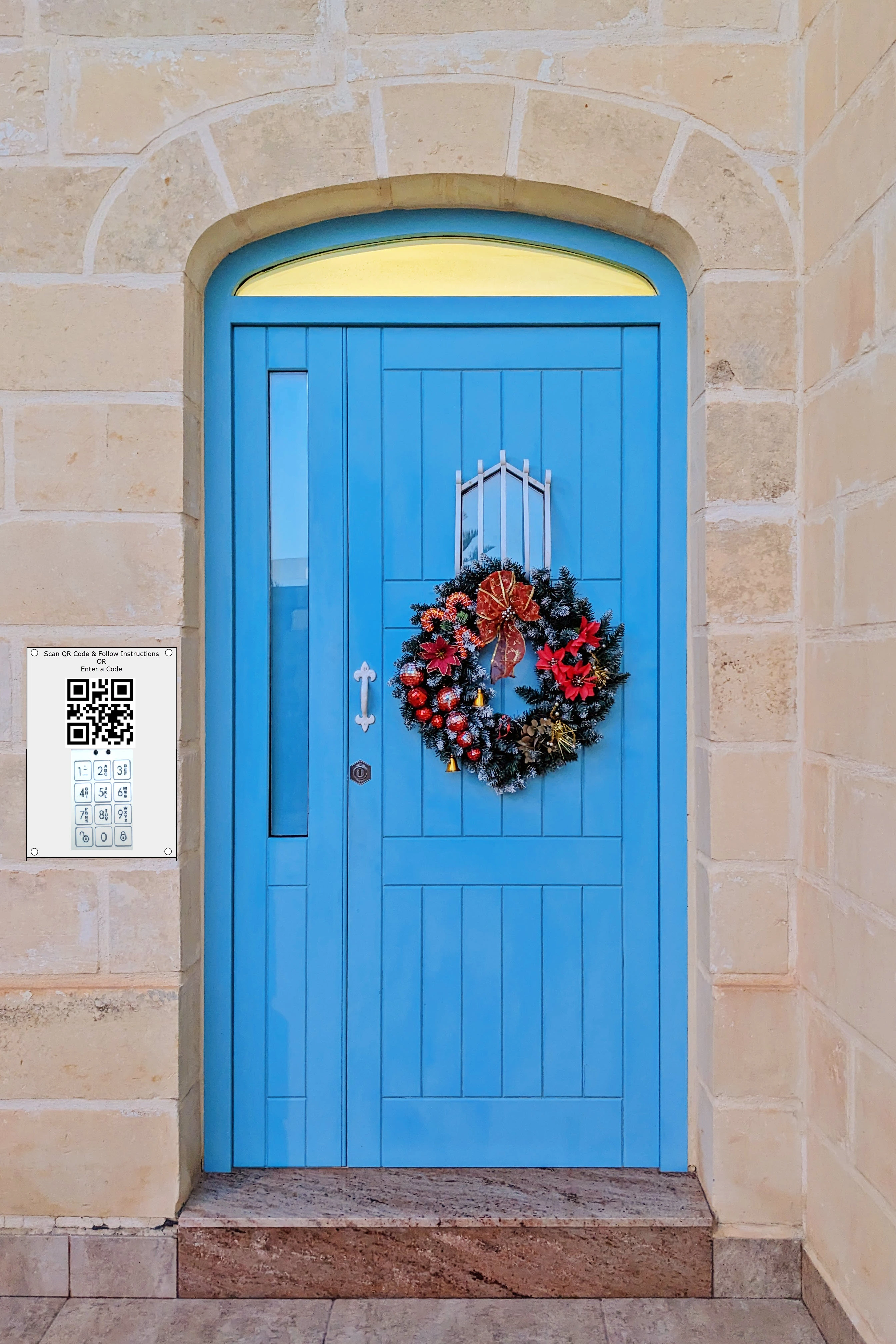
QR Code Door Bell can protect residents from intruders (door solicitators) with or without video door bells. Just videos or images cannot identify the intruders.

QR Code Door Bell can protect residents from intruders by helping residents positively identify intruders.

Here is how it works:

  • The Intruder scans the QR Code
  • Enters Identifying information which may include some of the following information:
    • Name
    • Company Name, if applicable
    • Door Soliciting Information
    • Phone Number
  • The resident receives the notification
  • The resident may or may not respond
  • If the resident responds, the intruder would receive the response and the response will not include the resident's personal information such as mobile number

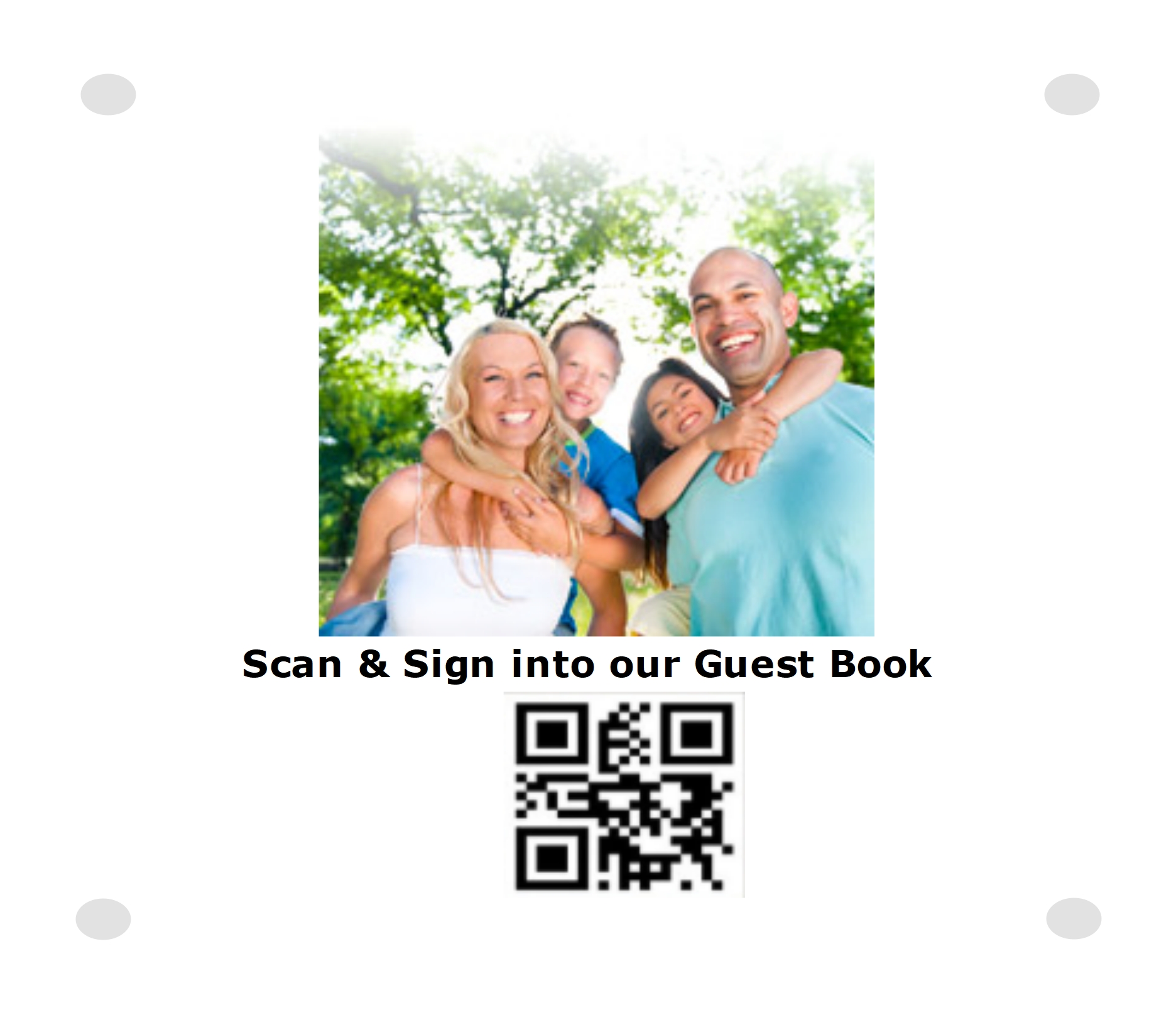
Guest Sign-In
Many times paper based guest and event books will not lost forever and not easy to use.

Hosts can simply set up iposters for the guests to sign-in and upload text and/or images including selfies.

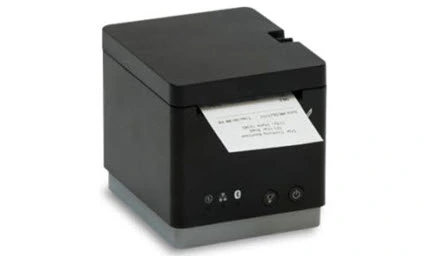
Guests can also get identifiers with QR Code and name printed from a cloud printer placed at the sign-in station.

As an alternative, hosts can also leave pre-printed identifiers wiht QR Code and blanks for the guests to enter their name.

Identifiers with QR Code and name can be attached to cups or glasses where the cups and glasses can be reused.

Hosts can also set up unlimited number of event iposters for guests to sign-in for events, write comments, attach images and get on-demand or pre-printed identifiers.

Bar tenders serving alcohol can also scan the QR Code on the badges when serving alcohol drinks to track and not exceed the legal limit of serving alcohols.

Guests can also print and attach QR Codes to gift items, so that they can be tracked by hosts.

Guests can also send electronic gift cards that can be accepted by participating merchants safely and hosts will never loose them.
Building
Sign-In with Selfie

Building
Identifier Printer

Printer
Pre-Printed Identifiers

Building

Name: ____________________________
Pantry Management
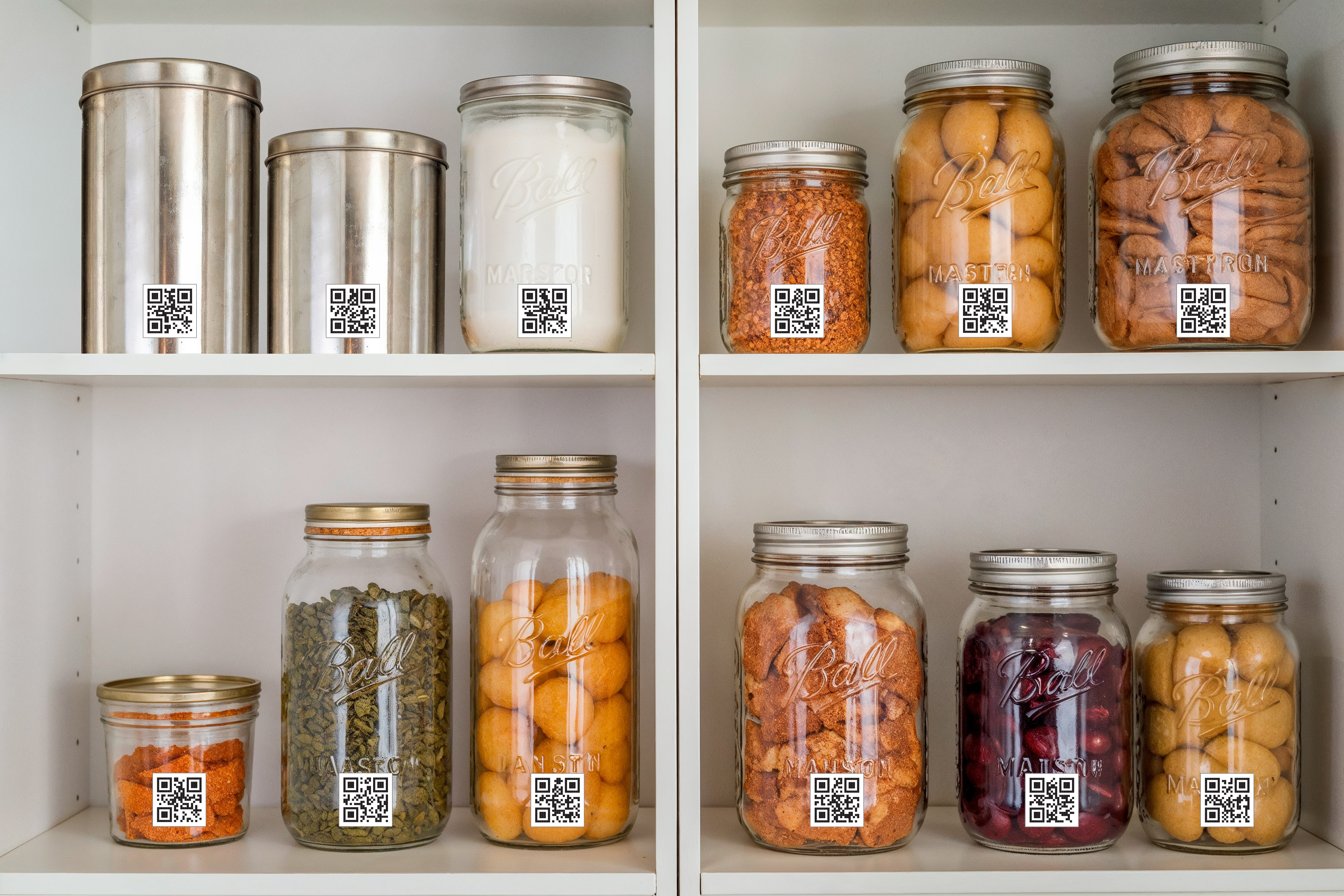
Pantry Management can automatically track all the ingredients necessary for cooking in any doestic kitchen.

Here is how it works:
  • Consumers can download unlimited number of unique QR Codes
  • Each downloaded QR Code can be printed and attached to unique containers
  • Alternatively, consumers can also purchase containers printed with unique QR Codes
  • Each container with unique QR Code can be assigned to any ingredient in any unique kitchen
  • The ingredient QR Code can be scanned to get the ingredient description and any additional details, or can be manually entred.
  • The ingredient can be in liquid or solid form and any type of units can be used to measure the ingredient
  • Every time the ingredient is added or removed from any container, the QR Code of the container can be scanned and updated with the quantity of the ingredient in the container in a cloud based server
  • The name and the quantity of the ingredient in any container can be viewed and/or updated using any desktop or mobile device.
  • The activity history of any container or any ingredient for any selected can be viewed using any desktop or mobile device.
  • When the quantity of the ingredient in any container reaches below a pre-defined level notifications can be sent to the kitchen owners and also can be added to a shopping list.
  • When the quantity of the ingredient in any container reaches above a pre-defined level the name of the ingredient in the shopping list will be automatically removed.
  • Any kitchen scale can be used to measure the weight of the container with the ingredient and the actual weight of the ingredient will be recorded in the cloud based server
Building
Name: ____________________________

Merchant Add-on

Merchant Add-On Applications

Digital Gift Cards
Digital Rewards Cards
Digital Coupons
  • Physical Gift Cards are vulnerable for fruad where the Gift Card recipients would loose the money through unauthorized withdrawl from Gift Card account.
  • Unlimited number of rewards levels and criteria for customers to reach each level from low to high can be set up by individual merchants.
  • Physical Paid Coupns are vulnerable for fruad where the Paid Coupon recipients would loose money through unauthorized redemption of Paid Coupons.
  • Physical Gift Cards are vulnerable for fruad where the Gift Card merchants would loose money to charge backs.
  • The type of awards and award points at each level can also be set up by individual merchants.
  • Physical Paid and Free Coupons are vulnerable for fruad where the merchants would loose money to fradulant redemption of Coupons by employees.
  • Digital Gift Card holders will never carry physical cards. Too many cards to carry.
  • The level of service that customers would get at each rewards level can also be set up by individual merchants. For example, more loyal customers can get their orders processed faster than less loyal customers.
  • Digital Coupon holders will never carry physical coupons. Too many coupons to carry. They will be linked to finger print or face identifers or cell number or email.
  • Digital Gift Card merchants will never let employees handle physical Gift Cards.
  • Since physical Reward Cards are vulnerable for fruad and cannot be used with latest internet and mobile technologies, digital Rewards Cards that can be linked to finger print or face identifers or cell number or email with 2FA+ verification are used.
  • Digital Coupon merchants will never let employees handle physical Coupons.
Gift, Rewards, Coupon and Payment transactions can be combined together into a single transaction.

Gift Card Management
Gift Card transactions are processed in 3 steps as following:
  1. Gift Card Purchase
  1. Gift Card Activation
  1. Gift Card Redemption
Gift Card Purchase
  • Buyers can use a desk top computer or a mobile device to purchase a Gift Card.
  • At the time of purchase, buyers must select a recipient.
  • At time time of purchase, buyers can select merchant or not select a merchant,
Buy an E-Gift
Please Enter a Recipient:
 
Please Enter an Amount:
 
Please Select a Merchant:
E-Gift Merchant
Gift Card Activation
Activate an E-Gift (Desktop Version)
Please Enter E-Gift Number:
 
Please Scan QR Code using MySingleLink or Merchant or Generic QR Code Reader app and follow the instructions:
Generic QR Code
Please Enter 2FA+ One-Time Code:
 
Please Select a Merchant: (Skip, if a merchant has already been selected by Gift Giver)
E-Gift Merchant

Activate an E-Gift
(Mobile Version)
Please Enter E-Gift Number:
 
Authenticate with Finger or Face Id
(If MySingleLink or Merchant App is used)
Please Enter 2FA+ One-Time Code:
(If MySingleLink or Merchant App is not used)
 
Please Select a Merchant:
(Skip, if a merchant has already been selected by Gift Giver)
E-Gift Merchant
  • Only the buyer selected recipient can activate the card.
  • If a mobile device is used without MySingleLink or Merchant app then the recipients will be verified through 2FA+.
  • If MySingleLink or Merchant mobile app is used, then the recipients will be authenticated through finger print identifier or face identifier.
  • If the buyer has not selected a merchant, then the recipient must select a merchant.
  • When a Gift Card is activated, the buyer will be notified that the card has been activated.
  • Untill a Gift Card is activated by a recipeint, the buyer can activate the Gift Card and the recipient will not be able to activate.
Gift Card Redemption
  • Along with other payments such as credit card, debit card, checks and cash, all e-gifts with a balance more than 0 can be redeemed in a single or multiple transactions with a merchant.
  • If any amount from any e-gift is used as partial or as full payment for any transaction, then the gift giver name and the amount used from the e-gift will be displayed and/or printed on the receipt.
  • Any Gift Card can be redeemed, using a desktop computer.
  • Merchants would receive a unique transaction identifier in text and QR Code format from MySingleLink or from Merchant and display on the payment page on desk top computers.
  • Merchants would accept a unique authorization code from consumers for authentication.
  • Any Gift Card can also be redeemed, using MySingleLink app or Merchant app from any mobile device
  • Merchants would receive a unique transaction identifier in text from MySingleLink or from Merchant and display on the payment page on mobile app. The transaction identifier would include a unique transaction id and amount.
  • The mobile app would authenticate the consumer with finger print and/or face identifier.
Redeem E-Gifts
(Desktop Version)
Please Scan QR Code using MySingleLink or Merchant or Generic QR Code Reader app and follow the instructions:
Generic QR Code
Please Enter 2FA+ One-Time Code:
 

Redeem E-Gifts
(Mobile Version)
Merchant Name & Location
 
Transaction Identifier
 
Transaction Amount
 
 Confirm that the above information is valid.
Authenticate with Finger or Face Id
(If MySingleLink or Merchant App is used)
Please Enter 2FA+ One-Time Code:
(If MySingleLink or Merchant App is not used)
 

Rewards Management
Rewards transactions are processed in 3 steps as following:
  1. Rewards Sign-up
  1. Rewards Award
  1. Rewards Redemption
Rewards Sign-up
  • Customers using MySingleLink app will always be signed-in to receive rewards from every merchants signed up with MySingleLink App.
  • Customers using Merchant app will always be signed-in to receive rewards from the merchant.
  • Customers not using MySingleLink or Merchant app can sign up using a form provided by MySingleLink to receive rewards from all merchants signed up with MySingleLink or to receive rewards from a specific merchant.
Rewards Sign-Up
Please Enter Cell Numner:
 
Please Enter 2FA+ One-Time Code:
 
Please Select a Merchant:
(Skip to Sign-Up with all merchants)
E-Gift Merchant
Rewards Award
Authenticate with Finger or Face Id
(If MySingleLink or Merchant App is used)
Please Enter Cell Number or EMail
(If MySingleLink or Merchant App is not used)
 
Please Enter 2FA+ One-Time Code:
(If MySingleLink or Merchant App is not used)
 
Please Scan Order Identifier
E-Gift Merchant
  • Customers using MySingleLink or merchant app can always skip entering cell number, email and one-time code.
  • Customers not using MySingleLink or merchant app must enter cell number or email to get a one-time code and then enter one-time code.
  • All transactions such as gift payment, credit/debit payment, rewards processing and coupon processing can be included in a single transaction.
Rewards Redemption
  • Customers can use earned rewards to receive an e-gift or to receive a product or service.
  • Customers using MySingleLink or merchant app must authenticate using finger print or face identifier.
  • Customers not using MySingleLink or merchant app must enter cell number or email to get a one-time code and then enter one-time code.
Authenticate with Finger or Face Id
(If MySingleLink or Merchant App is used)
Please Enter Cell Number or EMail
(If MySingleLink or Merchant App is not used)
 
 
Please Enter 2FA+ One-Time Code:
(If MySingleLink or Merchant App is not used)
 
 
Enter a e-gift amount to receive:
(Leave this blank, if a product is requested)
 
 
Enter a product or service name to receive:
(Leave this blank, if an e-gift amount is requested)
 
 
Please Select a Merchant:
E-Gift Merchant

Coupon Management
Coupon transactions are processed in 2 steps as following:
  1. Coupon Load
  1. Coupon Redemption
Coupon Load
Authenticate with Finger or Face Id
(Only if a paid coupon is loaded)
(If MySingleLink or Merchant App is used)
Please Enter Cell Number or EMail
(If MySingleLink or Merchant App is not used)
 
 
Please Enter 2FA+ One-Time Code:
(Only if a paid coupon is loaded)
(If MySingleLink or Merchant App is not used)
 
Enter a coupon code:
 
 
Please Select a Merchant:
E-Gift Merchant
  • Customers using MySingleLink or merchant app can always skip entering cell number, email and one-time code.
  • Customers not using MySingleLink or merchant app must enter cell number or email.
  • Customers not using MySingleLink or merchant app and loading a paid coupon must enter cell number or email to get a one-time code and then enter one-time code.
Coupon Redemption
  • Coupon redemption can be in payment transactions.
  • If a paid or free coupon is valid then the total amount of the transaction will be adjusted by the value of the selected coupon for redemption.
Authenticate with Finger or Face Id
(If MySingleLink or Merchant App is used)
Please Enter Cell Number or EMail
(If MySingleLink or Merchant App is not used)
 
 
Please Enter 2FA+ One-Time Code:
(If MySingleLink or Merchant App is not used)
 
 
Enter or select a coupon code:
 
 
Please Select a Merchant:
E-Gift Merchant

About Us

The president of QR Automation Technologies Inc, a Texas based company, Gopal Nandakumar has been responsible for many innovations since 1987 and following are some of the latest innovations which are based on issued and pending patents:

  • Mobile Wallet with built-in Autenticators. 10004
  • Smart Locks to turn any Locker into a Smart Locker.
  • Smart Pick-Up Lockers for In-Store, Curbside and Parking Lot pickups
  • Smart Pick-Up Lockers for Single and Multi-Unit deliveries
  • Parking Lot Traffic Mangagers for Parking Lot deliveries
  • Secured Self Check-out with Smert Lockers
  • Cashier-Less stores with product sesnsors and pushers
  • Unmonitored Alcohol Self-Dispeners using Authenticators
  • Under the table Hanger Lockers for secured storage of Personal Items by Customers
  • QR Door Bell for Positive Identification of Intruders

Key Features

Sprint-Thru Pick-up Lockers

  • Built-In Integration eliminates API Integration with POS Systems and Delivery Service Providers.
  • Works with all POS Systems including Toast, Aloha, Micros, Clover and with all Delivery Service Providers including Uber Eats, Door Dash
  • In-Store iPoster & Lockers replace Kiosks & Counters
  • Curbside iPoster & Lockers replace Curbside Order Deliverers
  • Drive-Ways with Multiple Ordering Stations replace Drive-Thru Ordering Stations
  • Single Drive-Way with Multiple Pickup Stations replace Single Drive-Thru
  • Parking Lot QR Codes replace Drive-Thru Speakers
  • Parking Lot Self-Payment Terminals replace Drive-Thru Window Manual Payments
  • Order Ready Customers can bypass Order Not Read Customers
  • More Loyal Customers receive more Rewards and Faster Service, including Restroom access
  • Advance Status Verification eliminates Mobile Customers & Delivery Persons walking or driving in early & waiting
  • Call Center Order Takers replace In-Store, Curbside & Parking Lot Order Takers
  • All orders that are bging processed will be displayed on display screens and/or on customer devices
  • Any letters or numbers in the order identifier or displayed or printed on the order receipt can be used as one-time code. The one-time code will not be displayed on the order status display screens.

Sprint-Thru Pick-up Traffic Manager

  • Works like Sprint-Thru lockers except, lockers are not used.
  • For In-Store pickup, cubbies are used instead of lockers.
  • For Curbside pickup, order deliverers are used instead of lockers
  • For Parking Lot pickup, parking lot order deliverers are used instead of lockers

Sprint-Thru Self Check-Out

  • Secured Self Check-Out with Lockers replace Unsecured Self Check-Outs
  • Secured Self Check-Out with Lockers eliminate Employees Monitoring Self Check-Outs

Sprint-Thru Self-Pour

  • Secured Self-Pour eliminates RFID Cards and RFID readers
  • Secured Self-Pour eliminate SMS Texts and QR Code readers
  • Secured Self-Pour uses QR Coded glasses and/or QR Coded taps.
  • Secured Self-Pour systems eliminate Employees Monitoring Self-Pour Systems
  • Secured Self-Pour systems eliminate Employees Monitoring Self-Pour Systems for unauthorized use

Sprint-Thru Go Store

  • Secured Go Store replaces employee managed check-outs
  • Secured Go Store replaces unsecured self check-outs

Sprint-Thru Delivery Lockers

  • Deducated lockers for single-unit buildings are supported
  • Shared lockers for multi-unit buildings are supported
  • All locker locations will display instructions on how to access the locker
  • Any letters or numbers in the order or tracking identifier or displayed or printed on the tracking receipt can be used as one-time code.

Sprint-Thru Authenticator

  • Log-in Authenticators replace Passwords
  • Call Center Authenticators replace One-Time Passcode
  • Transaction Authenticators positively identify transactions
  • Transaction Authenticators replaces Near Field Communication (NFC) to enhance securityu
  • 2FA+ Authenticators add ip address verification in addition to two factor authentication which can be an one-time code
  • Multi-Device Authenticators replace single device captcha verification
  • 2FA+ Authenticators add ip address verification in addition to two factor authentication which can be an one-time code
  • Multi-Device Authenticators replace single device captcha verification