Page Loading...

Merchants & Consumers
Products & Services
Smart locker POS integration for retail stores USA Automated locker delivery integration system In-store self service digital ordering system Curbside pickup system with QR code scanning Parking lot smart pickup station layout Food truck contactless pickup solution system Parking lot QR code order pickup system Automated pickup station for order collection Self service mobile redirect ordering system Smart pizza box locker pickup system Retail hanger locker pickup solution Restaurant order taking automation system Airport smart locker pickup system Movie theater concession self checkout system Self checkout conveyor system with automation AI computer vision retail checkout system Smart cart self checkout retail system Retail shelf product pickup automation system Grab and go store product access system
SmartBrief Foodservice Innovation Award Winner

Secure, Faster, Error Free & Frictionless Service.
Smart Commerce.

Sprint-Thru™ pickup & delivery, secure self-checkout, secure self-pour, grab & go retail, password-less & OTP Less logins and secure payments smart solutions are for modern merchants and consumers.

Explore Smart Solutions
Sprint-Thru™ Smart Solutions
Sprint-Thru™ is a patented and patent pending Disruptive & Friction Less Technology that disrupts many existing products and services and can also be used to introduce new products and services for merchants and consumers to substantially improve security, reduce service times, reduce product theft, reduce cost and protect the environment.

Following are some of Smart Solutions based on Sprint-Thru™ technology.
Sprint-Thru™ Self Pickup

Sprint-Thru™ eliminates drive-thru bottlenecks, pickup queues, and pickup and delivery frictions - replacing legacy infrastructure with smart lockers, AI-powered order routing, and zero-contact pickup.
Sprint-Thru™ can be used by mobile order buyers, delivery persons and walk-in and drive-in customers.

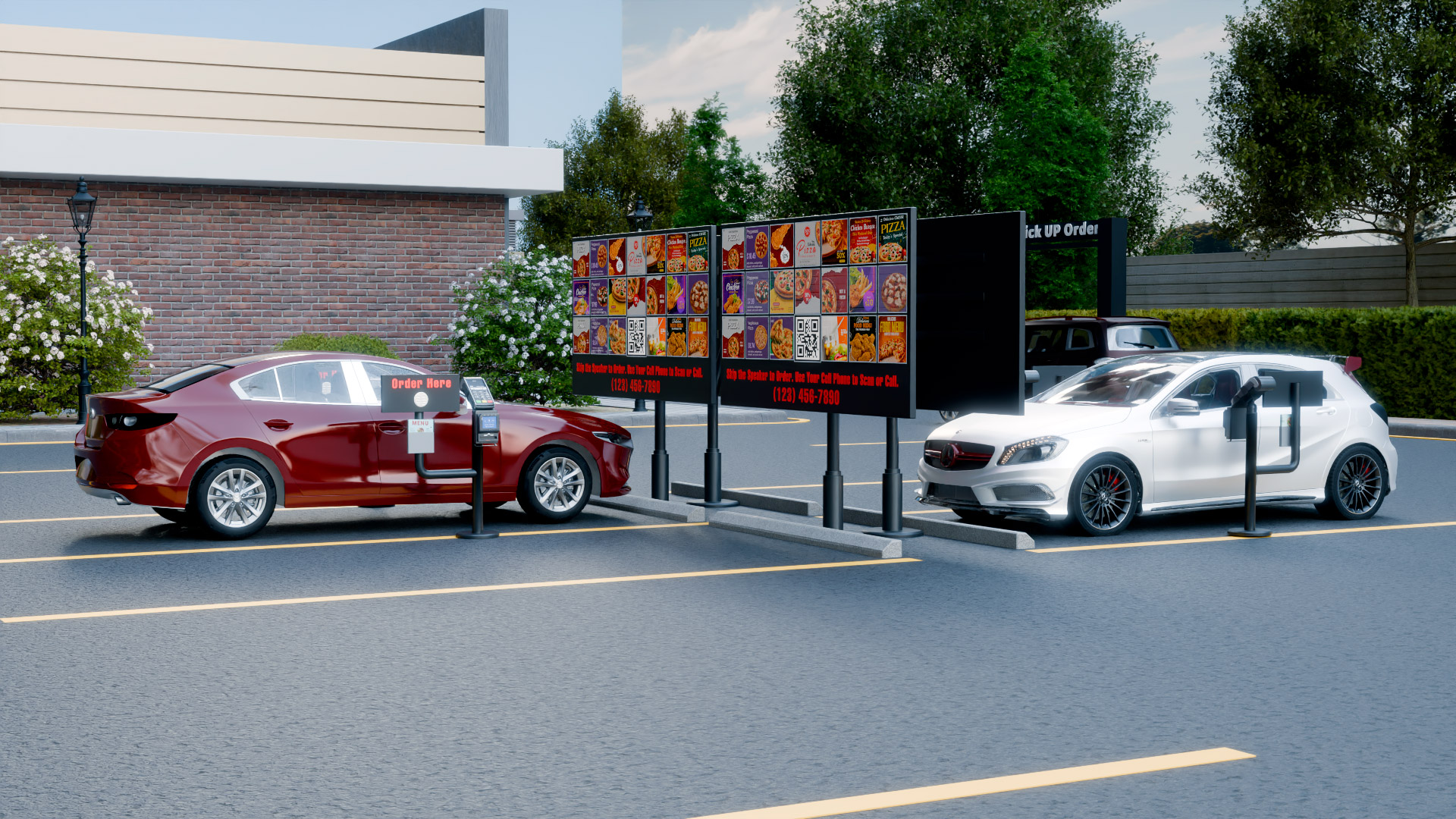
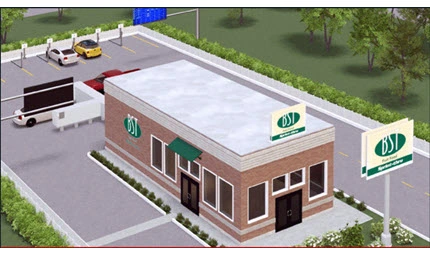
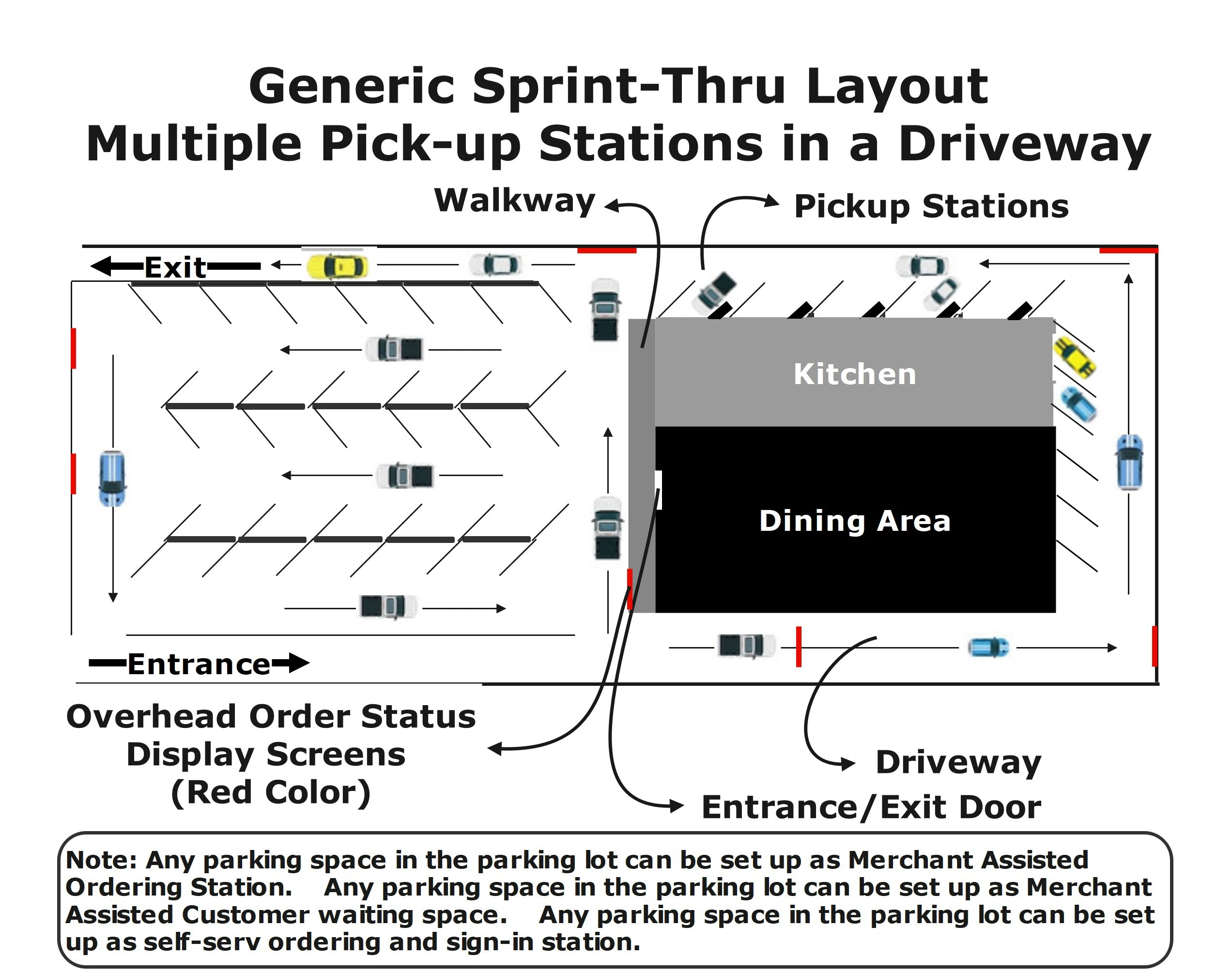
Sprint-Thru™ places multiple ordering stations and multiple pickup stations accessable from single driveways, instead of placing a single drive-thru window in each drive-thru lane.
Sprint-Thru™ uses 'First Ready First Served' technology, instead of 'First Come First Served' technology.

Parking lot

Curbside

In-Store

Airport

Building
Curbside
In-Store Order
Airport Order

Core Benefit

Mobile & Delivery Orders Pickup Time
30 sec

Walk-in & Drive-in Orders Pickup Time
Prep Time + 30 sec

Wait Time
80% Less

Order Accuracy
100%

Environment Impact
80% Less Pollutant

Merchant Benefit
50% Less Labor Cost

Delivery Person Benefit
50% Less Unproductive Time

Buyer Benefit
50% Less Unproductive Time

One Platform - Every POS

Sprint-Thru™ adapts to every current and future point of sale systems

API (Application Programming Interface) integration not required, but supported

One Procedure - Multiple Pickup Customer Types

Delivery Persons
Delivery Person

Advance Order Customers....

Advance Order Customer

Order Now Customers
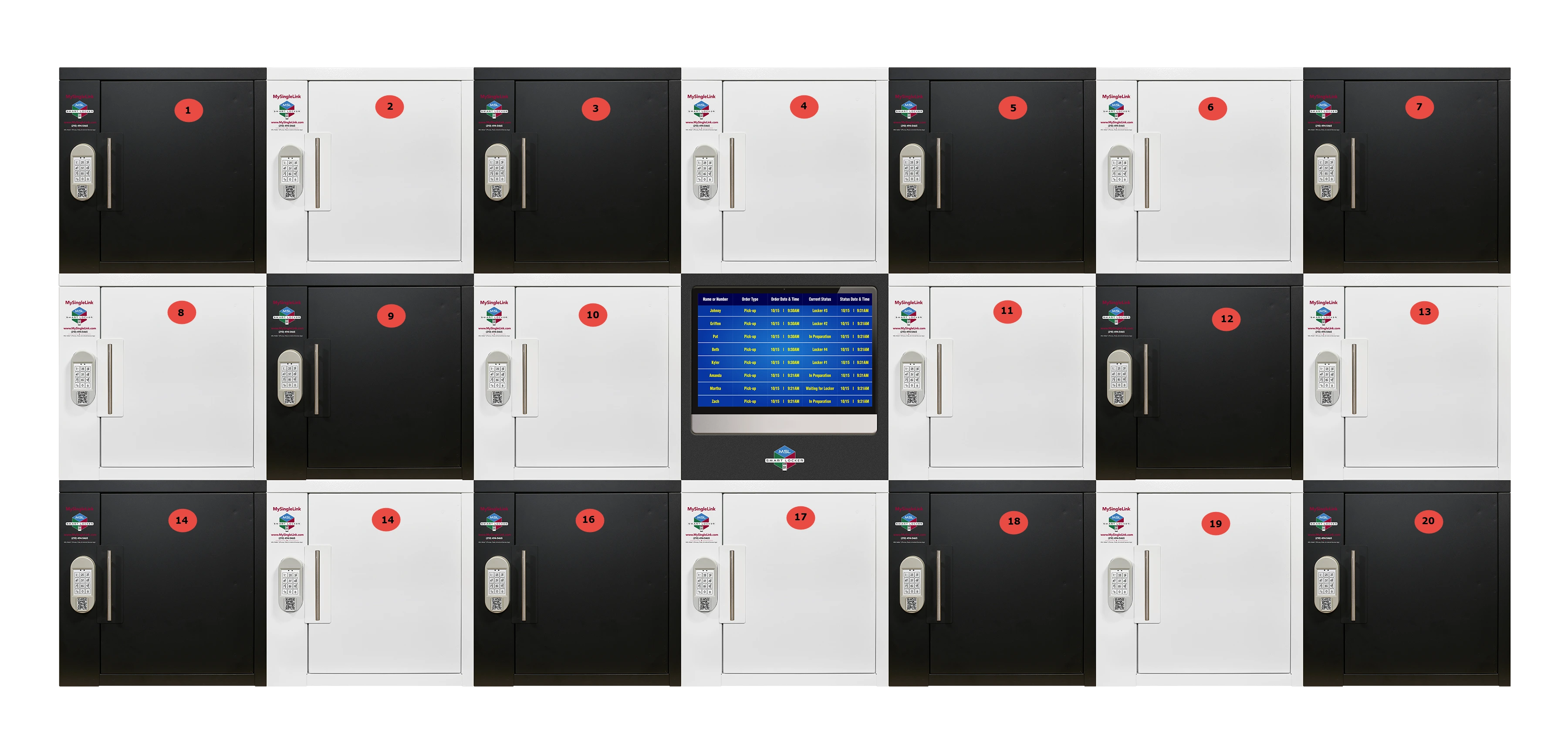
Advance Order Customer

Delivery persons and customers bring their own devices (BYOD)

Mobile App is not required, but supported.

  • No Emailing
  • No Texting
  • No Comtacts
  • No Lines
  • No Drive-Thru Lane

Delivery persons and advance order customers can find the order status even before heading to the location

Step 1
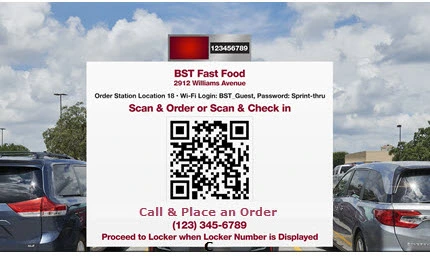
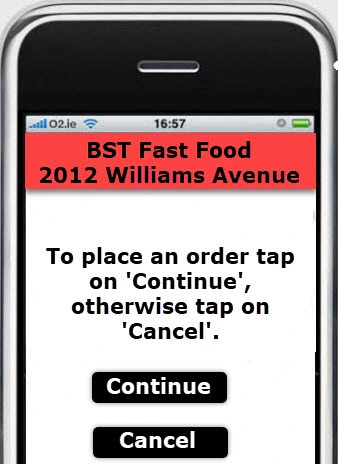
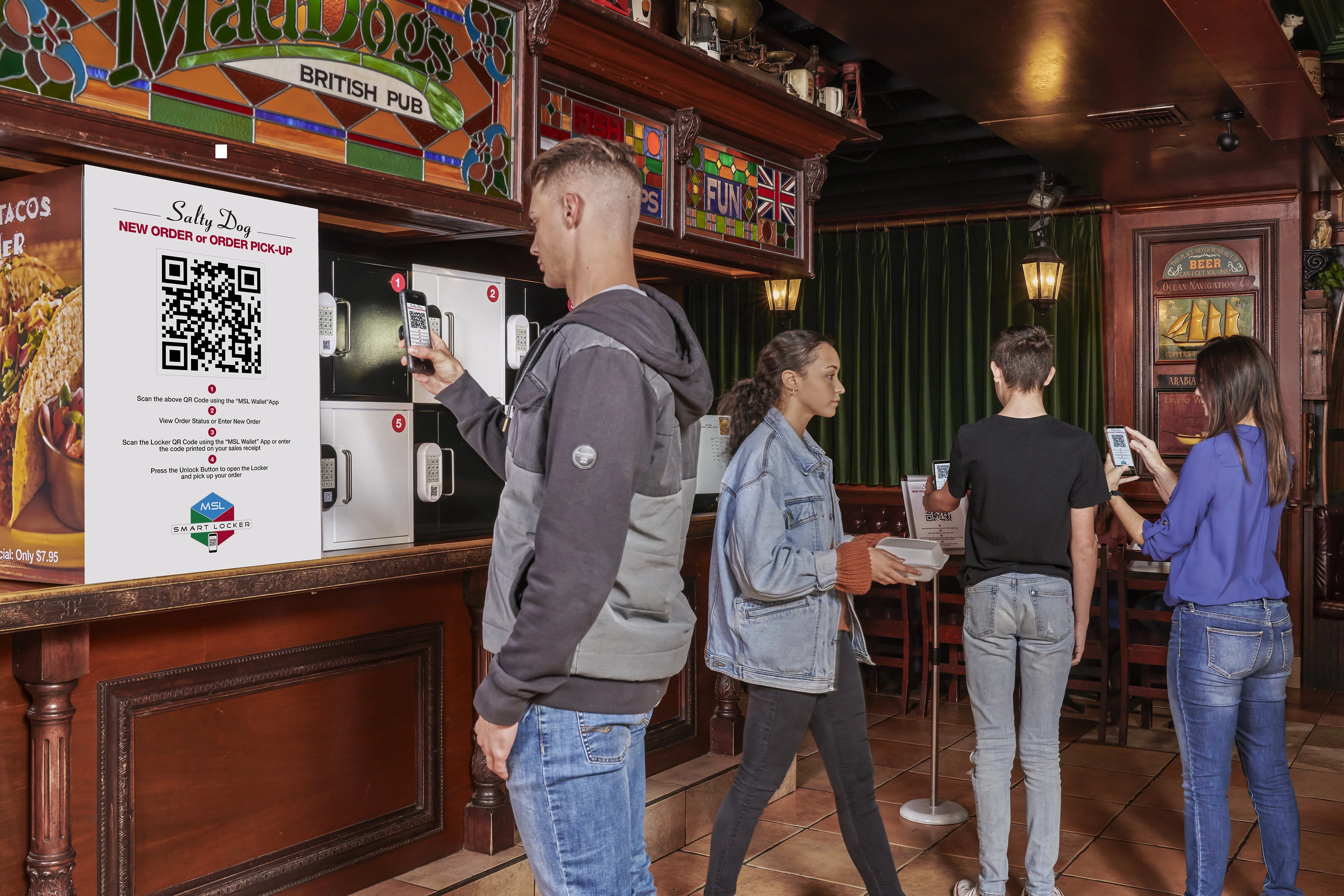
Scan a QR Code to sign-in or to place an order

Step 2
Get the Locker Number from a display screen

Step 3
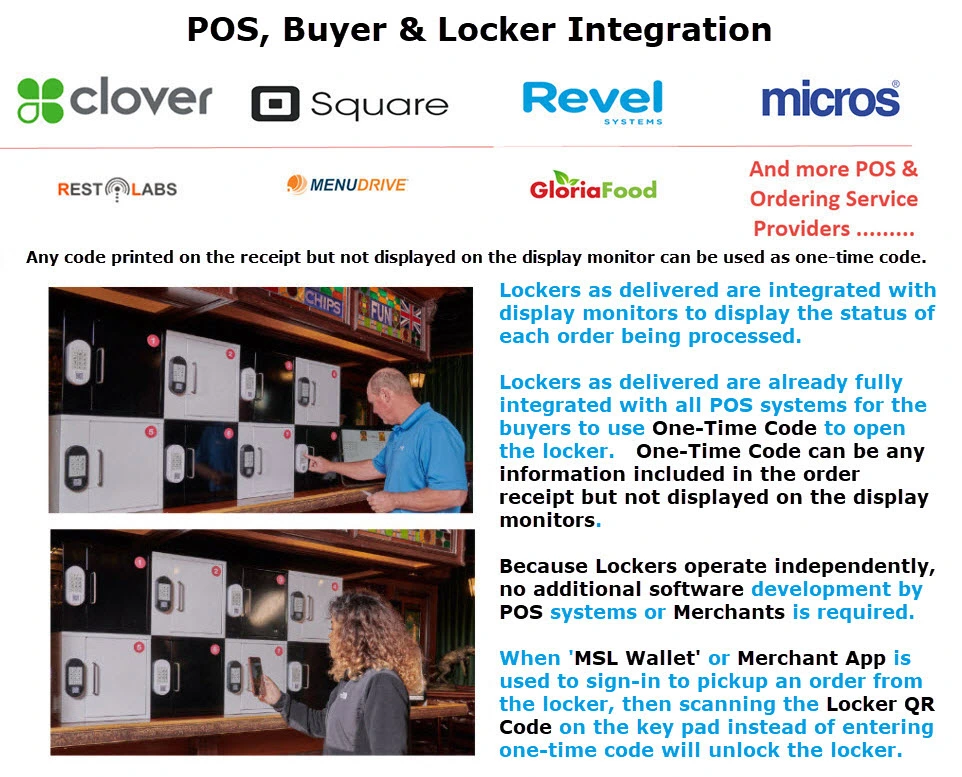
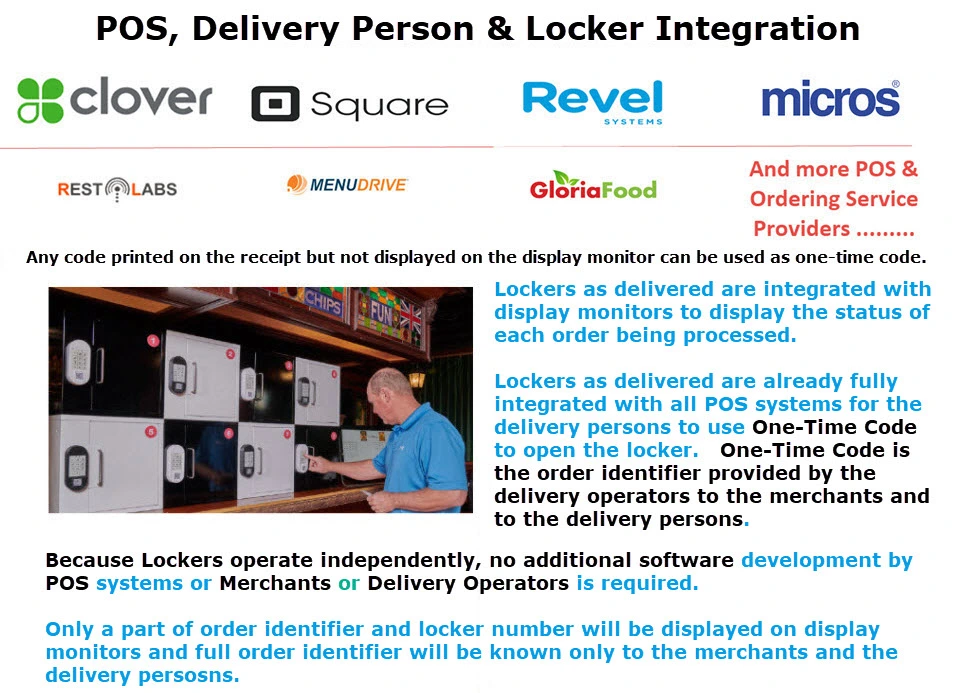
Scan the QR Code displayed on the locker or enter a few characters from the order number in the keypad

Pickup the order from the Locker

One Platform - Multiple Ordering Channels

AI

AI Assistant

Call Center/In-House

Call Center

QR Code

QR Code

Any Location - Multiple Pickup Station Types

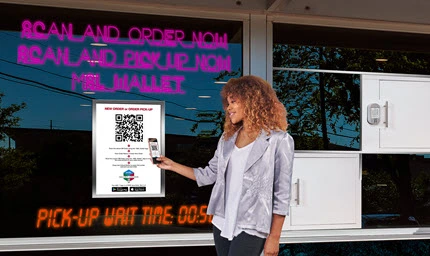
Parking Lot Pickup

Curbside Pickup

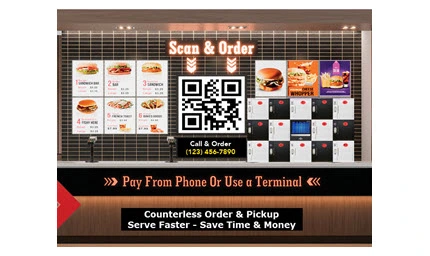
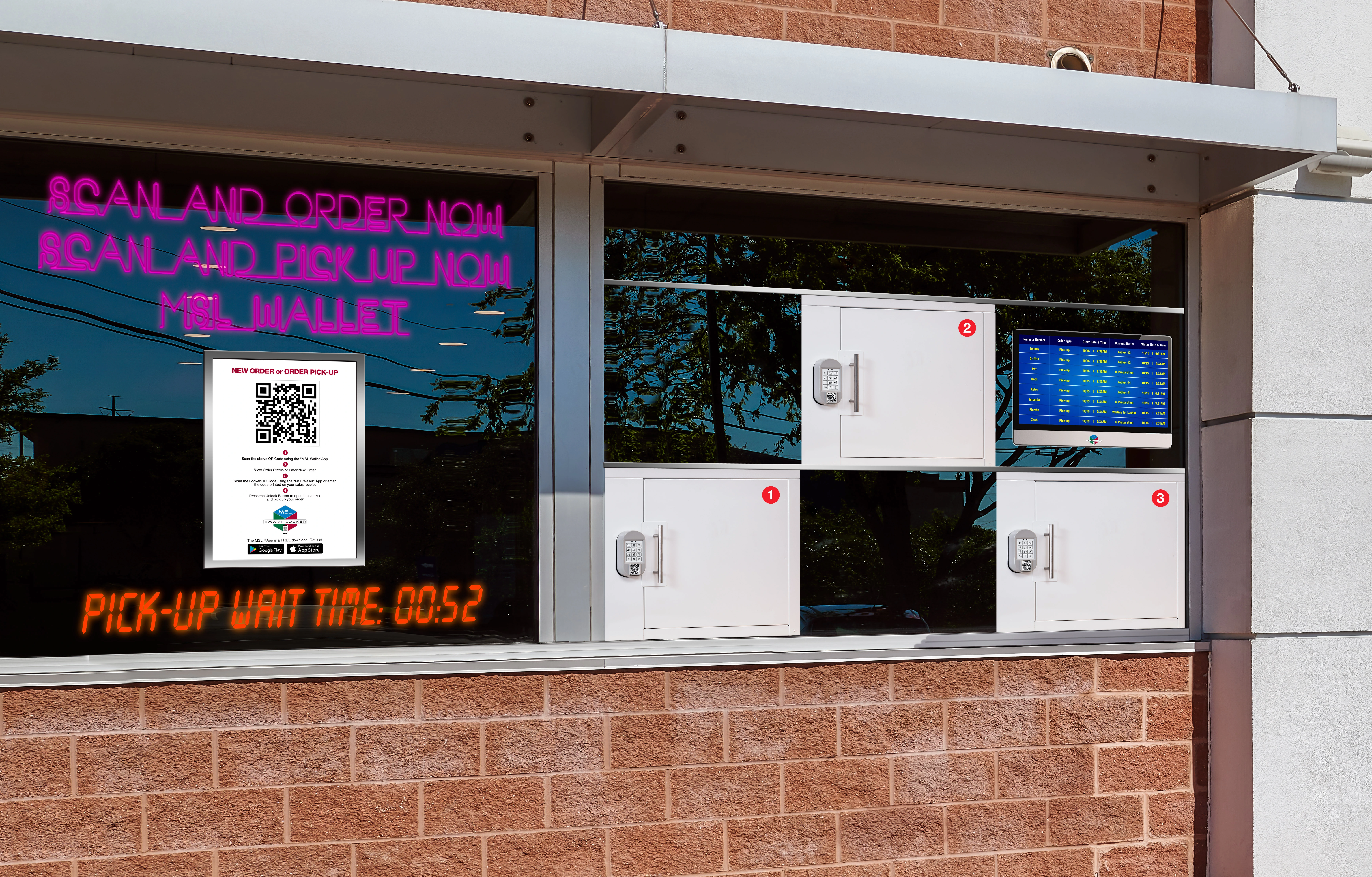
In-Store Pickup

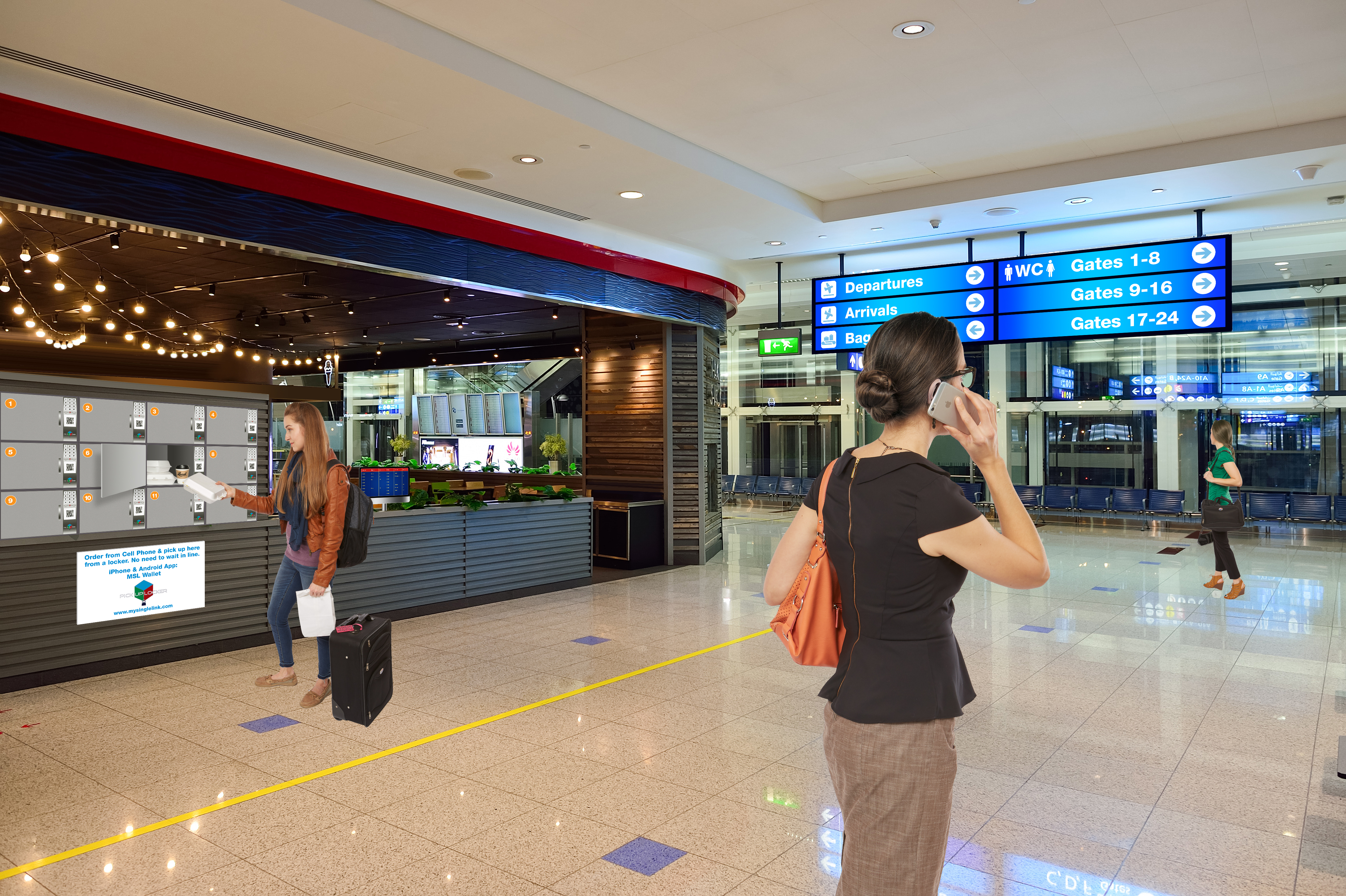
Airport Gate Pickup

Parking Lot Order


Curbside Pickup


In-Store Pickup

Airport Gate Pickup

Parking Lot

Parking Lot Order/Sign-In/Pickup
Highlights

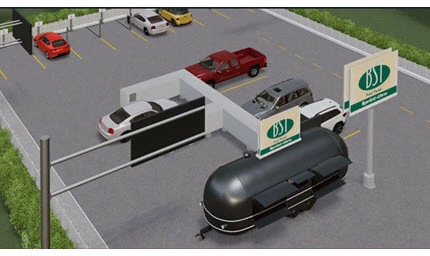
Driving-in delivery persons, order ahead and order now customers can use Parking Lot Pickup.

  • No-Stop drive-ways with multiple ordering and multiple pickup stations can be used by all customers.
  • Order ahead customers and delivery persons whose orders are ready can pickup within 30 seconds, otherwise can wait at any ordering station until the order is ready.
  • Order now customers can place orders immediately upon entering the location.
  • Order ready customers can bypass order not ready customers which would eliminate traffic jams.
  • All the orders displayed on the display monitor would also include wait times
  • Customers before placing orders will always know their wait time
  • Order queueing can be customized by merchants to provide faster service based on loyalty level

Video


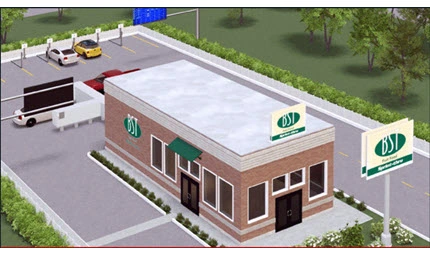
Building with
Multiple Pickup Stations

Building Order

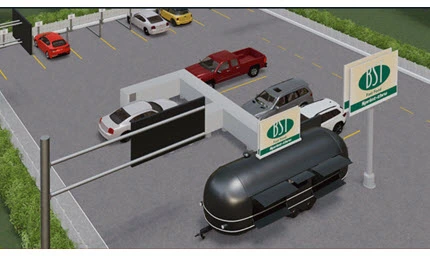
Food Truck with
Multiple Pickup Stations

Food Truck Order

Curbside

Curbside Pickup Order/Sign-In/Pickup
Highlights

Walking-in delivery persons, order ahead and order now customers can use Curbside Pickup.

Curbside Pickup

  • All mobile order customers, delivery persons and curbside order customers will use the same locker hub placed at the curbside.
  • Order ready mobile order customers and delivery persons can pickup orders without wait, otherwise they will wait.
  • Curbside order customers can place orders immediately upon arriving.
  • All the orders displayed on the display monitors would also include the wait time
  • Customers before placing orders will always know the wait time

In-Store

In-Store Pickup Order/Sign-In/Pickup
Highlights

Walking-in delivery persons, order ahead and order now customers can use In-Store Pickup.

  • Unlimited mobile order customers and delivery persons can sign-in and pickup the orders simultaneously.
  • Unlimited in-store order customers can place orders and pickup the orders simultaneously.
  • Each order will be associated with an order identifier, only the first part of the order identifier will be displayed on the display monitors and the remaining part will be used as one-time code.

Counter Integration

  • Sprint-Thru™ replaces counters, but also supports counters
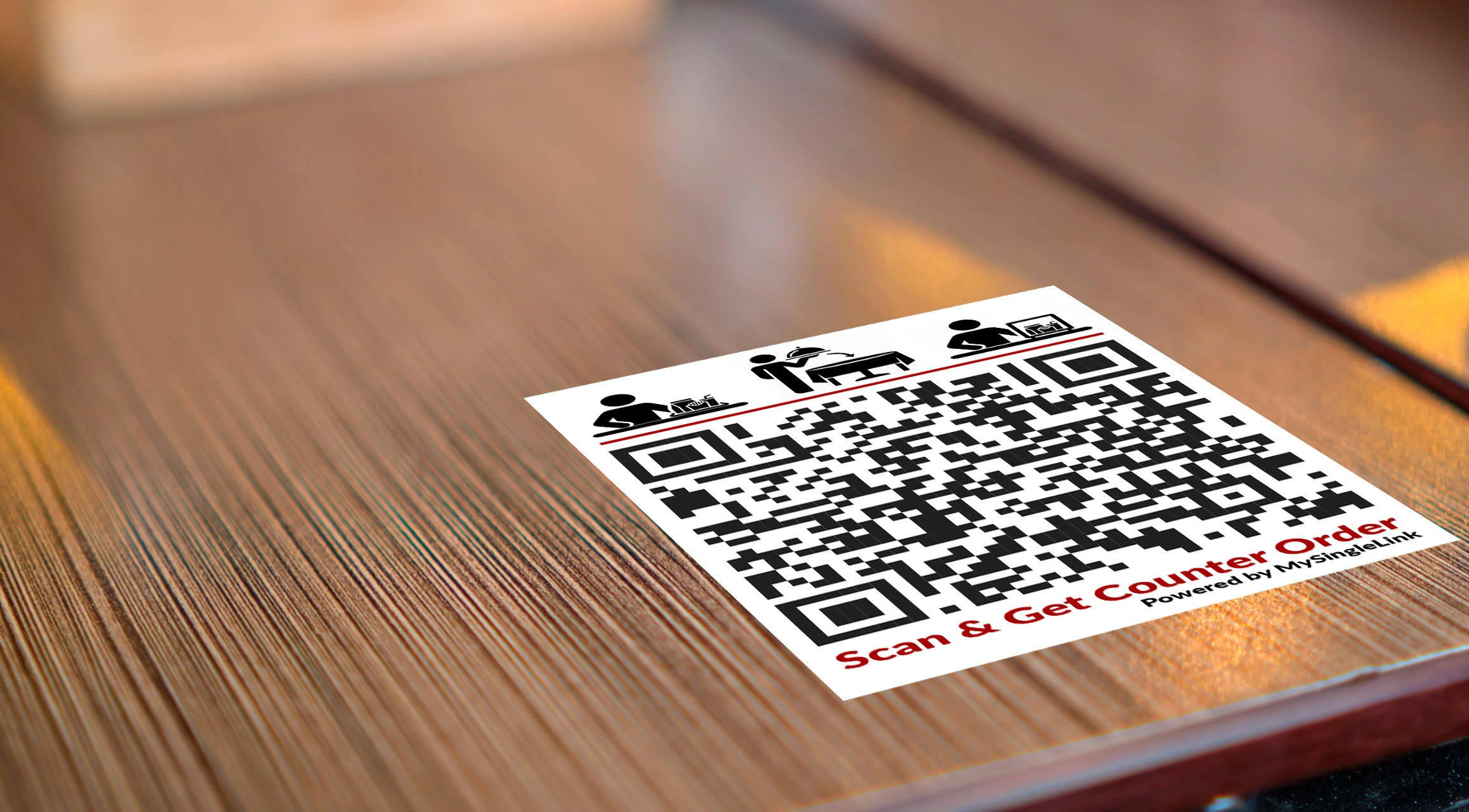
  • In-store customers can have the option to pick the orders from a locker or from the counter or get it delivered to their table by scanning a QR code placed on tables and in common areas.
  • No table number or order number tent cards for the customers to carry.

  • No POS Interface, but supported
  • No Delivery Service Provider Interface, but supported
  • No App, but supported
  • No Counters, but supported
  • No Texting
  • No Emailing
  • No Lines
  • No Touching of orders by unauthorized persons
  • No Cold hot food and No Hot cold food

Parking Lot

Airport

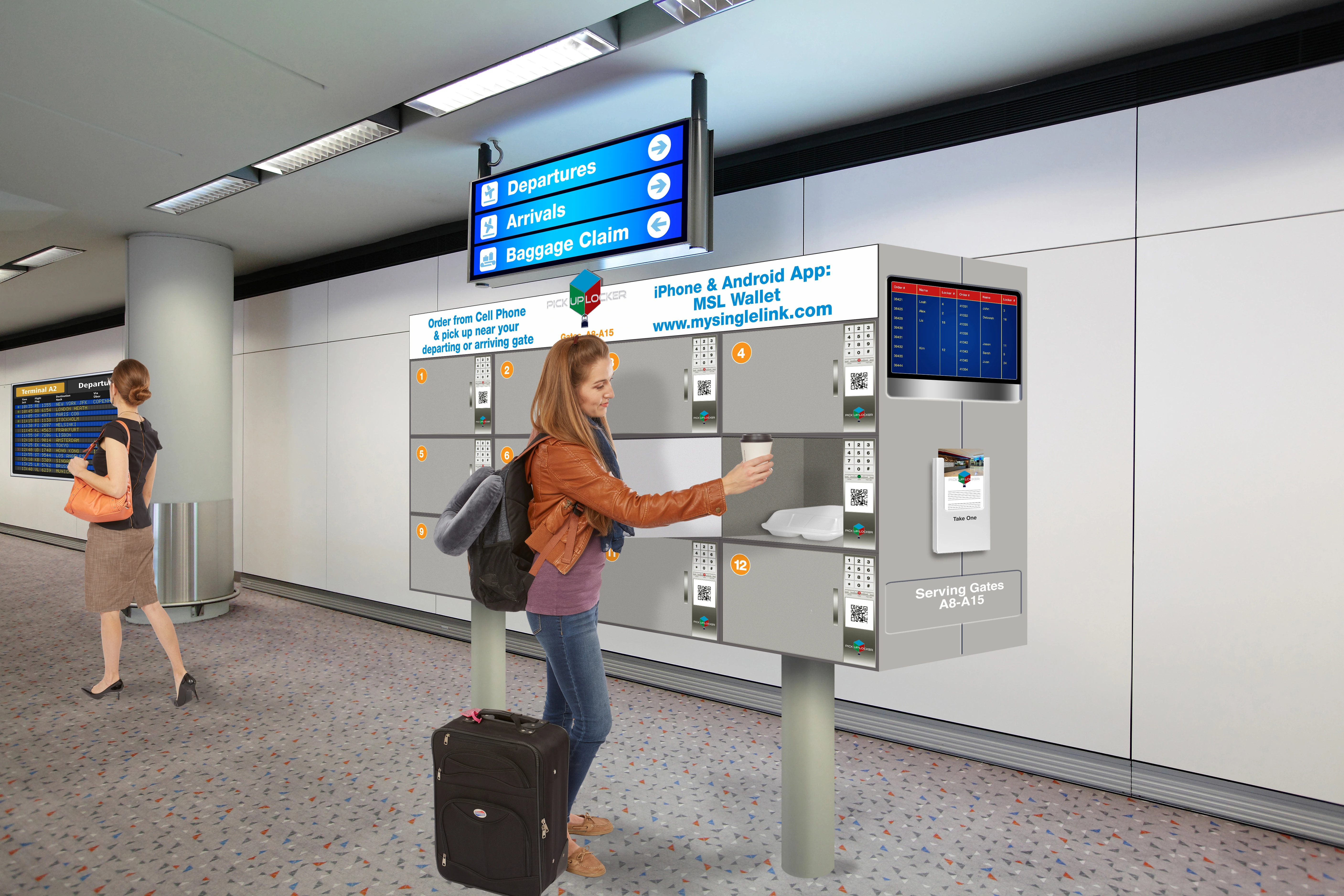
Airport Pickup Order/Sign-In/Pickup
Highlights

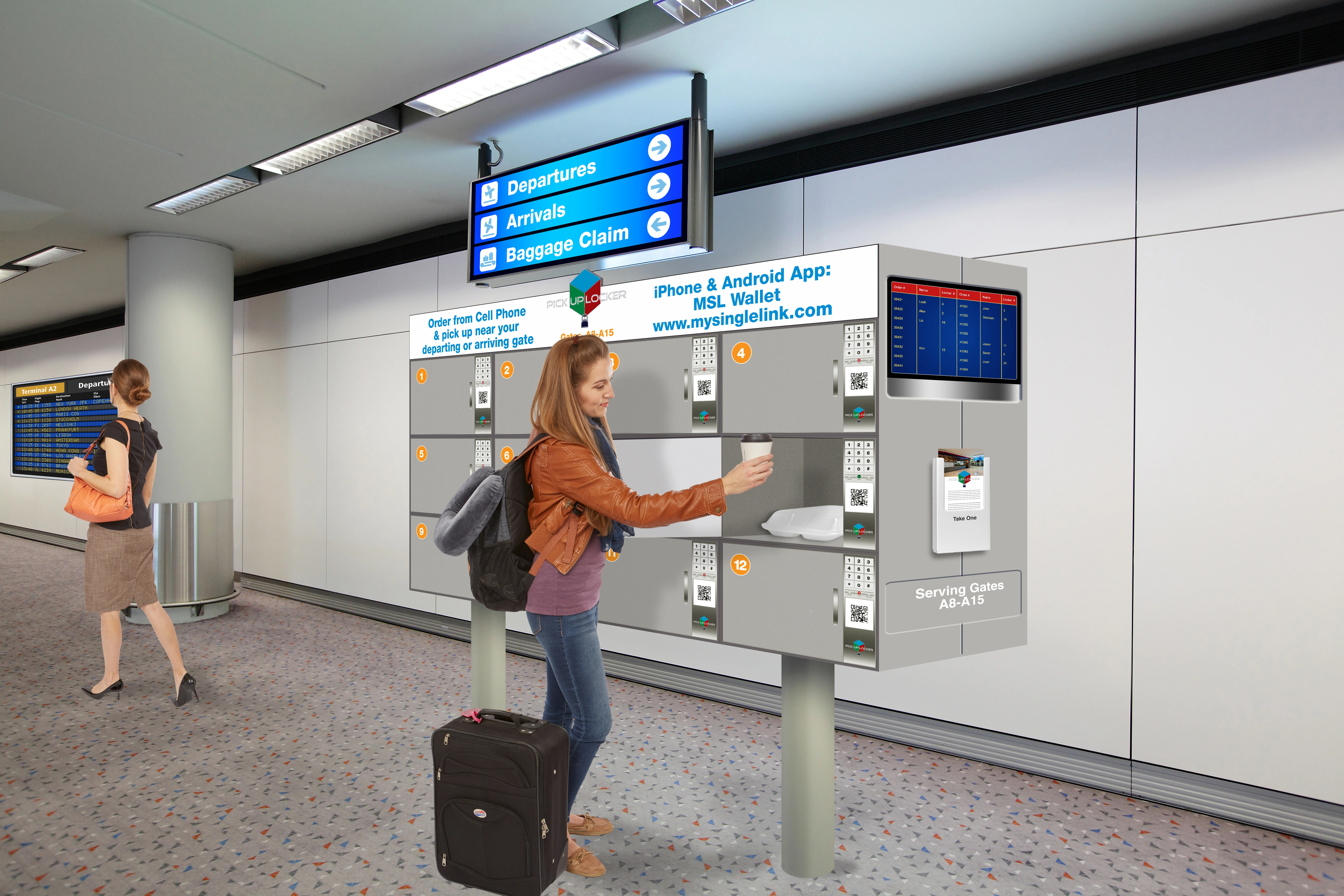
Airport Gate delivery persons, order ahead travellers and order now travellers can all use airport lockers.

  • Unlimited order ahead travelers and gate delivery persons can sign-in and pickup the orders simultaneously.
  • Unlimited order now travellerss can place orders and pickup the orders simultaneously.
  • Order ahead and order now travellerss can choose order pickup place either the merchant location or gate number or flight information.
  • For gate pickup, order ahead travelers would provide the departing or arriving flight information.
  • When the gate number for the selected flight number or the time is changed, the gate delivery person will promptly be informed.
  • Each order will be associated with an order identifier, only the first part of the order identifier will be displayed on the order display monitors and the remaining part will be used as one-time code.
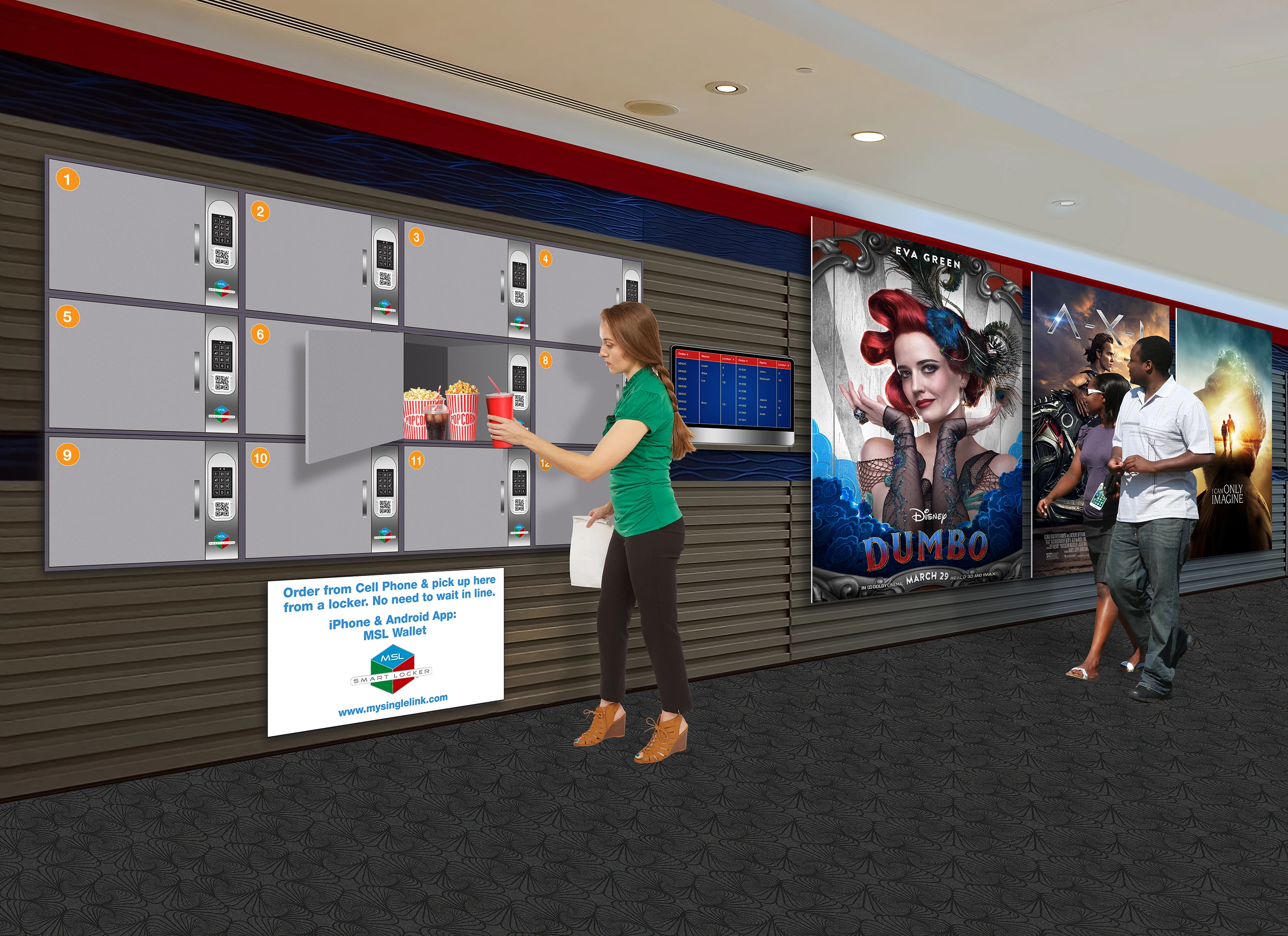
  • Similar technology is also used for locations like movie theatres, stadiums, event centers and the like.

Counter Integration

Counter Integration
Counter Integration

  • Sprint-Thru™ replaces counters, but also supports counters
  • In-store customers can have the option to pick the orders from a locker or from the counter or get it delivered to their table by scanning a QR code placed on tables and in common areas.
  • No table number or order number tent cards for the customers to carry.

  • No POS Interface, but supported
  • No Delivery Service Provider Interface, but supported
  • No App, but supported
  • No Counters, but supported
  • No Texting
  • No Emailing
  • No Lines
  • No Touching of orders by unauthorized persons
  • No Cold hot food and No Hot cold food

Parking Lot


Any Location - Multiple Pickup Locker Types

Parking Lot Locker

Box Locker

Hanger Locker

Drone Locker
Under Construction

Parking Lot Pickup


Ambiance Locker


Hanger Locker


Drone Locker


Parking Lot Locker
Highlights

Driving-in delivery persons, order ahead and order now customers can pickup orders from Parking Lot locker.

Parking Lot Locker
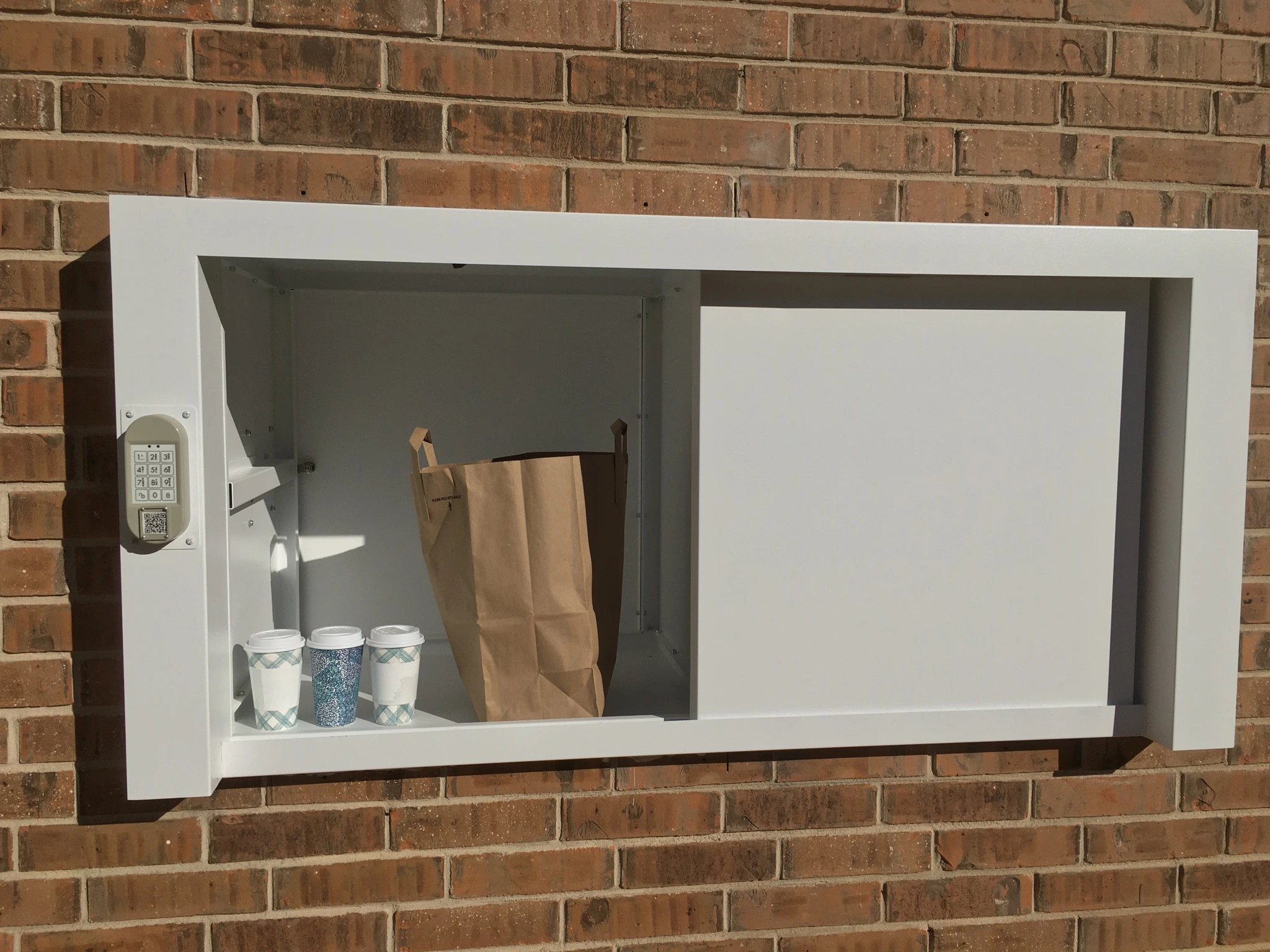
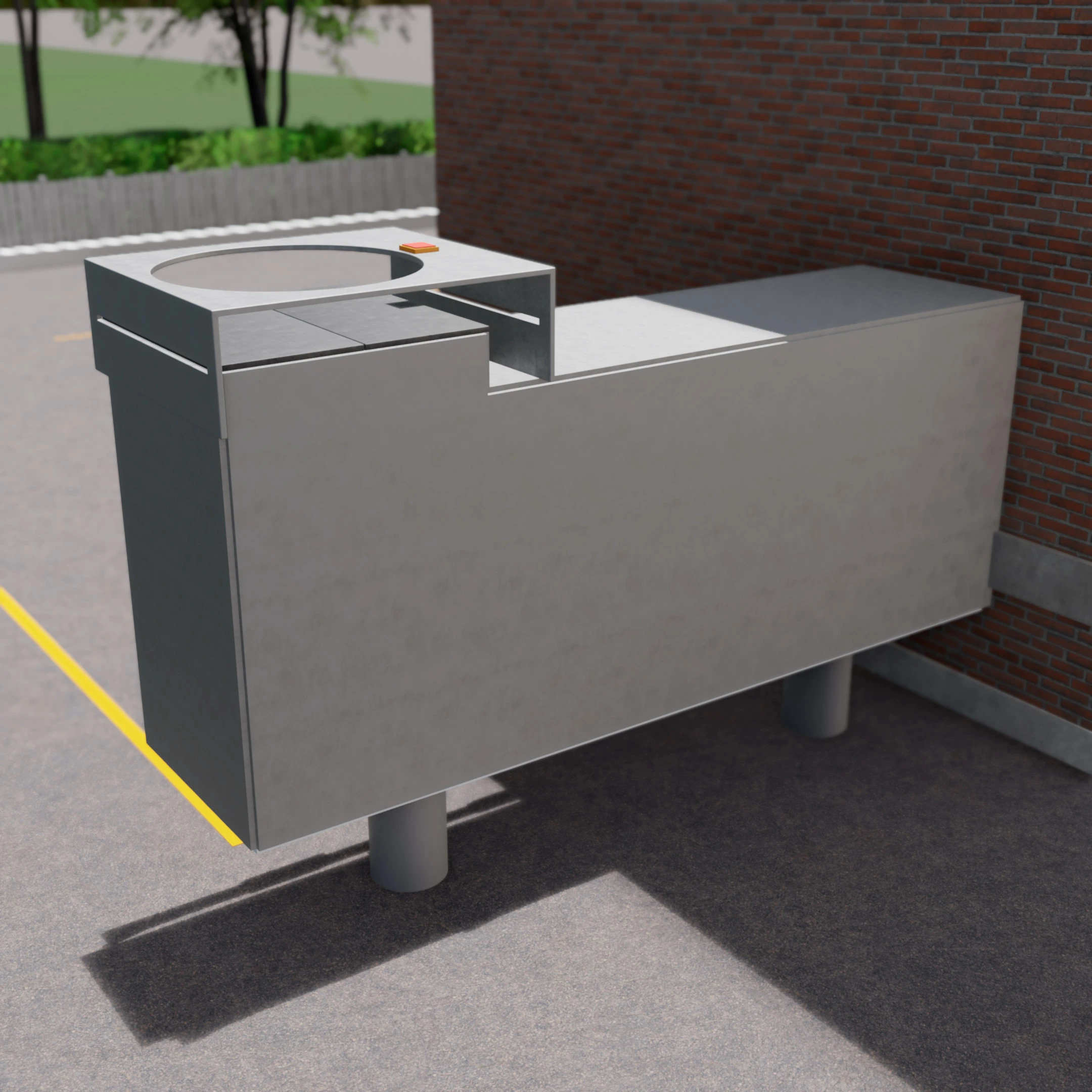
  • Parking Lot lockers will be placed in the parking lot pickup stations.
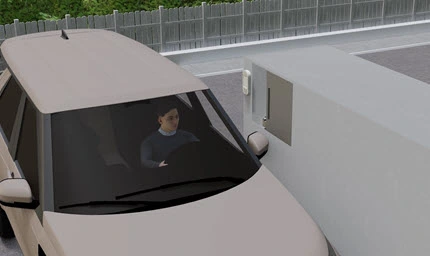
  • By scanning the QR Code displayed on the locker or by entering a code in the locker keypad the locker door can be opened without leaving the vehicle.
  • The locker door will slide horizontally so that the orders can be reached.
  • When the order is picked up the door will automatically slide to close

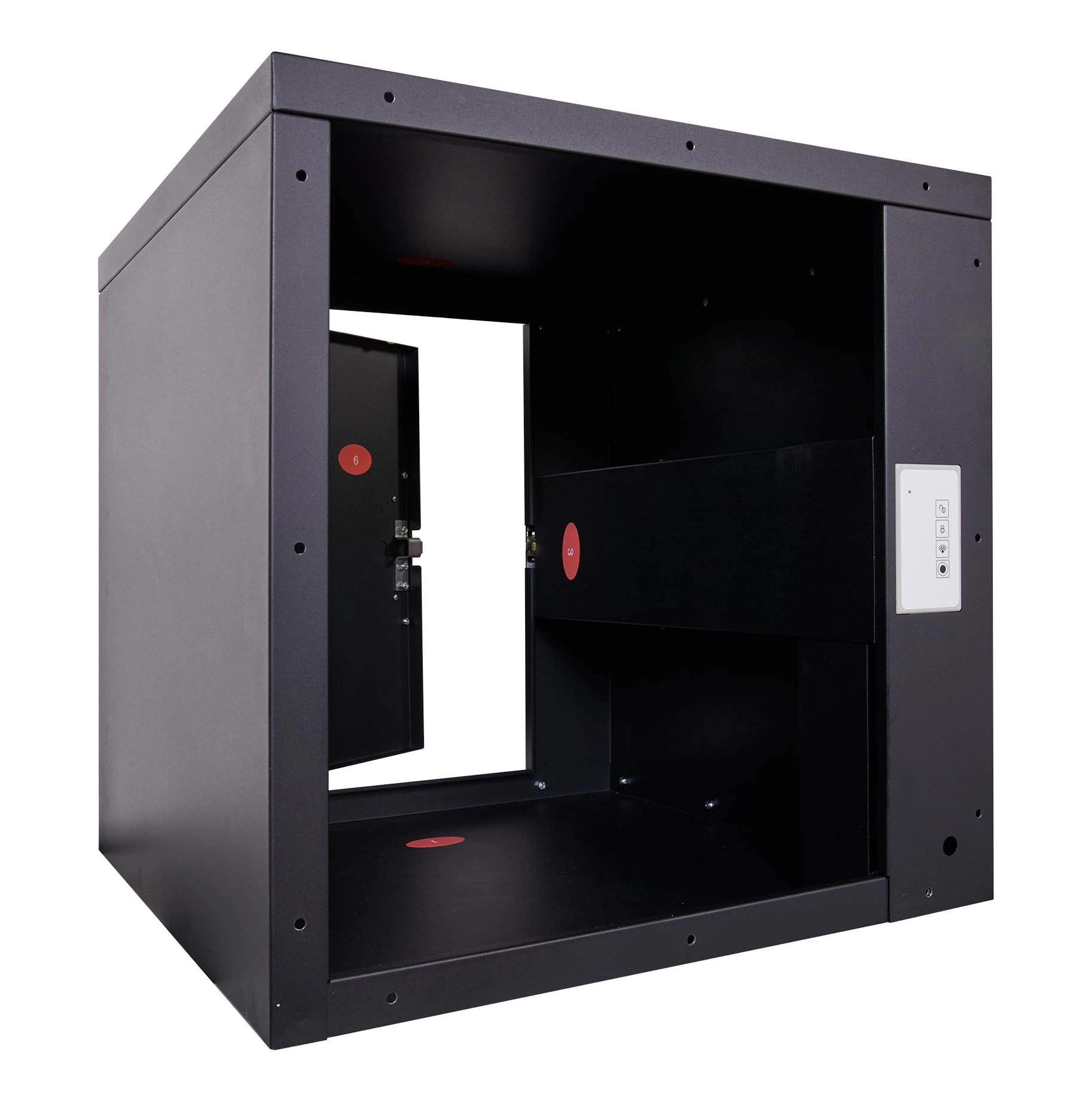
Box Locker
Highlights

Driving-in delivery persons, order ahead and order now customers can pickup orders from Box locker placed at the curbside or inside the store.

Box Locker
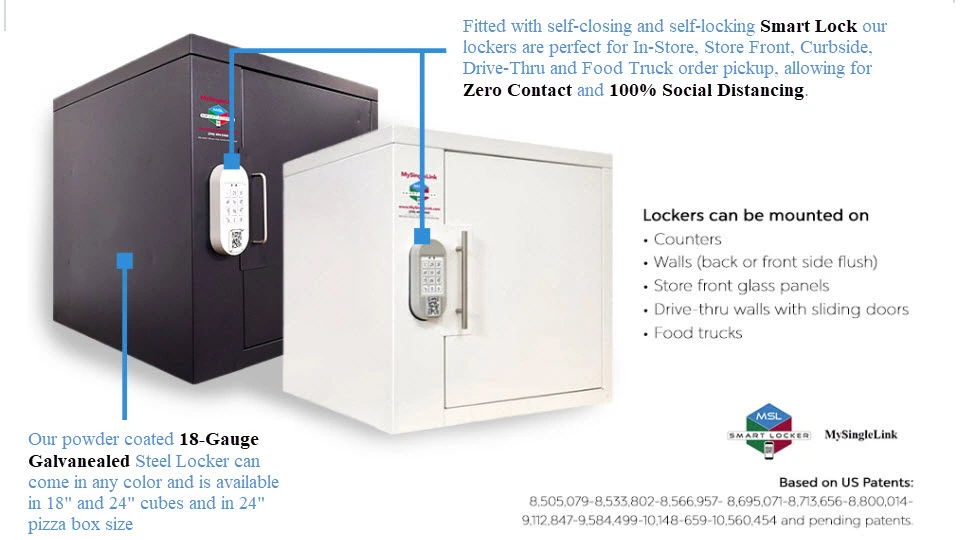
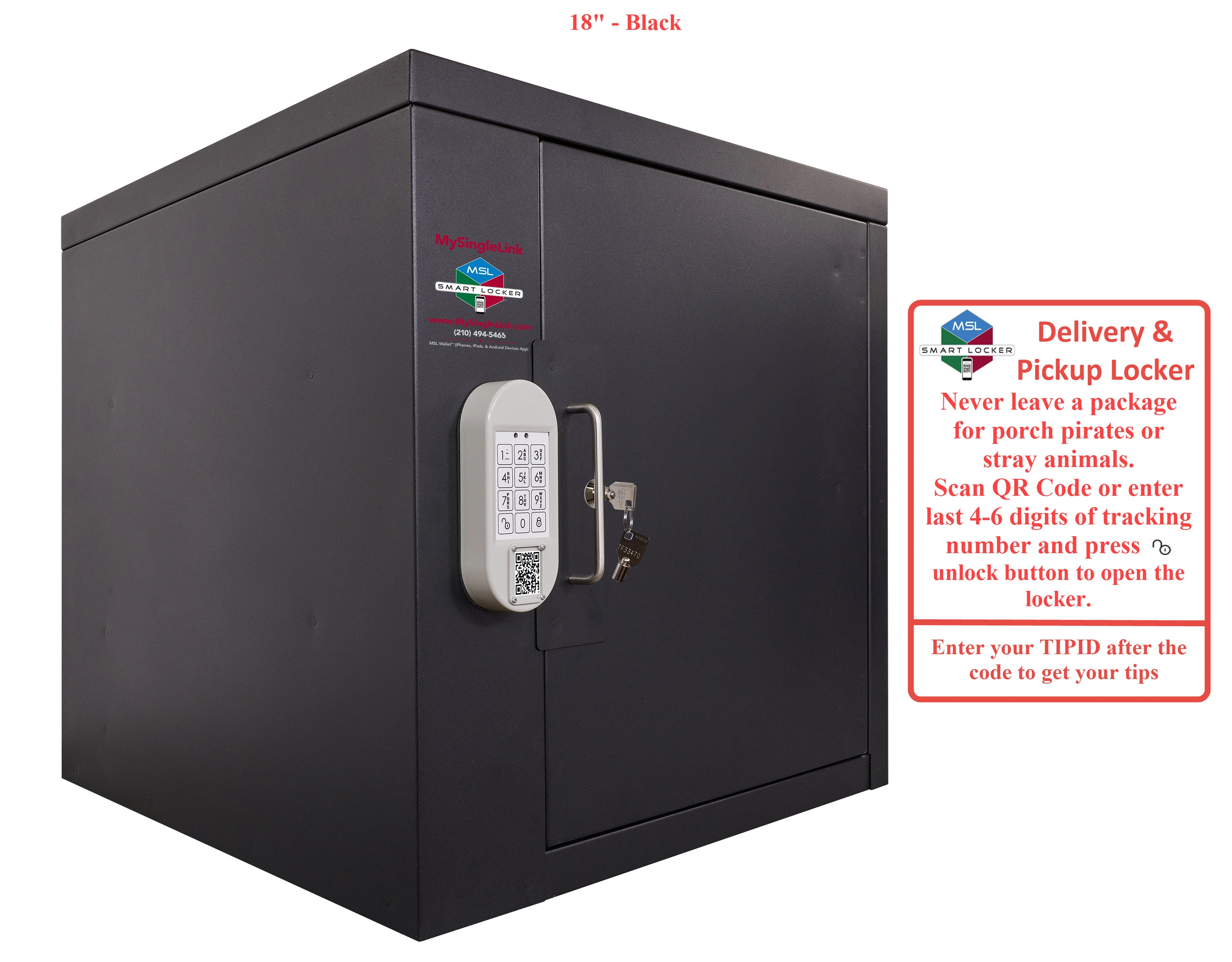
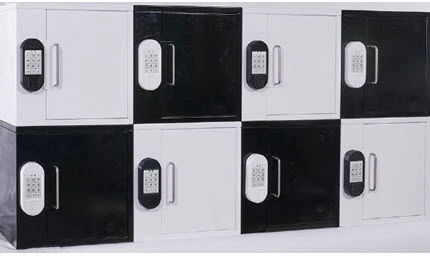
  • Box lockers come in various configurations, sizes and colors
  • The front or back side of lockers can be mounted to frames, walls counters or any other surface
  • The back side of lockers can be left open or secured with a door.
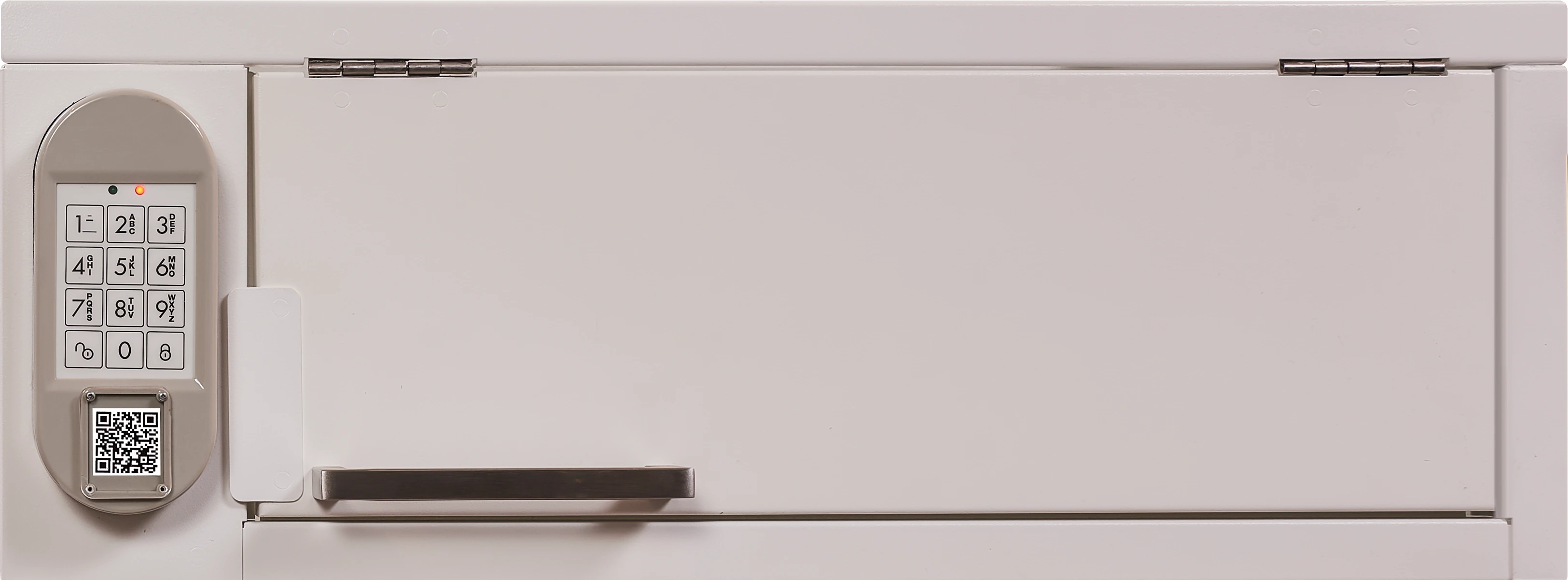
  • By scanning the QR Code displayed on the locker or by entering a code in the locker keypad the locker door can be opened.
  • When the order is picked up the door will automatically close
  • Box lockers can be used for in-store and for curbside pickup

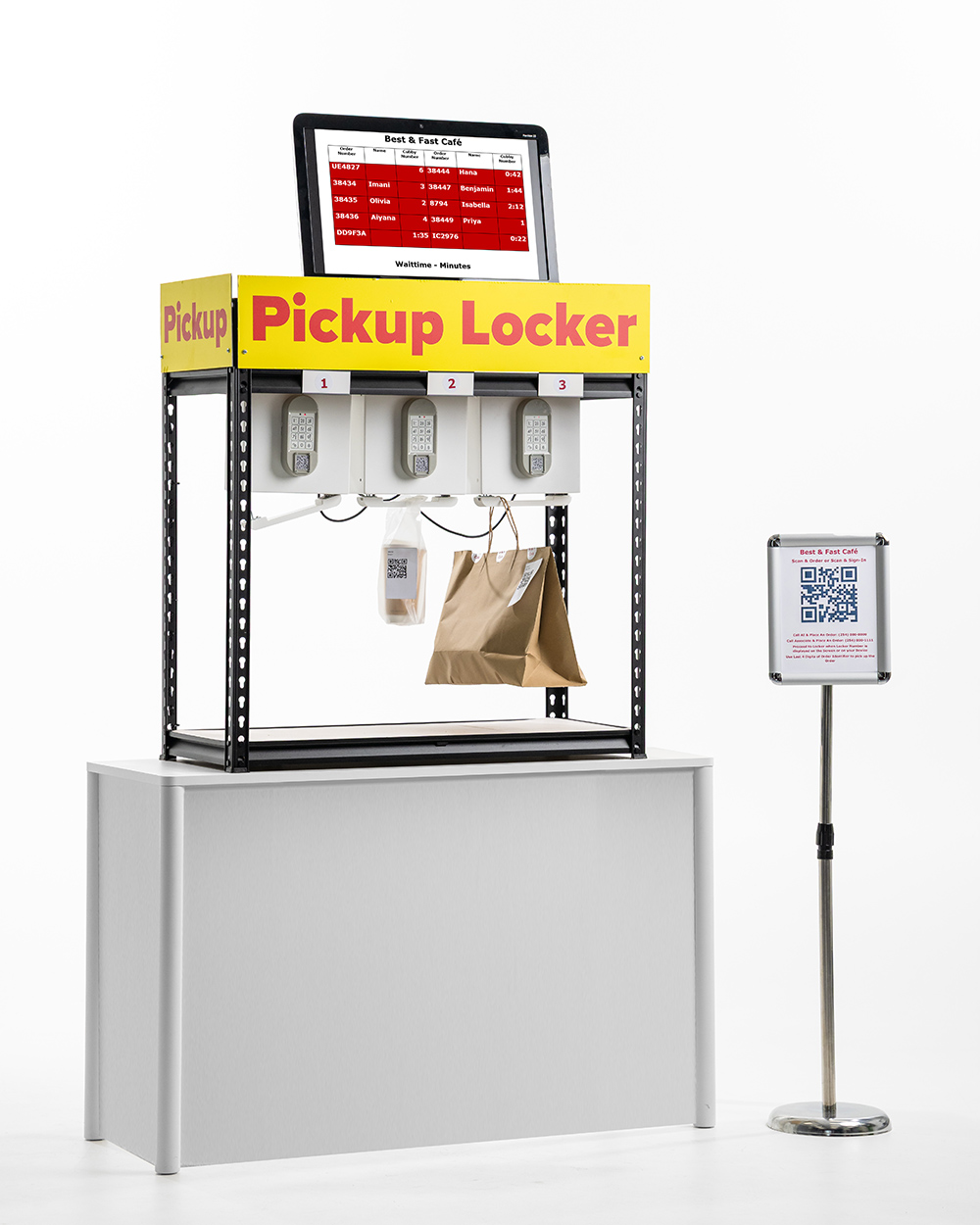
Hanger Locker
Highlights

Driving-in delivery persons, order ahead and order now customers can pickup orders from Hanger locker placed inside the store.

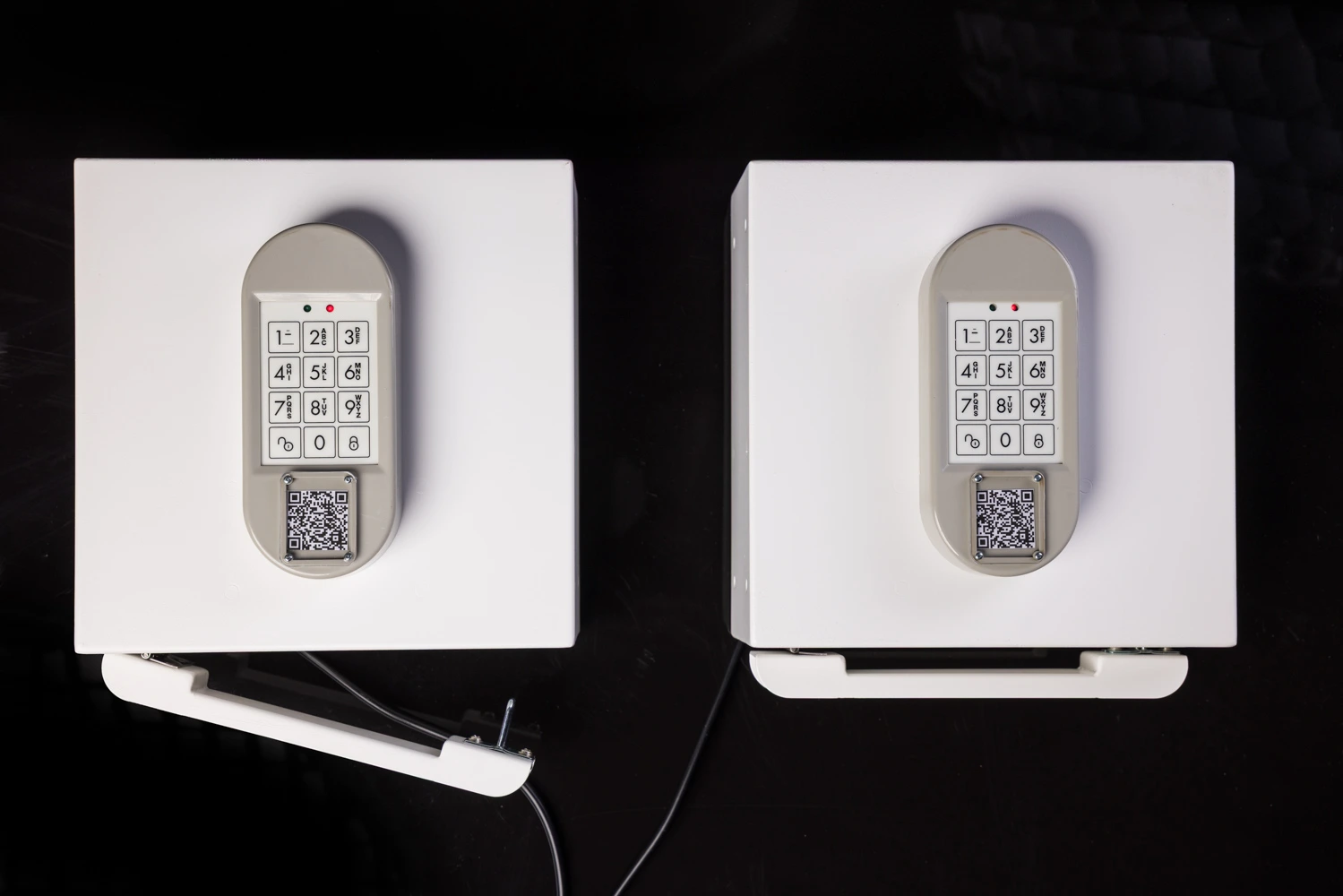
Hanger Locker
  • The open concept of Hanger lockers enable merchants to use any package of any size and any weight for customer pickup
  • The top or any side of Hanger lockers can be used to mount the locker to any rack or any cubicle or any counter
  • By scanning the QR Code displayed on the locker or by entering a code in the locker keypad the hanger rod can be released from an electronic catch.
  • The released hanger rod can be inserted back into the electronic catch.
  • Hanger lockers can be used for in-store and for curbside pickup
  • Hanger lockers can also be used to secure packages under the table

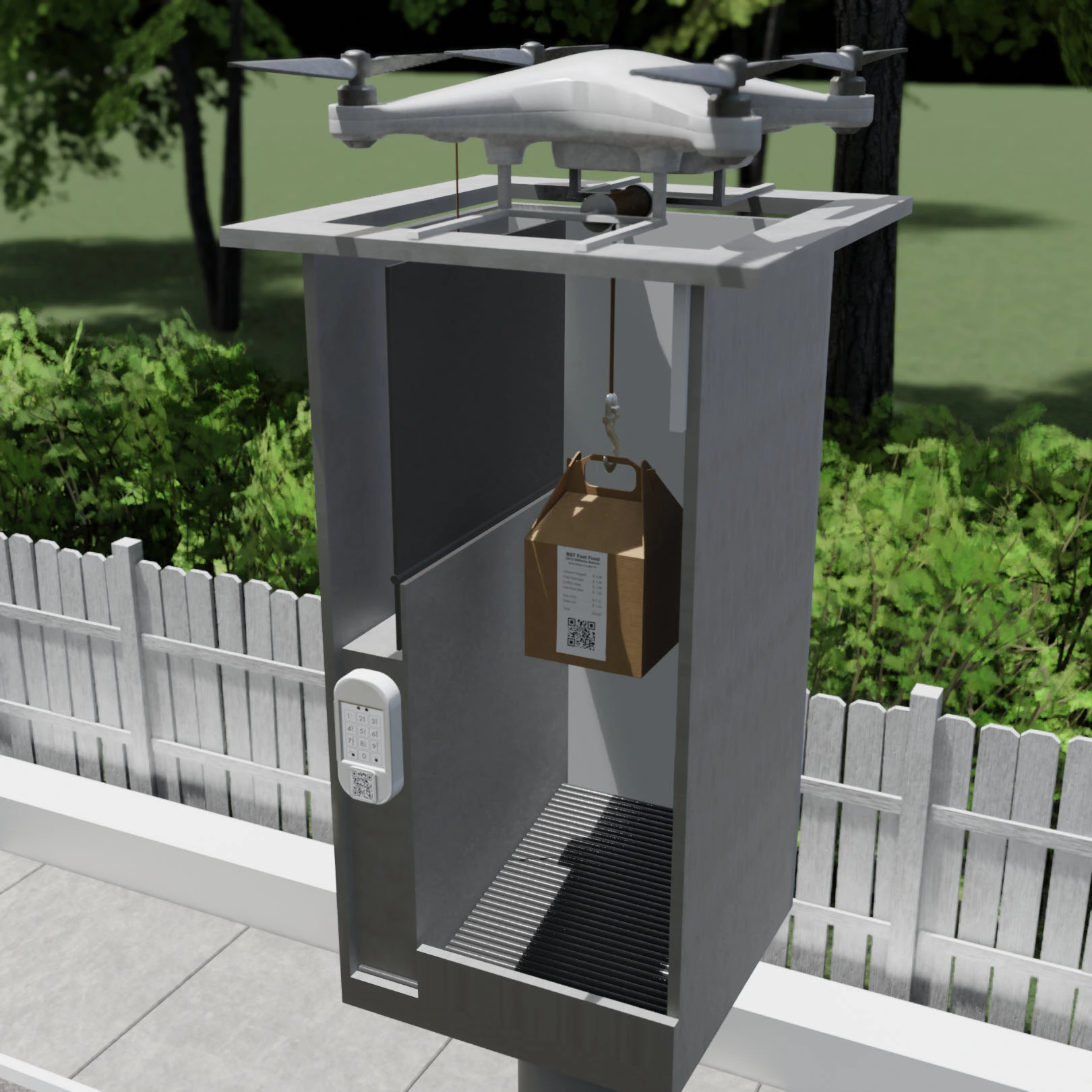
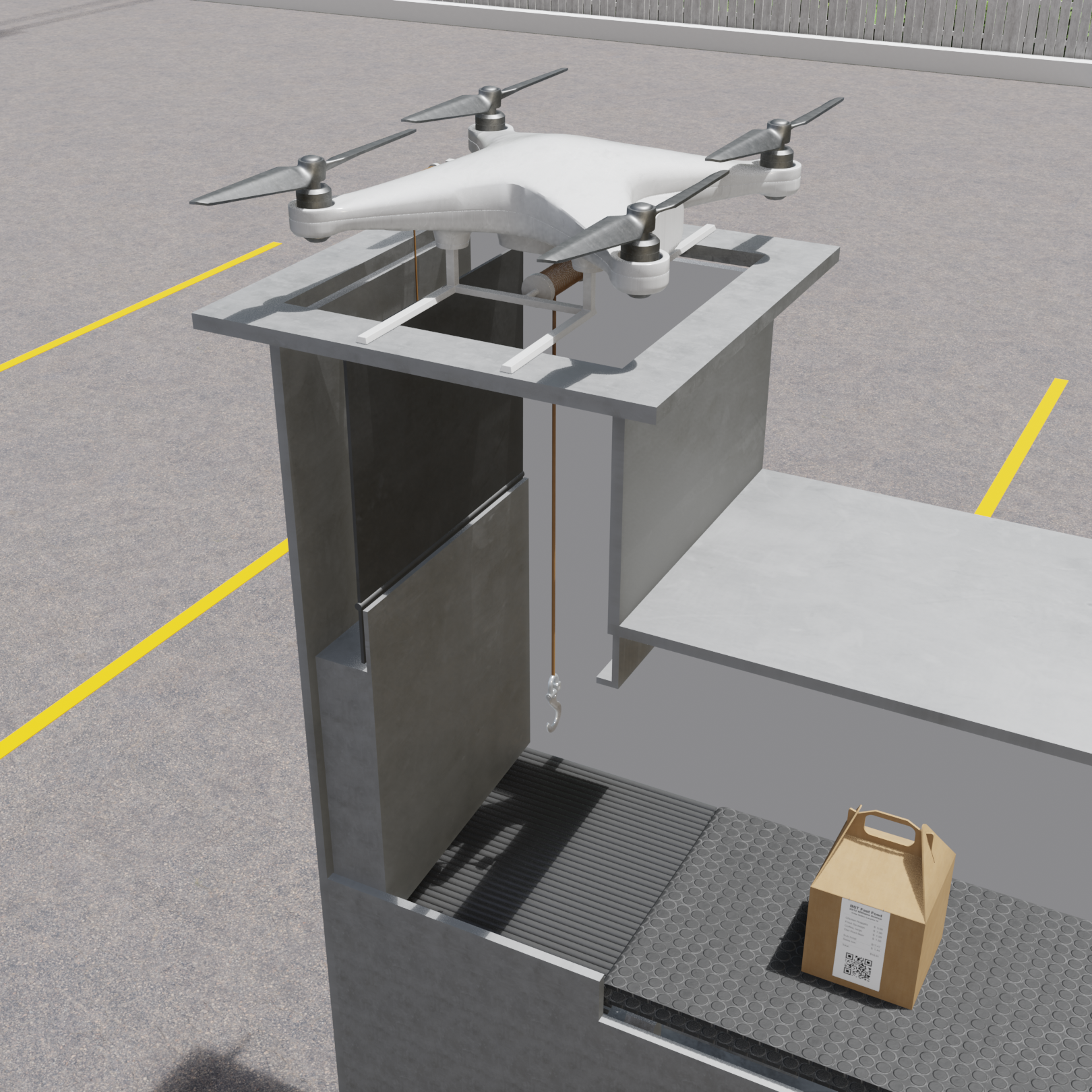
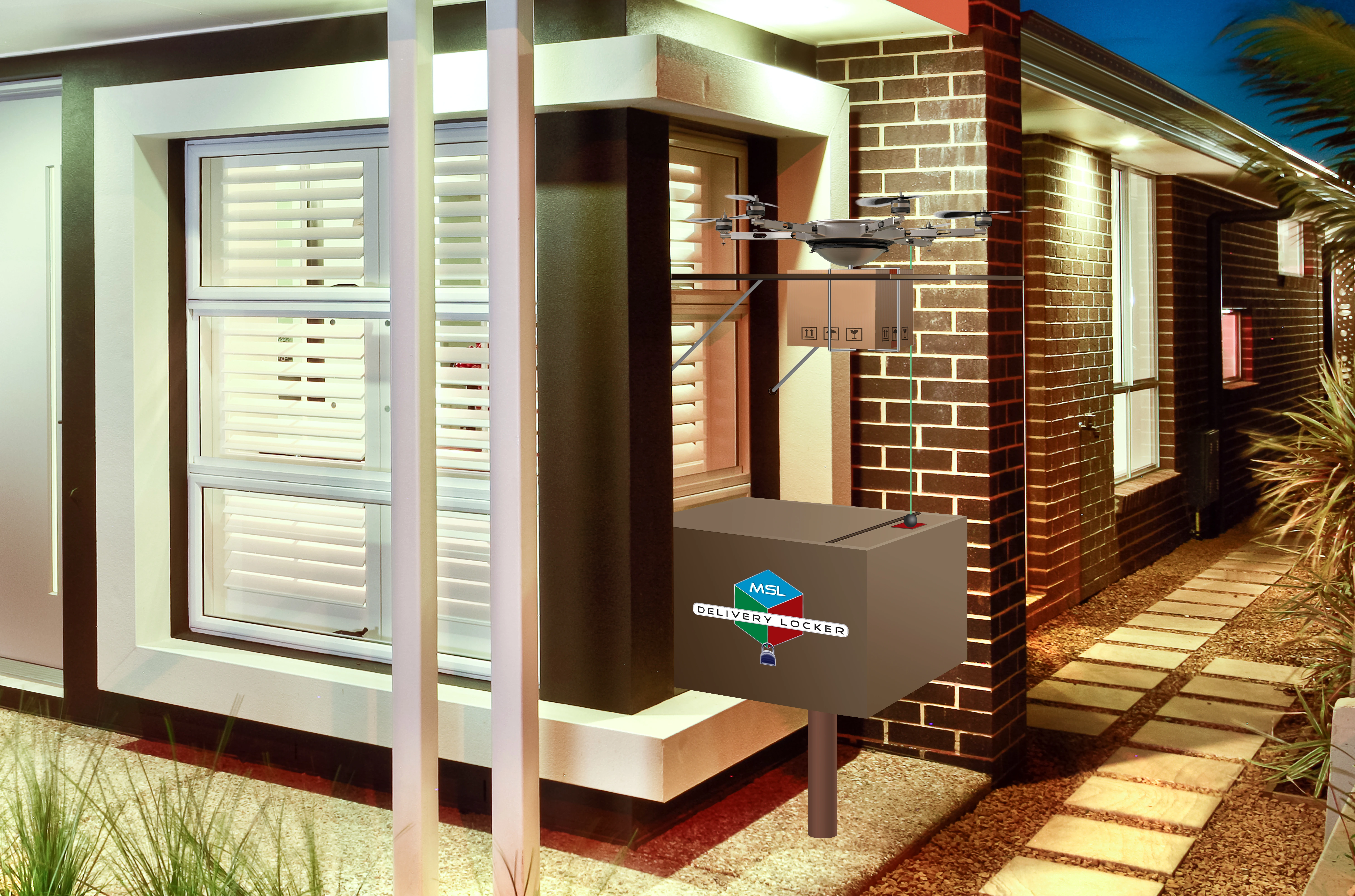
Drone Locker
Highlights

Driving-in delivery persons, order ahead and order now customers can pickup orders from Drone locker placed inside a parking lot.

Drones can move the orders from order preparation area (kitchen) to any drone locker placed in any parking spot in a parking lot.

Drone Pickup Locker

Hanger Locker

Drone Delivery Locker

Hanger Locker
  • Orders will be picked up by drones from drone pickup locker
  • Orders will be delivered by drones into drone delivery locker
  • Delivery persons, advance order buyers and order now buyers can pick up the orders from drone delivery locker without leaving the lockers
  • Drones can also be used to transport packages to drone lockers placed on rooftops or on the ground where package recipients can securely pick up the packages by scanning the QR Code placed on the locker or by entering a code in the keypad.

Any Employee - 30 Minute Training

Self-Guided manual will expediate the training process

Any Location - Installation

Sprint-Thru™ system can be installed in any new or any existing drive-thru can be converted

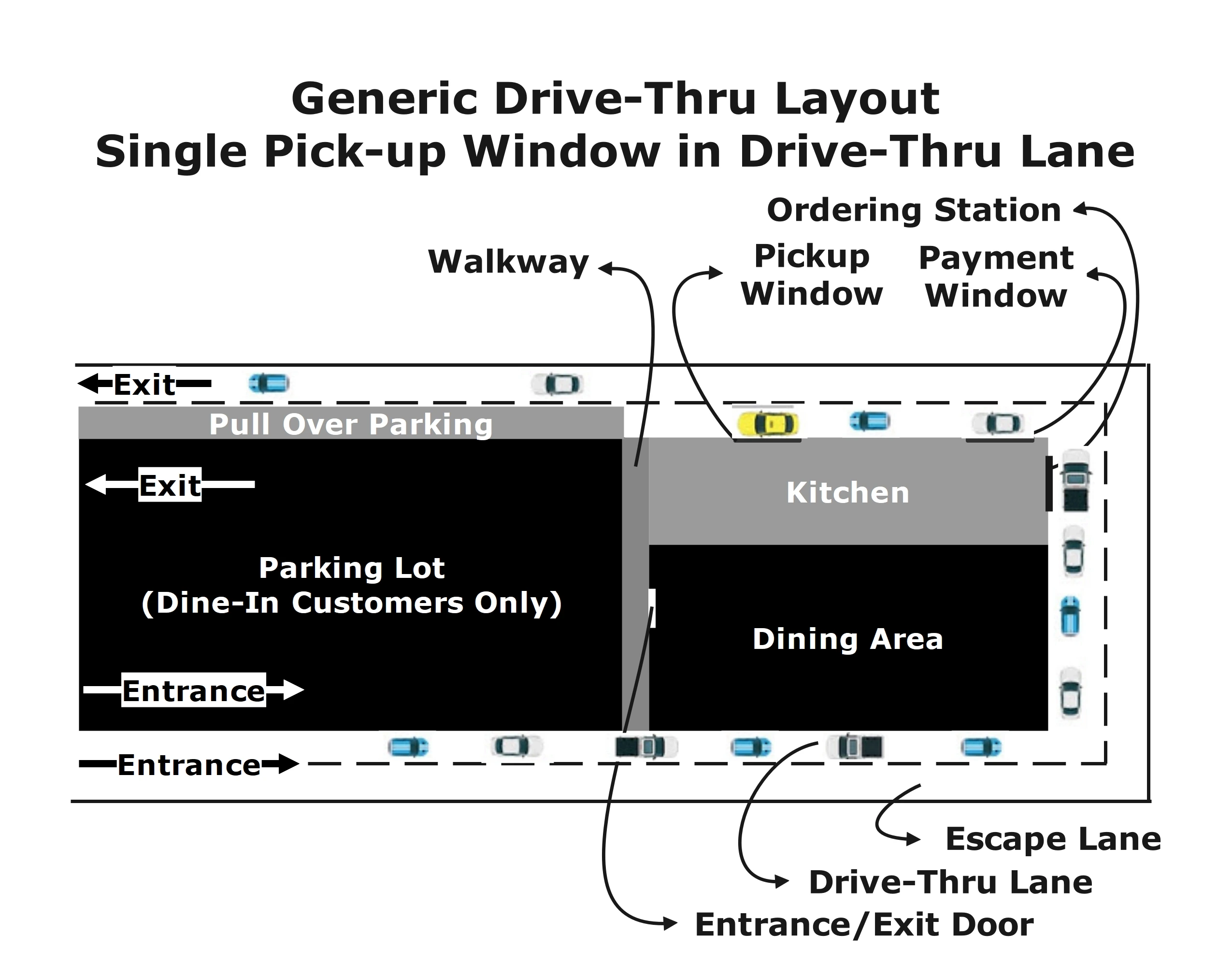
Generic Drive-Thru Layout

Hanger Locker

Generic Sprint-Thru™ Layout

Hanger Locker

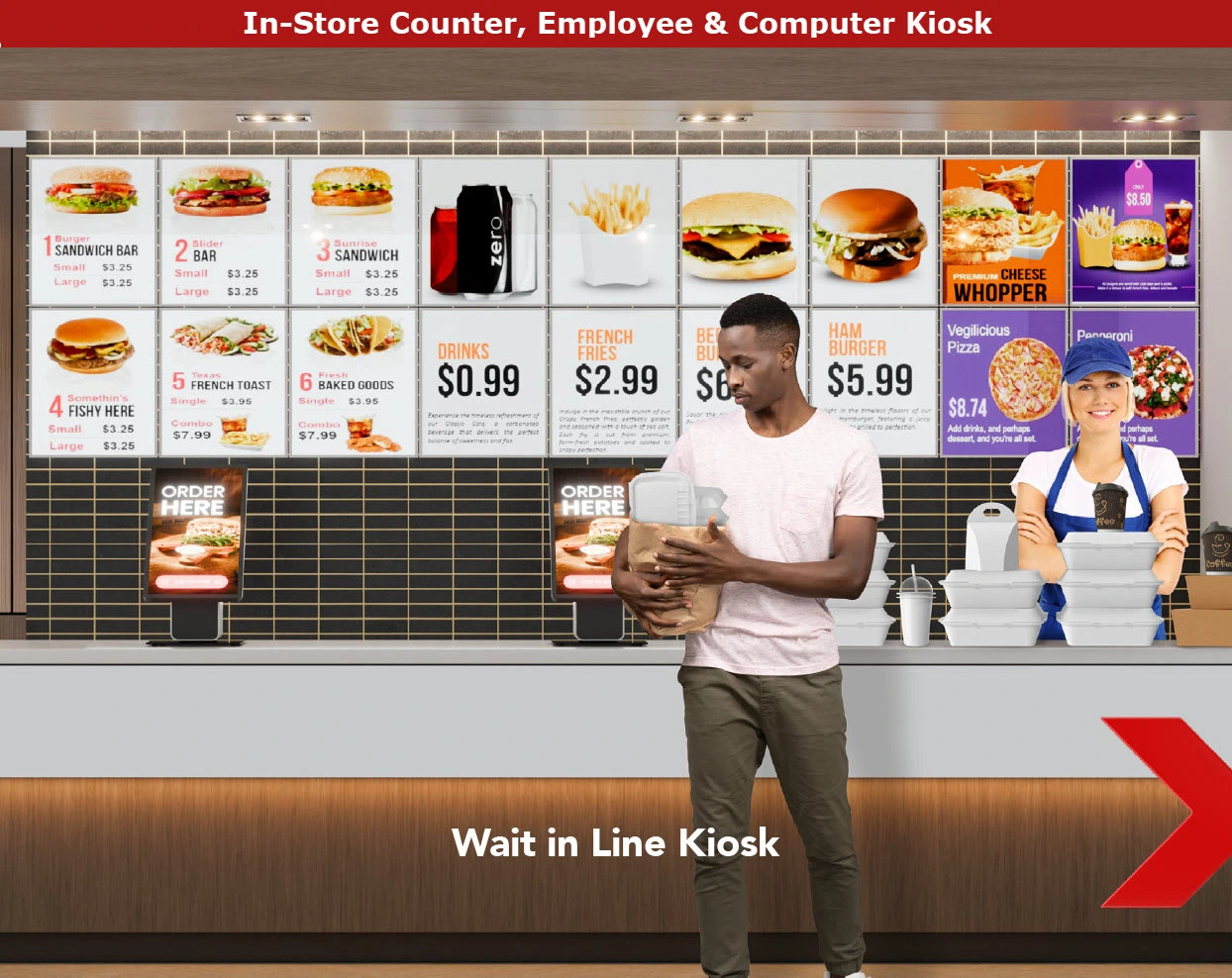
Generic Counter Layout

Counter Layout

Generic Sprint-Thru™ Counter Less Layout

Counter Less Layout

Generic Curbside Layout

Curbside Installation Before

Generic Sprint-Thru™ Curbside Layout

Curbside Installation After

Faster turn around - No Temparature Controllers

  • Sprint-Thru™ uses Ambient Lockers and not Temparature Controlled Lockers, because freshly prepared food will never stay for longer than a brief period of times like 2 minutes.
  • They are not Storage Lockers.
  • Adding Temparature controllers is only an option.

Any Location - Traffic Manager Only

Traffic manager part of the Sprint-Thru™ system is also available without lockers

Instead of using lockers, orders can be left in a rack with an order display screen or orders can be handed out

Any Location - Regulatory impediments

Following are some of the reasons, regulatory agencies cut down the number of drive-thrus, especially in urban areas where they can be more profitable:

  • Traffic Jam
  • Vehicle Exhaust Pollution
  • Noise

Since Sprint-Thru™ can reduce the wait time significantly, the Traffic Jam and Vehicle Exhaust Pollution can be reduced significantly.
Since Sprint-Thru™ does not use speakers to take orders noise will be reduced.
Regulatory agencies may take into consideration of Sprint-Thru™ benefits, and may allow more Sprint-Thru™ locations.


Sprint-Thru™ Self Pour

Sprint-Thru™ removes RFID cards and Wrist Bands by integrating self pour dispensers with Sprint-Thru™ advance authentication which would block unauthenticated users.

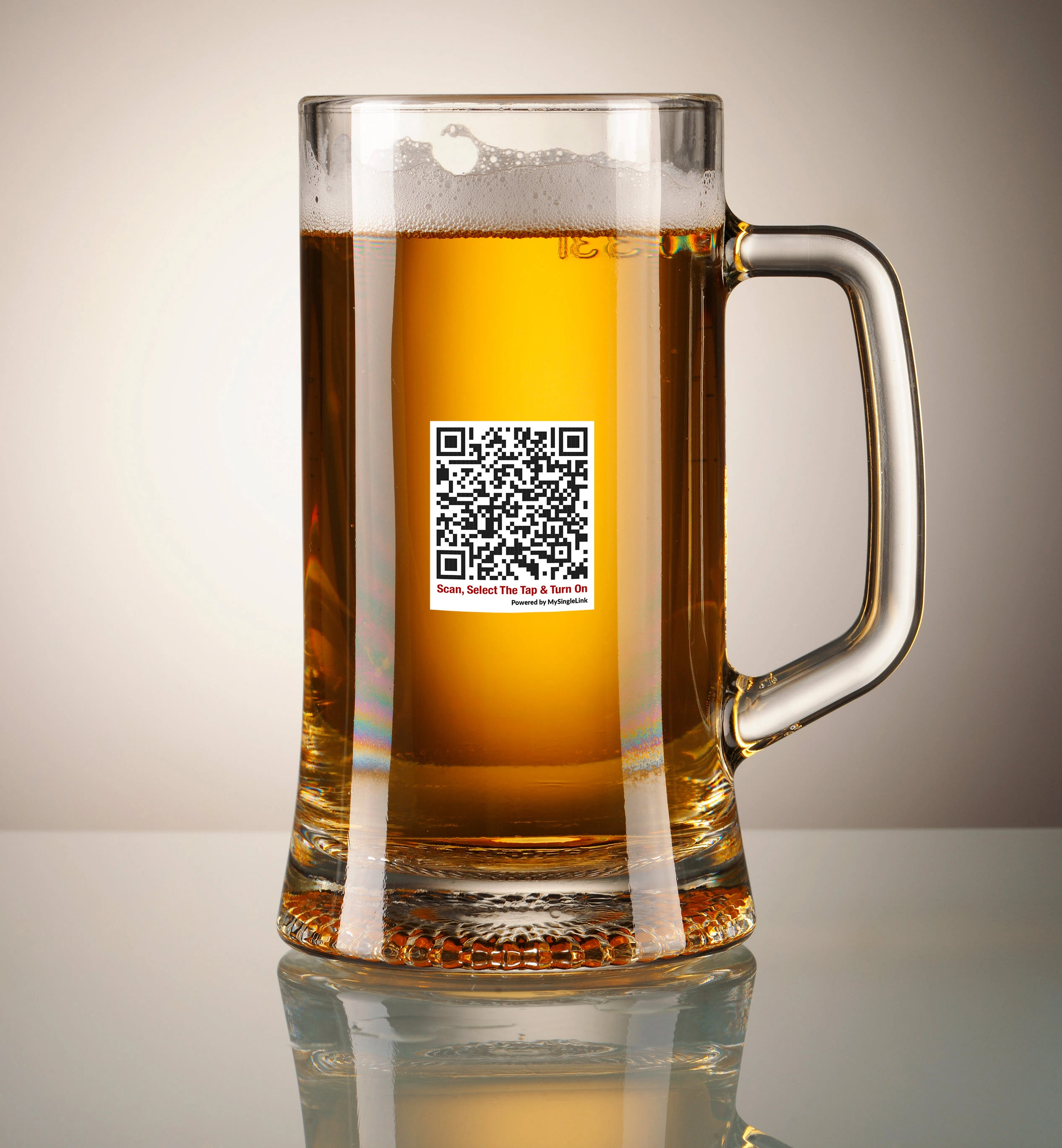
Glass QR Code

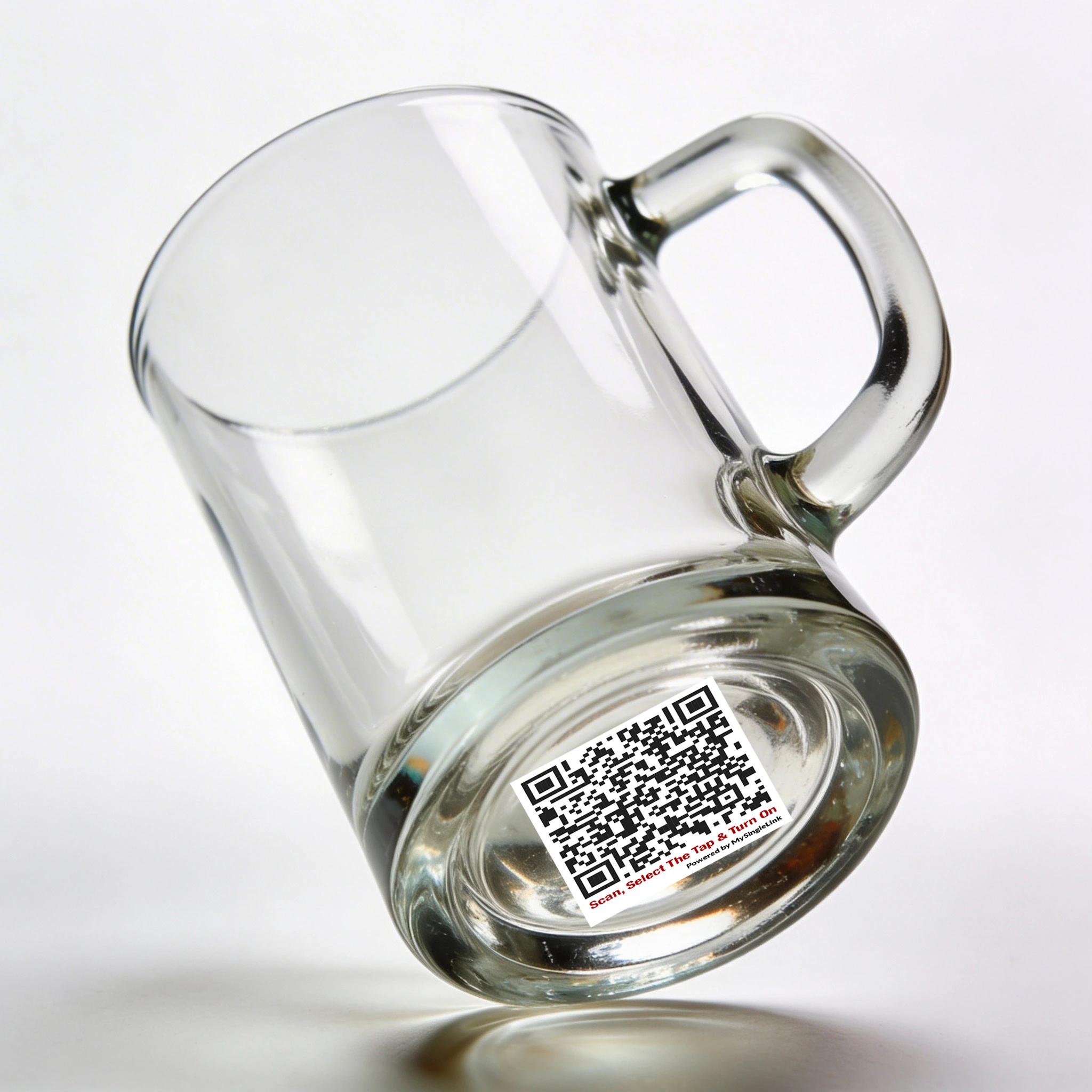
Glass QR

Dispenser QR Code

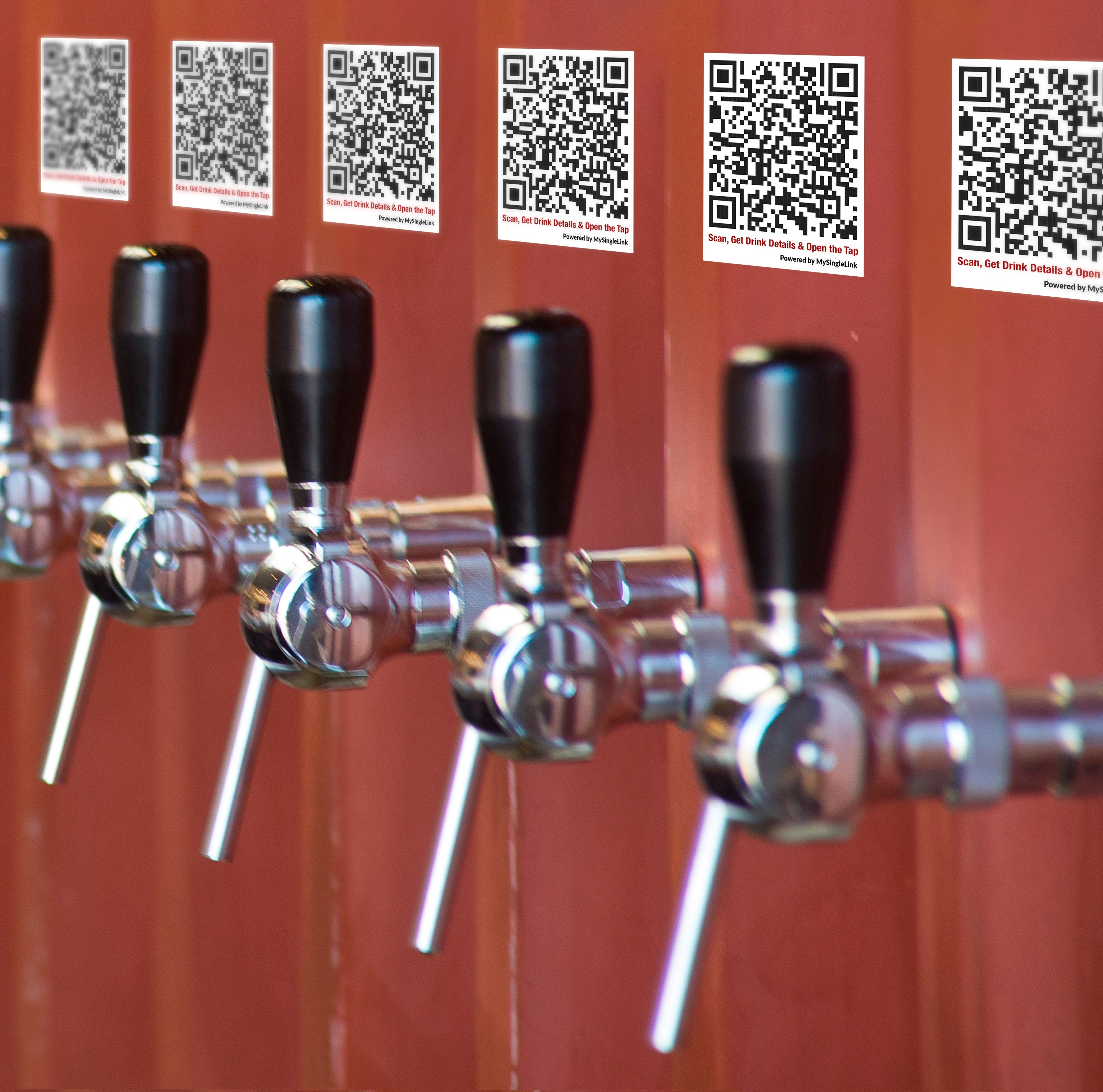
Dispenser QR

Core Benefit

No RFID or Wrist Band, so they cannot be shared

Bar hoppers cannot hop from bar to bar to get more alcohol drinks than allowed by law

Manual monitoring can be reduced or eliminated

One Platform - Every Self Pour System

Sprint-Thru™ provides easy to integrate API (Application Programming Interface) for every self pour system.

API integration is required.

One Procedure - Every Self Pour Station

Bring your own device (BYOD)

Mobile App is not required but supported.

Step 1
Scan a QR Code to get verified and to make payment

Step 2
Scan a QR Code printed on the glass or printed near the dispenser

Step 3
Open the dispenser and enjoy the drink

Any Self Pour Station - Multiple Authentication Types

Glass QR Code

Glass QR

Dispenser QR Code

Dispenser QR

Self-Pour with Glass QR Code
How does it work?

  • Only customers opting to get alcohol drink would get personal identification verification such as driver licence verification
  • All customers would get a payment authorization
  • Customers can use a locker or face to face contact to get personal identification verification, if needed, and payment authorization.
  • Customers can scan a QR Code printed on any drink glass using any mobile device with or without Sprint-Thru™ app to view available drinks and the respective tap numbers.
  • Customers opted for alcoholic drniks can view all available drinks and their respective tap numbers.
  • Customers opted only for non-alcoholic drniks can view all available drinks that are non-alcoholic and their respective tap numbers.
  • Customers can also view more information such as description of each drink, calorie contect, price and more. Customers can also view up to date consumption, spent amount and more.
  • Then customers can select a tap from the list to activate the tap.
  • Then customers can open the selected tap and receive the drink.
Scanner Vision Checkout

Self-Pour with Tap QR Code
How does it work?

  • Only customers opting to get alcohol drink would get personal identification verification such as driver licence verification
  • All customers would get a payment authorization
  • Customers can use a locker or face to face contact to get personal identification verification, if needed, and payment authorization.
  • Customers can scan a QR Code printed near any tap using any mobile device with or without Sprint-Thru™ app to view more information such as description of drink, calorie contect, price and more. Customers can also view up to date consumption, spent amount and more.
  • Customers opted for alcoholic drniks can scan QR Code printed near any tap.
  • Customers opted only for non-alcoholic drniks can scan QR Code printed near any tap that only dispenses non-alcoholic drink.
  • Then customers can acviate the tap from their mobile device to dispense the drink.
  • Then customers can open the selected tap and receive the drink.
Self Tap Pour QR Code

Sprint-Thru™ Self Checkout

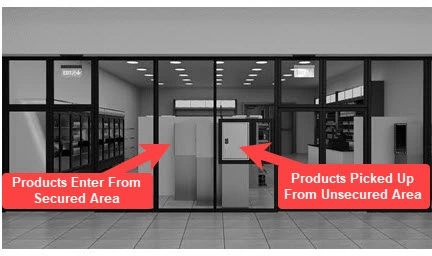
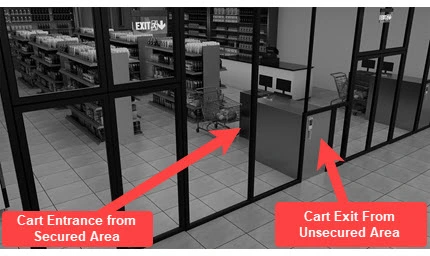
  • Sprint-Thru™ can replace existing unsecured employee managed and self checkouts into secured self-checkouts.
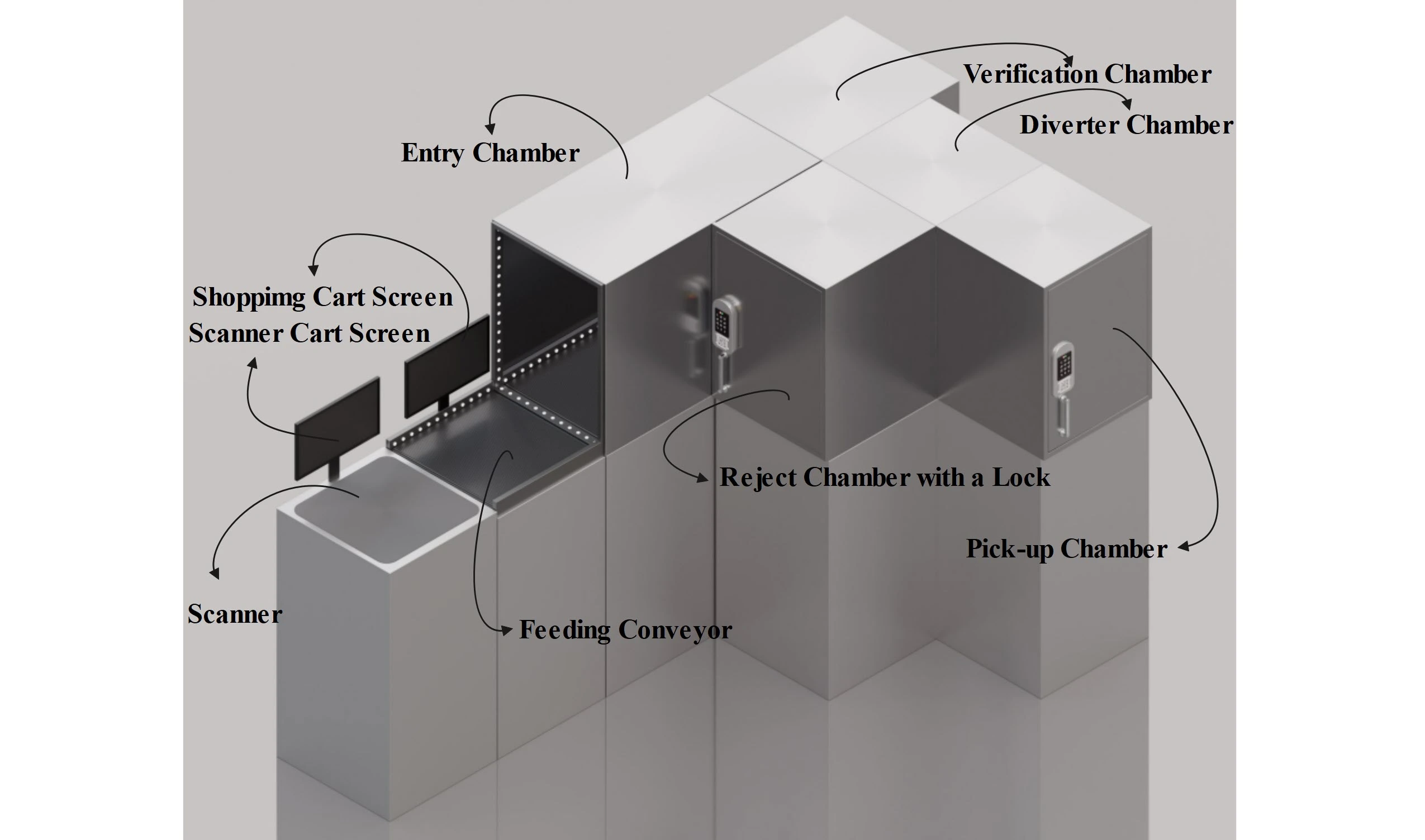
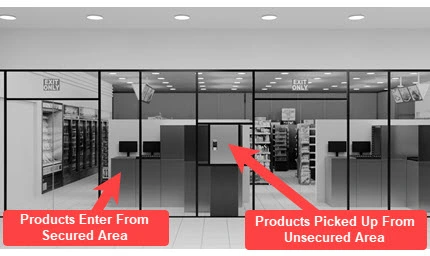
  • Products from secured merchant location can only go through a smart verification chamber and a locker.
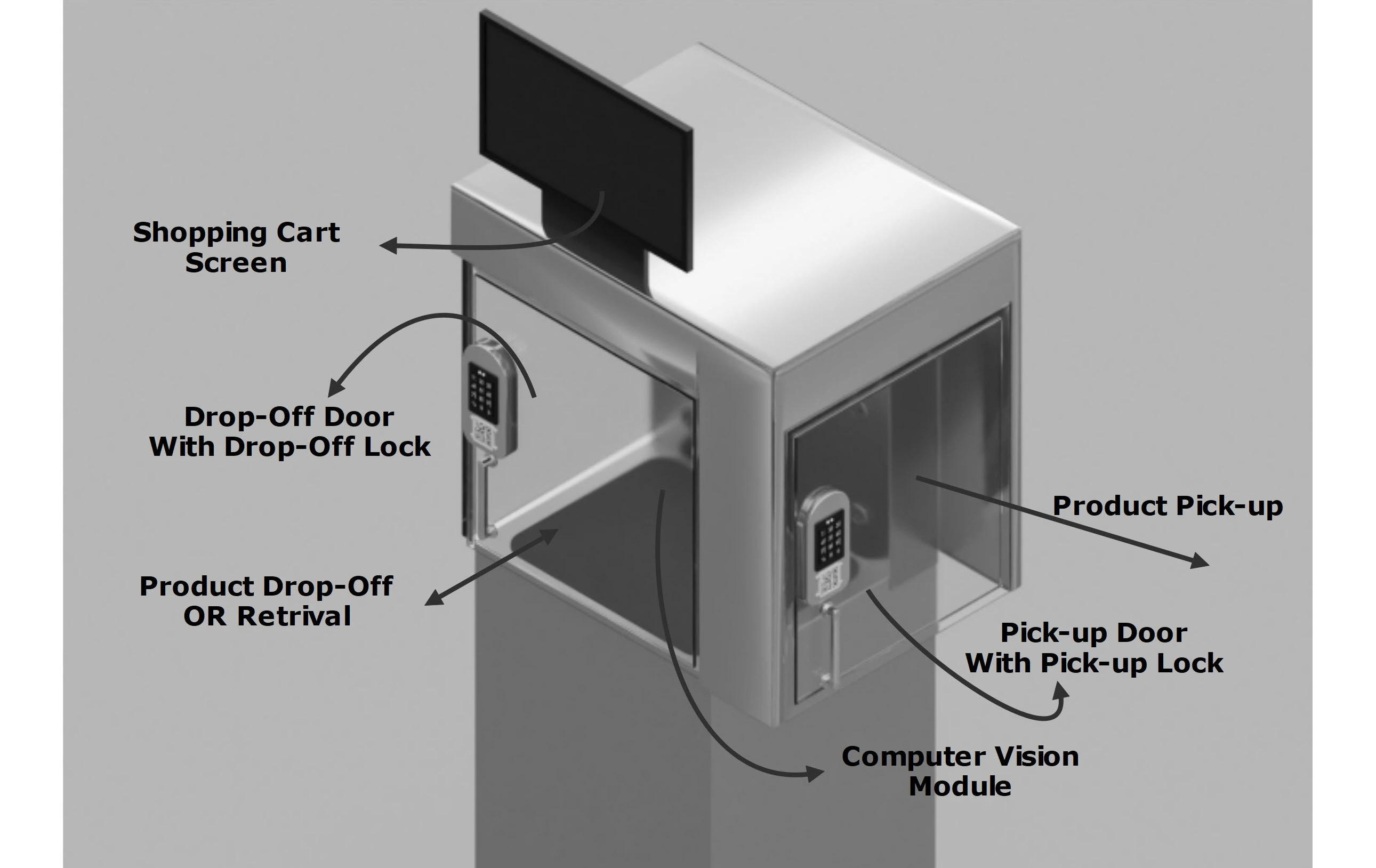
  • Smart verification chambers can be fitted with one or more technologies like scanner, RFID, computer vision and an optional weighing scale.
  • Product inventories will be automatically maintained and physical inventory will never be required.

Scanner/RFID Vision

Scanner Vision Checkout

Computer Vision

Computer Vision Checkout

Scan & Go

Scan and Go Checkout

Core Benefit

Purchased merchandise can move from secured area to unsecured area only through secured lockers, so the inventory shrinkage will be 0

Unpurchased merchandise can never move from secured area to unsecured area

Taking physical inventory will not be requird

One Platform - Every Retail POS

Sprint-Thru™ provides easy to integrate API (Application Programming Interface) for every retail POS system

API integration is required.

One Location - Multiple Checkout Station Types

Conveyor Feed

Scanner Vision Checkout Exterior

Manual Feed

Computer Vision Checkout Exterior

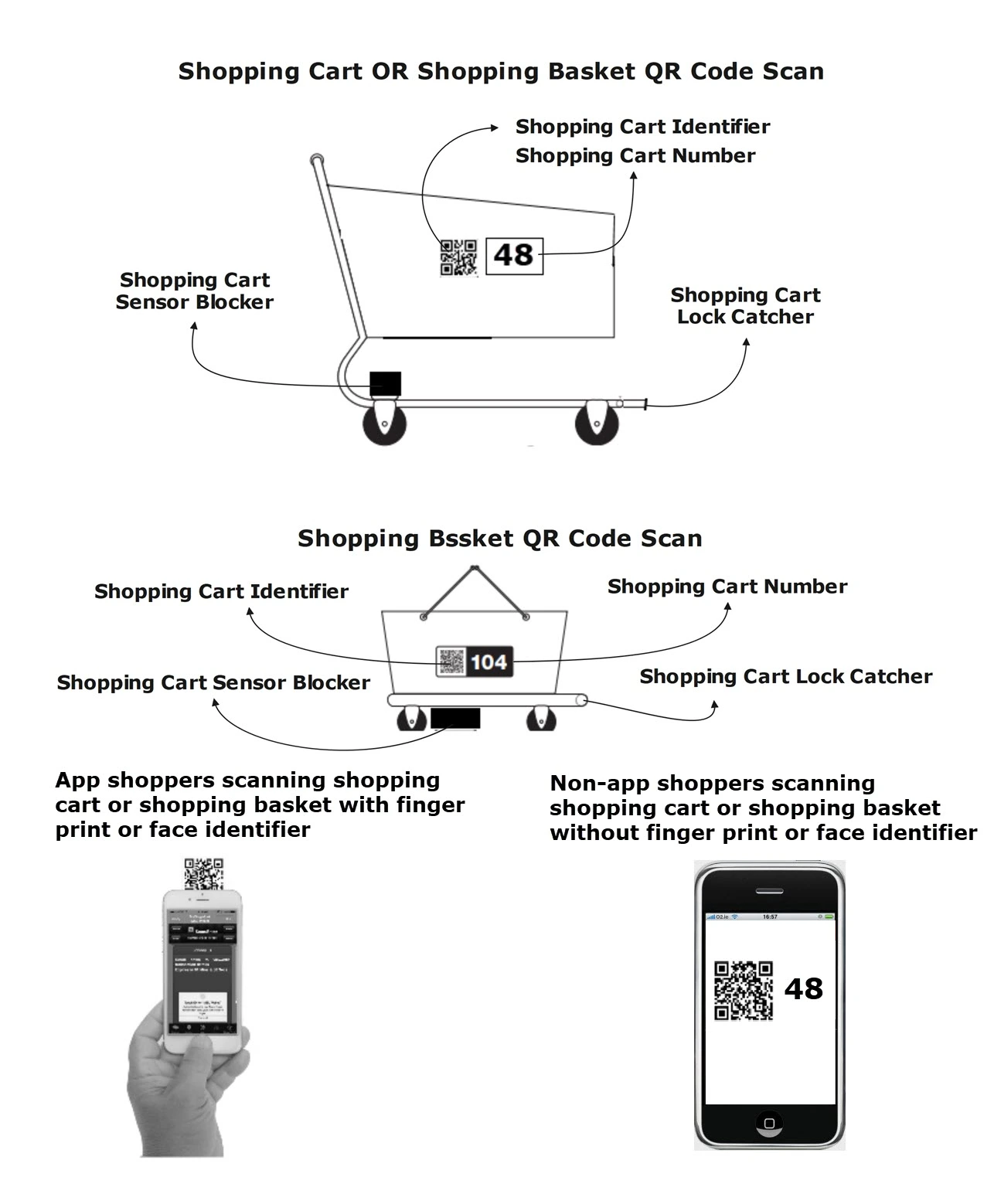
Shopping Cart Feed

Scan and Go Checkout Exterior

Secured Self Checkout
Conveyor Load

Scanner Vision Checkout

Step 1

From secured area scanned items will be placed on a conveyor

Step 2

Verified items will be sent to a locker
Unverified items will be sent to a reject chamber

Step 3

When payment is made for the items moved to the locker, the items can be retrieved from the locker from unsecured area.

Secured Self Checkout
Manual Load

Computer Vision Checkout

Step 1

From secured area items will be placed in a locker

Step 2

When all the items are verified the locker will be locked

Step 3

When payment is made for the items placed in the locker, the items can be retrieved from the locker from unsecured area.

Secured Self Checkout
Scan & Go

Scan and Go Checkout

Step 1

From the secured area, scanned items can be dropped inside a uniquely identified shopping cart.

Step 2

Shopping carts can be pushed into a lockable station.

Step 3

Upon making payment for the items in the shopping cart, the shopping cart can be pulled out from unsecured area.

Sprint-Thru™ Cashierless Go Store

Sprint-Thru™ Cashierless Go Store can also be referred as Sprint-Thru™ Cashierless Store and Sprint-Thru™ Go Store

  • Sprint-Thru™ Cashier Less Stores can replace existing cashierless store technology such as amazon go store technology and also can be used to create new cashierless stores.
  • Cashier Less Stores are modern type of retail stores where shoppers can shop and leave without stopping at a checkout counter. No scanning items, no cash register, no lines.
  • For better performance and to reduce cost pushers, sensors and tags can replace Computer vision and AI without tracking shoppers.

Product Pusher

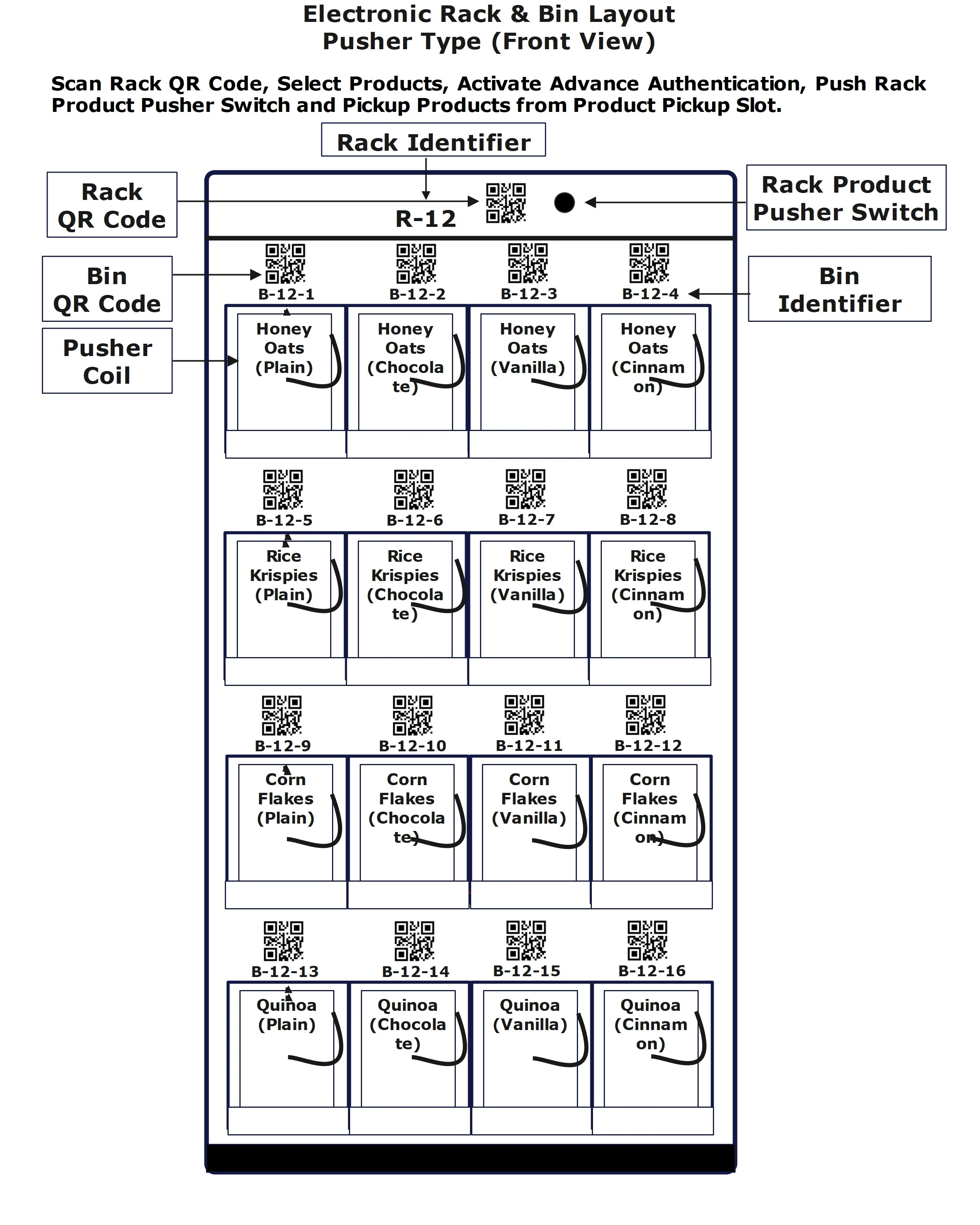
Store Rack Product Pusher

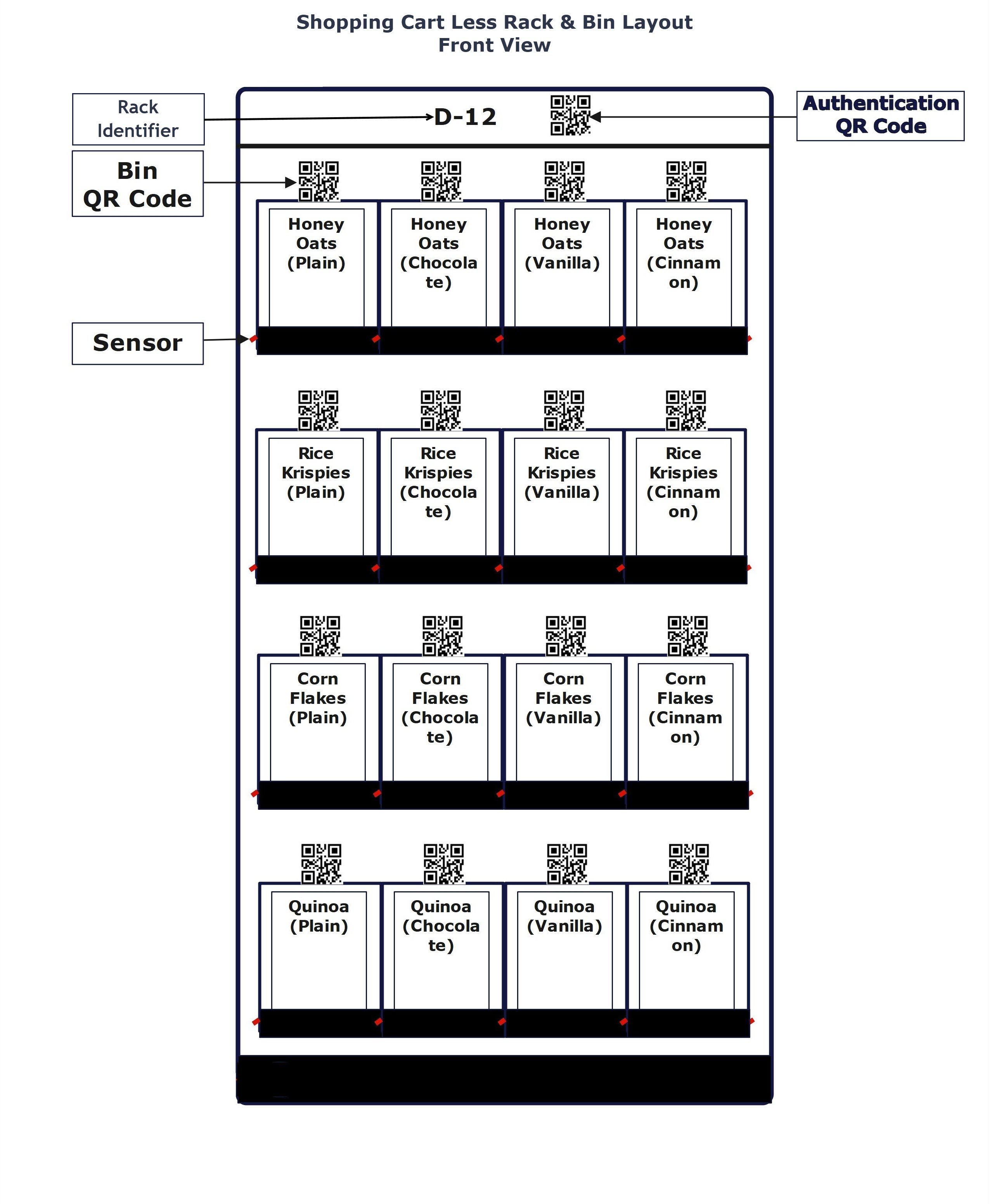
Rack/bin Pickup

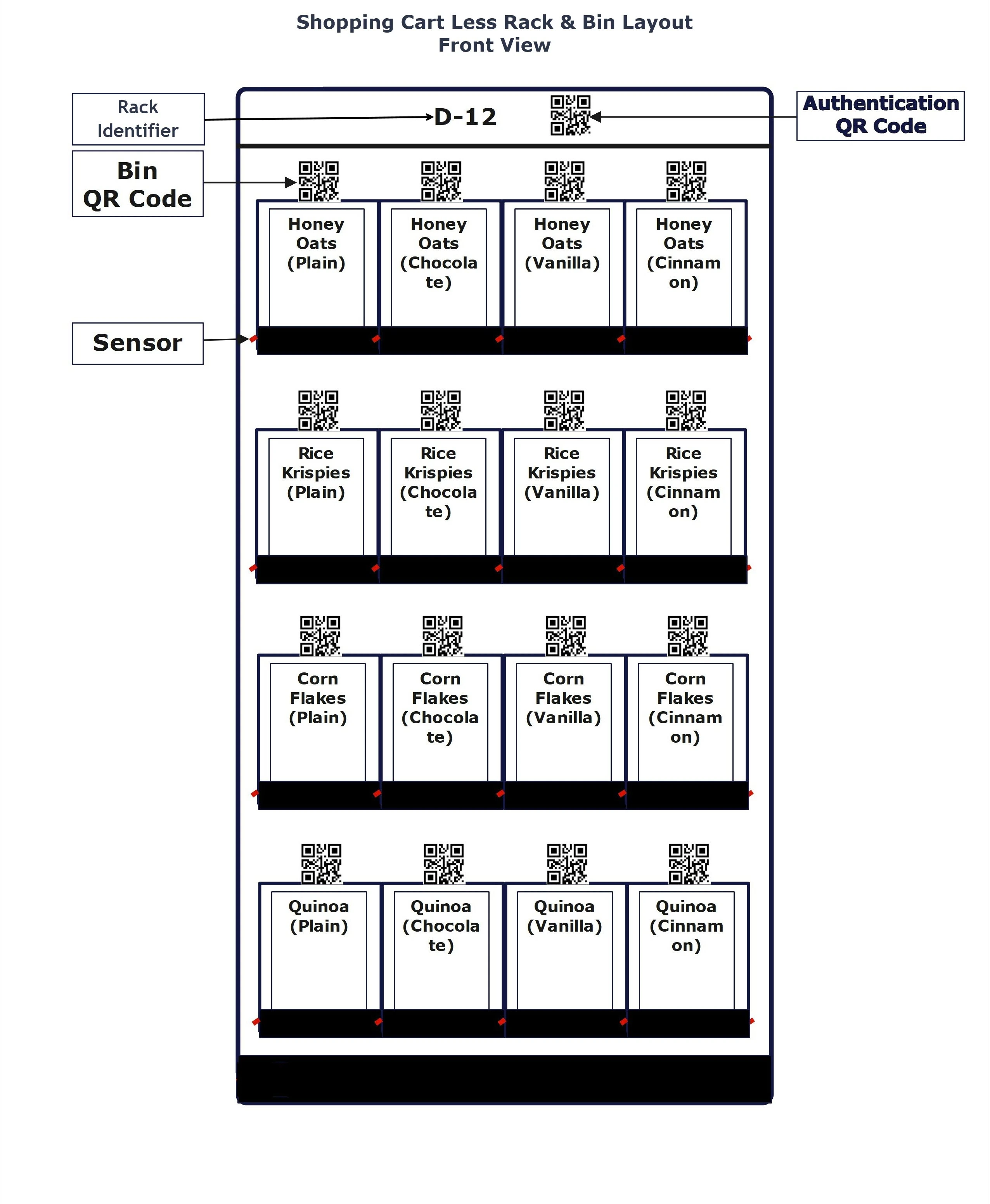
Cart Less Rack Layout

Tag Pickup

Rack Product Pickup

AI Pickup

AI Product Pickup

Core Benefit

Products can be pushed out of secured area to unsecured area or products can be picked up from secured bins only with advanced authentication.

Taking physical inventory will not be requird

One Platform - Every Retail POS

Sprint-Thru™ provides easy to integrate API (Application Programming Interface) for every retail POS system

API integration is required.

One Location - Multiple Product Pickup Types

Product Pusher

Store Rack Product Pusher

Rack/Bin Pickup

Cart Less Rack Layout

Tag Pickup

Rack Product Pickup

AI Pickup

AI Rack

Cashier Less Product Pusher
How does it work?


  • Shoppers make an advance payment authorization to enter into GO Store.
  • Shoppers scan 'Rack QR Code' and select products from mobile phones.
  • Shoppers press 'Rack Product Pusher Switch' to get the products.
  • Shoppers can continue scanning 'Rack QR Code' and getting products from the racks.
  • Upon completing shopping, shoppers leave the location with or without getting any product.
Cashier Less Rack

Cashier Less Sensor
How does it work?


  • Shoppers make an advance payment authorization to enter into GO Store.
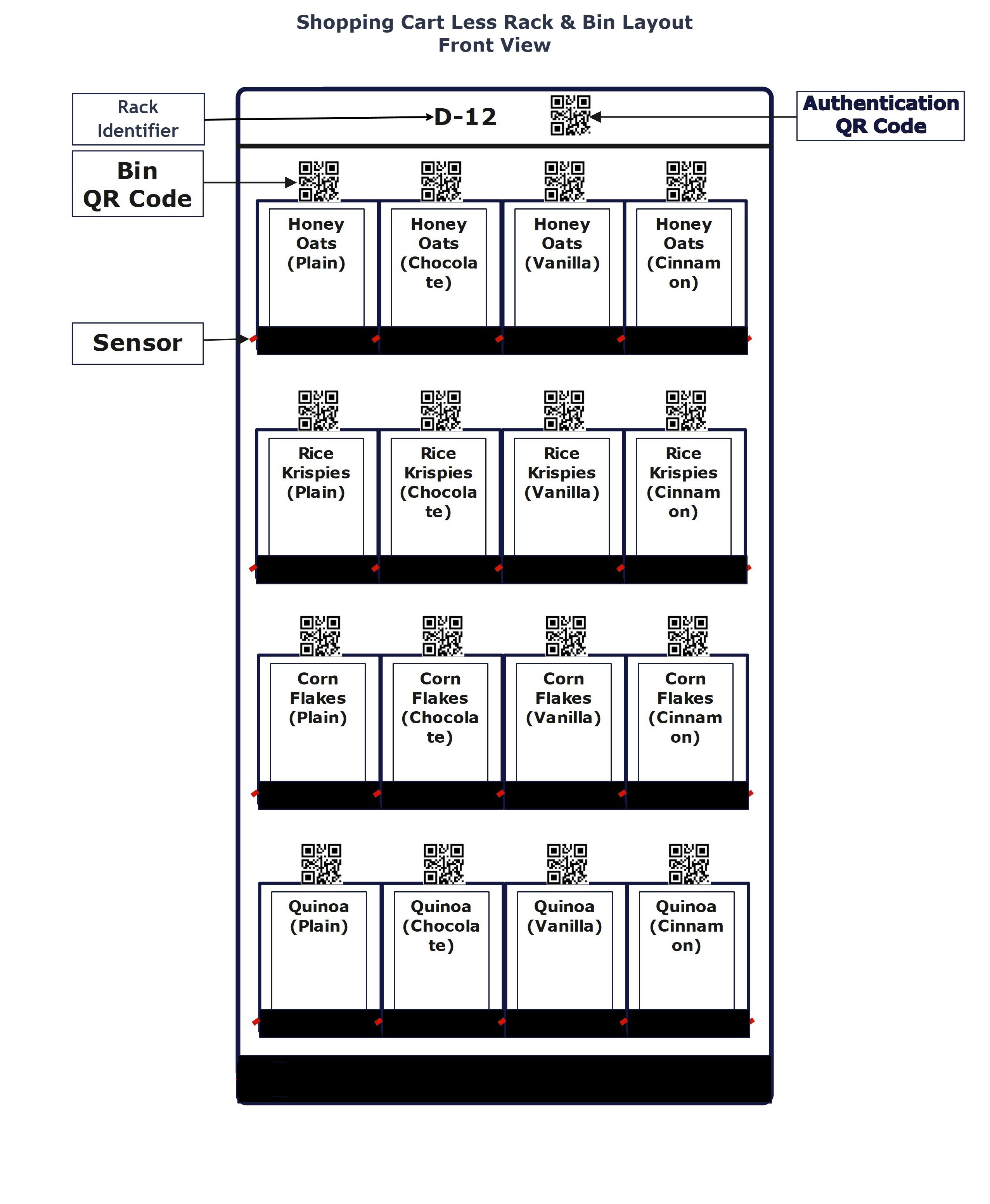
  • Shoppers scan 'Bin QR Code' and pickup the product from the bin.
  • Shoppers can continue scanning 'Bin QR Code' and picking up the products from bins.
  • Upon completing shopping, shoppers leave the location with or without picking up any product.
Cashier Less Bin

Cashier Less Tag Reader
How does it work?


  • Shoppers make an advance payment authorization to enter into GO Store.
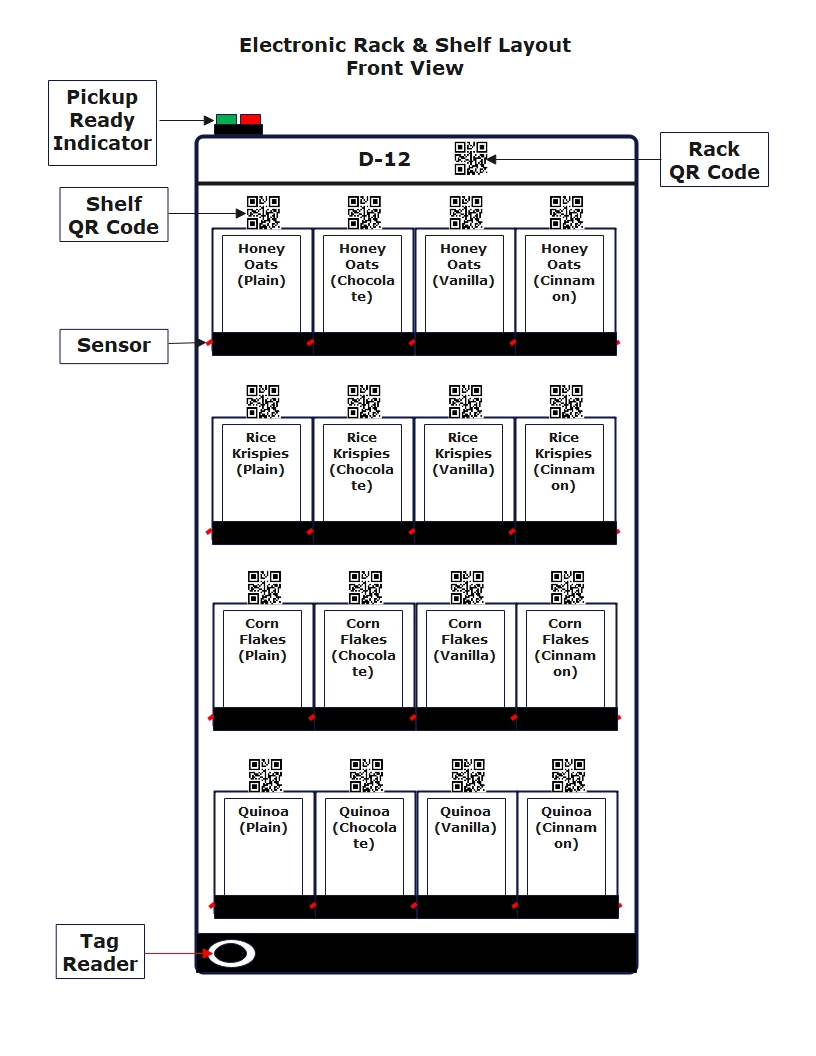
  • Shoppers scan a QR Code displayed on a shooping cart or shopping basket.
  • Wehn a shooping cart or shopping basket covers the tag reader of any rack, the green light on the rack will turn on to indicate that the shopper is free to pickup products from any bin in the rack.
  • When the shopping cart or shopping basket is removed from the tag reader the red light on the rack will turn on and the shopper cannot pickup a product from any bin within the rack.
  • Upon completing shopping, shoppers scan the QR Code printed on the shopping cart or shopping basket to inactivate the shopping cart or shopping basket.
  • Upon inactivating the shopping cart or shopping basket, shoppers can leave the location.
Cashier Less Tag
  • Shoppers make an advance payment authorization to enter into GO Store.
  • Shoppers scan 'AI Rack QR Code' to open the AI Rack door.
  • When the green light turns, shoppers pick up the goods
  • Shoppers close the AI Rack door and the red light turns on.
  • Shoppers can continue picking up the products from the AI Racks.
  • Upon completing shopping, shoppers leave the location with or without picking up any product.

Cashier Less AI Pickup
How does it work?


  • Shoppers make an advance payment authorization to enter into GO Store.
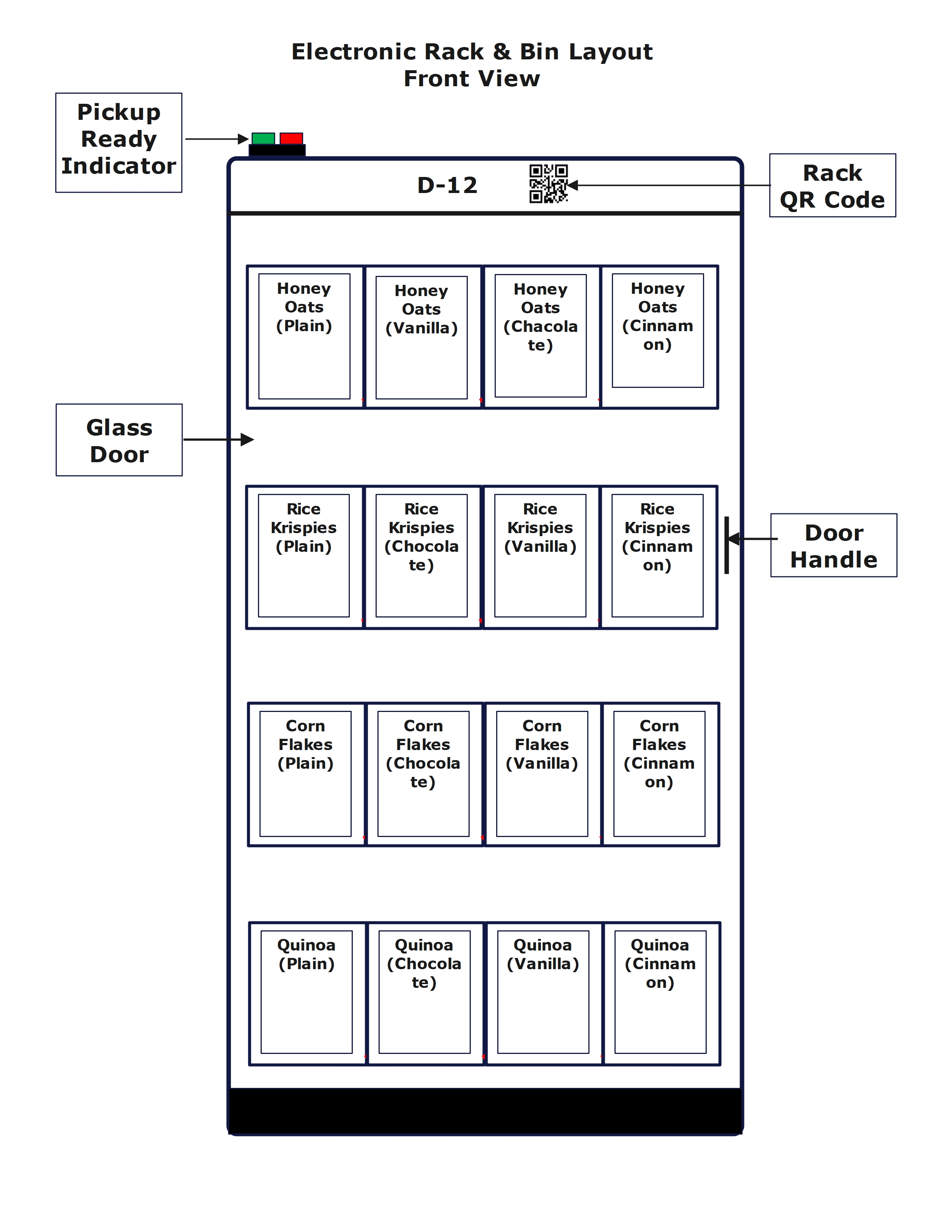
  • Shoppers scan 'Rack QR Code' to open the rack glass door.
  • The green light turns on and shoppers open the rack glass door.
  • Shoppers can pickup any item from the rack.
  • Shoppers close the rack glass door, and the red light turns on.
  • Shoppers can continue scanning 'Rack QR Code' and picking up the products from the racks.
  • Upon completing shopping, shoppers leave the location with or without picking up any product.
AI Rack

Sprint-Thru™ Secured Deliveries

  • Sprint-Thru™ is a patented Disruptive & Friction Less Technology that disrupts existing package delivery technologies.
  • Sprint-Thru™ ground delivery can replace unsecured package deliveries for single-unit and multi-unit locations using single smart lockers.
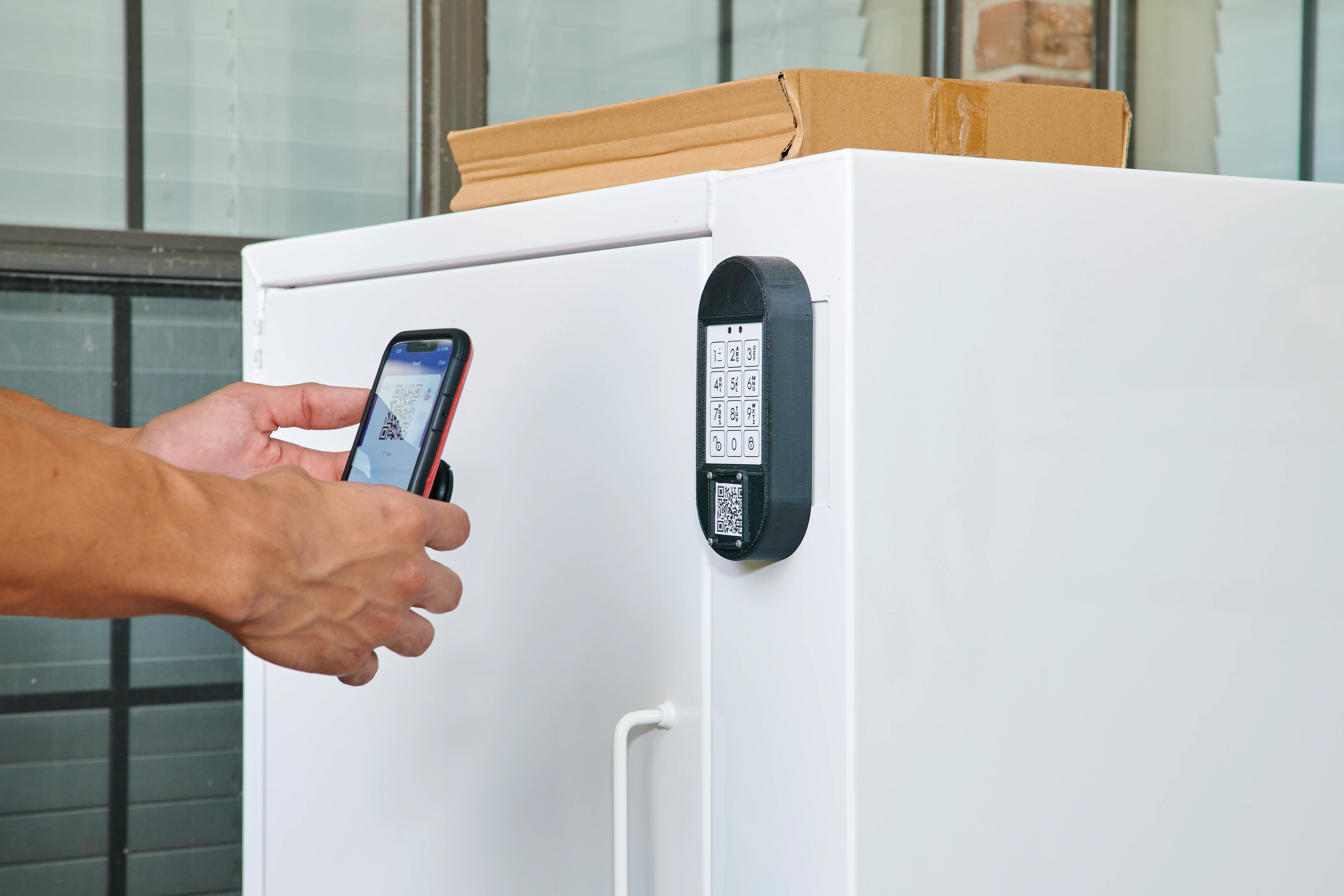
  • Sprint-Thru™ uses a patented method of using any unique text printed on the tracking slip, for example last 4 characters of tracking number.
  • App is not required (but supported)

Single Unit

Single Unit Locker

Multi Unit

Multi Unit Locker

Drones

Drone Locker

Core Benefit

Single-Unit Delivery

Package Security

Out-door & In-door Deliveries


Multi-Unit Delivery

No user id or password for delivery persons

Easy to Administar

Single Locker can be added or removed

Possibly Additioal Revenue


One Procedure - Multiple Delivery Types

No Texting, No Emailing & No Calling

Part of tracking identifier is locker one-time code


Package Delivery Single Unit

Package Delivery Multi Unit

Package Drone Delivery

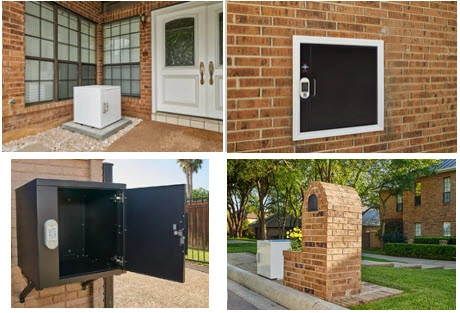
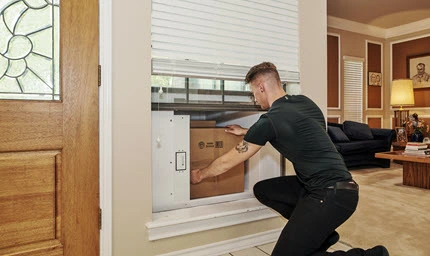
Deliveries can be made at the curbside, front door or whereever the locker is accessible from inside and outside through a wall or window.

Deliveries can be made to a locker hub shared by multi-unit occupants.

In future Drones can directly drop package into Drone Lockers which will be accessible from inside or from outside.

Single Unit Locker
Multi Unit Locker
Drone Locker

Package Delivery to Single-Unit Lockers

  • Porch piracy can be reduced to zero
  • Packages will be protected from bad weather and stray animals

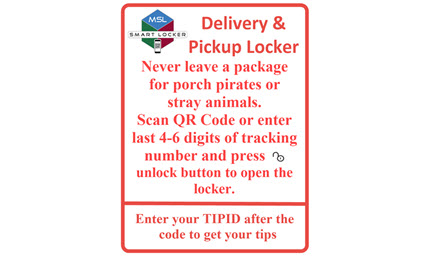
  1. Buyers place delivery orders
  2. Buyers use the locker app or website to update the one-time code
  3. Buyers can use auto-pilot option in the locker app, wherever available, to automatically update the one-time code

  1. Delivery persons follow the instructions and leave or pickup the packages
  2. Delivery persons can also enter tip-id to receive tips

Single Unit Delivery & Pickup Instructions

Single Unit Outdoor Delivery & Pickup

Single Unit Porch Pickup
Single Unit Outdoor Pickup

Single Unit Outdoor Delivery

Single Unit Indoor Pickup

Single Unit Outdoor Pickup

Package Delivery to Multi-Unit Lockers


  • Sprint-Thru™ uses locker hubs for multi-unit locations.
  • Administrators can install and administer the locker hubs
  • Administrators will maintain authorized users for the locker hub
  • Display monitors are only optional.
  • No need for multi-unit administrators to provide access passwords to delivery companies.

Multi Unit Ground Delivery

  1. Locker hub authorized users can place delivery orders and/or receive packages.
  2. Upon placing orders or when expecting to receive packages, the authorized persons would receive a unique tracking identifier
  3. Authorized users can use an app or website to reserve a locker with last few digits of tracking number
  4. Authorized users can also use auto-pilot option in the locker app, wherever available, to automatically reserve a locker when a package is expected to arrive.
  5. Authorized users can also receive packages without reserving a locker.
  6. Upon receiving a text message or an app notification with the locker number and one-time code, the authorized users can retrieve the package.

  1. Delivery persons can follow the instructions displayed on the instructions poster
  2. By scanning a QR Code dislayed on the instructions poster and by entering the unit number and the last few digits of tracking number, the delivery persons can get the number of an available locker.
  3. Delivery persons would leave the package in the assigned locker and leave.

Package Delivery by Drones

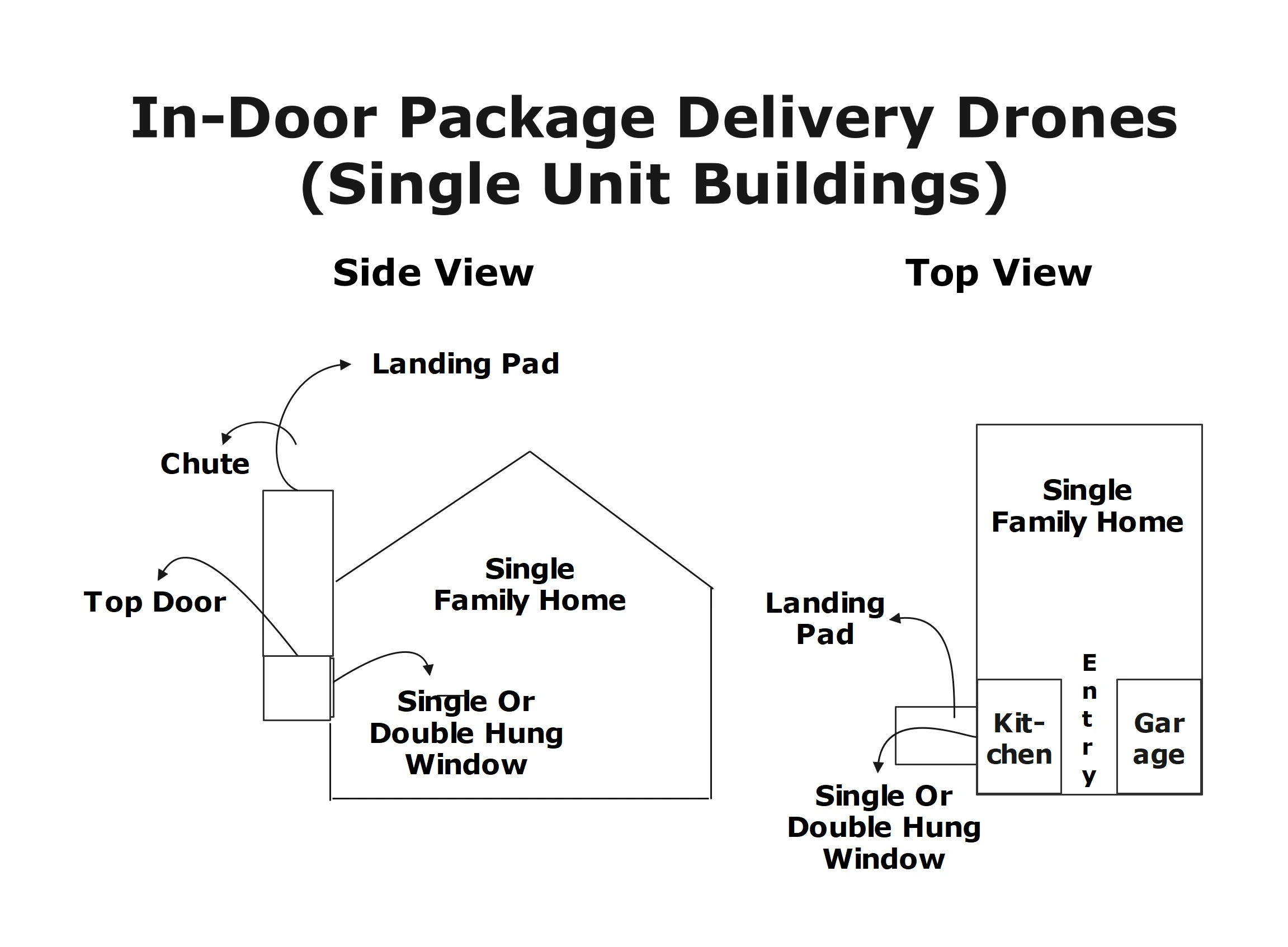
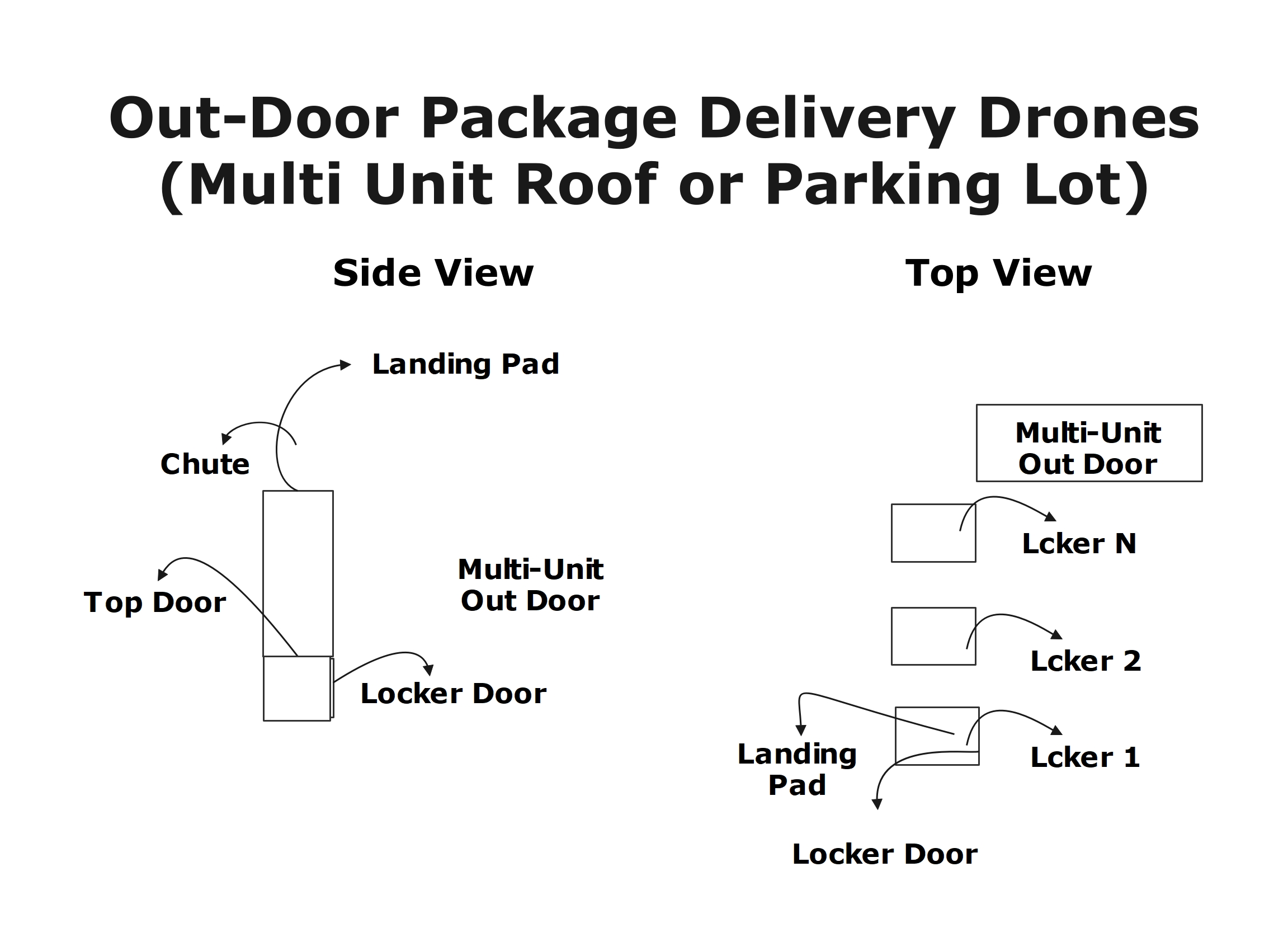
Sprint-Thru™ drone delivery disrupts existing ground package delivery technologies by providing drones to deliver packages to single and multi-unit buildings.

Single Unit Delivery

Multi-Unit Delivery

Drone Locker
Single Unit Drone Delivery
Drone Locker
Multi Unit Outdoor Drone Delivery

Sprint-Thru™ Password & OTP Less Applications

  • Sprint-Thru™ authenticators verify users using finger print or face id authentication rather than using user id and passwords.
  • 'Not A Human' visitors are blocked using multi device captchas.

SUDS

Password Less Logins

One-Time Passcode Less Call Centers

2 Factor Authentication Plus (2FA+)

Multi Device Captcha

Web sites can be accessed without user id and password.

Call centers can be accessed without giving Personal Identification Number (PIN).

2 Factor Authentication Plus can be used instead of 2 Factor Authentication.

Multi Device Captcha is more secured and easy to replace Single Device Captcha.

Password Less Logins
Desktop Browser Version
Multi-Factor Authentication

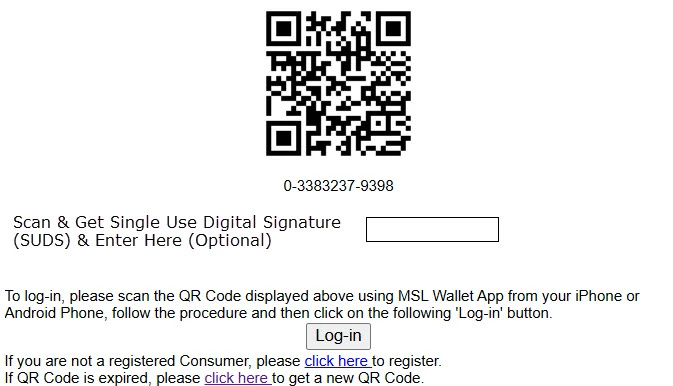
  • A unqiue login identifier in text and QR Code format will be displayed on a password less login page.
  • Consumers scan the QR Code using a mobile device with or without 'MysingleLink' app or 'Merchant' app and receive the information about the merchant.
  • Consumers would verify the merchant information.
  • Consumers using a biometric identifier in the app will Authenticate and click on 'Login' button displayed on the login page.
  • Consumers not using the app will receive a one-time code with blanks to replace the blanks with their master code to create a one-time code. Customers enter the code and click on 'Login' button displayed on the login page.
  • Based on the information received from the merchant and based on the communication with the consumer, MySingleLink would authenticate the consumer or reject the request.
  • If the customer is authenticated, merchant would receive the unique customer identifier and the basic information of the authenticated consumer.
  • Each consumer will be assigned a unique customer identifier with each participaing merchant.
  • When a merchant server is hacked, other merchants will still be protected, because customer identifiers of consumers with each merchant is unique and no password is used.
  • Customers maintain their basic information with MySignleLink and merchants would always receive upto date customer information.

The number of factors used in the autnentication depends on whether the consumer used an app or not

One-Time Passcode Less Verification

  • Merchant would give a unique code to the caller.
  • The caller can access a web site or an app and enter the code received from the operator.
  • If the code is valid then the caller would get the details of the merchant and the operator.
  • The caller would also get a response code with or without '*' in the code. If the caller received a response code with '*' in the code, then caller would replace '*' with master pin.
  • The caller wuold give the response code to the operator.
  • Then the operator would verify the response code.
  • If the response code is valid, then the operator would receive the details about the caller and the caller will be considered as verified.

2 Factor Authentication Plus

2FA Page

Following are the steps in 2FA model:
  1. Web site accepts user's mobile number
  2. User receives a one-time code
  3. Web site accepts a one-time code
  4. Web site verifies the one-time code
  5. If the one-time code is valid then the 2FA is considered successful, otherwise it will be condidered failure

Sprint-Thru™ 2FA+ Page

Following are the steps in 2FA+ model:
  1. Web site accepts user's mobile number from the user and captures user's ip address from the browser.
  2. User receives a text message with a link to get a one-time code
  3. User gets a one-time code only if the ip address of the linked page is saeme as the ip address of the page where user entered the mobile number.

Security

  • 2FA+ process is more secured then 2FA and cannot be hacked, because it verifies the ip addresses in addition to one-time code.
  • The web sites that process the transaction using 2FA provides a warning and a request message to protect the one-time code and not to share with anyone else.
  • The web sites that process the transaction using 2FA+ may not provide a warning and a request message to protect the one-time code.
  • There will be more trust for the website that do not display warning messages.


Multi Device Captcha

Current Captcha Page

Check the box to show you are not a robot
I am not a robot

Sprint-Thru™ Captcha Page

Scan the QR Code and view an image
QR Code
Select an Image that is same as the image viewed
Image 1
Image 2
Image 3
Image 4
Image 5
Image 6
If selected image is correct then the following check box and the text will be visible
I am not a robot
 

Drive-Thru Order Pickup - QSR Study

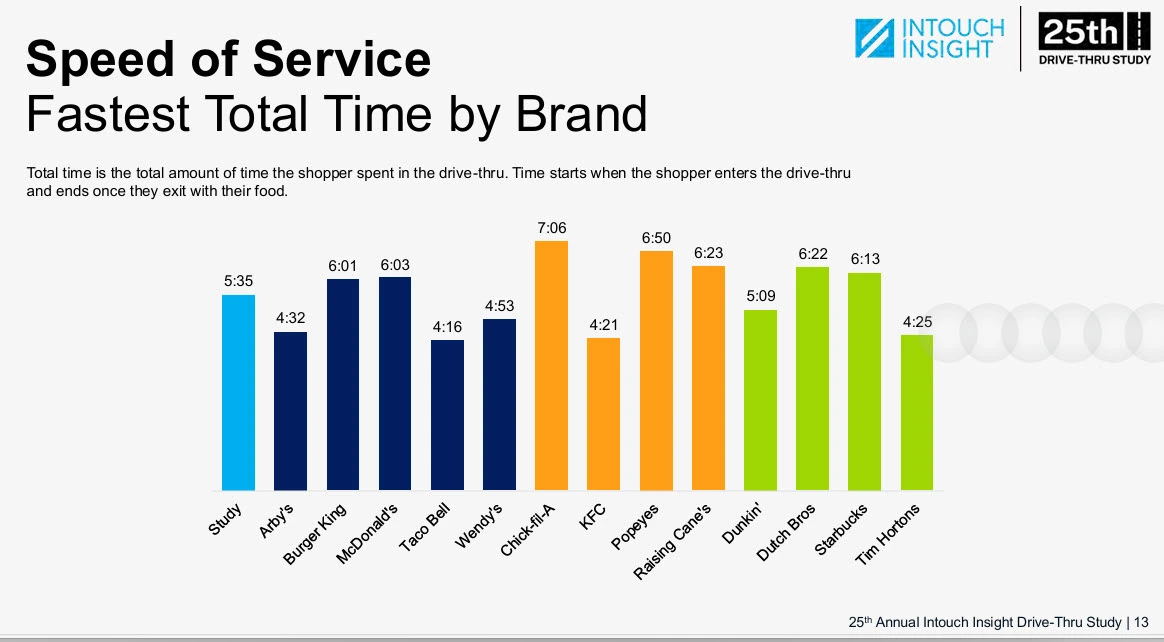
The annual QSR Drive-Thru Study released for the last 20 years is well recognized in the industry. The QSR Drive-Thru Study 2025 conducted by QSR Magazine in partnership with Intouch Insight using mystery shoppers and sample locations primarily focused on the following touch points which are used in comparing drive-thru and Sprint-Thru™ for this time study:

  • Speed of Service which is also referred to as Total Time that is further divided into the following touch points:
    • Wait Times which is 'Amount of time from when the shopper enters the drive-thru lane to when they start to place their order'.
    • Service Times which is 'Amount of time it took the shopper to order and receive their food'.
    All the times are expressed in whole seconds.
  • Order Accuracy
  • Suggestive Selling
  • Food Quality

Total Time 2025

Description

QSR Study (2025)

Sprint-Thru


Best

Worst

Projected

Wait Times

Taco Bell: 61.00

Chick-Fila: 99.00

30.00

Service Times

Taco Bell: 195.00

Chick-Fila: 327.00

0.00 - Prep Time + 30.00

Total Times

Taco Bell: 256.00

Chick-Fila: 426.00

30.00 - Prep Time + 60

Order Accuracy

Dutch Bros: 96%

Taco Bell: 85%

100%

Suggestive Selling

KFC: 84%

Taco Bell: 37%

100%

Food Quality

Raising Canes: 100%

Starbucks: 83%

100%


Sprint-Thru™ Projected Details:

Total Time:

Fastest:
Order Ahead Customers and Delivery Persons whose orders are ready when they arrive can pick up in 30.00. The total time will be 30.00.

Slowest:
Order Now Customers can place orders within 30.00, wait for Order Preparaton and pick up in 30.00. The total time will be Order Preparation Time plus 60.00


Order Accuracy:

Always will be 100%.

Customers take the responsibility for entering the orders.


Suggestive Selling:

Always will be 100%.

Customers are directed to online ordering systems through a QR Code.

Online ordering systems can access customer profile, past orders and current orders to provide meaningful suggestions.


Food Quality:

Always will be 100%.

Vehicle ordering and waiting areas are far away from order pickup stations.

When order pickup stations with transporters are used the order drop-off points (accessibe from preparation area) and order pick-up points (accessible from parking lot)are far away from each order.

Vehicle pollutants will not enter into order preparation areas.

Prepared food will always be fresh, because orders will never stay inside the lockers for more than one or two minutes.


Order Pickup - ROI

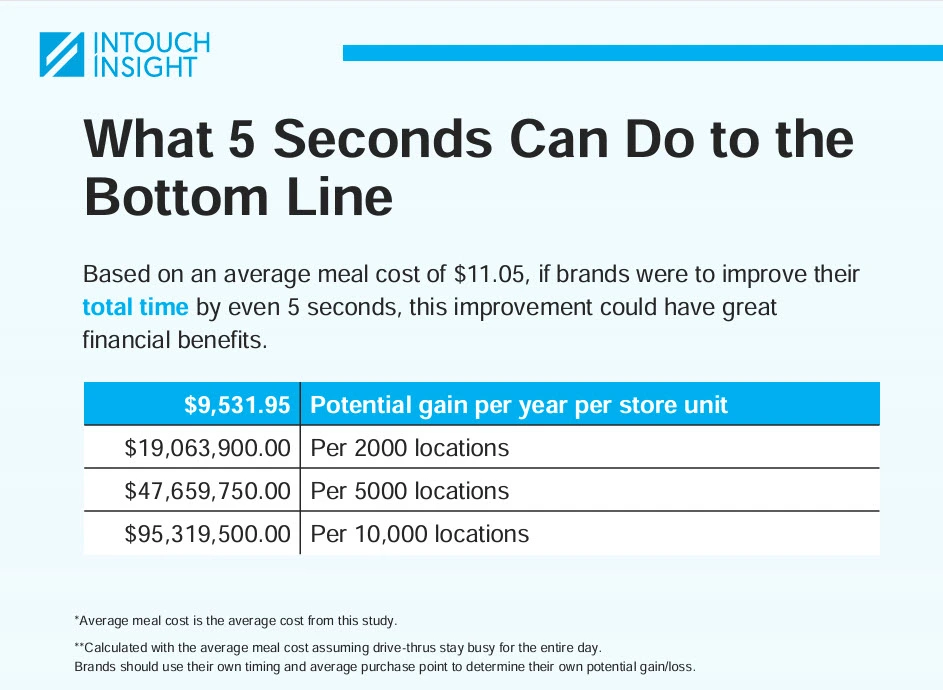
QSR 2024 Study.
Total Time Impact on Lost Revenue:

Per Year Per Store for every 5 seconds: $9,531.95

The Return On Investment can vary and depend on the following factors:

  • Oreder Prepation Time
  • Number of Pickup Areas
  • Number of Pickup Stations or Lockers in each Area
  • Reduction in Head Count in each Area
  • Increasded revenue because of reduction in total pickup times.

The minimum Return On Investment calculated as a percentage per year would be in 3 figures.

Total Time Impact on ROI

Following are the 3 options available for setting up Sprint-Thru™ System and available signage for display under each option. The Return On Investment (ROI) would depend on the selected option, the required initial investment based on the setup, recurring cost and recurring savings:

Parking Lot & In-Store Pick Up
Approved Signage:

Your Business Name

Sprint-Thru™
 

Parking Lot Pick Up
Approved Signage:

Your Business Name

Sprint-Thru™
Parking Lot

In-Store & Cubside Pick Up
Approved Signage:

Your Business Name

Sprint-Thru™
In-Store

The above signage would indicate that the location is licensed to use Sprint-Thru™ for parking lot and for in-store pick up

The above signage would indicate that the location is licensed to use Sprint-Thru™ for parking lot pick up only.

The above signage would indicate that the location is licensed to use Sprint-Thru™ for in-store and/or curbside pick up only.

  • The Reduction in Employee Count and the Reduction in pick up time used in the ROI are based on the benefits of the methodologies installed in the Sprint-Thru™ system. Additional potential savings per location per year as noted in 2024 QSR Study for 100% order accuracy (84,312,61), profile based on suggestive selling (35,780.09), enhanced communication quality and improved food quality are also availbe, but not included in the ROI.
  • The savings in employee cost is based on total cost of $15.00 per hour, but it could be much more than that.
  • Additional savings due to after hour pick up and after hour sales not included in the ROI.
  • Click on expand buttons to view details of a hypothetical Return on Investment for each Sprint-Thru™ option:

ROI Details - Parking Lot & In-Store Pick Up


Initial Investment (Sprint-Thru):


In-store & Curbside Smart Lockers (6):
(In any combination)


2,994.00


Computer (Not Sold by Sprint-Thru):


799.00


2 Display Monitors
(Not sold by Sprint-Thru)


398.00


In-store Payment Terminals (3):


1,500.00


Parking Lot Pick Up Stations with Transporters (3):


45,000.00


Additional Outdoor Screens:
(Not sold by Sprint-Thru)


3,000.00


Parking Lot Payment Terminals (3):


1,500.00


Installation Cost 10% of Total Equipment Cost:
(Third party installer is required)


5,519.10


Sales Tax (Assumed at 8.00%):


4,856.81


Total Cost including Installation and Sales Tax:


65,566.91


Initial Investment (Drive-Thru):

It may not be even possible to build a drive-thru lane with more than one drive-thru window to a single building without using Sprint-Thru™ technology.


Recurring Cost (Sprint-Thru):


Signage Licensing Fee:


0.00


Sprint-Thru™ software as a service subscription fee:


0.00


iPoster QR Code download Fee:


0.00


Traffic Manager for In-Store: (Yearly Discounted Fee)


431.89


First In-Store Locker: (Yearly Discounted Fee)


215.89


Traffic Manager for Curbside: (Yearly Discounted Fee)


431.89


First Curbside Locker: (Yearly Discounted Fee)


215.89


Additional 4 In-Store or Curbside Lockers:
(21.49 X 4)
(Yearly Discounted Fee)


85.96


Traffic Manager for Parking Lot: (Yearly Discounted Fee)


431.89


3 Parking Lot Lockers:
(431.89 X 3)
(Discounted Yearly Subscription)


1,295.67


Total Yearly subscription cost:


3,108.99


Yearly Tax (Based on 8.00%):


248.72


Total yearly cost:


3,357.71


Expected Recurring Savings (Sprint-Thru):


Minimum Reduction in Employee Count:
(For parking lot, in-store & curbside automation)


4


Reduction in Employee Cost for reduction in Employee Count (4):
(30,000.00 per employee including tax and benefits)


120,000.00


Cost Basis:
(Yearly savings 120,000.00 - yearly cost 3,357.71)


116,642.29


Percent Basis:
(Cost Basis 116,642.29 / Initial Investment 65,566.91 as percentage)


177.89


ROI - Parking Lot Pick Up

Hypothetical Setup


Number of Parking Lot Pick Up Stations installed:
3 times faster than a drive-thru lane & Cost is less:


3


Summary:


Initial Investment:


58,806.00


Total Yearly Cost:


1,865.78


Expected Yearly ROI in amount:
Expected Yearly Savings (90,000.00) - Total Yearly Cost (1,865.78)


88,134,22


Expected Yearly ROI in percentage:
(Cost Basis 88,134.22 / Initial Investment 58,806.00 as percentage)


149.87


ROI Details - Parking Lot Pick Up


Parking Lot Pick Up Stations with Transporters (3):


45,000.00


Additional Outdoor Screens:
(Not sold by Sprint-Thru)


3,000.00


Parking Lot Payment Terminals (3):


1,500.00


Installation Cost 10% of Total Equipment Cost:
(Third party installer is required)


4,950.00


Sales Tax (Assumed at 8.00%):


4,356.00


Total Cost including Installation and Sales Tax:


58,806.00


Initial Investment (Drive-Thru):

It may not be even possible to build a 3 drive-thru lanes with drive-thru windows to a single building without using Sprint-Thru™ technology.


Recurring Cost (Sprint-Thru):


Signage Licensing Fee:


0.00


Sprint-Thru™ software as a service subscription fee:


0.00


iPoster QR Code download Fee:


0.00


Traffic Manager for Parking Lot: (Yearly Discounted Fee)


431.89


First Parking Lot Locker:
(Discounted Yearly Subscription)


431.89


Additional 2 Parking Lot Lockers:
(431.89 X 2)
(Discounted Yearly Subscription)


863.78


Total Yearly subscription cost:


1,727.57


Yearly Tax (Based on 8.00%):


138.21


Total yearly cost:


1,865.78


Expected Recurring Savings (Sprint-Thru):


Minimum Reduction in Employee Count:
(Combined for parking lot)


3


Reduction in Employee Cost for reduction in Employee Count (3):
(30,000.00 per employee including tax and benefits)


90,000.00


Cost Basis:
(Yearly savings 90,000.00 - yearly cost 1,865.78)


88,134.22


Percent Basis:
(Cost Basis 88,134,22 / Initial Investment 58,806.00 as percentage)


149.87


ROI - In-Store and/or Curbside Pickup

Hypothetical Setup


Number of In-store and/or Curbside Smart Lockers installed:


6


Summary:


Initial Investment:


6,750.22


Total Yearly Cost:


1,492.04


Expected Yearly Savings:


30,000.00


Expected Yearly ROI in amount:
Expected Yearly Savings (30,000) - Total Yearly Cost (1,492.04)


28,507.96


Expected Yearly ROI in percentage:
(Amount Basis 28,507.96 / Initial Investment 6,750.22 as percentage)


422.33%


ROI Details - InStore and/or Curbside Pick Up


Initial Investment (Sprint-Thru):


In-store & Curbside Smart Lockers (6):
(In any combination)


2,994.00


Computer (Not Sold by Sprint-Thru):


799.00


2 Display Monitors
(Not sold by Sprint-Thru)


398.00


In-store Payment Terminals (3):


1,500.00


Installation Cost 10% of Total Equipment Cost:
(Third party installer is required)


568.20


Sales Tax (Assumed at 8.00%):


500.02


Total Cost including Installation and Sales Tax:


6,750.22


Recurring Cost (Sprint-Thru):


Signage Licensing Fee:


0.00


Sprint-Thru™ software as a service subscription fee:


0.00


iPoster QR Code download Fee:


0.00


Traffic Manager for In-Store: (Yearly Discounted Fee)


431.89


First In-Store Locker: (Yearly Discounted Fee)


215.89


Traffic Manager for Curbside: (Yearly Discounted Fee)


431.89


First Curbside Locker: (Yearly Discounted Fee)


215.89


Additional 4 In-Store or Curbside Lockers:
(21.49 X 4)
(Yearly Discounted Fee)


85.96


Total Yearly subscription cost:


1,381.52


Yearly Tax (Based on 8.00%):


110.52


Total yearly cost:


1492.04


Expected Recurring Savings (Sprint-Thru):


Minimum Reduction in Employee Count:
(For in-store & curbside automation)


2


Reduction in Employee Cost for reduction in Employee Count (1):
(30,000.00 per employee including tax and benefits)


30,000.00


Cost Basis:
(Yearly savings 30,000.00 - yearly cost 1492.04)


28,507.96


Percent Basis:
(Cost Savings 28,507.96 / Initial Investment 6,750.22 as percentage)


422.33


Consumer Add-On Applications

Sprint-Thru™ Consumer Add-On Applications are miscellaneous applications that can be used by consumers with or without using apps.

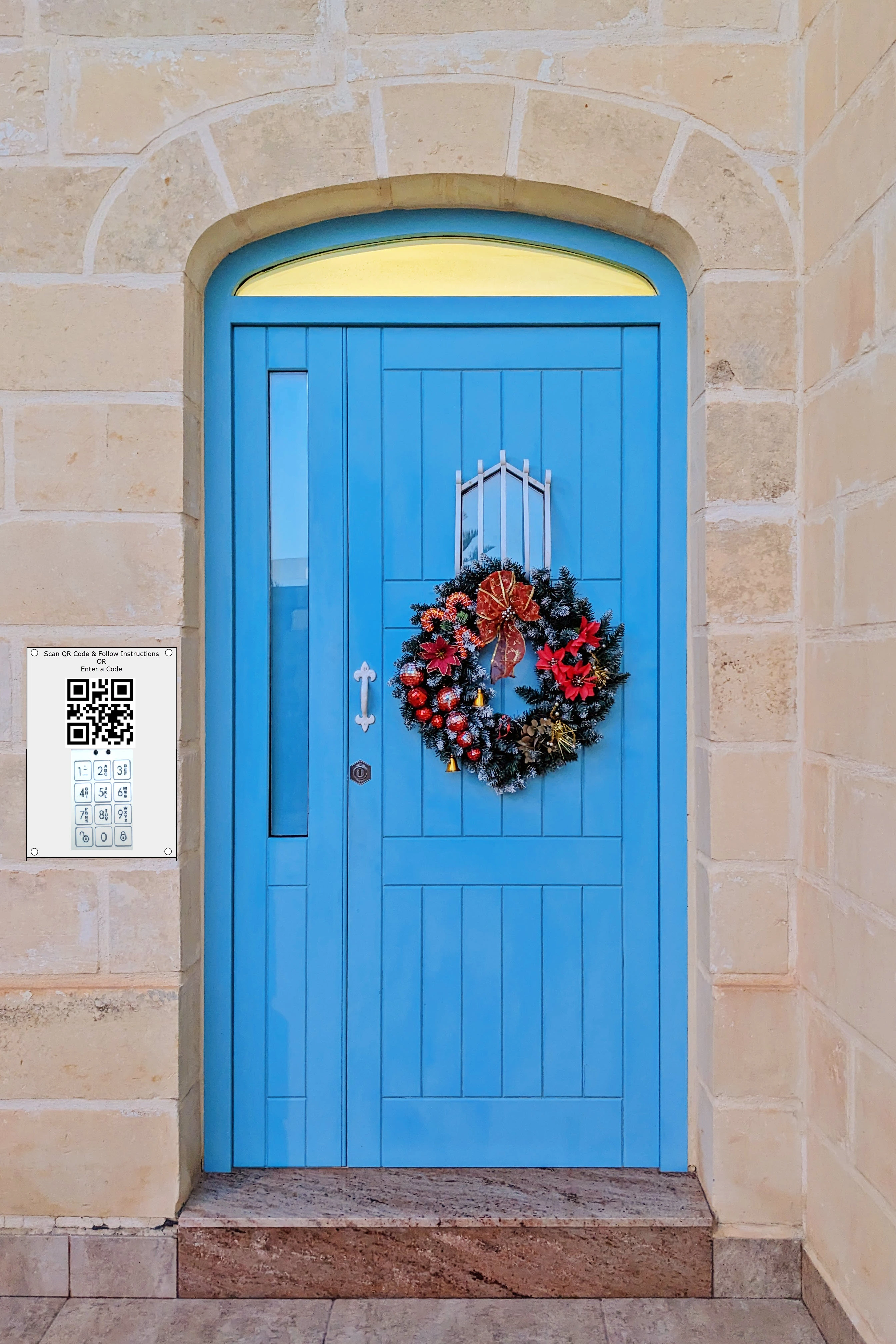
QR Door Bell

Guest Sign-in Registry

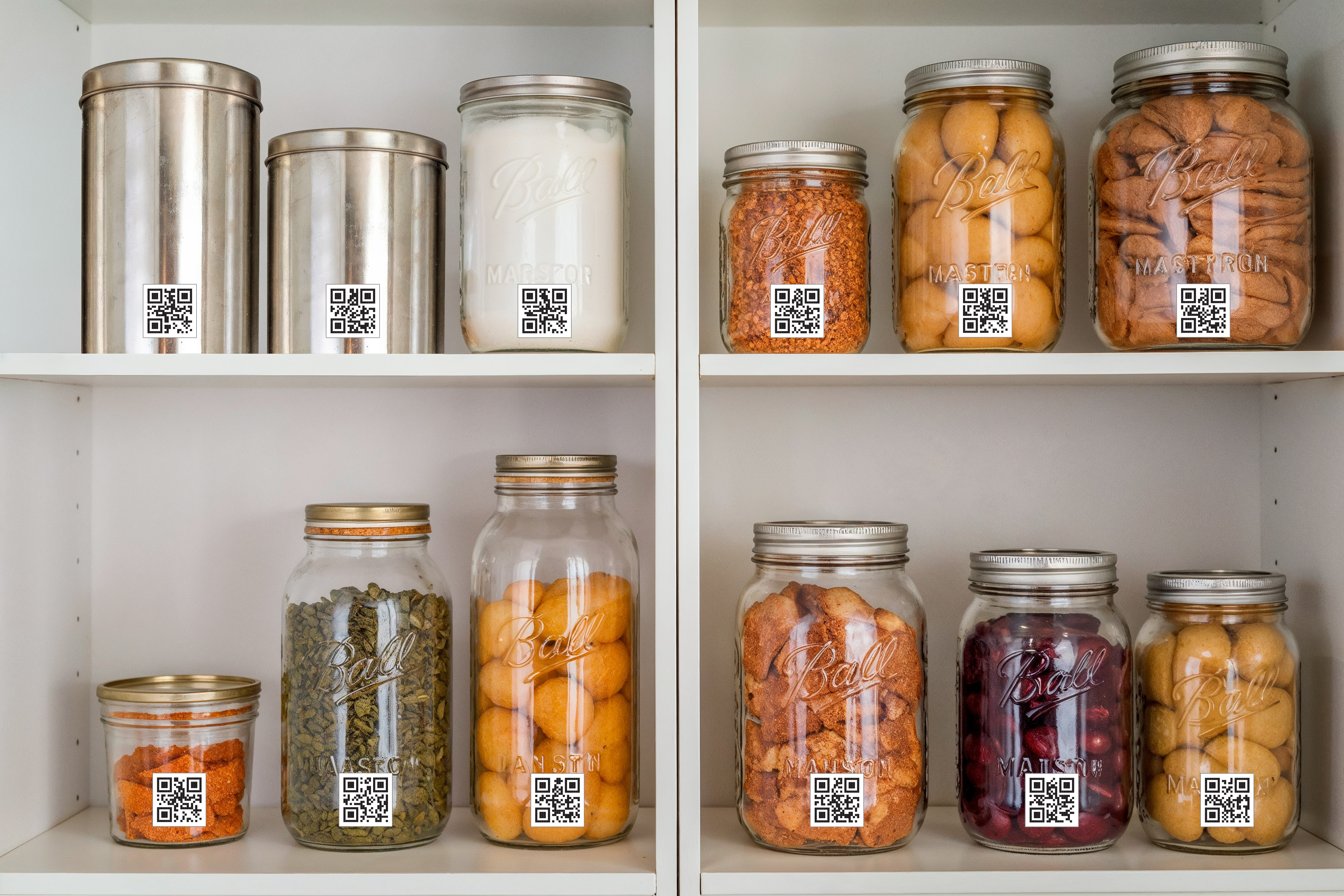
Pantry Management

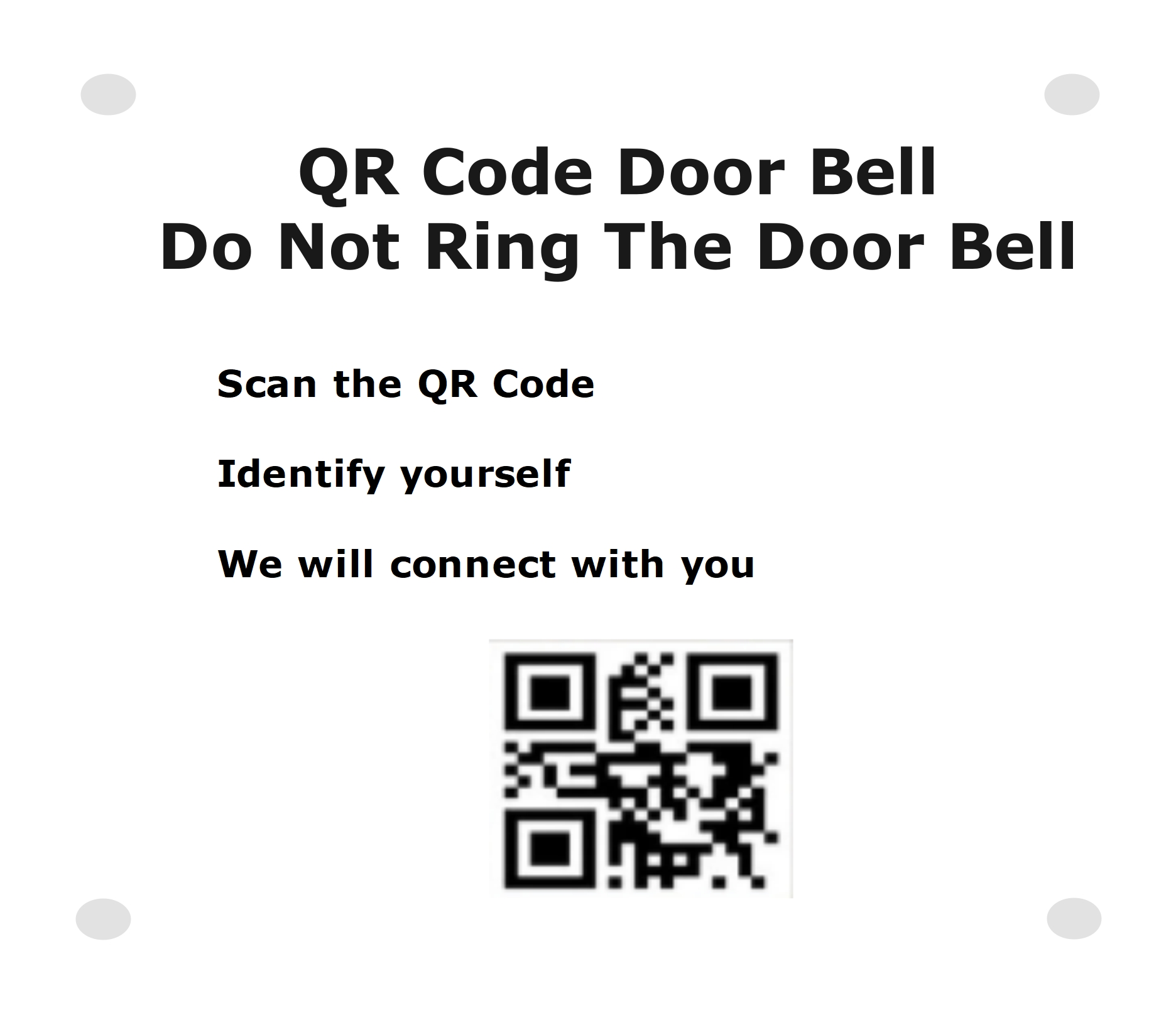
  • QR Code door bells can positively identify intruders' idendity whereas door bells like Ring cannot.
  • Digital sign-in registry can lost for ever whereas paper sign-in registry cannot.
  • Consumer kitchen pantry management can effecitvely manage cooking ingredients just like commercial kitchens do.
 
  • Pictures can be added to digital sign-in registry.
 
 
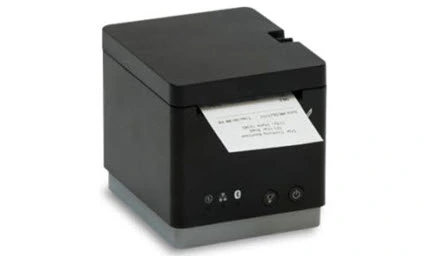
  • When guests sign-in, name tags can be printed.
 
Door Bell
Guest Registry
Pantry Management

QR Code Door Bell can protect residents from intruders (door solicitators) with or without video door bells. Just videos or images cannot identify the intruders.

QR Code Door Bell can protect residents from intruders by helping residents positively identify intruders.

Here is how it works:

  • The Intruder scans the QR Code.
  • Enters Identifying information which may include some of the following information:
    • Name
    • Company Name, if applicable
    • Door Soliciting Information
    • Phone Number
  • The resident receives the notification.
  • The resident may or may not respond.
  • If the resident responds, the intruder would receive the response and the response will not include the resident's personal information such as mobile number.
  • In a multi-unit environment, residents can also communicate with the intruder without sharing telephone numbers or unit numbers.

Door Bell
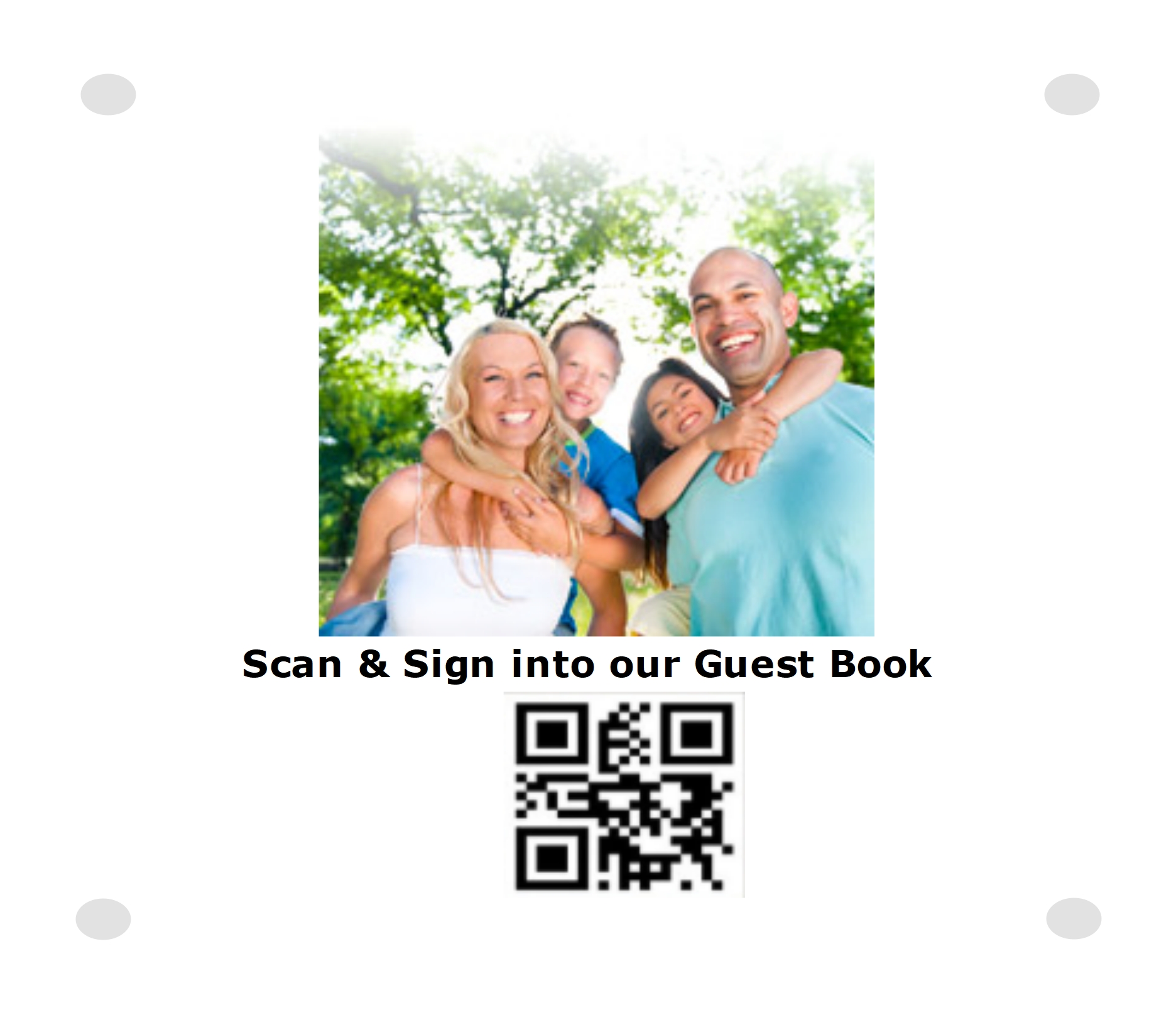
  • Hosts can set up one or more iposters with QR Codes for the guests to Scan and sign-in.
  • By scaning the QR Codes on the iposters, guests can get the details of the event and upload texts and images including selfies.
  • By scaning the QR Codes on the iposters, guests can also get the table number for dinner, if dinner is served.
  • Hosts can also set up cloud printers for the guests to get printed guest badges with a QR Code and name.
  • Instead of setting up cloud printers, hosts can also leave pre-printed guest badges with QR Codes and blanks for the host to scan the QR Code and write their names. By scanning the QR Code printed on the iposters and by scanning the QR Code printed on the pre-printed badges they can be synced.
  • By scanning the QR Codes printed on the guest badges, guests can identify each other with information in addition to name.
  • In addition to guest badges, guests can alos print or use pre-printed QR Codes to attach to reuseable cups.
  • Bar tenders serving alcohol can also scan the QR Code on the badges when serving alcohol drinks to track and not exceed the legal limit of serving alcohols.
  • Guests can also print and attach QR Codes to gift items, so that they can be tracked by hosts and not loose them.
  • Guests can also send electronic gift cards that can be accepted by participating merchants safely and hosts will never loose them.

Guest Sign-in iPoster

Guest Registry

Cloud Printer

Guest Registry

Pre-Printed Identifiers

Building

Pantry Management can automatically track all the ingredients necessary for cooking in any doestic kitchen.

Here is how it works:

  • Consumers can download unlimited number of unique QR Codes
  • Each downloaded QR Code can be printed and attached to unique containers
  • Alternatively, consumers can also purchase containers printed with unique QR Codes
  • Each container with unique QR Code can be assigned to any ingredient in any unique kitchen
  • The ingredient QR Code can be scanned to get the ingredient description and any additional details, or can be manually entred.
  • The ingredient can be in liquid or solid form and any type of units can be used to measure the ingredient
  • Every time the ingredient is added or removed from any container, the QR Code of the container can be scanned and updated with the quantity of the ingredient in the container in a cloud based server
  • The name and the quantity of the ingredient in any container can be viewed and/or updated using any desktop or mobile device.
  • The activity history of any container or any ingredient for any selected can be viewed using any desktop or mobile device.
  • When the quantity of the ingredient in any container reaches below a pre-defined level notifications can be sent to the kitchen owners and also can be added to a shopping list.
  • When the quantity of the ingredient in any container reaches above a pre-defined level the name of the ingredient in the shopping list will be automatically removed.
  • Any kitchen scale can be used to measure the weight of the container with the ingredient and the actual weight of the ingredient will be recorded in the cloud based server

Pantry Management

Merchant Add-On Applications

Sprint-Thru™ Merchant Add-On Applications are miscellaneous applications that can be executed by merchants and can use Digital Cards instead of Physical CARDS.

  • Sprint-Thru™ Digital Cards replace physical cards.
  • Sprint-Thru™ Digital Cards can be used as Gift, Pre-Paid, Rewards and Coupon cards.
  • Sprint-Thru™ Digital Cards can be used for purchase, load and for redemption.
  • Sprint-Thru™ Digital Cards can be linked to phone numbers or apps.
  • Sprint-Thru™ Digital Cards can be positively verified using 2FA+ or app authentication when redemptions are requested.
  • Sprint-Thru™ Digital Cards purchased at physical locations are more secured thatn physical cards purchased at physical locations.
  • Sprint-Thru™ Digital Cards can be universal or merchant specific.
  • Gift, Rewards, Coupon and Payment transactions can be combined together into a single transaction.

Digital Gift Cards

Digital Rewards Cards

Digital Coupons

Counterfeit Less Purchase

Digital Gift Card

  • Physical Gift Cards are vulnerable for fruad where the Gift Card recipients would loose the money through unauthorized withdrawl from Gift Card account.
  • Physical Gift Cards are vulnerable for fruad where the Gift Card merchants would loose money to charge backs.
  • Digital Gift Card holders will never carry physical cards. Too many cards to carry.
  • Digital Gift Card merchants will never let employees handle physical Gift Cards.

Gift Card Management

Gift Card transactions are processed in 3 steps as following:

  1. Gift Card Purchase
  1. Gift Card Activation
  1. Gift Card Redemption

Gift Card Purchase

As an example, the following the Gift Card Purchase web page is shown below:

  • Buyers can use a desk top computer or a mobile device to purchase a Gift Card.
  • At the time of purchase, buyers must select a recipient and amount.
  • At time time of purchase, buyers can select merchant using a search dialog box or an interactive map. or not select a merchant,
  • If a merchant is not selected at the time of purchase, then the recipient at the time of activation can select a merchant,

Buy an E-Gift

Please Enter a Zip Code or City:


Please Enter an Amount:


Please Select a Merchant:

E-Gift Merchant

Gift Card Activation

As an example, the following the Gift Card Activation web page is shown below:


Activate an E-Gift (Desktop Version)

Please Enter E-Gift Number:


Please Scan QR Code using MySingleLink or Merchant or Generic QR Code Reader app and follow the instructions:

Generic QR Code

Please Enter 2FA+ One-Time Code:


Please Select a Merchant: (Skip, if a merchant has already been selected by Gift Giver)

E-Gift Merchant


Activate an E-Gift
(Mobile Version)

Please Enter E-Gift Number:


Authenticate with Finger Print or Face Id
(If MySingleLink or Merchant App is used)

Please Enter 2FA+ One-Time Code:
(If MySingleLink or Merchant App is not used)


Please Select a Merchant:
(Skip, if a merchant has already been selected by Gift Giver)

E-Gift Merchant

  • Only the buyer selected recipient can activate the card.
  • If a mobile device is used without MySingleLink or Merchant app then the recipients will be verified through 2FA+.
  • If MySingleLink or Merchant mobile app is used, then the recipients will be authenticated through finger print identifier or face identifier.
  • If the buyer has not selected a merchant, then the recipient must select a merchant.
  • When a Gift Card is activated, the buyer will be notified that the card has been activated.
  • Untill a Gift Card is activated by a recipeint, the buyer can activate the Gift Card and the recipient will not be able to activate.
  • Gift Card Redemption
  • As an example, the following the Gift Card Redemption web page is shown below:

    • Along with other payments such as credit card, debit card, checks and cash, all e-gifts with a balance more than 0 can be redeemed in a single or multiple transactions with a merchant.
    • If any amount from any e-gift is used as partial or as full payment for any transaction, then the gift giver name and the amount used from the e-gift will be displayed and/or printed on the receipt.
    • Any Gift Card can be redeemed, using a desktop computer or any mobile device or using a mobile app.
    • Merchants would receive a unique transaction identifier in text and QR Code format from MySingleLink or from Merchant and display on the payment page on desk top computers.
    • Merchants would accept a unique authorization code from consumers for authentication.
    • Any Gift Card can also be redeemed, using MySingleLink app or Merchant app from any mobile device
    • Merchants would receive a unique transaction identifier in text from MySingleLink or from Merchant and display on the payment page on mobile app. The transaction identifier would include a unique transaction id and amount.
    • The mobile app would authenticate the consumer with finger print and/or face identifier.
  • Redeem E-Gifts
    (Desktop Version)
  • Please Scan QR Code using MySingleLink or Merchant or Generic QR Code Reader app and follow the instructions:

    Generic QR Code

    Please Enter 2FA+ One-Time Code:


    (If MySingleLink or Merchant App is not used)


    Redeem E-Gifts
    (Mobile Version)

    Merchant Name & Location


    Transaction Identifier


    Transaction Amount


     Confirm that the above information is valid.

    Authenticate with Finger Promt or Face Id
    (If MySingleLink or Merchant App is used)

    Please Enter 2FA+ One-Time Code:
    (If MySingleLink or Merchant App is not used)


    Digital Rewards Card

    • Unlimited number of rewards levels and criteria for customers to reach each level from low to high can be set up by individual merchants.
    • Transparant identifiers such as barcodes without Non-Transparant identifiers inside the packages are vulnerable for counterfeit.
    • The type of awards and award points at each level can also be set up by individual merchants.
    • The level of service that customers would get at each rewards level can also be set up by individual merchants. For example, more loyal customers can get their orders processed faster than less loyal customers.
    • Since physical Reward Cards are vulnerable for fruad and cannot be used with latest internet and mobile technologies, digital Rewards Cards that can be linked to finger print or face identifers or cell number or email with 2FA+ verification are used.

    Digital Coupon Card

    • Physical Paid Coupns are vulnerable for fruad where the Paid Coupon recipients would loose money through unauthorized redemption of Paid Coupons.
    • Physical Paid and Free Coupons are vulnerable for fruad where the merchants would loose money to fradulant redemption of Coupons by employees.
    • Digital Coupon holders will never carry physical coupons. Too many coupons to carry. They will be linked to finger print or face identifers or cell number or email.
    • Digital Coupon merchants will never let employees handle physical Coupons.

    Counterfeit Less Purchase

    Non-Transparant Package Identifier

    • Transparant identifiers such as barcodes without Non-Transparant identifiers inside the package is vulnerable for counterfeit.
    • Transparant identifiers such as QR Codes used by shipping companies such as Amazon is only for the shipping companies to verify the packages and not for recipients to verify the geniuneness of purchased products.
    • Non-Transparant identifiers such as QR Codes placed inside the packages are for recipients to verify the geniuneness of purchased products.

    About Us

    Gopal Nandakumar, an innovator responsible for many innovations since 1987, is the current president of QR Automation Technologies.

    Following are some of the products, which are based on issued and pending patents, being currently marketed under the Business names "MySingleLink" and "Sprint-Thru™":

    • Mobile Wallet with built-in Autenticators
    • Smart Locks that turns Lockers into Smart Lockers
    • Smart Lockers for In-Store, Curbside and Parking Lot pickups
    • Smart Lockers for Single and Multi-Unit deliveries
    • Parking Lot Traffic Mangagers for Parking Lot pickups
    • Secured Self Check-out with Smert Lockers
    • Cashier-Less stores with product pushers and sensors
    • Unmonitored Alcohol Self-Dispeners using Authenticators
    • Under the table Hanger Lockers for secured storage of customrts' personal items
    • QR Door Bell for Positive Identification of Intruders

    Key Features

    • Replaceing texted and/or emailed one-time code with one-time code embedded order identifiers

      Few characters from order identifiers that are known to buyers, delivery persons and merchants can be used as one-time code
    • Conversion of drive-thrus with single ordering stations and single drive-thru windows into Sprint-Thru™ the consists of a single drive-way with multiple ordering stations and multiple pick up stations
    • Reducing traffic jam and polutants in the air by using Parking Lot Traffic Mangagers for Parking Lot pickups
    • Conversion of unsecured self-service check-outs into secured self-service check-outs by adding smart locker technology
    • Cashier-Less stores using product pushers and sensors instead of using cameras and sensors for significant cost reduction
    • QR Door Bell for Positive Identification of Intruders
    • Conversion of monitored Alcohol Self-Dispeners into Unmonitored Alcohol Self-Dispeners using Authenticators
    • Elimination of wrist bands and RFID cards from Alcohol Self-Dispeners
    • Introduction of hanger lockers for order pickup and deliveries
    • Introduction of under the table secured storage with hanger lockers